



Employee Wellness Program Enrolment Tracker is no longer just a trend—it’s a business necessity. Organizations that actively invest in wellness programs see higher employee engagement, improved productivity, and better retention rates. But while the benefits are clear, the challenge lies in managing enrolments, participation, and reporting efficiently. Spreadsheets and manual tracking often create errors, confusion, and wasted time.
That’s why we created the Employee Wellness Program Enrolment Tracker in Excel—a professional, Excel- and VBA-powered tool designed to make wellness program enrolment smooth, secure, and insightful. Whether you’re an HR manager, a wellness coordinator, or part of the leadership team, this tool gives you a centralized system to manage wellness initiatives with confidence.
✨ Key Features of Employee Wellness Program Enrolment Tracker in Excel
✅ Secure Login Form – User authentication with default Admin credentials and multi-user support.
✅ Centralized Main Form – Easy navigation across modules to reduce errors and guide workflows.
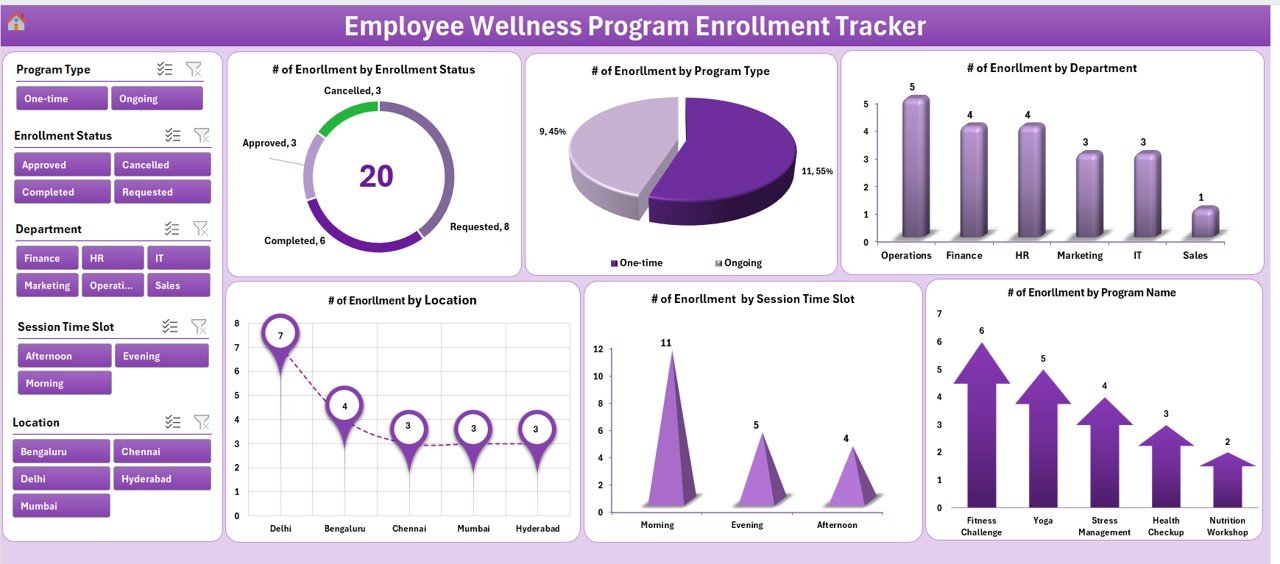
✅ Interactive Dashboard – 5 slicers + 6 dynamic charts covering enrolments by status, department, location, program type, time slot, and program name.
✅ Smart Data Entry – Add, update, or delete enrolments through user-friendly forms (no raw data typing).
✅ Manage Lists Easily – Dropdown-controlled inputs for program names, departments, and more.
✅ User Management – Add, update, or delete users and manage passwords for security.
✅ Settings Customization – Adjust default parameters to fit company policies.
✅ Multi-User Login – Track activities by different users for accountability.
✅ Automated Dashboard Updates – Charts and metrics refresh instantly with every entry.
✅ Support & Backup Sheets – Pivot-based backend for seamless reporting without manual editing.
📊 What’s Inside the Employee Wellness Tracker
Login Form – Secured entry for authorized users only.
Main Form – Your control panel with navigation buttons.
Dashboard Sheet – A visual summary of participation trends.
Data Entry Sheet – Streamlined form for enrolment management.
Manage List Sheet – Dropdown database for standardizing inputs.
Support Sheet – Backend pivot tables for automation.
User Management & Settings Sheets – For full customization and secure user access.
🛠️ How to Use the Employee Wellness Program Enrolment Tracker
1️⃣ Login – Use Admin or user credentials to access.
2️⃣ Add Records – Register employees into wellness programs using the Data Entry form.
3️⃣ Update/Delete – Edit enrolment details or remove outdated records easily.
4️⃣ Monitor Dashboard – Instantly see participation by program, department, or location.
5️⃣ Manage Lists – Keep dropdowns updated for program types, departments, or time slots.
6️⃣ Secure Access – Add new users or adjust passwords as needed.
7️⃣ Customize Settings – Adapt the tracker to your organization’s wellness strategy.
👥 Who Can Benefit from This Tracker?
💼 HR Teams – Streamline wellness program enrolments and reporting.
🧑💻 Wellness Managers – Track participation trends across departments and locations.
🏢 Corporate Leaders – Gain insights into employee engagement with visual dashboards.
🏫 Educational Institutions – Manage student or staff wellness initiatives.
🏥 Healthcare Providers – Track health-focused program enrolments.
🌍 Global Enterprises & SMEs – Scalable enough to suit any organization size.
💡 Why Your Organization Needs This
Eliminates Errors – Automated forms reduce data entry mistakes.
Saves Time – Instant dashboard updates mean no manual reporting.
Improves Engagement – Clear tracking encourages higher participation.
Strengthens Security – Controlled user access keeps employee data safe.
Supports HR Strategy – Aligns wellness initiatives with business objectives.
Click here to read the Detailed blog post
Visit our YouTube channel to learn step-by-step video tutorials
👉 PKAnExcelExpert
Watch the step-by-step video tutorial:
Compatibility and Requirements
- Works in Microsoft Excel desktop on Windows with macros enabled. It uses VBA forms and a login, so it does not run in Excel for the web, Google Sheets or on mobile.
- Microsoft explains how to allow macros in Enable or disable macros in Microsoft 365 files.
- The tracker opens with a login form. The Admin account is set up by default, and you can add more users on the User Management sheet.
Frequently Asked Questions
Does this tracker use macros?
Yes. The login form, main form, data entry form and user management run on VBA, so macros must be enabled in Excel desktop on Windows.
Can more than one person log in?
Yes. You can add, update or delete users and manage their passwords. Each user logs in with their own credentials, so activity can be tracked by user.
What does the dashboard show?
The Dashboard sheet has 5 slicers and 6 charts. It shows enrolments by status, department, location, program type, time slot and program name, and it updates with every new entry.
How do I add or change an enrolment?
Open the Data Entry form from the main form. You can add, update or delete a record without typing into the raw data sheet.
Can I change the dropdown choices?
Yes. The Manage List sheet holds the dropdown values for program names, departments and similar fields, and you can edit them to match your organization.
Is there a Google Sheets version?
Yes. See the Employee Wellness Program Enrollment Tracker in Google Sheets.
Related Employee Wellness Templates
- Employee Wellness Program Enrollment Tracker in Google Sheets: the same tracker for Google Sheets
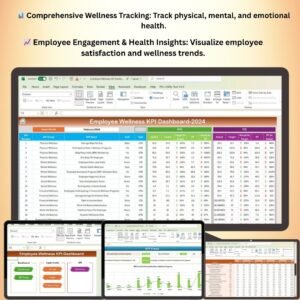
- Employee Wellness KPI Dashboard in Excel: wellness KPIs in one dashboard
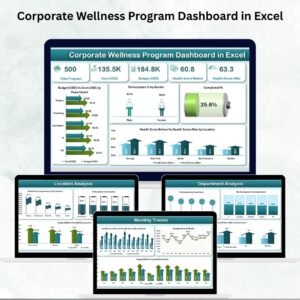
- Corporate Wellness Program Dashboard in Excel: a program-level dashboard
- Wellness Program Schedule Calendar in Excel: plan wellness sessions on a calendar
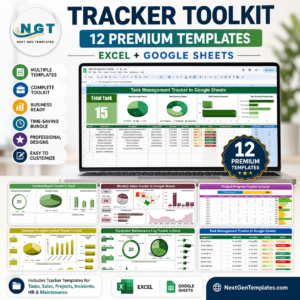
- HR Director Toolkit: 10 HR templates in one download
Browse all Excel trackers and VBA tools.



Reviews
There are no reviews yet.