



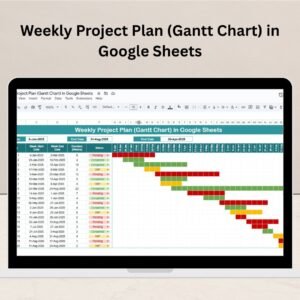
Effortlessly manage your projects with our Weekly Project Plan (Gantt Chart) in Google Sheets—a powerful, easy-to-use timeline tool that helps you stay ahead of deadlines, organize tasks, and monitor progress visually. Whether you’re managing a single project or juggling multiple tasks, this Gantt chart template turns chaos into clarity.Weekly Project Plan
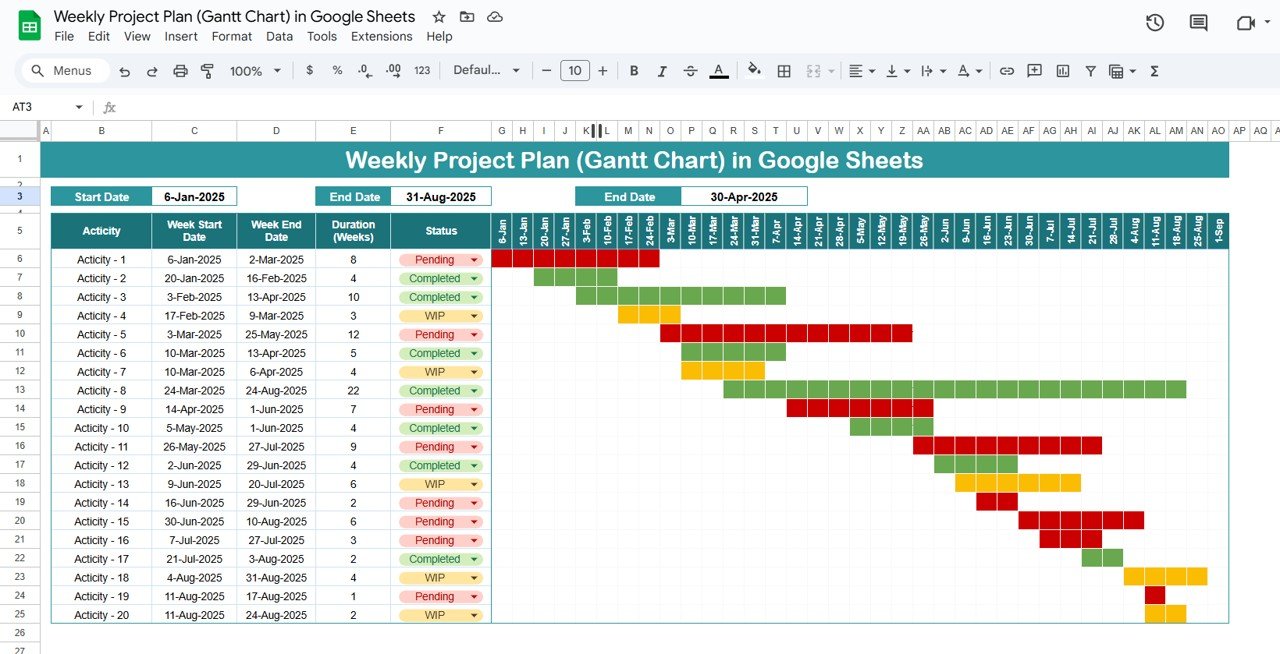
🛠️ Key Features of the Weekly Project Plan (Gantt Chart)
📋 Comprehensive Tracker Section
🔸 List all your project activities with custom start & end dates
🔸 Auto-calculated Duration (in weeks) for accurate scheduling
🔸 Dropdown Status Column with three key options: Pending, WIP, Completed
📊 Interactive Gantt Chart
📆 Weekly timeline from Jan to Sept 2025
🎨 Conditional Color Formatting:
Grey for Pending
Yellow for Work in Progress
Green for Completed
🧩 Easily visualize overlapping tasks and dependencies
📈 Real-Time Timeline Adjustments
Update task dates and statuses—watch the Gantt chart auto-adjust
Perfect for project managers looking to spot delays or bottlenecks in real-time
🧱 Dynamic Design
Fully customizable for any industry or team size
Duplicate rows to add more tasks—expand as your project grows
📦 What’s Inside the Weekly Project Plan (Gantt Chart)
Here’s what this robust template includes:
✅ Tracker Sheet Tab – Add/edit task data including:
Task Name
Start & End Dates
Auto Duration
Task Status (via dropdown)
✅ Gantt Chart Timeline – Week-based visual calendar from Jan to Sep 2025
Automatically formatted based on task status
Displays visual overlaps and scheduling risks
🧩 The best part? All changes in the Tracker auto-reflect on the Gantt chart—no manual updating needed!
🔍 How to Use the Weekly Project Plan (Gantt Chart)
1️⃣ Enter Activities – List your tasks in the Tracker Section
2️⃣ Define Start & End Dates – The duration will auto-calculate
3️⃣ Set Task Status – Use dropdowns to mark as Pending, WIP, or Completed
4️⃣ Monitor Gantt Chart – The chart auto-populates with matching color codes
5️⃣ Adjust On the Go – Update dates or status any time—your timeline stays live
It’s intuitive, clean, and takes less than 5 minutes to get started!
👥 Who Can Benefit from This Gantt Chart Template?
🧑💼 Project Managers – Visualize workload, manage progress, and track deadlines
📊 Agencies & Marketing Teams – Schedule campaigns and team tasks
🏗️ Construction or Engineering – Coordinate complex timelines with ease
👩💻 Freelancers & Consultants – Present structured plans to clients professionally
🎯 Startups & Remote Teams – Keep everyone aligned from anywhere
If you work with tasks, dates, and teams—this tool is built for you!
💡 Why This Template Stands Out
✅ No software needed – 100% Google Sheets, 100% online
✅ Color-coded Gantt Timeline – Visual, flexible, easy to read
✅ Auto-calculated durations – Save time and reduce manual errors
✅ Drop-down statuses – Easily track project stages
✅ Expandable format – Use it for 5 or 50 tasks—grows with your project
✅ Collaborative – Share with teams or clients instantly
With this Gantt chart, you’re not just planning—you’re managing smarter.
🔁 Click here to read the Detailed blog post Weekly Project Plan
Click here to read the Detailed blog post
🎥 Visit our YouTube channel to learn step-by-step video tutorials
Youtube.com/@NeotechNavigators
Watch the step-by-step video tutorial:
Compatibility and Requirements
- A free Google account and a web browser. The template opens in Google Sheets, so there is nothing to install. Google’s guide How to use Google Sheets covers the basics.
Frequently Asked Questions
How is task duration calculated?
Enter a start date and an end date for each activity and the duration is calculated in weeks for you.
Which task statuses can I use?
The Status column has a dropdown with Pending, WIP and Completed. The Gantt bars turn grey, yellow or green to match.
Can I add more tasks?
Yes. Duplicate rows in the Tracker section to add tasks, and the Gantt chart picks them up.
Can I share the plan with my team or clients?
Yes. It is a Google Sheets file, so you can share it and update it together online.
Related Project Planning Templates
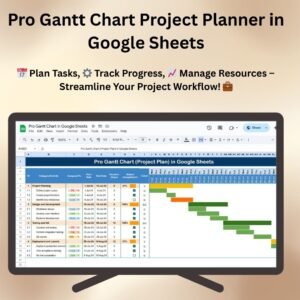
- Pro Gantt Chart Project Planner in Google Sheets: a Gantt planner with more options in Google Sheets.
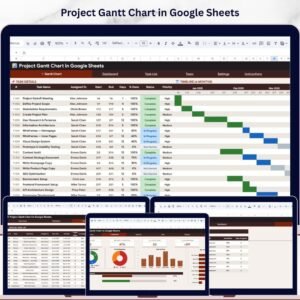
- Project Plan Gantt Chart in Google Sheet
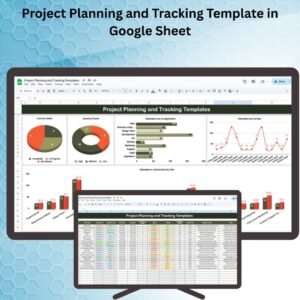
- Project Planning and Tracking Template in Google Sheet: plan and track project tasks in one sheet.
- Pro Gantt Chart in Excel with data entry form: an Excel Gantt chart with a data entry form.
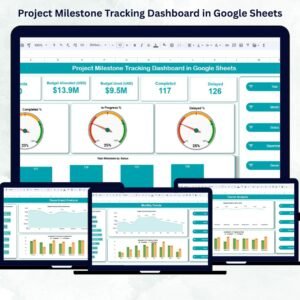
- Project Management Pro Bundle: 9 project templates for Excel and Google Sheets.
Browse all Google Sheets project management templates or the Google Sheets trackers.










Reviews
There are no reviews yet.