



The Healthcare HR Cybersecurity Calendar in Excel is a powerful tool designed to help HR professionals in healthcare organizations manage and track cybersecurity events, tasks, and compliance deadlines. With the increasing importance of safeguarding sensitive patient data and complying with industry standards, this calendar ensures that your team stays organized and on top of critical cybersecurity activities.
Whether you’re planning cybersecurity training sessions, compliance audits, or risk assessments, this calendar provides a structured approach to tracking and managing everything in one place.

📅 What’s Inside the Healthcare HR Cybersecurity Calendar 📅
The Healthcare HR Cybersecurity Calendar consists of five worksheets, each designed to track different aspects of cybersecurity tasks:
Home Sheet Tab
Central Navigation: The Home Sheet acts as the control center, allowing easy access to various sections of the calendar.
Quick Buttons: Access the Annual View, Monthly View, and Daily View with a single click for different levels of detail.
Annual View Sheet Tab
Full Year Overview: View the entire year’s cybersecurity events, tasks, and deadlines.
Customization Options: Select the year, starting month, and change the calendar theme to suit your preferences.
Event Management: Add new events, highlight specific days or events, and view all events for any selected date.
Monthly View Sheet Tab
Detailed Monthly Tracking: View the calendar on a monthly basis for a more granular look at cybersecurity-related tasks.
Event Listing: The calendar will indicate if there are multiple events on the same day, helping you avoid clutter.
Easy Event Addition: Use the “Add New Event” button to quickly input new events.
Daily View Sheet Tab
Detailed Event Breakdown: View tasks and events by date range for in-depth tracking.
Automatic Refresh: Update the list of events based on the selected date range, ensuring you stay up-to-date.
Events Sheet Tab
Event Database: Store detailed information about each event, such as:
Event Name: The name of the event (e.g., “Cybersecurity Awareness Training”).
Date and Time: When the event is scheduled.
Location: The location of the event (if applicable).
Responsible Person: Assign tasks to team members for accountability.
Event Description: Add brief details about each task or event.
⚙️ How to Use the Healthcare HR Cybersecurity Calendar ⚙️
Add Events: Use the Add New Event button in the Annual View or Monthly View to input important cybersecurity events, such as compliance audits or training sessions.
Assign Tasks: Delegate tasks to team members by using the Responsible Person column in the Events Sheet Tab.
Monitor Deadlines: Set and track deadlines for cybersecurity tasks to ensure your team stays on schedule.
Customize: Adjust the calendar layout, change themes, and modify event details to fit your organization’s specific cybersecurity needs.
🔒 Who Can Benefit from This Healthcare HR Cybersecurity Calendar 🔒
HR Professionals: Organize and track cybersecurity-related HR tasks and events, ensuring everything is completed on time.
Compliance Officers: Monitor compliance deadlines for cybersecurity audits, risk assessments, and training programs.
IT and Security Teams: Collaborate on cybersecurity tasks, ensuring that all essential activities are scheduled and tracked.
Healthcare Administrators: Keep track of cybersecurity tasks, training, and audits to maintain compliance with healthcare regulations.
Managers: Oversee the scheduling and completion of cybersecurity events, ensuring your team stays on track.
🌟 Benefits of Using the Healthcare HR Cybersecurity Calendar 🌟
Streamlined Event Management: Organize and track cybersecurity tasks in one place, ensuring nothing is overlooked.
Improved Compliance: Stay on top of deadlines for audits, training, and compliance, helping you meet regulatory requirements.
Enhanced Collaboration: Share the calendar with your team for better coordination and accountability across departments.
Customizable: Tailor the calendar to meet your organization’s specific cybersecurity needs and preferences.
Time Efficiency: Quickly access upcoming events and deadlines, allowing for more efficient planning and resource allocation.
Click here to read the detailed blog post
Watch the step-by-step video Demo:
Visit our YouTube channel to learn step-by-step video tutorials
Compatibility and Requirements
- Works in Microsoft Excel desktop (Excel 2016 or later, or Microsoft 365).
- The Annual View has buttons for adding events and highlighting dates. Microsoft’s guide to Excel for Windows training covers the basics.
Frequently Asked Questions
Which sheets are included?
Five sheets: Home, Annual View, Monthly View, Daily View and Events.
How do I add a cybersecurity event?
Click the Add New Event button in the Annual View or Monthly View. Enter the event name, date and time, location, responsible person and a short description. Events are stored on the Events sheet.
Can I see the whole year at once?
Yes. The Annual View shows the full year. You can pick the year, the starting month and the calendar theme, and view all events for a selected date.
How do I assign a task to a team member?
Enter the person’s name in the Responsible Person column on the Events sheet.
Is there a version for other healthcare teams?
Yes. See the Healthcare Compliance Cybersecurity Calendar in Excel and the Healthcare IT Cybersecurity Calendar in Excel.
Related Cybersecurity and Healthcare Templates
- Healthcare Compliance Cybersecurity Calendar in Excel: the same calendar for compliance teams
- Healthcare IT Cybersecurity Calendar in Excel: a calendar for IT teams in healthcare
- Cybersecurity Review Calendar in Excel: a general calendar for security reviews
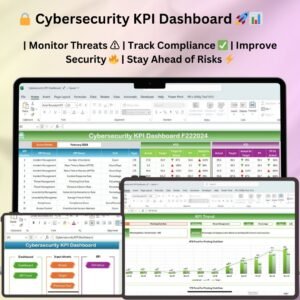
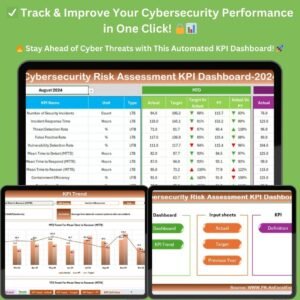
- Cybersecurity KPI Dashboard in Excel: track cybersecurity KPIs
- Healthcare Dashboard in Excel: a dashboard view for healthcare data
Browse all Excel calendar templates and HR and Payroll templates.
































Reviews
There are no reviews yet.