



The Healthcare Inventory Management KPI Dashboard in Excel is a comprehensive tool designed to help healthcare organizations, hospitals, clinics, and pharmacies efficiently manage and monitor their inventory. This Excel-based dashboard provides real-time insights into key performance indicators (KPIs) related to inventory management, including stock levels, stock turnover rates, and order fulfillment efficiency.
In the healthcare industry, effective inventory management is crucial for ensuring the availability of medical supplies and medications while minimizing costs and waste. This dashboard allows healthcare administrators to track inventory levels, monitor stock movements, and improve supply chain efficiency. With visual charts and customizable KPIs, this tool helps optimize the inventory management process, ensuring that healthcare providers always have the right supplies at the right time.
Key Features of the Healthcare Inventory Management KPI Dashboard in Excel
📊 Real-Time Stock Level Monitoring
Track real-time inventory levels across various categories such as medications, medical equipment, and supplies. Get insights into stock quantities, reorder levels, and critical shortages.
📈 Stock Turnover Rate Tracking
Monitor the rate at which inventory is being used and replenished. This KPI helps identify fast-moving items and ensures that stock levels remain optimal, reducing the risk of stockouts or overstocking.
📦 Order Fulfillment Efficiency
Track order fulfillment times and the efficiency of your inventory processes. This includes monitoring lead times, stock deliveries, and the accuracy of orders filled to improve operational efficiency.
⚙️ Supplier Performance & Lead Time Analysis
Evaluate supplier performance based on delivery times and product quality. Monitor lead times to ensure timely restocking and prevent delays in patient care due to inventory shortages.
📅 Time-Based Inventory Performance
Analyze inventory trends over different time periods—daily, weekly, monthly, and yearly. This feature helps track performance and identify areas for improvement in inventory management.
🔑 Customizable KPIs & Metrics
Customize the dashboard to reflect the most relevant KPIs for your healthcare organization. Track additional metrics such as item cost, procurement efficiency, or usage rates to optimize inventory management.
Why You’ll Love the Healthcare Inventory Management KPI Dashboard in Excel

✅ Efficient Inventory Monitoring
Track real-time inventory levels and ensure that medical supplies and medications are always available when needed.
✅ Optimize Stock Levels & Reduce Waste
Monitor stock turnover and ensure that you’re not overstocking or running out of essential items. This helps reduce waste and improve cost efficiency.
✅ Improve Order Fulfillment & Lead Times
Monitor order fulfillment times and supplier lead times to ensure that orders are processed efficiently and timely. Improve your supply chain management and reduce delays.
✅ Enhance Supplier Relationships
Evaluate supplier performance and identify areas where improvements can be made to enhance the reliability of your supply chain.
✅ Customizable for Your Needs
Tailor the dashboard to meet your specific healthcare inventory needs. Track any additional metrics or KPIs that are important to your inventory management strategy.
What’s Inside the Healthcare Inventory Management KPI Dashboard in Excel?
Real-Time Stock Level Monitoring: Track inventory levels and reorder points.
Stock Turnover Rate Tracking: Monitor how quickly items are used and replenished.
Order Fulfillment Efficiency: Track the accuracy and efficiency of order fulfillment.
Supplier Performance Monitoring: Evaluate supplier performance and delivery times.
Time-Based Analysis: Track inventory trends over time to identify inefficiencies.
Customizable KPIs: Adjust the dashboard to suit your specific inventory management needs.
How to Use the Healthcare Inventory Management KPI Dashboard in Excel
1️⃣ Download the Template: Access the Healthcare Inventory Management KPI Dashboard in Excel instantly.
2️⃣ Input Inventory Data: Enter data related to your inventory, including stock levels, reorder points, and order fulfillment times.
3️⃣ Track KPIs & Performance: Monitor real-time stock levels, turnover rates, and order fulfillment efficiency.
4️⃣ Analyze Trends & Data: Use time-based performance analysis to identify patterns and optimize your inventory management.
5️⃣ Optimize Your Inventory Management: Use insights from the dashboard to reduce costs, improve stock efficiency, and enhance patient care.
Who Can Benefit from the Healthcare Inventory Management KPI Dashboard in Excel?
🔹 Healthcare Providers & Hospital Administrators
🔹 Pharmacy Managers
🔹 Supply Chain & Logistics Teams
🔹 Inventory Managers
🔹 Procurement Teams
🔹 Data Analysts in Healthcare
🔹 Small & Medium Healthcare Enterprises (SMEs)
🔹 Large Healthcare Organizations
Ensure optimal inventory management in your healthcare organization with the Healthcare Inventory Management KPI Dashboard in Excel. Track stock levels, improve order fulfillment, and reduce waste to enhance patient care and operational efficiency.
Click here to read the Detailed blog post
Visit our YouTube channel to learn step-by-step video tutorials
Youtube.com/@PKAnExcelExpert
Compatibility and Requirements
- Works in Microsoft Excel desktop (Excel 2016 or later, or Microsoft 365).
- Microsoft’s guide Create a chart from start to finish explains the Excel feature this file is built on.
Frequently Asked Questions
Which inventory KPIs does the dashboard track?
Stock levels and reorder levels, stock turnover rate, order fulfillment efficiency, and supplier performance and lead times.
Which item types can I monitor?
Inventory categories such as medications, medical equipment and supplies, including critical shortages.
Can I look at trends over time?
Yes. You can analyze inventory performance daily, weekly, monthly and yearly.
What data do I need to enter?
Stock levels, reorder points and order fulfillment times. The KPIs and charts use these entries.
Can I add my own metrics?
Yes. You can track extra measures such as item cost, procurement efficiency or usage rates.
Related Healthcare and Inventory Templates
- Hospital Operations KPI Dashboard in Excel: wider hospital KPIs
- Pharmacy KPI Dashboard in Excel: KPIs for a pharmacy
- Pharmacy Stock Expiry Calendar in Excel: plan around expiry dates
- Retail Inventory KPI Scorecard in Excel: inventory KPIs against targets
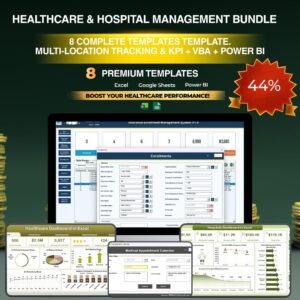
- Healthcare & Hospital Management Bundle: 8 healthcare templates in one bundle
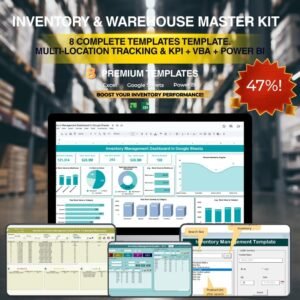
Browse all Excel KPI dashboards or the Excel inventory management templates.






























Reviews
There are no reviews yet.