



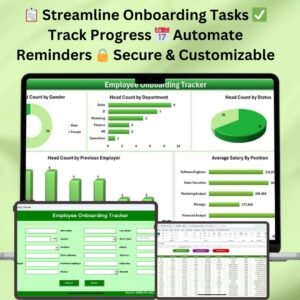
The Employee Onboarding Preparation Guide Checklist is a comprehensive tool designed to help organizations streamline the onboarding process for new hires. This template provides a structured framework that covers all the essential tasks required to onboard an employee effectively, ensuring a smooth transition into their new role.
By centralizing all onboarding tasks, this guide helps HR teams and managers keep track of necessary actions, from preboarding activities to initial training. The Excel template is customizable, allowing you to tailor it to your organization’s specific needs, making the onboarding experience organized, efficient, and seamless.

Key Features of the Employee Onboarding Preparation Guide in Excel
📋 Structured Onboarding Checklist
Comprehensive Task List: The guide includes a detailed list of onboarding tasks, ensuring no essential steps are missed. This covers preboarding activities, first-day logistics, team introductions, IT setups, and initial training schedules.
Categorized Sections: Tasks are neatly organized into categories like documentation, IT equipment setup, team introductions, and mandatory training, ensuring a thorough and organized onboarding experience for new hires.
📈 Progress Tracking and Accountability
Status Indicators: Each task includes status options such as “Not Started,” “In Progress,” and “Completed” to help you track progress and ensure timely completion of each step in the onboarding process.
Responsible Person Assignment: Assign each task to a specific team member or department, ensuring accountability and clarity regarding who is responsible for each task.
🔄 Customizable and User-Friendly Design
Editable Fields: The guide can be easily modified to meet the unique requirements of your organization’s onboarding process. Whether you’re adding custom tasks or adjusting the timeline, the template offers flexibility to accommodate your needs.
Intuitive Layout: Designed with user-friendliness in mind, the template allows HR teams and managers to quickly navigate, update, and monitor the progress of each task.
📂 Supplementary Resources
List Sheet for Documents: Organize and track essential documents required for onboarding, such as tax forms, contracts, and employee handbooks.
Training Schedule Integration: Include detailed information about the new hire’s training schedule, making it easy to coordinate sessions and track progress.
Benefits of Using the Employee Onboarding Preparation Guide in Excel
✅ Efficient Onboarding Process
By having all tasks and responsibilities clearly outlined, HR departments can reduce the chances of missing key steps and ensure a smooth and welcoming onboarding experience for new hires.
✅ Enhanced Coordination
With task assignments and progress tracking, HR teams can ensure better coordination across departments. Managers and teams will know exactly when and how to engage with the new employee, enhancing overall communication.
✅ Customizable Solution
This Excel-based guide is easily adaptable to suit your organization’s specific processes. Whether you have a large team or small-scale onboarding needs, you can tailor the guide to meet your exact requirements.
Getting Started with Your Employee Onboarding Preparation Guide in Excel
Download the Template: Download the onboarding preparation template to get started.
Set Up Onboarding Tasks: Customize the checklist by adding or modifying onboarding tasks to reflect your company’s onboarding procedures.
Assign Responsibilities: Assign each task to the relevant team members or departments to ensure proper execution.
Track Progress: Regularly check the progress of each task using the status indicators to make sure everything is completed on time.
Review and Update: As onboarding requirements evolve, update the guide to reflect any changes, ensuring it stays relevant and efficient.
By using the Employee Onboarding Preparation Guide in Excel, you can ensure that every new employee has a smooth and well-organized onboarding experience, helping them integrate into the team quickly and effectively.
Click here to read the Detailed blog post
Employee Onboarding Preparation Guide in Excel
Visit our YouTube channel to learn step-by-step video tutorials
YouTube.com/@PKAnExcelExpert
Compatibility and Requirements
- Works in Microsoft Excel desktop (Excel 2016 or later, or Microsoft 365).
- New to Excel? Microsoft has a free course page: Excel for Windows training.
Frequently Asked Questions
What tasks does the checklist cover?
It covers preboarding activities, first-day logistics, team introductions, IT setup and initial training schedules. Tasks are grouped into categories such as documentation, IT equipment setup, team introductions and mandatory training.
How do I track progress?
Each task has a status of Not Started, In Progress or Completed. Update the status as the work moves along.
Can I assign tasks to people?
Yes. Each task can be assigned to a team member or department, so it is clear who is responsible.
Can I add my own tasks?
Yes. The fields are editable, so you can add tasks or adjust the timeline to match your onboarding process.
Is there a Google Sheets version?
There is an onboarding checklist for Google Sheets: Employee Onboarding Checklist in Google Sheets.
Related Onboarding Templates
- Employee Onboarding Checklist Template in Excel: a general onboarding checklist
- Employee Onboarding Tracker in Excel: follow each new hire through onboarding
- Employee Onboarding Documentation Checklist in Excel: track the documents new hires need
- Employee Onboarding Checklist in Google Sheets: the same topic in Google Sheets
- HR Director Toolkit: 10 HR templates in one download
Browse all Excel checklists.


































Reviews
There are no reviews yet.