

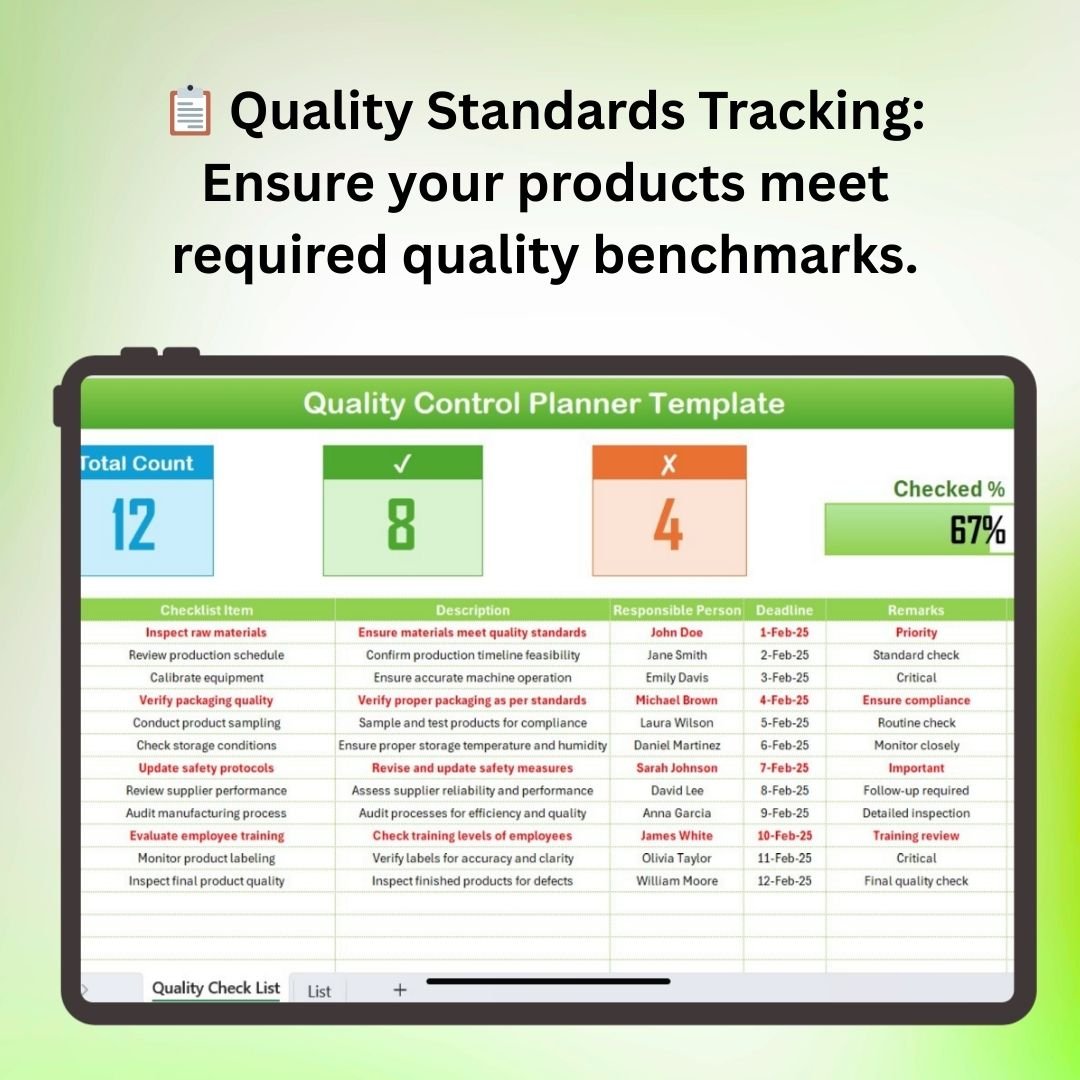
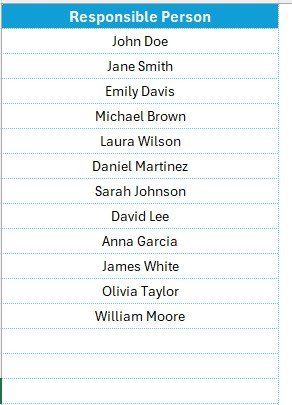

The Quality Control Planner Checklist in Excel is a comprehensive and practical tool designed to help businesses, quality control teams, and managers streamline the process of ensuring product quality. This Excel-based checklist is an essential resource for tracking quality standards, identifying potential issues, and ensuring that your products meet the required quality benchmarks at every stage of production or service delivery.
From product inspections to testing procedures, the checklist provides a systematic approach to monitor and maintain high-quality standards. It’s fully customizable, making it adaptable to any industry, whether you’re manufacturing goods, providing services, or managing a quality control department.
Key Features of the Quality Control Planner Checklist in Excel
📋 Quality Standards Tracking
Keep track of quality standards and criteria for each product or service. Ensure that all quality benchmarks are met by documenting the inspection process and test results.
📝 Task List & Checkpoints
Create and manage detailed task lists and checkpoints that need to be completed during the quality control process. This allows for efficient tracking of tasks from start to finish.
🔍 Inspection & Testing Procedures
Record inspection and testing details, including what was tested, by whom, and when. This helps in maintaining an audit trail for all quality-related activities.
📅 Time-Based Scheduling
Schedule quality control checks and activities by time, ensuring that they are completed promptly and as per the required timeline. Time-based tracking also helps identify delays in the process.
📈 Reporting & Data Analysis
Generate reports based on test results and inspection feedback. Use this data to analyze trends, track performance, and identify areas for improvement in the quality control process.
⚙️ Customizable Templates
Tailor the checklist to your specific needs. Add or modify fields, inspection criteria, and checkpoints based on the nature of your product or service and quality control requirements.
Why You’ll Love the Quality Control Planner Checklist in Excel

✅ Simplifies Quality Control Processes
Organize and streamline all aspects of your quality control process in one easy-to-use checklist, making it easier to track and maintain quality standards.
✅ Boosts Accountability & Transparency
Assign tasks to team members and track progress in real time. Ensure that every step of the quality control process is documented and easily accessible.
✅ Enhances Product Quality
Identify potential issues early by following a structured quality control process. This helps to prevent defects and improve overall product quality.
✅ Data-Driven Insights for Continuous Improvement
Generate detailed reports and analyze trends to improve quality control processes, reduce defects, and enhance production efficiency.
✅ Customizable & Scalable for Any Industry
Whether you are in manufacturing, services, or any other industry, this template can be customized to meet your specific quality control requirements.
What’s Inside the Quality Control Planner Checklist in Excel?
Quality Standards Tracking: Document and track quality benchmarks and criteria.
Task List & Checkpoints: Organize and manage quality control tasks and activities.
Inspection & Testing Records: Keep records of inspections and testing procedures.
Time-Based Scheduling: Schedule and track quality control activities by time.
Reporting & Data Analysis: Analyze data and generate reports to improve quality processes.
Customizable Fields: Tailor the checklist to fit your industry and quality control needs.
How to Use the Quality Control Planner Checklist in Excel
1️⃣ Download the Template: Instantly access the Quality Control Planner Checklist in Excel.
2️⃣ Define Quality Standards: Input quality benchmarks and inspection criteria for your product or service.
3️⃣ Track Tasks & Checkpoints: Organize and track tasks and quality control activities from start to finish.
4️⃣ Record Inspections & Test Results: Log inspection and testing results to maintain an audit trail.
5️⃣ Generate Reports & Analyze Trends: Use the reporting features to analyze quality performance and improve processes.
Who Can Benefit from the Quality Control Planner Checklist in Excel?
🔹 Quality Control Managers
🔹 Manufacturing Teams
🔹 Product Managers & Engineers
🔹 Service Providers
🔹 Small & Medium Enterprises (SMBs)
🔹 Large Corporations with Quality Control Departments
🔹 Compliance & Regulatory Teams
Ensure the highest quality standards with the Quality Control Planner Checklist in Excel. Organize and streamline your quality control processes, track inspections and tests, and improve product quality and operational efficiency.
Click here to read the Detailed blog post
Visit our YouTube channel to learn step-by-step video tutorials
Youtube.com/@PKAnExcelExpert
Compatibility and Requirements
- Works in Microsoft Excel desktop (Excel 2016 or later, or Microsoft 365).
- You can add or change fields and checkpoints with normal Excel editing. Microsoft explains dropdown lists in Create a drop-down list.
Frequently Asked Questions
What does the Quality Control Planner Checklist track?
Quality standards and criteria, task lists and checkpoints, inspection and testing records, and the timing of each quality check.
Can I record who tested what and when?
Yes. You can record what was tested, by whom and when, which keeps an audit trail of your quality checks.
Can I change the checklist for my industry?
Yes. You can add or modify fields, inspection criteria and checkpoints to match your product or service.
Can I report on the results?
Yes. You can build reports from test results and inspection feedback to spot trends and problem areas.
Related Quality Control Templates
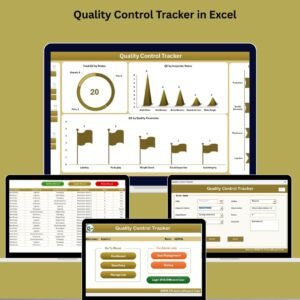
- Quality Control Tracker in Excel: log inspections and defects over time
- Quality Control Tracker in Google Sheets: the tracker in Google Sheets
- Quality Control To-Do List Checklist in Excel: a simple QC task list
- Quality Control Review Checklist in Excel: review steps after inspection
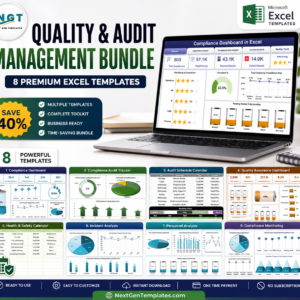
- Quality and Audit Management Bundle: a bundle of quality templates
Browse all Excel quality control templates or the Excel checklist templates.

































Reviews
There are no reviews yet.