



The IT System Maintenance Calendar in Excel is a powerful and organized tool designed to help businesses and IT departments efficiently manage and track their IT system maintenance schedules. This Excel-based calendar simplifies the process of planning, tracking, and documenting maintenance activities for various IT systems, ensuring that critical systems remain secure, up-to-date, and running smoothly.
Whether you’re managing servers, software applications, or network infrastructure, this maintenance calendar helps you stay on top of all maintenance activities, ensuring they are completed on time and that your systems are always performing optimally. With this tool, you can easily plan maintenance tasks, track progress, and stay compliant with industry regulations.
Key Features of the IT System Maintenance Calendar in Excel
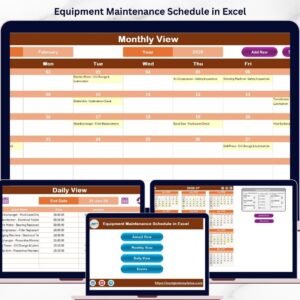
📅 Maintenance Schedule Tracking
Plan and track scheduled maintenance tasks, including system updates, security patches, hardware upgrades, and software installations. Stay ahead of system requirements and avoid last-minute disruptions.
📝 Task Assignment & Responsibilities
Assign tasks to IT team members and track their progress. Ensure that everyone involved knows their responsibilities, deadlines, and expectations for system maintenance.
🔄 Regular Maintenance Reminders
Set reminders for recurring maintenance tasks to ensure that no regular maintenance is missed, such as quarterly backups, annual system checks, or periodic security scans.
📊 Comprehensive Maintenance Log
Document all maintenance activities, including completed tasks, system downtimes, and any issues encountered. This log helps track historical maintenance efforts and provides a reference for future needs.
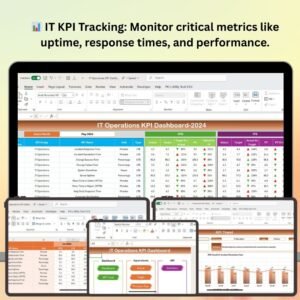
📈 Time-Based Performance Tracking
Monitor the performance of systems over time, allowing you to correlate maintenance activities with system uptime and performance. Use this data to identify patterns and improve future maintenance planning.
⚙️ Customizable Calendar & Tasks
Customize the calendar with different maintenance tasks, deadlines, and priorities specific to your IT infrastructure. Adjust the calendar to reflect your company’s unique IT system requirements.
Why You’ll Love the IT System Maintenance Calendar in Excel

✅ Streamlined Maintenance Management
Track all maintenance activities in one place, ensuring that nothing is missed and that each task is completed on time.
✅ Increased System Reliability
By keeping a consistent maintenance schedule, you can prevent system downtimes, reduce security risks, and ensure high system performance.
✅ Improve IT Department Efficiency
Assign tasks to team members and track progress, helping to streamline the maintenance workflow and improve team coordination.
✅ Proactive System Monitoring
With regular reminders for scheduled tasks, you can proactively manage system maintenance, avoiding system failures and unexpected downtime.
✅ Data-Driven Decision Making
Use the maintenance log to track the performance and uptime of systems over time. This valuable data can inform future IT decisions and improve operational efficiency.
What’s Inside the IT System Maintenance Calendar in Excel?
Maintenance Schedule Tracking: Plan and track scheduled system updates, repairs, and tasks.
Task Assignment & Responsibilities: Assign tasks to IT staff and track progress.
Maintenance Reminders: Set recurring reminders for regular maintenance activities.
Comprehensive Maintenance Log: Record completed tasks, downtimes, and issues.
Time-Based Performance Monitoring: Analyze system performance over time and correlate with maintenance activities.
Customizable Calendar: Tailor the calendar to meet the unique needs of your IT systems.
How to Use the IT System Maintenance Calendar in Excel
1️⃣ Download the Template: Access the IT System Maintenance Calendar in Excel instantly.
2️⃣ Add Maintenance Tasks: Input your scheduled maintenance tasks, such as updates, patches, and upgrades.
3️⃣ Assign Responsibilities: Assign tasks to IT staff and set deadlines for completion.
4️⃣ Track Progress: Monitor task completion and ensure all maintenance is completed on time.
5️⃣ Review Historical Maintenance Data: Use the log to analyze past maintenance activities and improve future planning.
Who Can Benefit from the IT System Maintenance Calendar in Excel?
🔹 IT Teams & System Administrators
🔹 Network Engineers & Technicians
🔹 Business Owners & IT Managers
🔹 Small & Medium Enterprises (SMBs)
🔹 Large Corporations with Complex IT Infrastructure
🔹 Managed Service Providers (MSPs)
🔹 Organizations in Need of Regular IT Maintenance Scheduling
Ensure your IT systems are well-maintained and performing at their best with the IT System Maintenance Calendar in Excel. Track maintenance schedules, assign tasks, and improve system uptime and security.
Click here to read the Detailed blog post
Visit our YouTube channel to learn step-by-step video tutorials
Youtube.com/@PKAnExcelExpert
Compatibility and Requirements
- Works in Microsoft Excel desktop (Excel 2016 or later, or Microsoft 365).
- New to Excel? Microsoft has free lessons in Excel for Windows training.
Frequently Asked Questions
What kind of maintenance can I schedule?
You can plan system updates, security patches, hardware upgrades and software installations.
Can I assign tasks to my IT team?
Yes. You assign each task to a team member and track its progress and deadline.
Does it cover recurring maintenance?
Yes. It has reminders for recurring work such as quarterly backups, annual system checks and periodic security scans.
What goes into the maintenance log?
The log records completed tasks, system downtime and any issues found, so you have a history for future planning.
Can I change the tasks and priorities?
Yes. You can customize the tasks, deadlines and priorities to fit your own IT systems.
Related IT Maintenance Templates
- IT Hardware Replacement Calendar in Excel: plan hardware refresh dates
- Maintenance Schedule Calendar in Google Sheets: a maintenance calendar in Google Sheets
- IT Equipment Maintenance Checklist in Excel: check each device during maintenance
- IT Operations KPI Dashboard in Excel: measure IT operations with KPIs
- IT Manager & CISO Toolkit: 10 IT templates in one download
Browse all Excel calendars or the Excel IT templates.











Reviews
There are no reviews yet.