



The Easter Brunch Checklist in Excel is the ultimate tool for planning and organizing the perfect Easter brunch. Whether you’re hosting a small family gathering or a large celebration, this Excel-based checklist ensures that you won’t miss a single detail. From menu planning and guest lists to decorations and activities, this checklist covers everything you need to host a stress-free and enjoyable Easter brunch.
With its easy-to-use format and customizable sections, you can organize every aspect of your event, ensuring that your guests have a wonderful time while you stay organized and prepared.

Key Features of the Easter Brunch Checklist in Excel:
🍽️ Menu Planning and Food Preparation
Organize your menu, track ingredients, and ensure you have everything needed for a delicious Easter feast, including appetizers, main courses, desserts, and drinks.
🎉 Guest List and Invitations
Manage your guest list, send invitations, and track RSVPs to make sure you have enough space and food for everyone attending.
🎈 Decoration and Setup
Plan your decorations, table settings, and the overall ambiance for the brunch, ensuring that your space looks festive and inviting.
📝 Activity and Entertainment Planning
Track planned activities and entertainment for guests, including games, music, and fun Easter-themed activities for all ages.
🎁 Gift and Thank-You Notes
Keep track of any gifts received, plan thank-you notes, and express appreciation to your guests for celebrating with you.
🚀 Why You’ll Love the Easter Brunch Checklist in Excel:
✅ Stay Organized – Track every detail, from food and drinks to guest lists and decorations, ensuring that nothing is overlooked.
✅ Easy to Use – The Excel format is simple to navigate, allowing you to easily enter and update information as your event approaches.
✅ Fully Customizable – Tailor the checklist to fit your unique Easter brunch, whether it’s a casual family meal or a grand gathering.
✅ Comprehensive Planning – Organize your menu, activities, and guest list, ensuring you’re fully prepared for your Easter celebration.
✅ Perfect for Any Party Size – Whether you’re hosting a small gathering or a large celebration, this checklist adapts to any type of event.
What’s Inside the Easter Brunch Checklist in Excel:
Menu Planning: Organize your menu, track ingredients, and plan your food and drink items for an organized brunch spread.
Guest List and Invitations: Keep track of your guests, RSVP status, and invitation sending to ensure everyone is invited and accounted for.
Decoration Planning: Plan your Easter-themed decorations, table settings, and space layout to create a festive atmosphere.
Activities and Entertainment: Organize planned activities, games, and entertainment for both children and adults to enjoy during the event.
Gift and Thank-You Notes: Track gifts received and prepare thank-you notes to show appreciation to your guests.
Customizable Sections: Add or remove sections to meet the specific needs of your event, whether it’s additional activities, food items, or special arrangements.
How to Use the Easter Brunch Checklist in Excel:
1️⃣ Download the Template – Instantly access your Excel file upon purchase.
2️⃣ Input Event Details – Add your guest list, menu, decorations, and other event details to start organizing your Easter brunch.
3️⃣ Track Invitations and RSVPs – Monitor who has RSVP’d and send reminders to ensure everyone is accounted for.
4️⃣ Plan Your Menu and Drinks – Organize your food and drink choices, ensuring that all dietary needs and preferences are covered.
5️⃣ Plan Activities and Entertainment – Track the planned activities for guests to enjoy, ensuring that there’s something for everyone to do.
6️⃣ Ensure Supplies and Decorations – Make sure you have everything you need for decorations, seating, and party supplies.
Who Can Benefit from the Easter Brunch Checklist in Excel:
Hosts Organizing Easter Brunch
Event Planners
Family Organizers
Anyone Hosting a Holiday Celebration
Party Coordinators for Easter Events
People Celebrating with Friends and Family
Organizers of Themed Brunches or Holiday Meals
Hosts Planning Holiday Gatherings
The Easter Brunch Checklist in Excel is your go-to solution for organizing a memorable Easter celebration. From food and drinks to activities and decorations, this checklist ensures that every detail is managed, and you’re ready to host an enjoyable, stress-free event.
Click here to read the Detailed blog post
https://www.pk-anexcelexpert.com/easter-brunch-checklist-in-excel/
Visit our YouTube channel to learn step-by-step video tutorials
Youtube.com/@PKAnExcelExpert
Compatibility and Requirements
- Works in Microsoft Excel desktop (Excel 2016 or later, or Microsoft 365).
- New to Excel? Microsoft’s Excel for Windows training covers the basics.
Frequently Asked Questions
What does the checklist cover?
Menu planning and food preparation, the guest list and invitations, decorations and setup, activities and entertainment, and gifts and thank-you notes.
Can I track RSVPs?
Yes. The guest list section tracks invitations and RSVP status.
Can I add or remove sections?
Yes. You can add or remove sections for extra activities, food items or special arrangements.
Does it work for a large gathering?
Yes. It suits a small family brunch or a large celebration.
Related Party and Holiday Templates
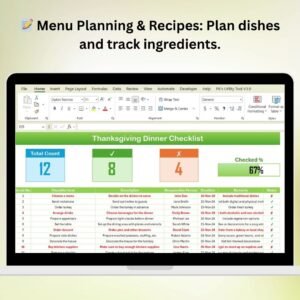
- Thanksgiving Dinner Checklist in Excel: plan another holiday meal
- Graduation Party Checklist in Excel: for graduation parties
- Holiday Shopping Checklist in Excel: list what to buy before the event
- Event Planning Checklist in Google Sheets: plan events in a shared online sheet
- Checklist & SOP Pack: 12 checklist templates in one download
Browse all Excel checklists or the Excel calendars.
































Reviews
There are no reviews yet.