


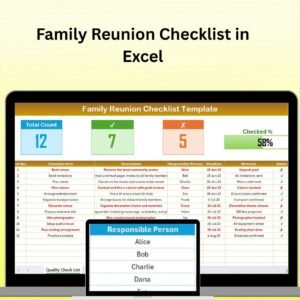
The Family Reunion Checklist in Excel is a must-have tool for organizing and executing a memorable family reunion. Whether you’re planning a small intimate gathering or a large family event, this Excel-based checklist ensures that you stay organized and on top of every detail. From guest lists and invitations to food, activities, and logistics, this checklist makes it easy to plan a successful family reunion with minimal stress.
With customizable features and an easy-to-use interface, this tool will help you coordinate all aspects of the event, ensuring that your family has a great time while you keep track of everything in one place.
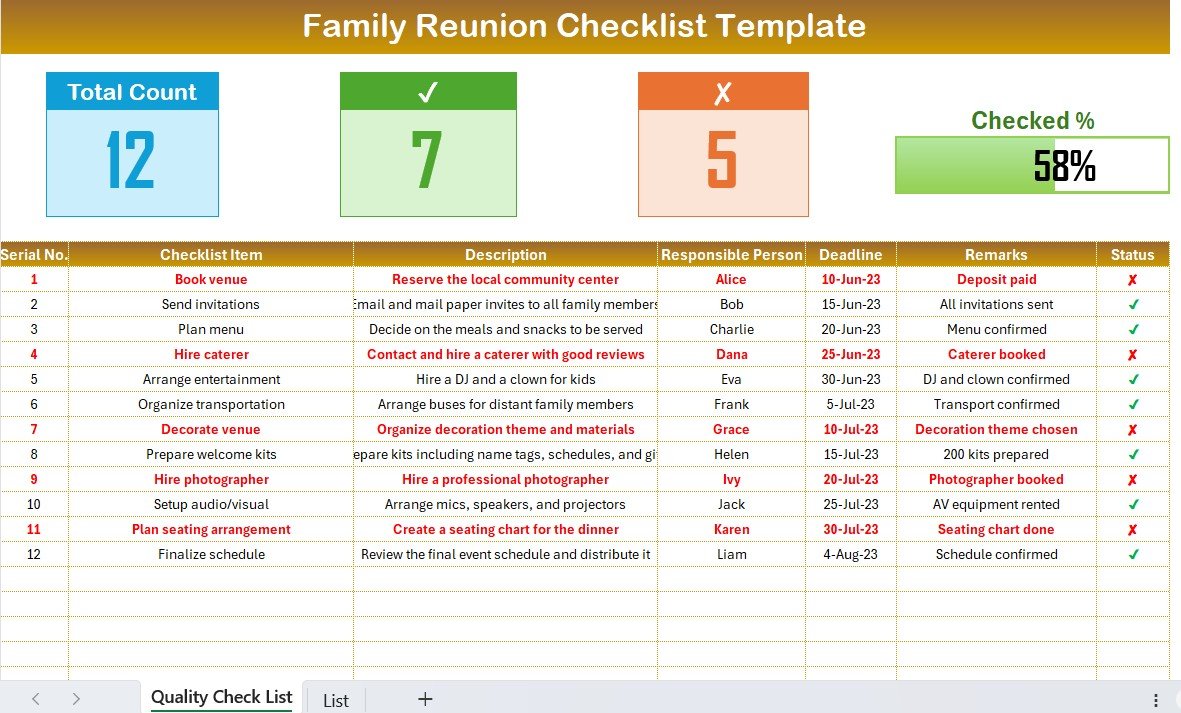
Key Features of the Family Reunion Checklist in Excel:
👨👩👧👦 Guest List and Invitations
Manage your guest list, send invitations, and track RSVPs to ensure you know exactly who is attending and have enough accommodations for everyone.
🍔 Food and Beverage Planning
Organize your menu, track ingredients, and ensure that you have everything you need for a delicious meal that suits your guests’ preferences.
🎉 Activities and Entertainment
Plan fun activities and games for all age groups, track supplies and materials needed for each activity, and ensure your guests have plenty to do.
🏠 Venue and Accommodation Management
Track venue options, accommodations, and lodging arrangements for out-of-town guests to ensure everyone is comfortable and well-catered for.
🛍️ Supplies and Equipment
Make sure you have all the necessary supplies, from seating and tableware to sound systems and decorations, so your event runs smoothly.
🚀 Why You’ll Love the Family Reunion Checklist in Excel:
✅ Stay Organized – Track every detail, from invitations and food to activities and venue arrangements, ensuring nothing is overlooked.
✅ Easy to Use – The Excel format is user-friendly, allowing you to quickly input and update your information without any hassle.
✅ Fully Customizable – Tailor the checklist to fit your specific needs, whether it’s a small family gathering or a grand reunion with extended family.
✅ Comprehensive Planning – Plan every aspect of your reunion, from logistics to entertainment, ensuring that your event is a success.
✅ Perfect for Any Family Size – Whether you’re organizing a small gathering or a large family reunion, this checklist is adaptable for all party sizes.
What’s Inside the Family Reunion Checklist in Excel:
Guest List and Invitations: Manage your guest list, track RSVPs, and ensure you’ve sent out all invitations in advance.
Food and Beverage Planning: Organize the menu, track ingredients, and monitor dietary preferences to ensure that everyone is well-fed and happy.
Activities and Entertainment: Plan and track fun activities, games, and entertainment options for different age groups to ensure your family is entertained all day long.
Venue and Accommodation Tracking: Keep track of venue options, accommodations, and travel arrangements for family members coming from out of town.
Supplies and Equipment: Ensure you have all necessary items, such as tables, chairs, decorations, and other event essentials.
Customizable Sections: Add or remove sections as needed, whether it’s for games, travel plans, or specific family traditions that need to be included.
How to Use the Family Reunion Checklist in Excel:
1️⃣ Download the Template – Instantly access your Excel file upon purchase.
2️⃣ Customize the Checklist – Add or modify your guest list, menu, activities, and supplies based on your specific reunion plans.
3️⃣ Track Invitations and RSVPs – Monitor who has RSVP’d, send reminders, and ensure you have enough space and supplies for your guests.
4️⃣ Plan Food and Activities – Organize the menu, track any special dietary requirements, and ensure all activities and entertainment options are planned and ready to go.
5️⃣ Track Venue and Accommodations – Manage venue details and lodging arrangements for out-of-town guests to ensure smooth travel and comfort.
6️⃣ Stay on Top of Supplies – Ensure all necessary supplies and equipment, from tableware to seating and entertainment, are taken care of for a hassle-free reunion.
Who Can Benefit from the Family Reunion Checklist in Excel:
Family Reunion Organizers
Event Planners
Community Event Coordinators
Family Members Coordinating Group Gatherings
Hosts of Multi-Generational Family Events
Event Coordinators for Family Reunions
People Organizing Holiday or Annual Family Gatherings
Extended Families Planning Group Vacations
The Family Reunion Checklist in Excel is the perfect solution for managing and organizing your family’s big event. With detailed tracking for invitations, food, activities, venue management, and supplies, this checklist ensures that every detail is accounted for, making your family reunion a memorable and stress-free event.
Click here to read the Detailed blog post
https://www.pk-anexcelexpert.com/housewarming-party-checklist-in-excel/
Visit our YouTube channel to learn step-by-step video tutorials
Youtube.com/@PKAnExcelExpert
Compatibility and Requirements
- Works in Microsoft Excel desktop (Excel 2016 or later, or Microsoft 365).
- Use the checklist to track your guest list, menu, activities, venue, lodging and supplies in one workbook. Microsoft covers the basics in Excel for Windows training.
Frequently Asked Questions
What can I track with the Family Reunion Checklist?
You can track the guest list and invitations, food and beverage planning, activities and entertainment, venue and accommodation details, and supplies and equipment.
Can I track RSVPs?
Yes. The guest list and invitations section lets you track who has RSVP’d, so you know who is attending and how much space and food you need.
Can I plan for guests with dietary needs?
Yes. The food and beverage section covers the menu, ingredients and dietary preferences.
Can I add my own sections?
Yes. You can add or remove sections, for example for games, travel plans or family traditions.
Is there a Google Sheets version?
This product is an Excel file. For a different platform, see the related checklists below.
Related Family and Event Checklists
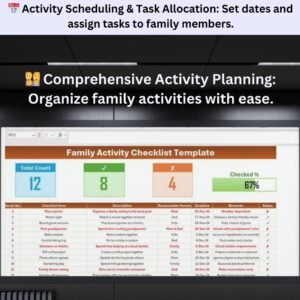
- Family Activity Checklist Template in Excel: plan activities for the whole family
- Family Trip Checklist Template in Excel: a checklist for family travel
- Seasonal Home Maintenance Checklist Template in Excel: get the home ready before guests arrive
- Airport Checklist Template in Excel: useful for relatives traveling in
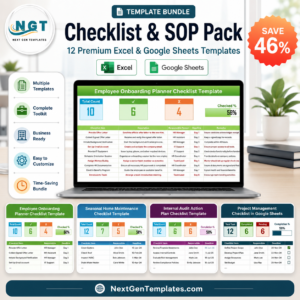
- Checklist & SOP Pack: 12 checklist templates in one download
Browse all Excel checklists.







Reviews
There are no reviews yet.