



The Alumni Engagement KPI Dashboard in Excel is a powerful tool for alumni relations managers, educational institutions, and non-profits that want to track and optimize alumni engagement activities. This Excel-based dashboard helps you monitor key performance indicators (KPIs) such as event participation, donations, volunteer activities, and alumni involvement in initiatives. It enables you to evaluate the effectiveness of your alumni engagement strategies and enhance your alumni relations efforts.
With customizable metrics, real-time data tracking, and interactive charts, this dashboard helps you gain valuable insights into your alumni community, fostering stronger relationships and ensuring continued alumni involvement.

Key Features of the Alumni Engagement KPI Dashboard in Excel:
🎓 Event Participation Tracking
Monitor alumni participation in events such as reunions, webinars, and networking sessions, ensuring that your events are engaging and well-attended.
💰 Donation Tracking
Track alumni donations, including one-time gifts, recurring donations, and fundraising campaign contributions, to measure alumni support and fundraising success.
🤝 Volunteer Engagement
Track alumni volunteer activities, including mentorship programs, career coaching, and community service, to evaluate how engaged alumni are in giving back.
📈 Alumni Involvement in Initiatives
Track alumni involvement in initiatives such as speaking engagements, networking events, and advisory boards, measuring how actively they contribute to institutional goals.
💡 Engagement Trends and Analysis
Use real-time tracking to analyze trends in alumni engagement, identifying areas of improvement and opportunities for enhanced alumni involvement.
🚀 Why You’ll Love the Alumni Engagement KPI Dashboard in Excel:
✅ Track Alumni Participation – Monitor event attendance and track how engaged alumni are with your institution’s activities.
✅ Enhance Fundraising Efforts – Keep track of alumni donations and identify opportunities for future fundraising campaigns.
✅ Boost Volunteer Engagement – Measure volunteer involvement and assess how alumni are contributing to initiatives like mentorship and community service.
✅ Measure Alumni Impact – Track alumni participation in strategic initiatives like advisory boards, guest speaking, and career support to assess their involvement in institutional development.
✅ Customizable and Easy-to-Use – This Excel dashboard is user-friendly and fully customizable to suit your institution’s specific alumni engagement needs.
✅ Make Data-Driven Decisions – Use real-time data to make informed decisions on how to enhance alumni engagement strategies and foster long-term relationships.
What’s Inside the Alumni Engagement KPI Dashboard in Excel:
- Event Participation: Track the number of alumni attending different events such as reunions, webinars, and other networking activities.
- Donation Tracking: Monitor one-time and recurring donations from alumni to evaluate financial support for your institution.
- Volunteer Engagement: Track alumni who are actively involved in volunteer activities such as mentoring, tutoring, and career services.
- Alumni Involvement in Initiatives: Monitor alumni contributions to various initiatives, including speaking at events, serving on advisory boards, and other institutional engagements.
- Engagement Trends and Analysis: Analyze alumni engagement trends and use visualizations to identify areas of success and improvement.
- Customizable Reports: Generate reports that can be tailored to your needs, providing detailed insights into alumni activities and contributions.
How to Use the Alumni Engagement KPI Dashboard in Excel:
1️⃣ Download the Template – Instantly access your Excel file upon purchase.
2️⃣ Input Alumni Data – Enter data on alumni events, donations, volunteer activities, and involvement in initiatives into the dashboard.
3️⃣ Track Key Metrics – Monitor KPIs such as event participation, donation amounts, volunteer hours, and alumni contributions in real-time.
4️⃣ Analyze Trends – Use interactive charts and graphs to analyze engagement trends over time and identify high-impact alumni activities.
5️⃣ Generate Reports – Create custom reports to showcase alumni engagement data to stakeholders or management.
Who Can Benefit from the Alumni Engagement KPI Dashboard in Excel:
- Alumni Relations Managers
- Fundraising Teams
- Educational Institutions
- Non-Profit Organizations
- Community Engagement Teams
- Volunteer Coordinators
- Data Analysts in Alumni Relations
- Event Planners in Alumni Programs
The Alumni Engagement KPI Dashboard in Excel is the ideal tool for institutions looking to enhance their alumni engagement programs. By tracking key performance indicators, you can ensure that your alumni remain actively involved in your institution’s initiatives, increasing donations, volunteer participation, and overall alumni satisfaction.
Click here to read the Detailed blog post
https://www.pk-anexcelexpert.com/alumni-engagement-kpi-dashboard-in-excel/
Visit our YouTube channel to learn step-by-step video tutorials
Youtube.com/@PKAnExcelExpert
Compatibility and Requirements
- Works in Microsoft Excel desktop (Excel 2016 or later, or Microsoft 365).
- Microsoft’s guide Create a chart from start to finish explains the Excel feature this file is built on.
Frequently Asked Questions
What does the Alumni Engagement KPI Dashboard track?
Event participation, one-time and recurring donations, volunteer activities such as mentoring and career coaching, and alumni involvement in initiatives like advisory boards and guest speaking.
Can I see engagement trends over time?
Yes. Interactive charts show how engagement changes so you can see which activities draw the most alumni.
Can I share the results with management?
Yes. You can build custom reports from the dashboard data to present to stakeholders.
Can I change the metrics?
Yes. The dashboard is customizable, so you can adjust the KPIs to match your institution’s alumni program.
Related Alumni and Education Templates
- Alumni Engagement KPI Dashboard in Google Sheets: the same KPI dashboard in Google Sheets
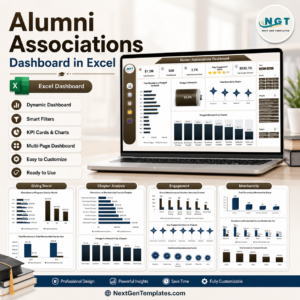
- Alumni Associations Dashboard in Excel: a full alumni association dashboard in Excel
- Alumni Associations Dashboard in Power BI: alumni association reporting in Power BI
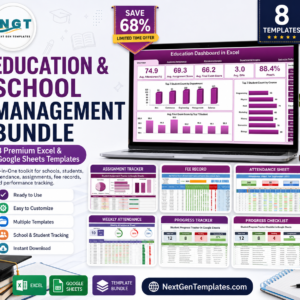
- Education & School Management Bundle: education templates in one bundle
Browse all Excel KPI dashboards or the Excel education templates.












Reviews
There are no reviews yet.