

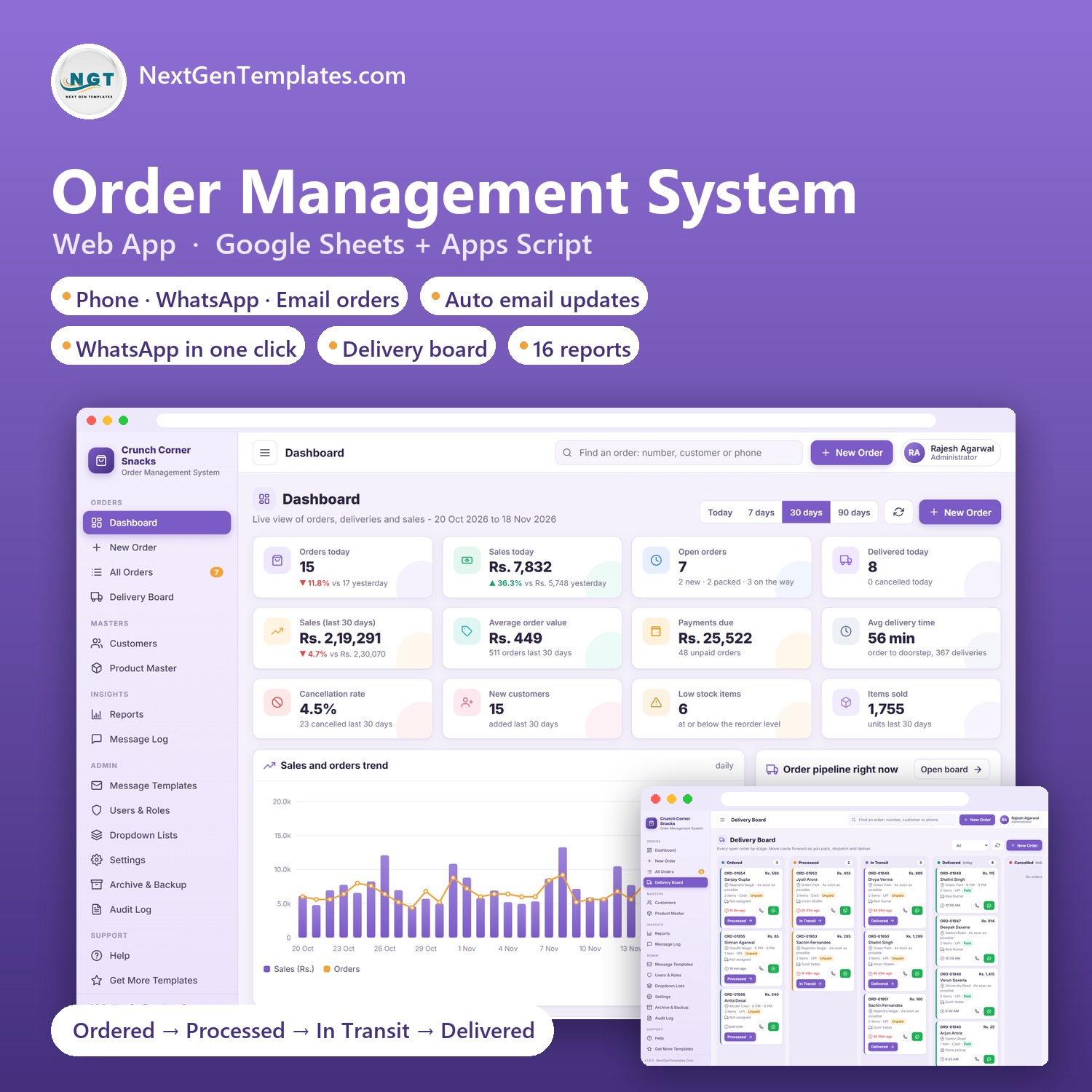

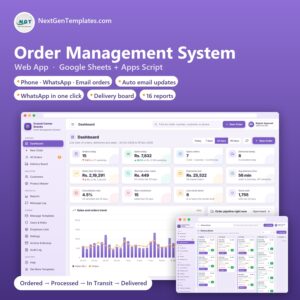
The Order Management System Web App is a ready-to-use Google Apps Script web app for local businesses that take orders by phone, WhatsApp, email or at the counter and then deliver them. It suits snack and namkeen stores, sweet shops, bakeries, kirana and grocery stores, tiffin services, dairies and any shop with a small delivery team.
You take the order on one screen, pack it, send it out with a delivery person and mark it delivered. At every step the customer can get an automatic email, and a WhatsApp message opens with the text already typed, so you only press send. Everything is stored in a Google Sheet in your own Google Drive.
In short, it is an order management system, an order tracking system and a small delivery management system in one app, with WhatsApp order management built in for shops that get most of their orders on chat.
Try the Live Demo
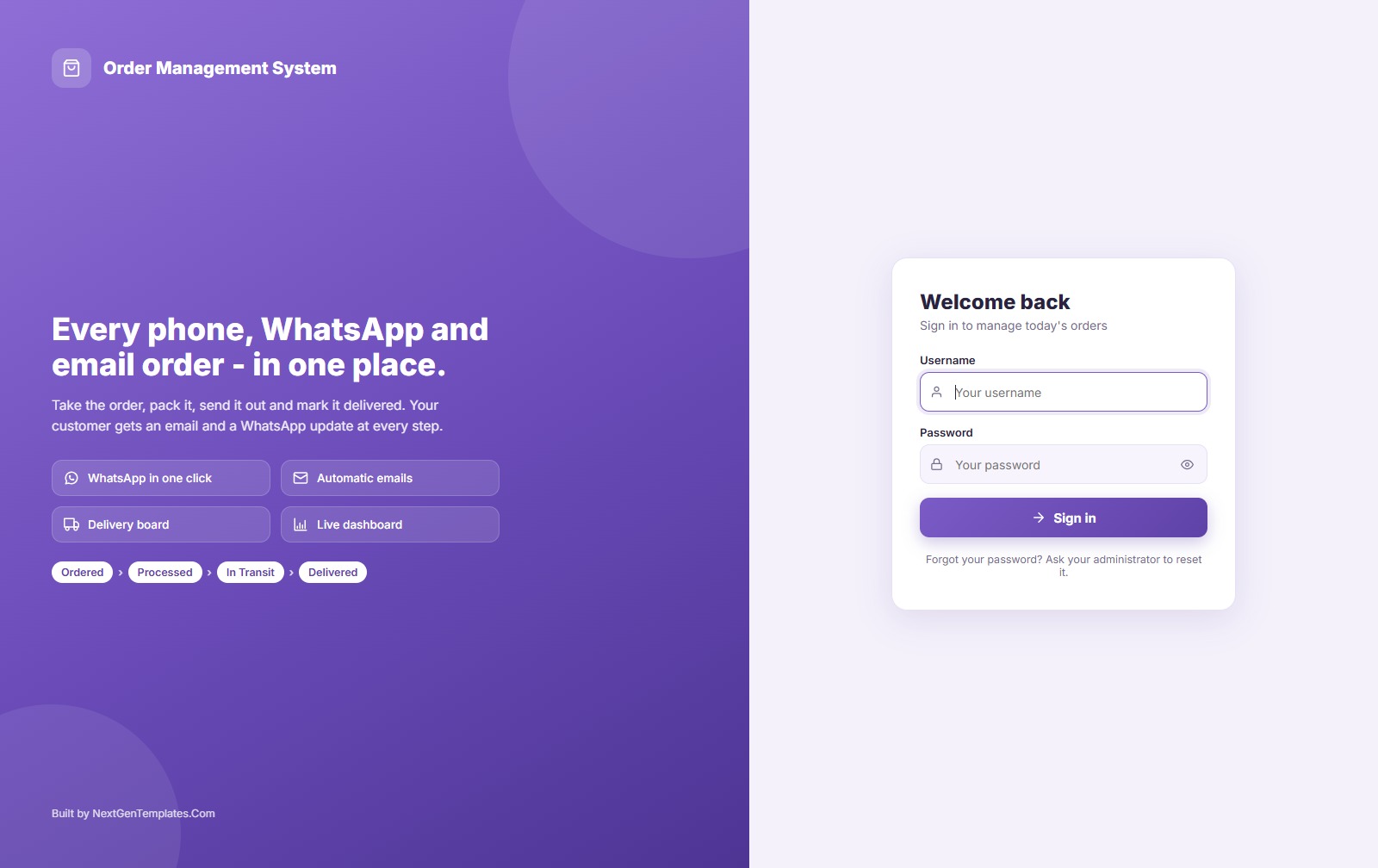
Open the working app and sign in with any role below. Each role sees only the pages it is allowed to use, so sign in as Delivery Staff to see how small the delivery person’s screen is.
Demo login details
| Role | Username | Password | What it can reach |
|---|---|---|---|
| Administrator | admin | Admin@123 | Everything, including users, settings, archive and backup |
| Store Manager | manager | Manager@123 | Orders, products and stock, customers, reports, templates, lists |
| Order Desk | desk | Desk@123 | New orders, all orders, delivery board, customers, message log |
| Order Desk | desk2 | Desk@123 | Second order taker |
| Delivery Staff | ravi | Rider@123 | Delivery board only: In Transit, Delivered, payment, call or WhatsApp |
| Delivery Staff | sunil | Rider@123 | Same as above |
| Delivery Staff | imran | Rider@123 | Same as above |
These are the public logins of a shared demo with sample data for a fictional snack store. Your copy is installed in your own Google account with its own private database, and you change every password after the first sign in.
Key Features
Orders from phone, WhatsApp, email and walk-in
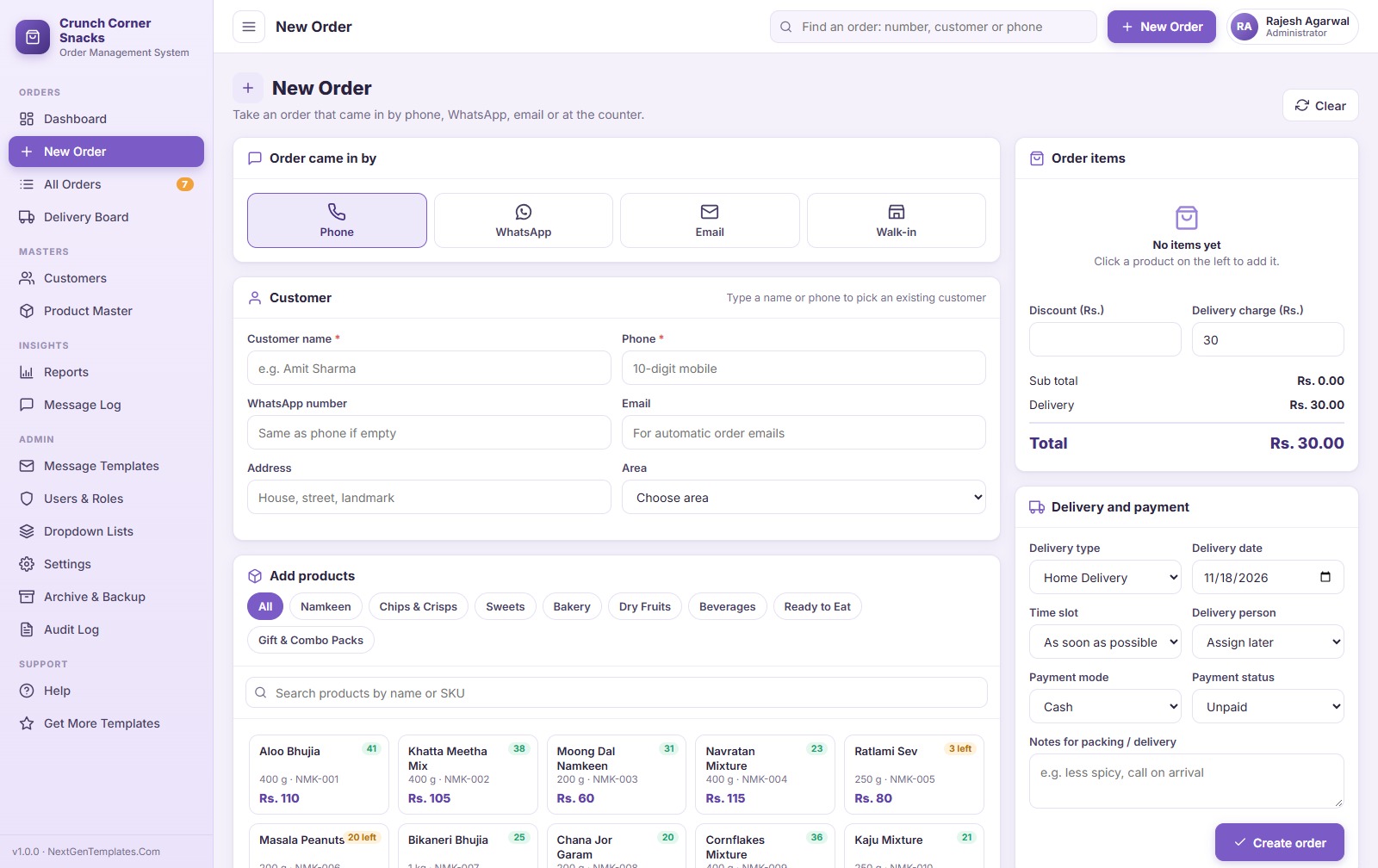
Pick how the order came in, type the customer’s name or phone (existing customers fill in by themselves), click products to add them and set quantities. Delivery charge fills in from your settings and becomes free above the amount you choose.
Five order statuses
Every order moves Ordered, Processed, In Transit, Delivered, or Cancelled with a reason. Store pickup orders skip In Transit. Status only moves forward, each change is saved in the order history, and cancelling puts the stock back.
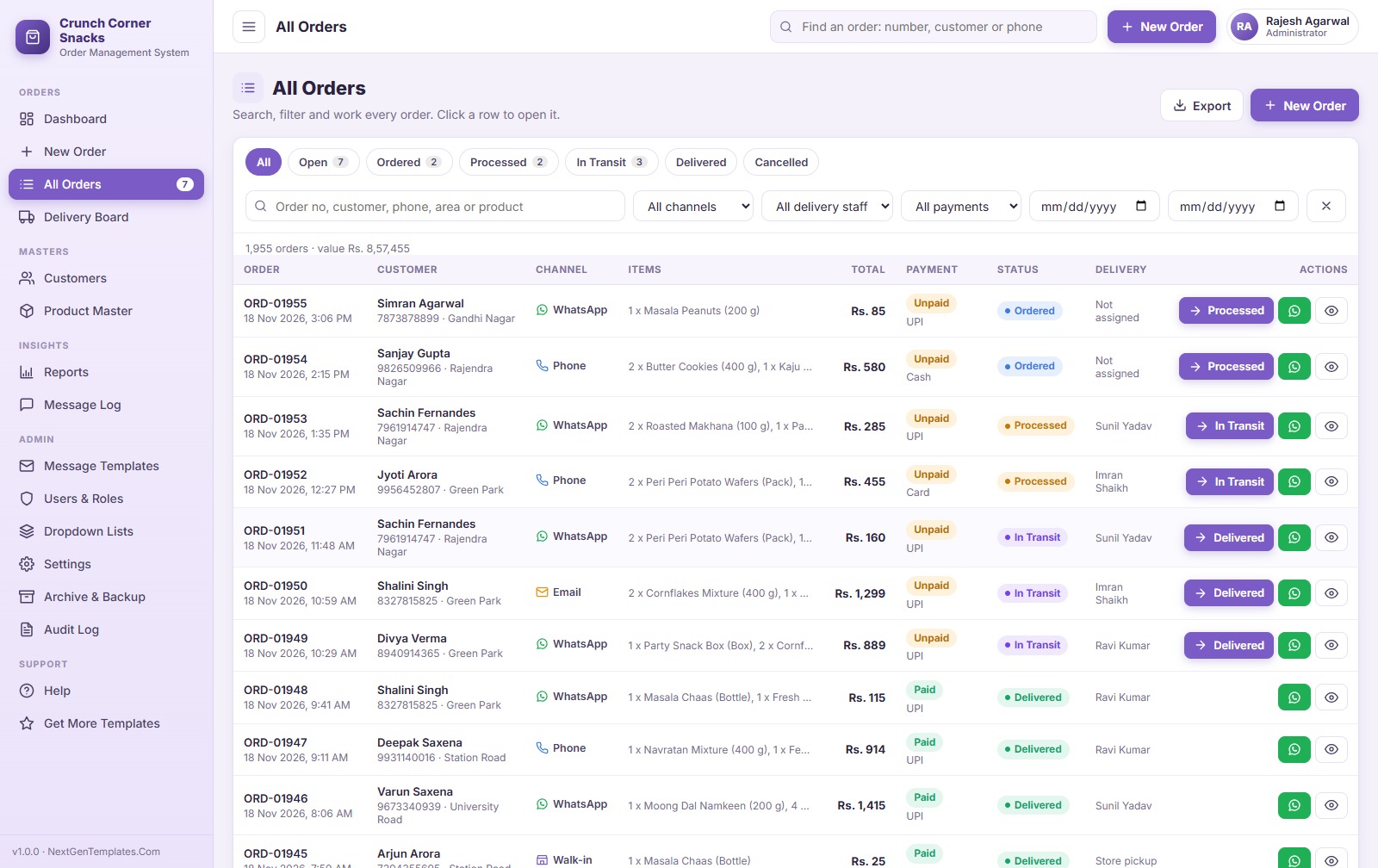
All Orders list
Filter by status, channel, delivery person, payment and date, search by order number, name, phone, area or product, and move an order to its next status from the row. Export the list to Excel or CSV.
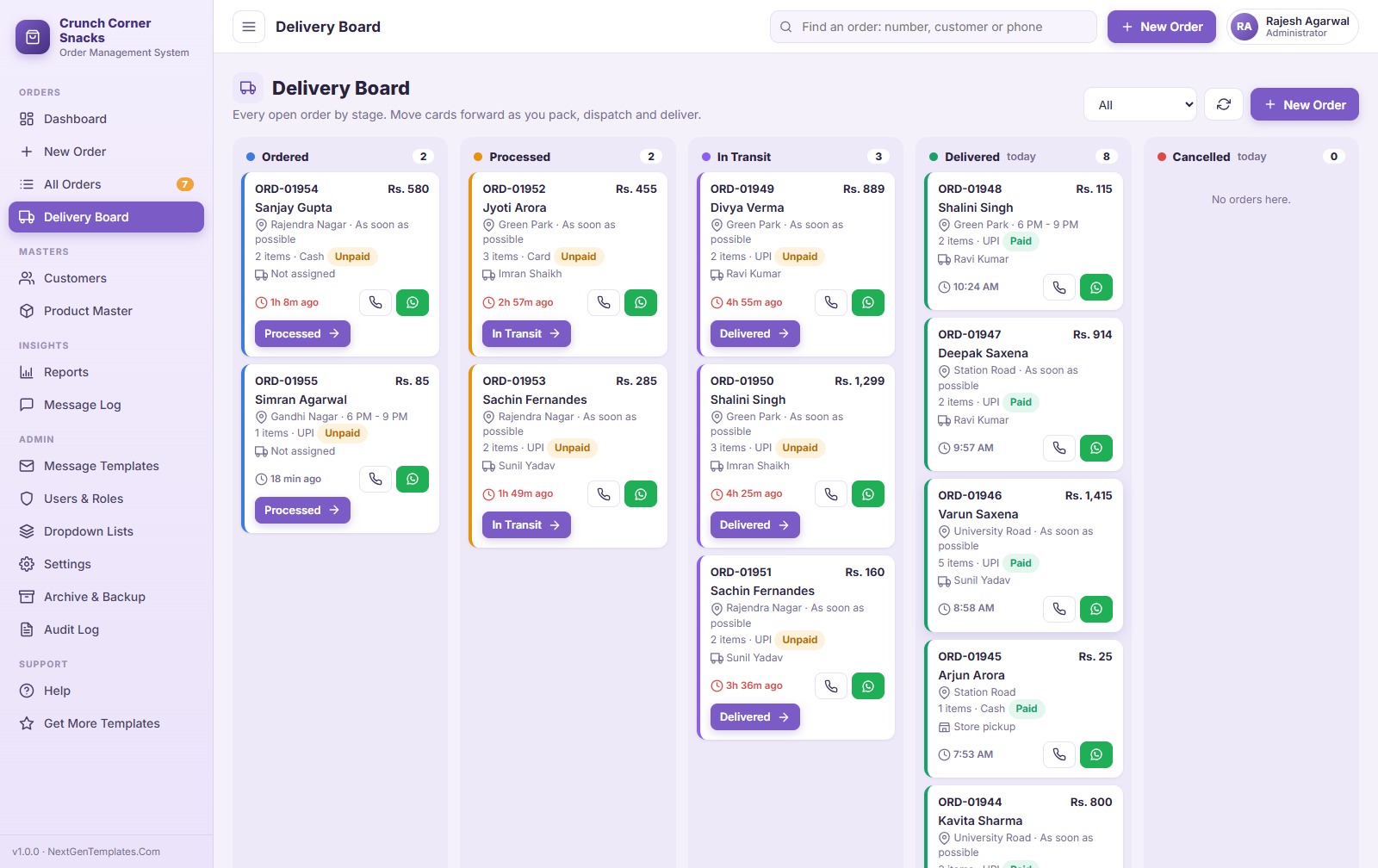
Delivery Board
Open orders sit in columns by status with the waiting time, area, payment and delivery person. Cards turn red when an order waits too long. Delivery staff can use it on a phone.
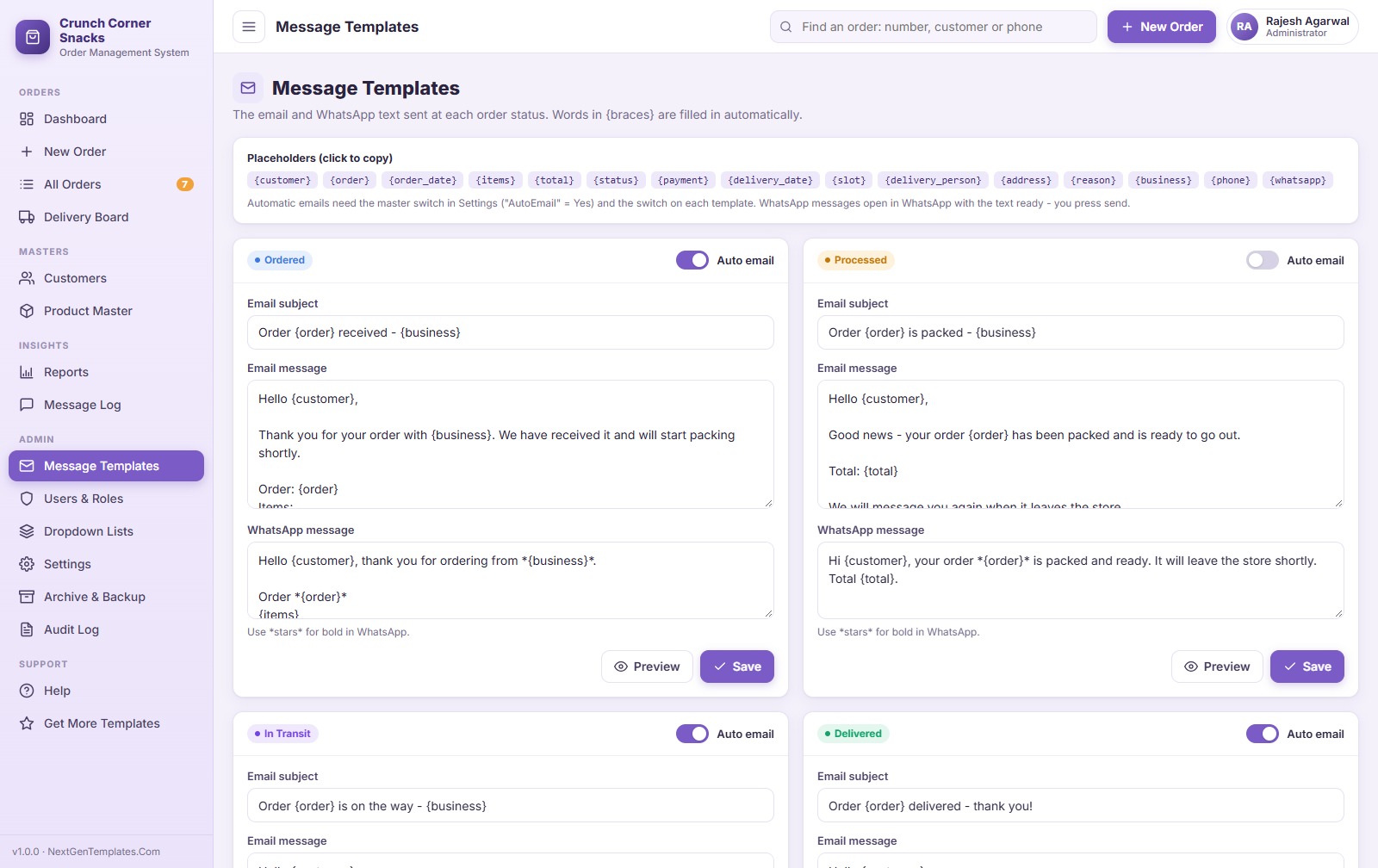
Automatic emails and one-click WhatsApp
Each status has its own email and WhatsApp template with placeholders such as customer, order, items and total. Emails go out by themselves from the Google account that installs the app. WhatsApp opens in a new tab with the message ready; the app never sends WhatsApp messages on its own. Every email and WhatsApp message is listed in the Message Log.
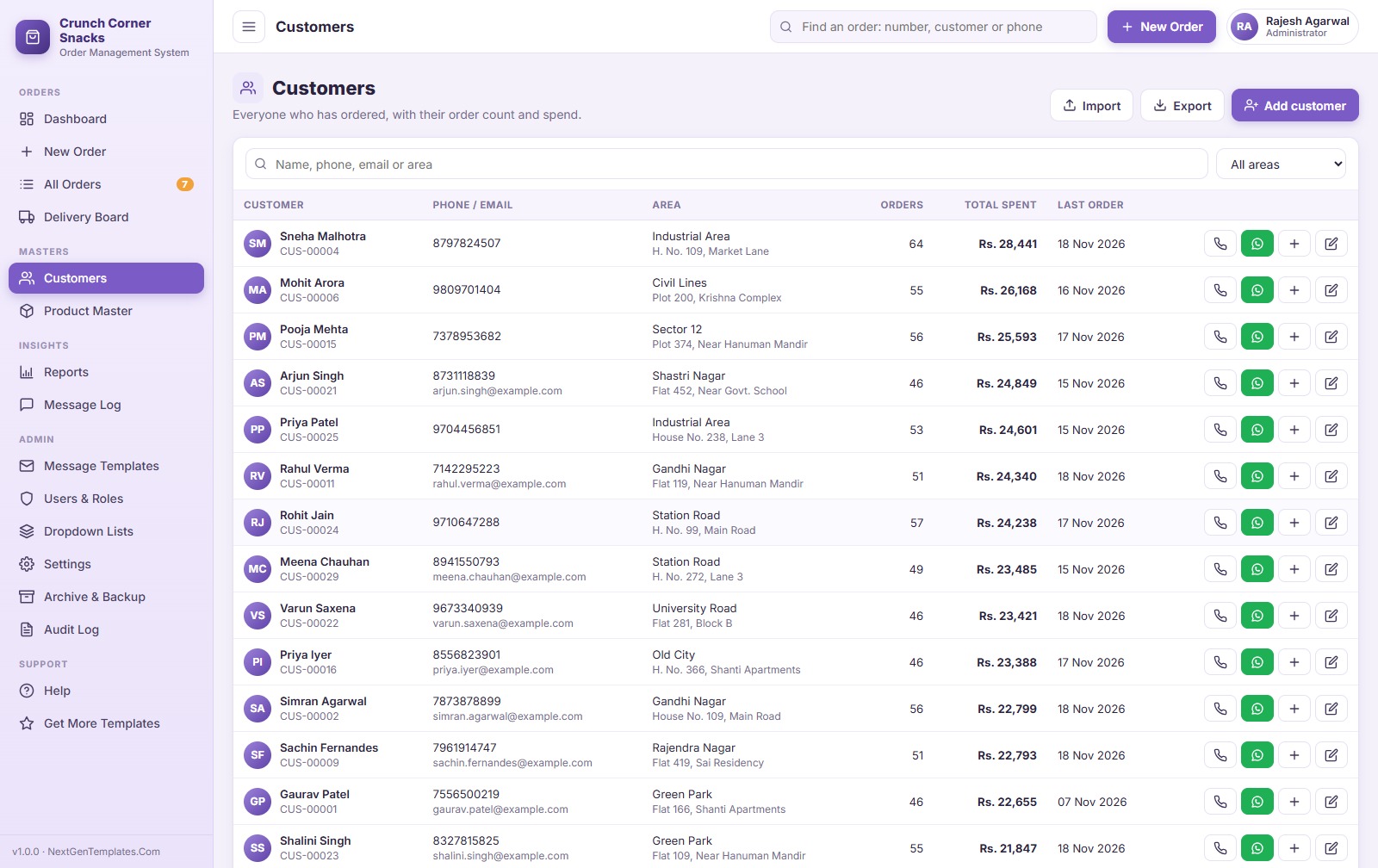
Customers
Every customer with phone, WhatsApp, email, address and area, plus order count, total spent and last order. Call, WhatsApp or start a new order from the row.
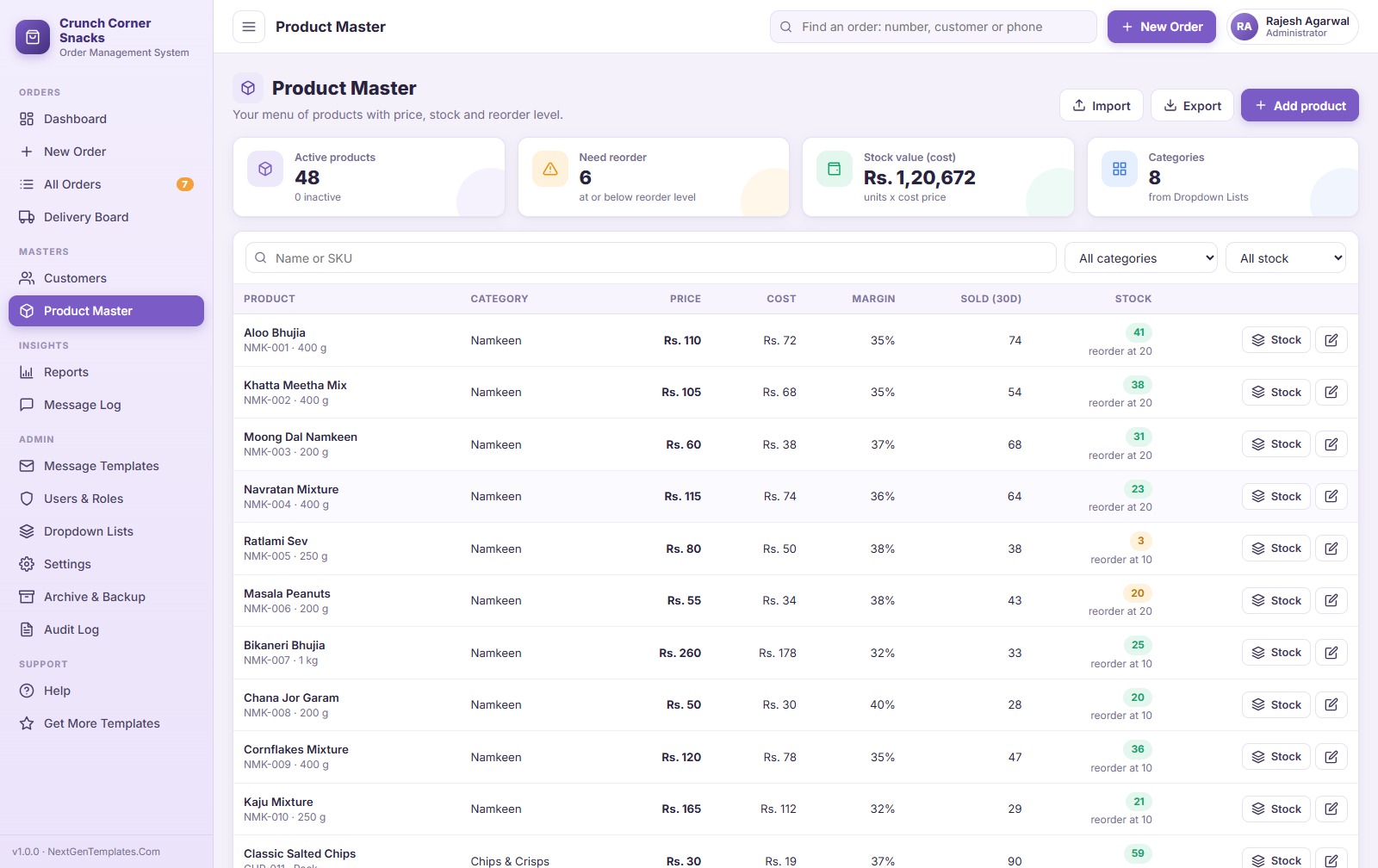
Product Master and stock
Products with SKU, category, unit, price, cost, margin, stock and reorder level. Stock goes down when an order is saved and comes back when it is cancelled. Import products from Excel or CSV.
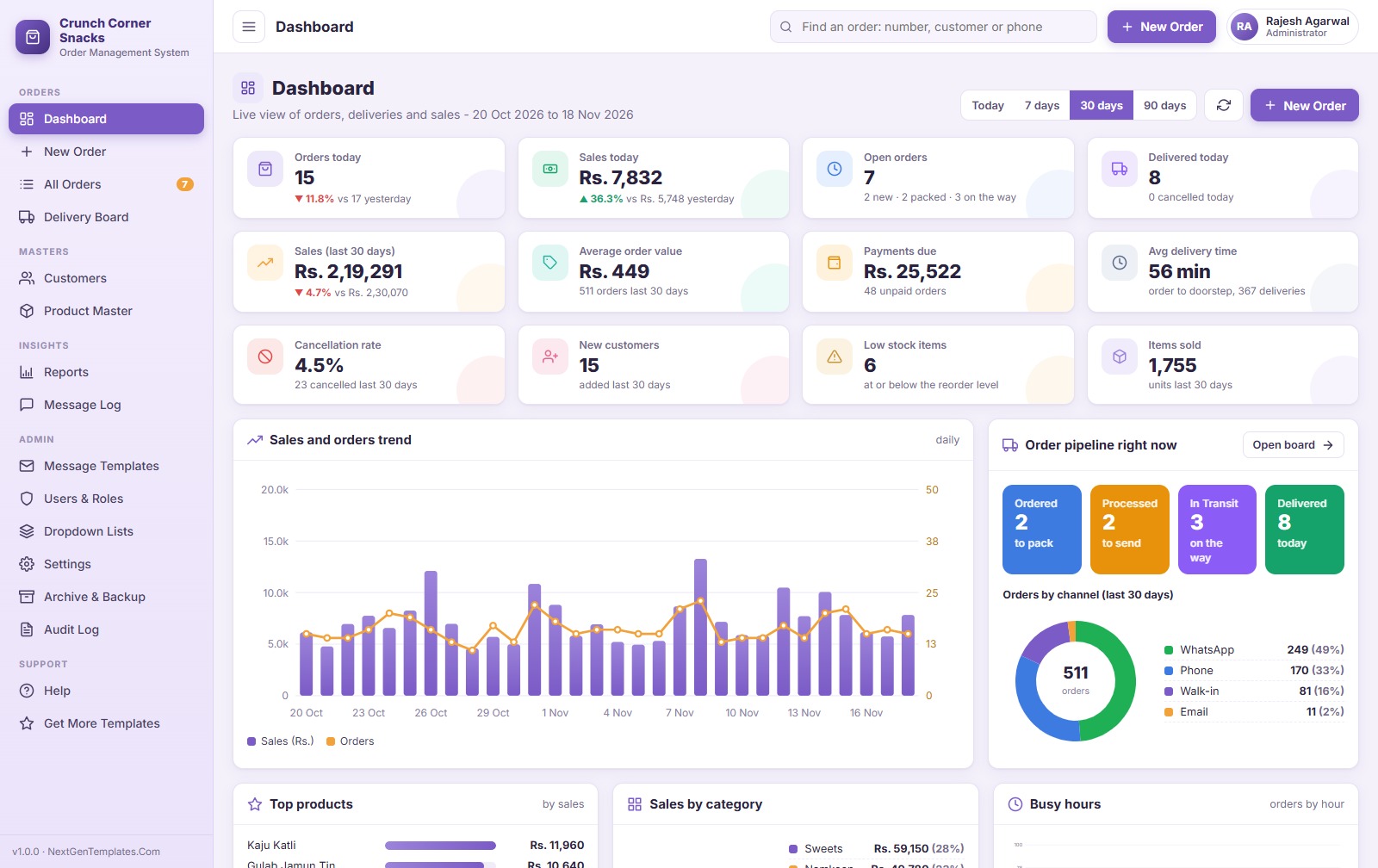
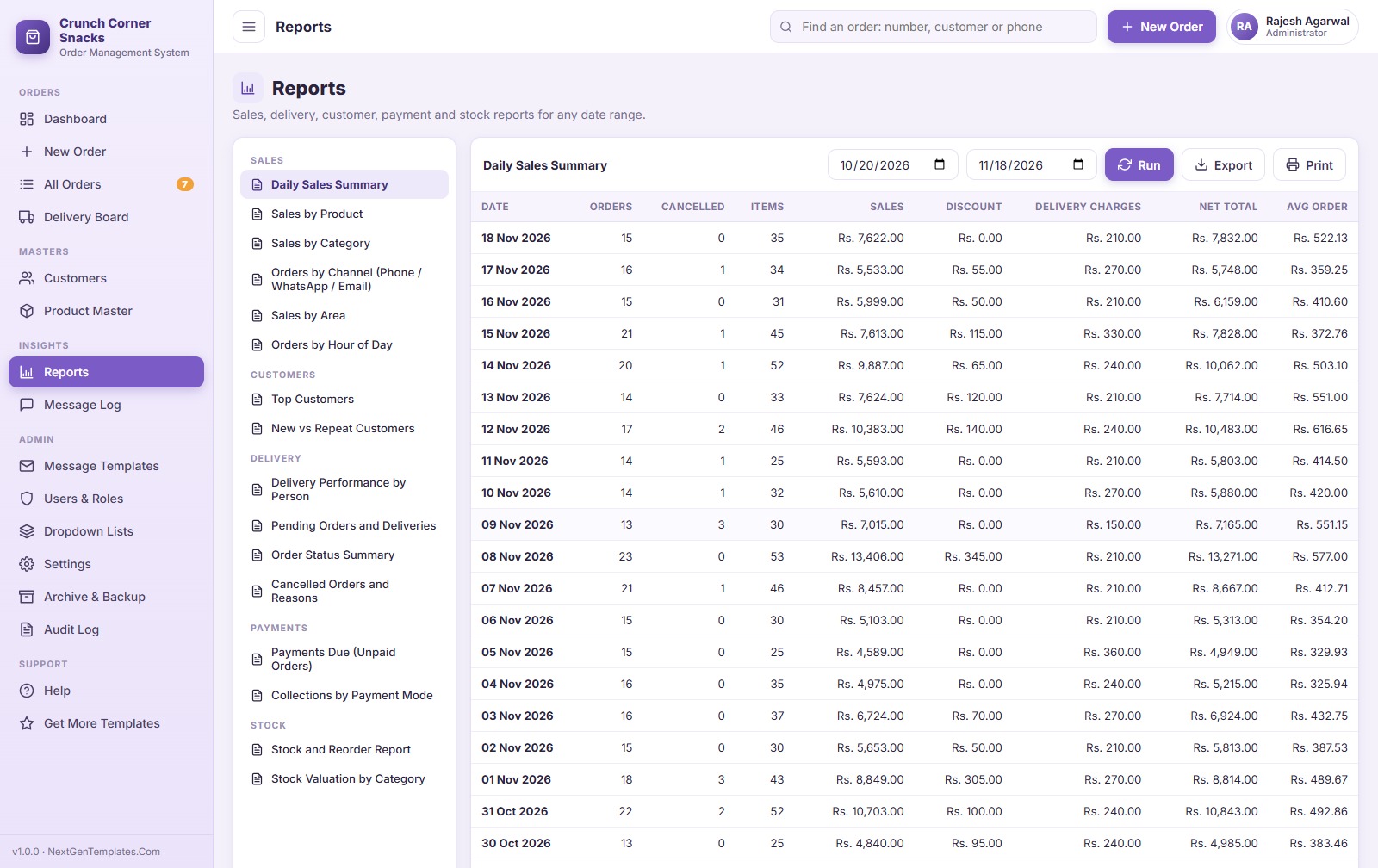
Dashboard and 16 reports
The dashboard shows today, 7, 30 or 90 days: orders and sales, open orders, deliveries, payments due, average delivery time, cancellation rate, low stock, the order pipeline, orders by channel, top products and busy hours. Reports cover daily sales, sales by product, category, channel and area, busy hours, top and repeat customers, delivery performance, pending deliveries, cancellations, payments due, collections and stock. Every report exports to Excel or CSV and prints.
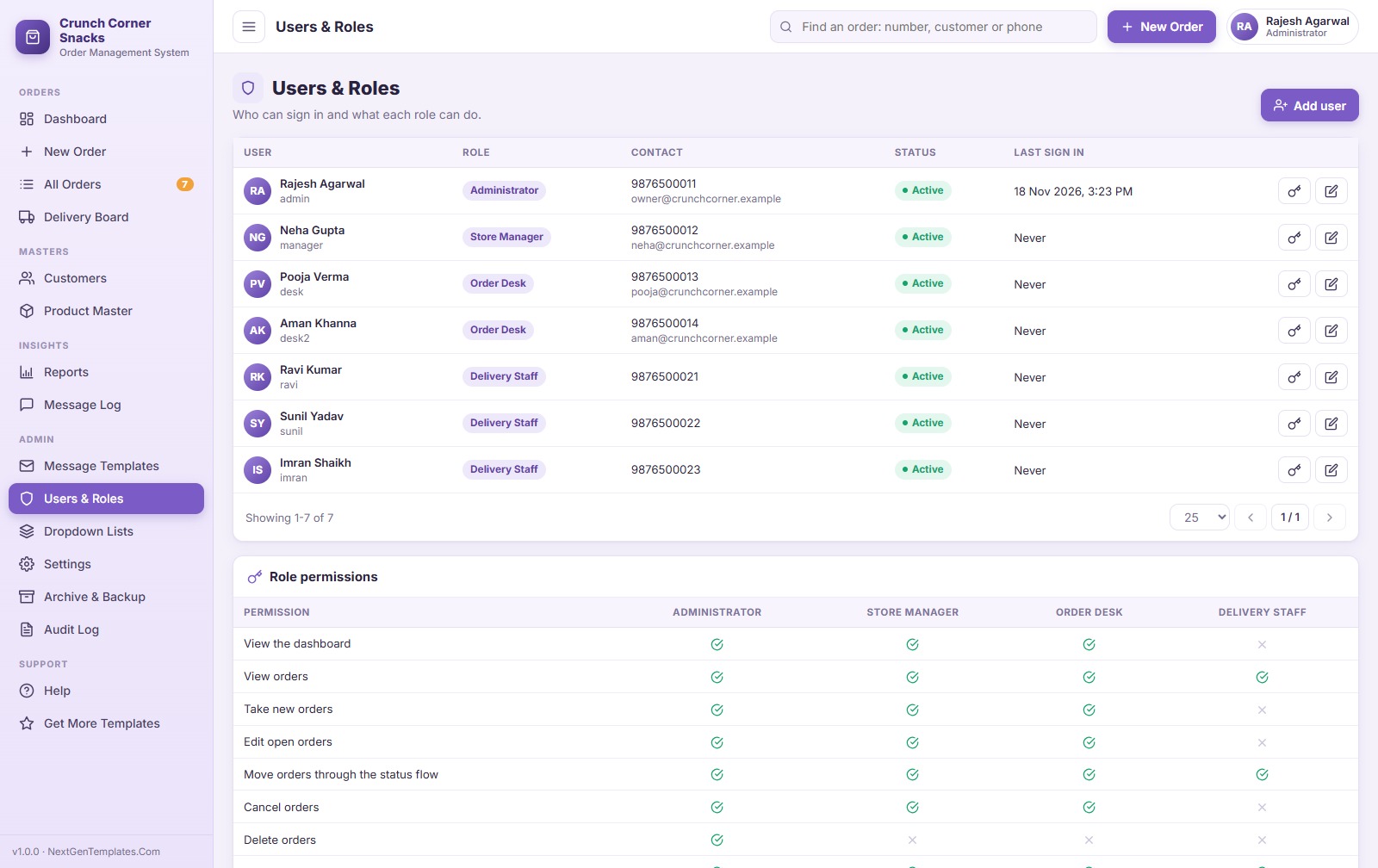
Users and roles
Four roles: Administrator, Store Manager, Order Desk and Delivery Staff. The menu and the server both check what each role may do.
Also included
- Receipts and order slips in 3 inch, 4 inch (thermal printers) or A4
- Dropdown lists for categories, units, areas, channels, slots, payment modes and cancel reasons
- Settings for business details, currency, delivery charge, free delivery amount, tax and WhatsApp country code
- Archive old orders, one-click backup of the database to Google Drive, and an audit log
- Works on computers, tablets and phones
How to Use
- Try the live demo above first.
- After purchase, create a new project at script.google.com, paste Code.cs.txt into Code.gs and Index.txt into an HTML file named Index.
- Deploy it as a web app (Execute as Me) and approve the permissions.
- Open the app link and press Run setup now. It creates the database Google Sheet with sample data.
- Sign in as admin, change the passwords, add your shop details in Settings and your own products in the Product Master.
The PDF user manual in the download walks through every step with numbered screenshots.
What You Get
- Code.cs.txt (the Apps Script server code)
- Index.txt (the full user interface)
- Order Management System Web App – User Manual (26-page PDF with screenshots)
What It Does Not Do
- It does not send WhatsApp messages automatically and does not use the WhatsApp Business API. It opens the chat with the text ready.
- It does not take online payments or connect to a payment gateway. You record the payment mode and status.
- It is not a GPS tracking or route planning tool, and it does not file taxes or produce tax invoices.
- Emails depend on the Google account’s daily sending limit (about 100 a day on a free Gmail account).
Comparison
| Feature | Order Management System Web App | Paper register or chat history | Paid delivery SaaS |
|---|---|---|---|
| Phone, WhatsApp, email and walk-in orders in one list | Yes | No | Usually online orders only |
| Order statuses with history | Yes, 5 statuses | No | Yes |
| Automatic customer emails | Yes | No | Yes |
| WhatsApp message ready in one click | Yes | Typed by hand | Varies |
| Stock reduced when orders are saved | Yes | No | Varies |
| Dashboard and reports | Yes, 16 reports | No | Yes |
| Data in your own Google Drive | Yes | Paper | Vendor’s servers |
| Monthly fee | None, one-time purchase | None | Yes |
Frequently Asked Questions
Can I try it before buying?
Yes. Use the live demo and logins above. It is the same app you download.
Does it send WhatsApp messages automatically?
No. It opens WhatsApp Web or the WhatsApp app with the message already typed, and you press send. This keeps your number safe and needs no paid API.
Which businesses is it for?
Local businesses that take orders by phone or WhatsApp and deliver them: snack stores, sweet shops, bakeries, kirana and grocery stores, tiffin services, dairies, water can suppliers and similar shops.
Do I need to pay for hosting?
No. It runs on Google Apps Script with a Google Sheet as the database, free with any Google account.
Can I change the currency and the shop name?
Yes. Business name, phone, address, currency symbol, delivery charge, tax and the WhatsApp country code are all in Settings.
Can delivery staff use it on their phones?
Yes. They sign in with their own username, see the delivery board, mark orders In Transit and Delivered, record the payment and call or WhatsApp the customer.
Can you customise it for my business?
Yes. We add fields, your logo, more statuses or other changes. Write to [email protected].




















Reviews
There are no reviews yet.