

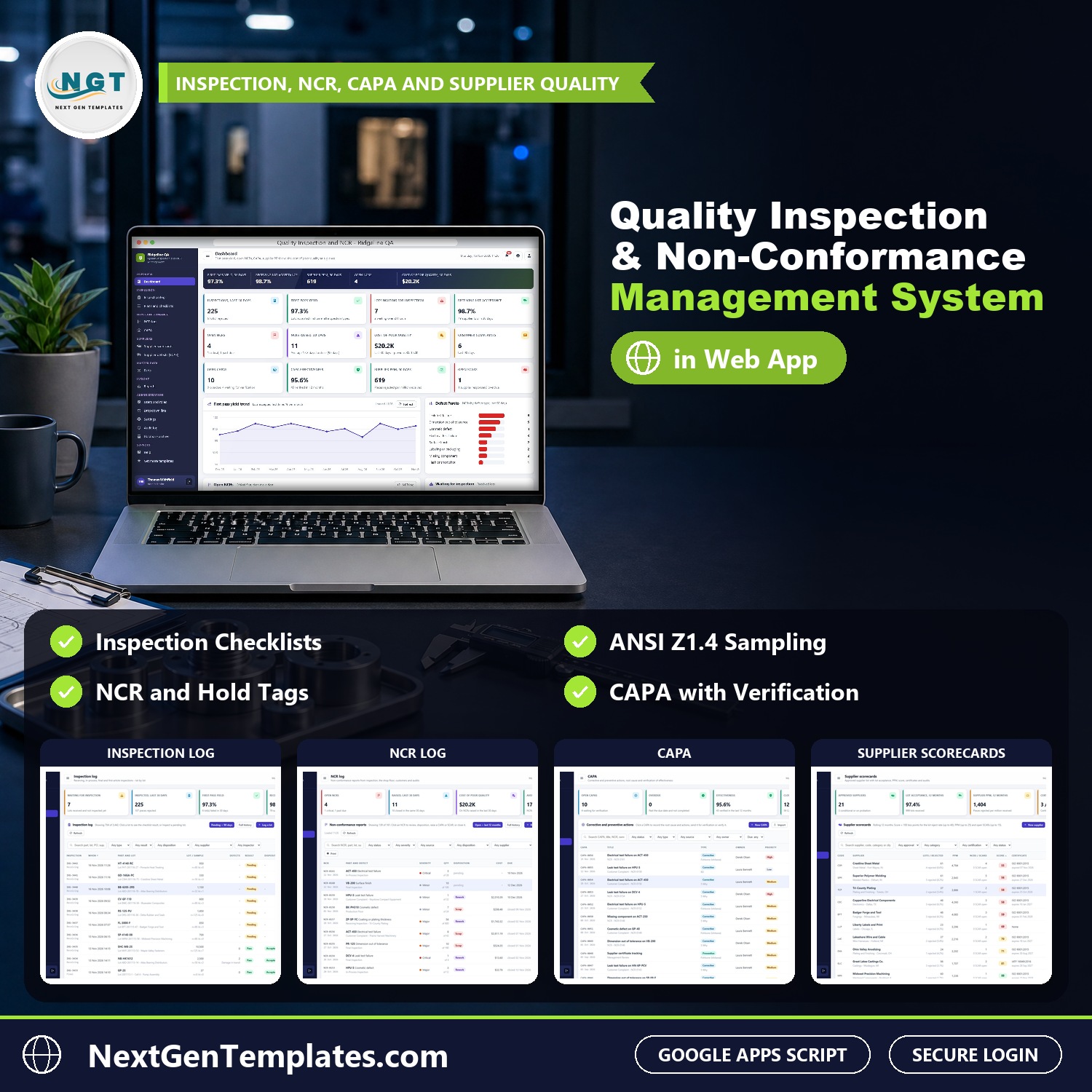

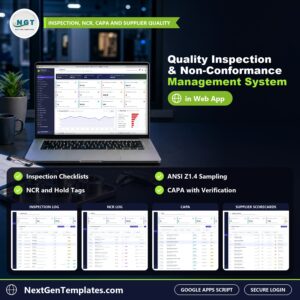
The Quality Inspection and Non-Conformance Management System Web App runs a plant’s whole quality system in one browser application: receiving, in-process, final and first article inspections against inspection plans and checklists, non-conformance reports (NCRs) with containment, disposition and cost of poor quality, corrective and preventive actions (CAPA), supplier scorecards, supplier corrective action requests (SCARs), the parts master and 15 ready-made reports, with 7 logins across 6 roles. It is built on Google Apps Script and keeps every record in a Google Sheet in your own Drive, so it works as quality inspection software you own outright.
From the incoming lot to the verified corrective action, every step updates the same live database, so the dashboard, the NCR log and the supplier scorecards always agree. Think of it as an inspection tracker, an NCR and CAPA log and a supplier quality scorecard in one download.
✅ Instant download · One-time payment · No subscription · No per-user fees
🌍 Join 10,000+ customers in 180+ countries using NextGenTemplates to replace paid SaaS tools with one-time-purchase Excel, Google Sheets, Power BI and HTML templates.
Watch the Quality Inspection and Non-Conformance Management System Web App walkthrough
🚀 Try the Live Demo: Login Details
Open the working Quality Inspection and Non-Conformance Management System Web App in your browser right now: no download, no sign-up, nothing to install. Sign in as any role below and see exactly which screens that person can and cannot reach.
Demo sign-in details: 7 logins across 6 roles
| Role | Username | Password | What this role can reach |
|---|---|---|---|
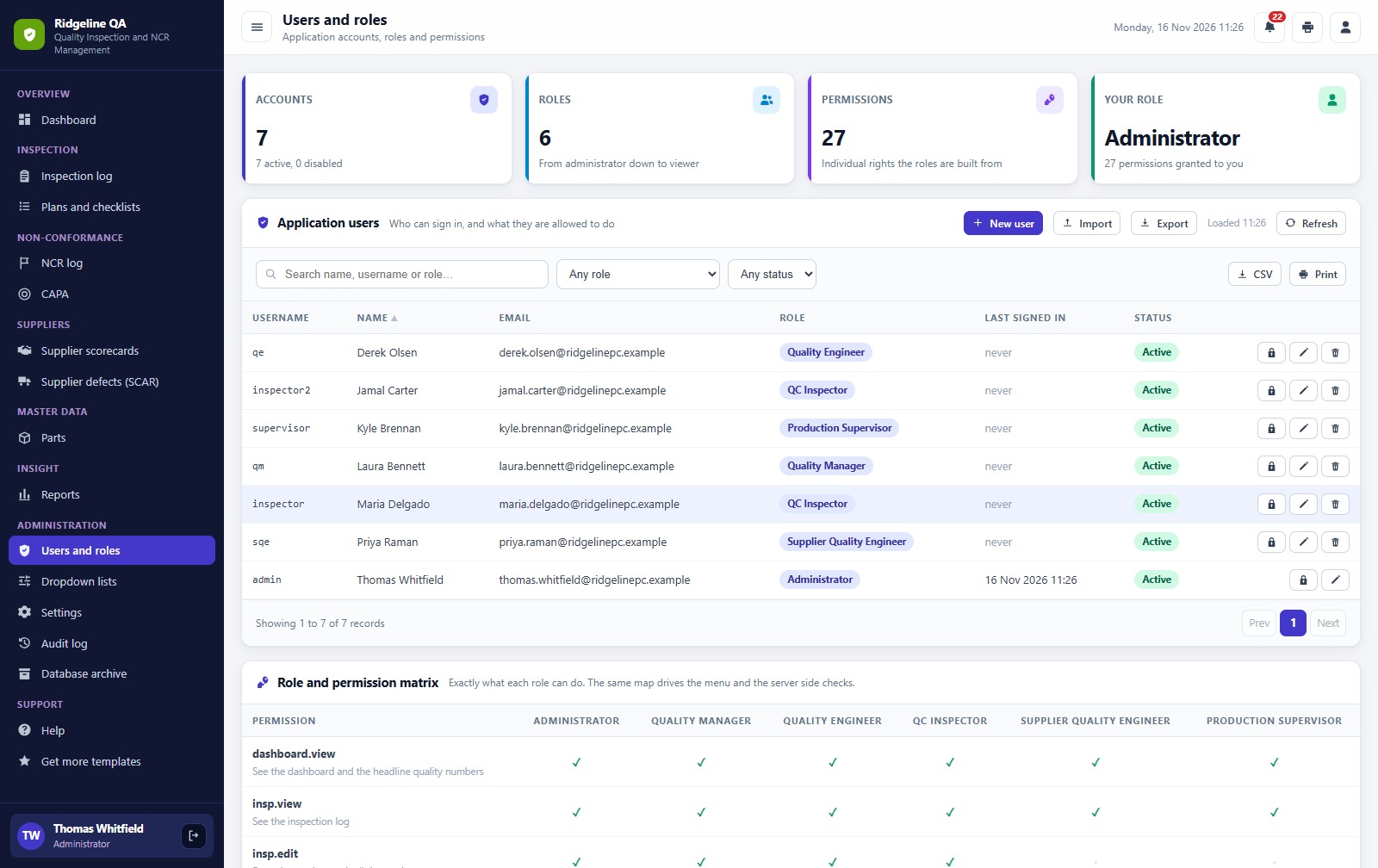
| Administrator | admin | Admin@123 | Everything, including users and roles, settings, the audit log, the database archive and backups |
| Quality Manager | qm | Quality@123 | Inspections, plans, NCRs (raise, disposition, close), CAPA including verification, suppliers and SCARs, parts, reports, lists, audit log, import, export and email |
| Quality Engineer | qe | Engineer@123 | Inspections, plans, NCRs (raise, disposition, close), CAPA (not verification), parts, reports, import, export and email |
| QC Inspector | inspector | Inspect@123 | Log and inspect lots with the checklist and raise NCRs; sees plans, CAPAs, suppliers and parts |
| QC Inspector | inspector2 | Inspect@123 | Log and inspect lots with the checklist and raise NCRs; sees plans, CAPAs, suppliers and parts |
| Supplier Quality Engineer | sqe | Supplier@123 | Suppliers, scorecards, SCARs, NCR dispositions, CAPA, reports, import, export and email |
| Production Supervisor | supervisor | Production@123 | Raises shop floor NCRs; sees inspections, CAPAs, parts and reports |
These credentials are public on purpose. The demo is a shared instance seeded with a fictional precision parts manufacturer in Michigan and it may be reset at any time. It is not anybody’s live business data. Your own copy gets its own database, its own users and its own passwords, and the setup notes ask you to change every seeded password before anyone else signs in.
🔑 Key Features of the Quality Inspection and Non-Conformance Management System Web App
📌 Inspections against plans. Receiving, in-process, final and first article inspections, each with a checklist, a sample size and an accept number from the part’s plan.
📌 Reject a lot, raise an NCR. A failed check rejects the lot, puts it on hold and raises a non-conformance report automatically.
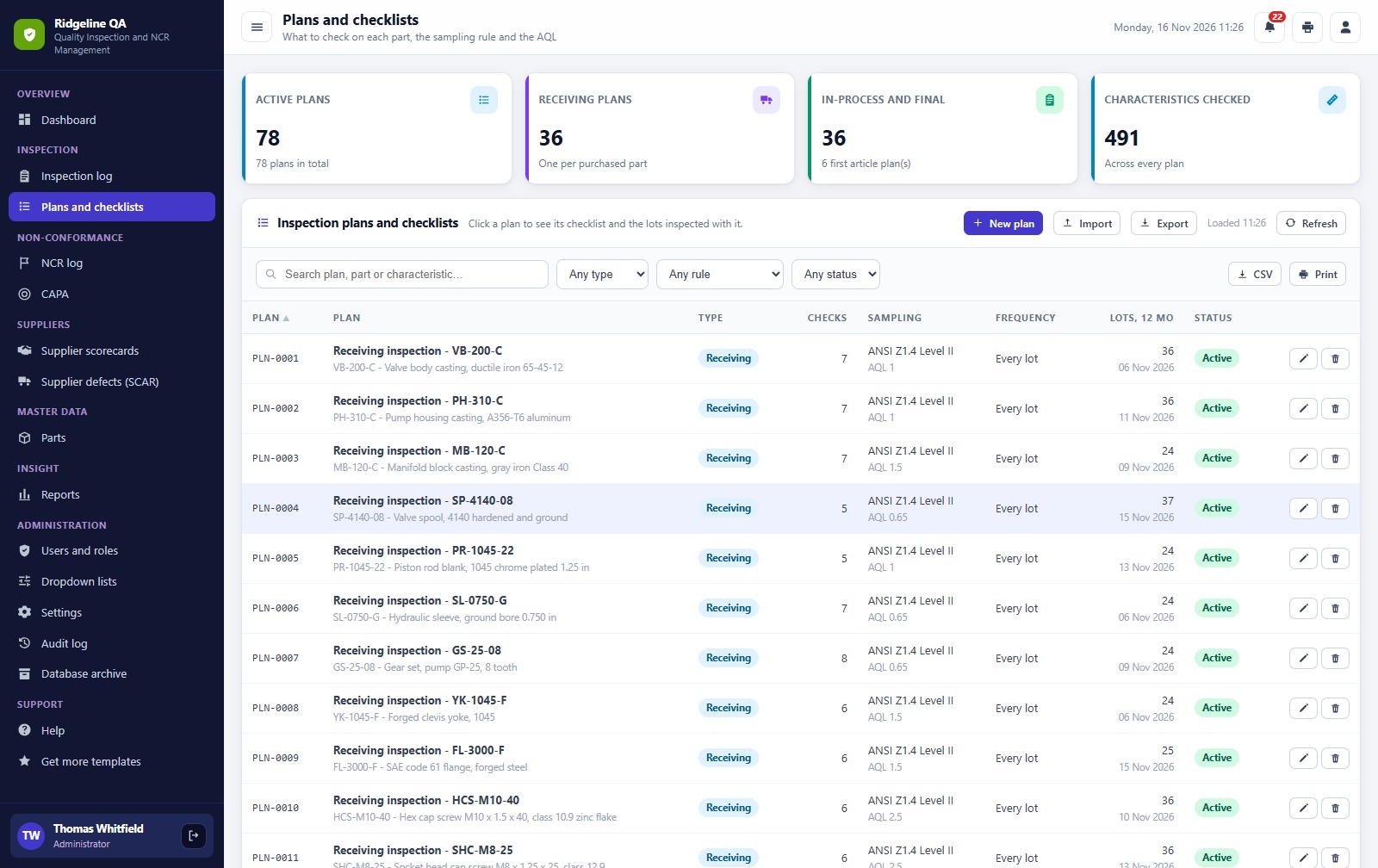
📌 Plans and checklists. Characteristics to check, sampling rule and AQL for each part, using ANSI Z1.4 sampling.
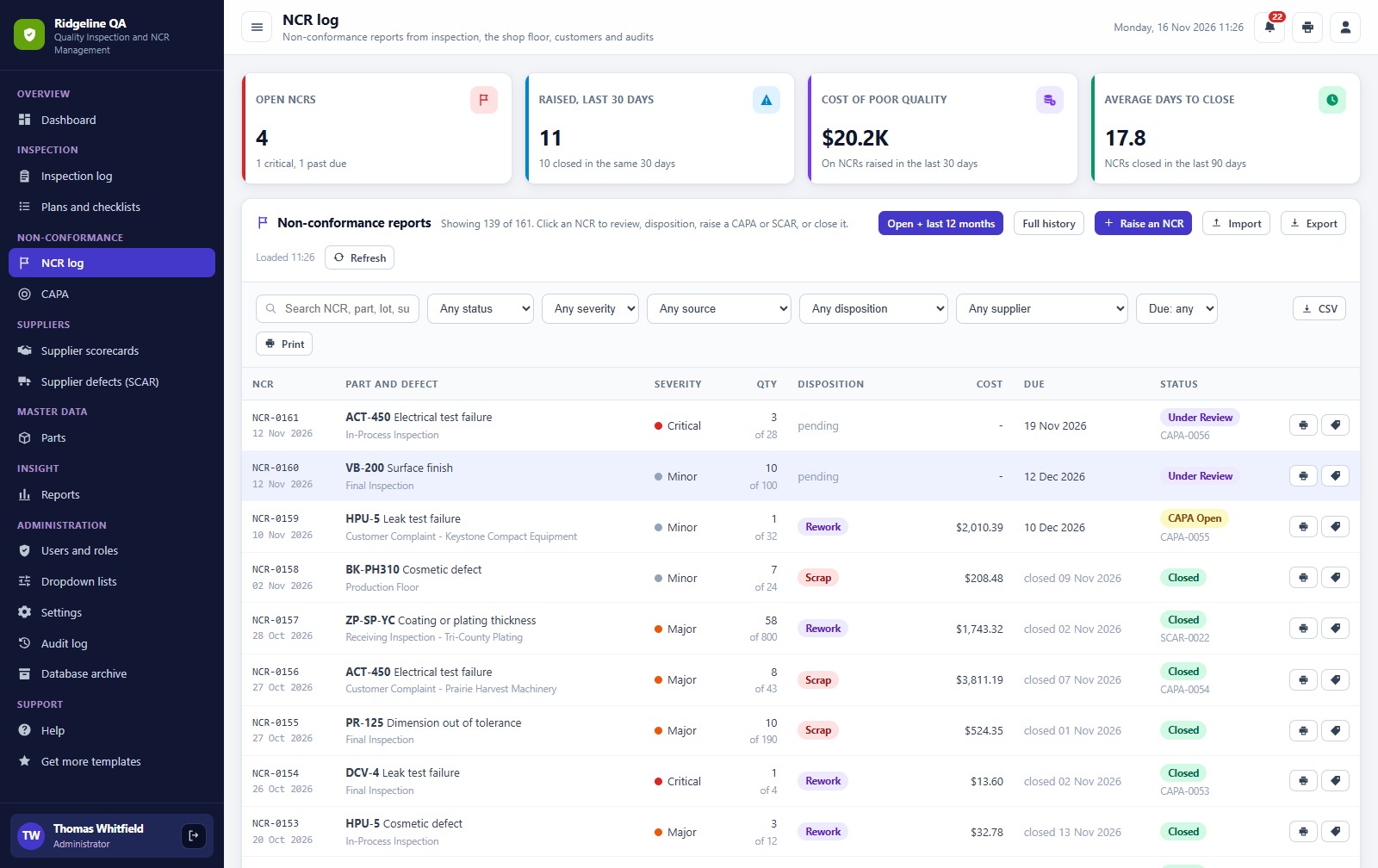
📌 NCR log with disposition. Severity, containment, owner, disposition and cost of poor quality, with a printable hold tag.
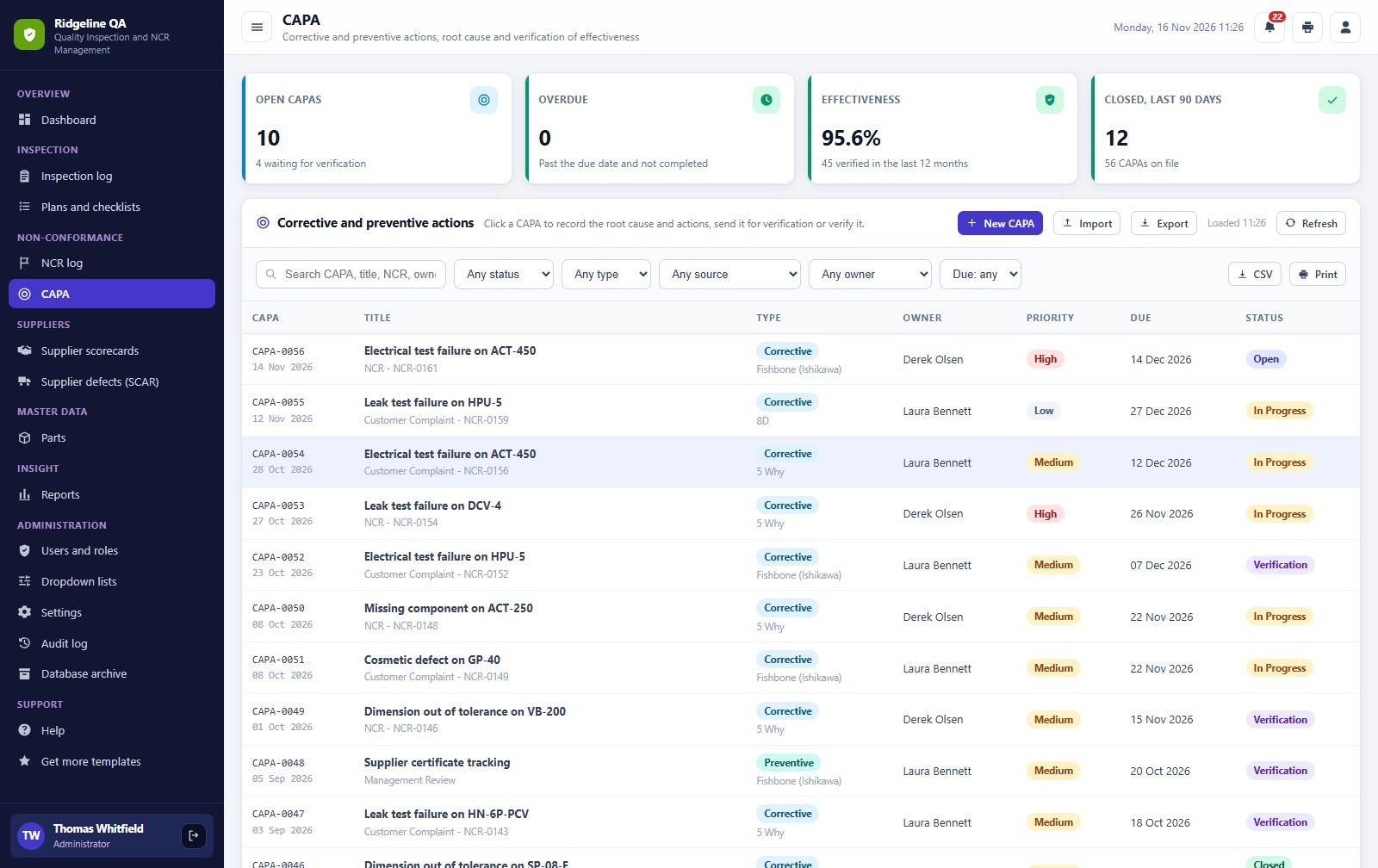
📌 CAPA with verification. Root cause by 5 Why, fishbone or 8D, an action plan and an effectiveness check before closure.
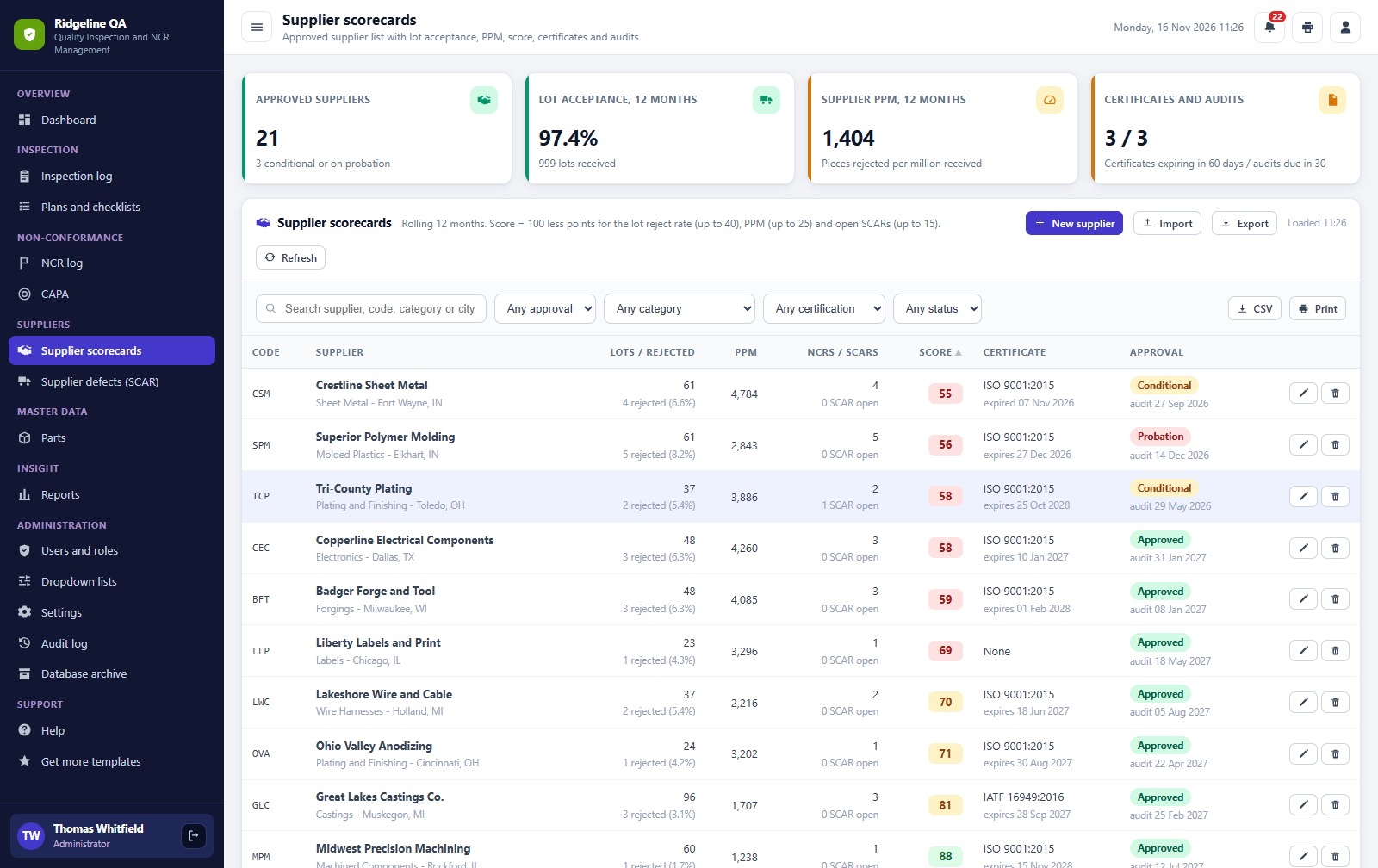
📌 Supplier scorecards. A score from lot reject rate, PPM and open requests, plus certificate expiry, audits and approval status.
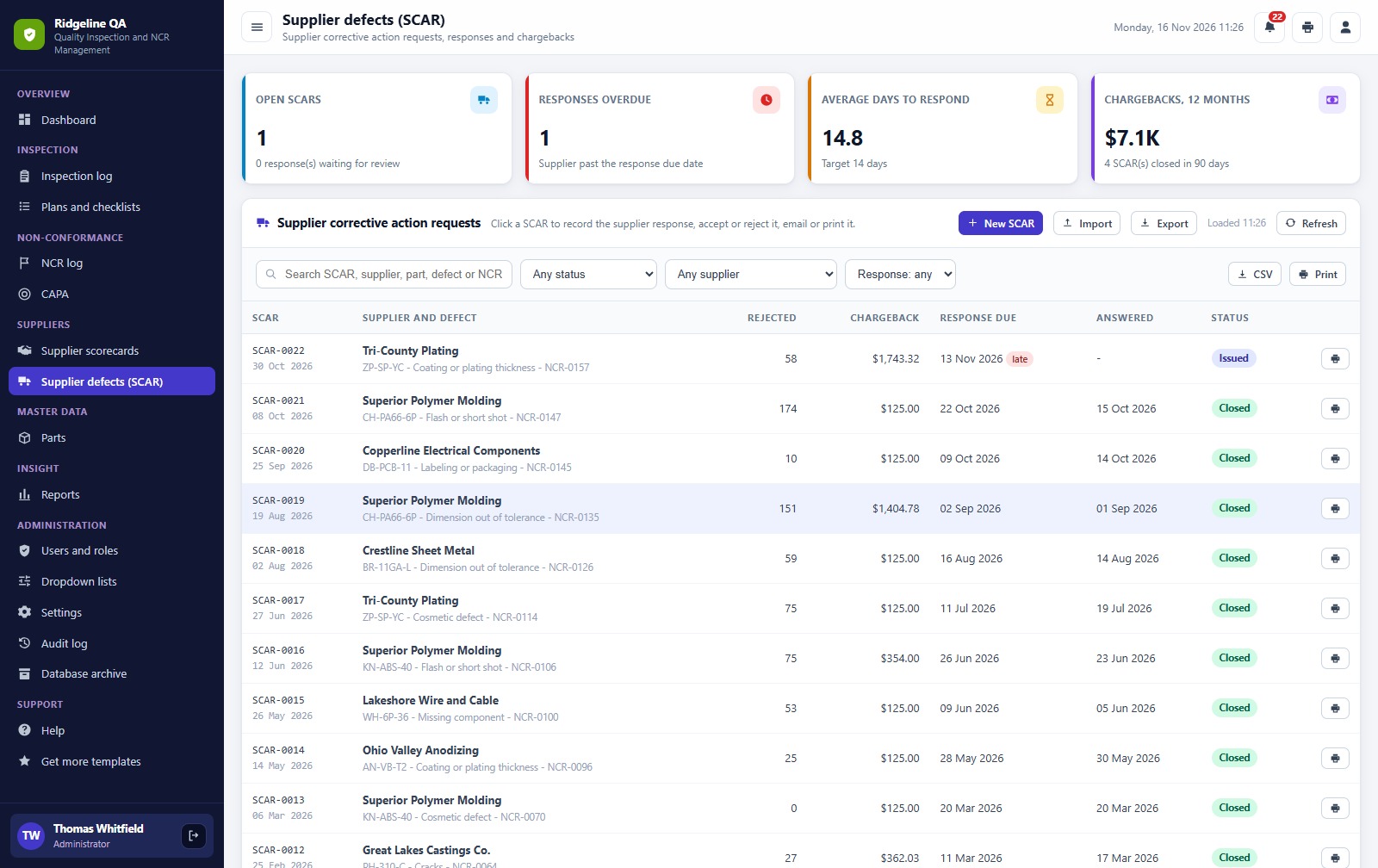
📌 Supplier corrective action requests. Raise a SCAR, record the response, accept or reject it and track chargebacks.
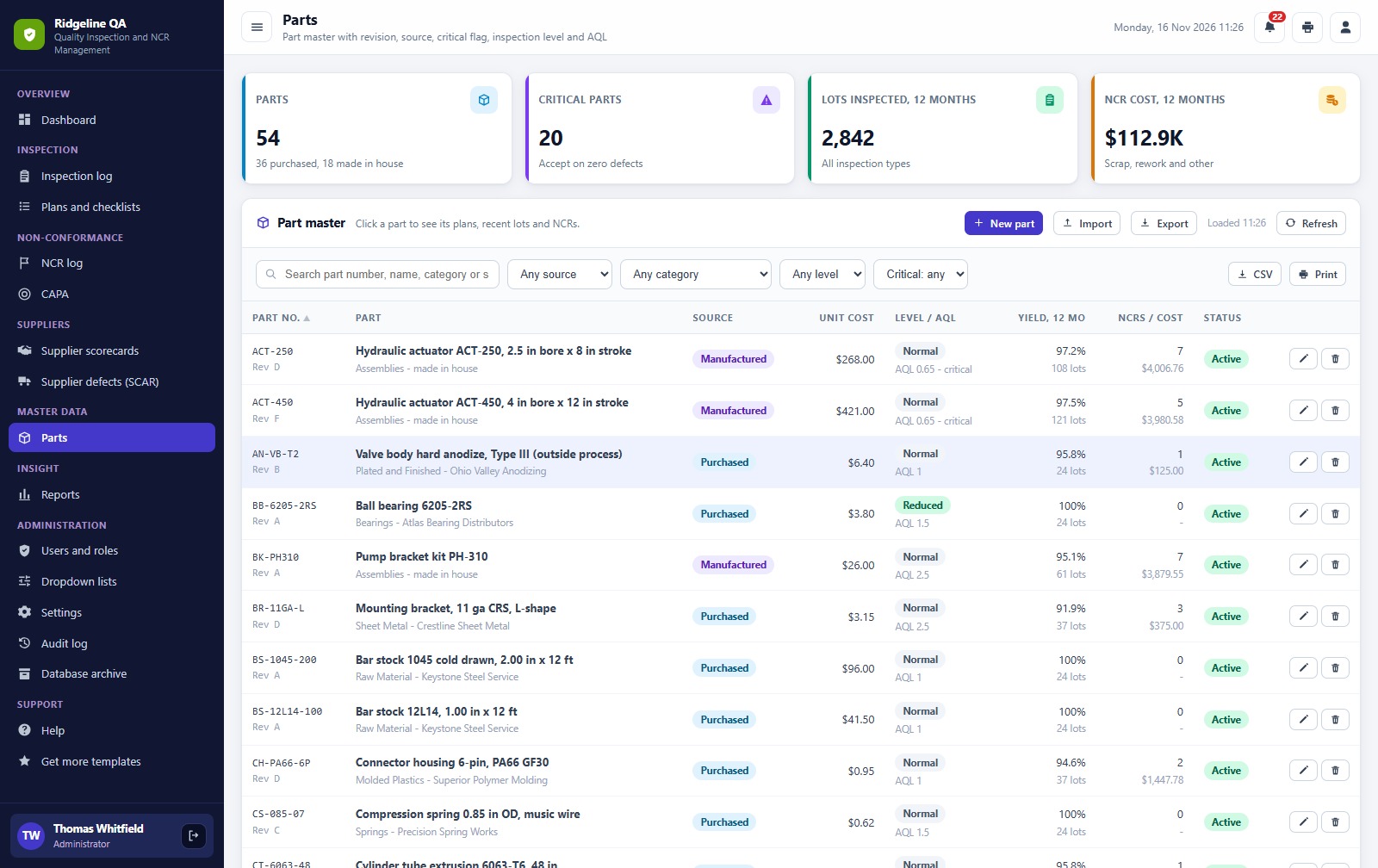
📌 Parts master. Revision, source, unit cost, inspection level, AQL and 12-month yield for every part.
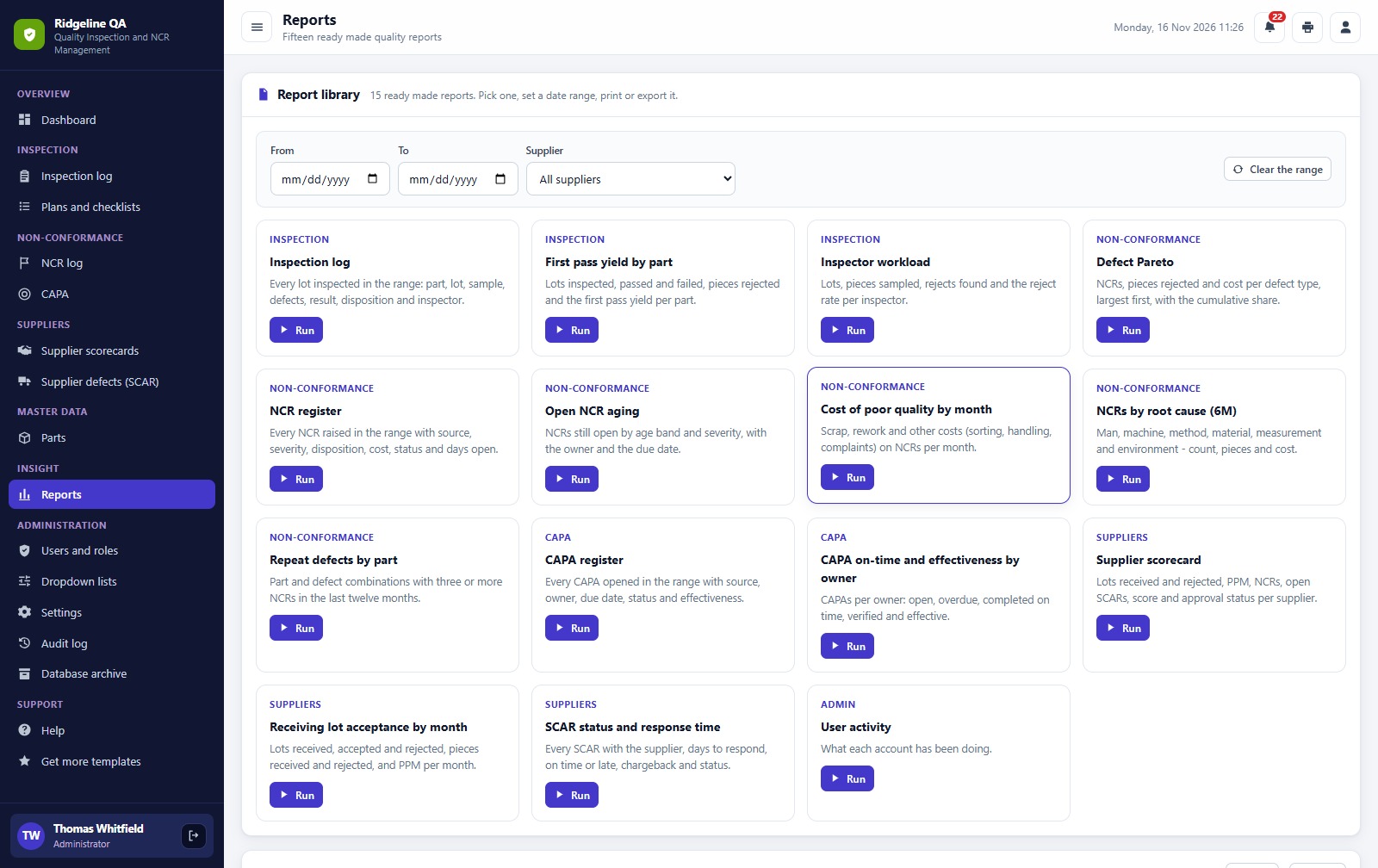
📌 15 reports. Pick a date range, then print or export.
📌 7 logins across 6 roles. Administrator, Quality Manager, Quality Engineer, QC Inspector, Supplier Quality Engineer and Production Supervisor, with an audit log and a database archive.
🖥️ What’s Inside: Screen by Screen
The sidebar groups the screens as Overview, Inspection, Non-Conformance, Suppliers, Master Data, Insight, Administration and Support. These are the main ones.
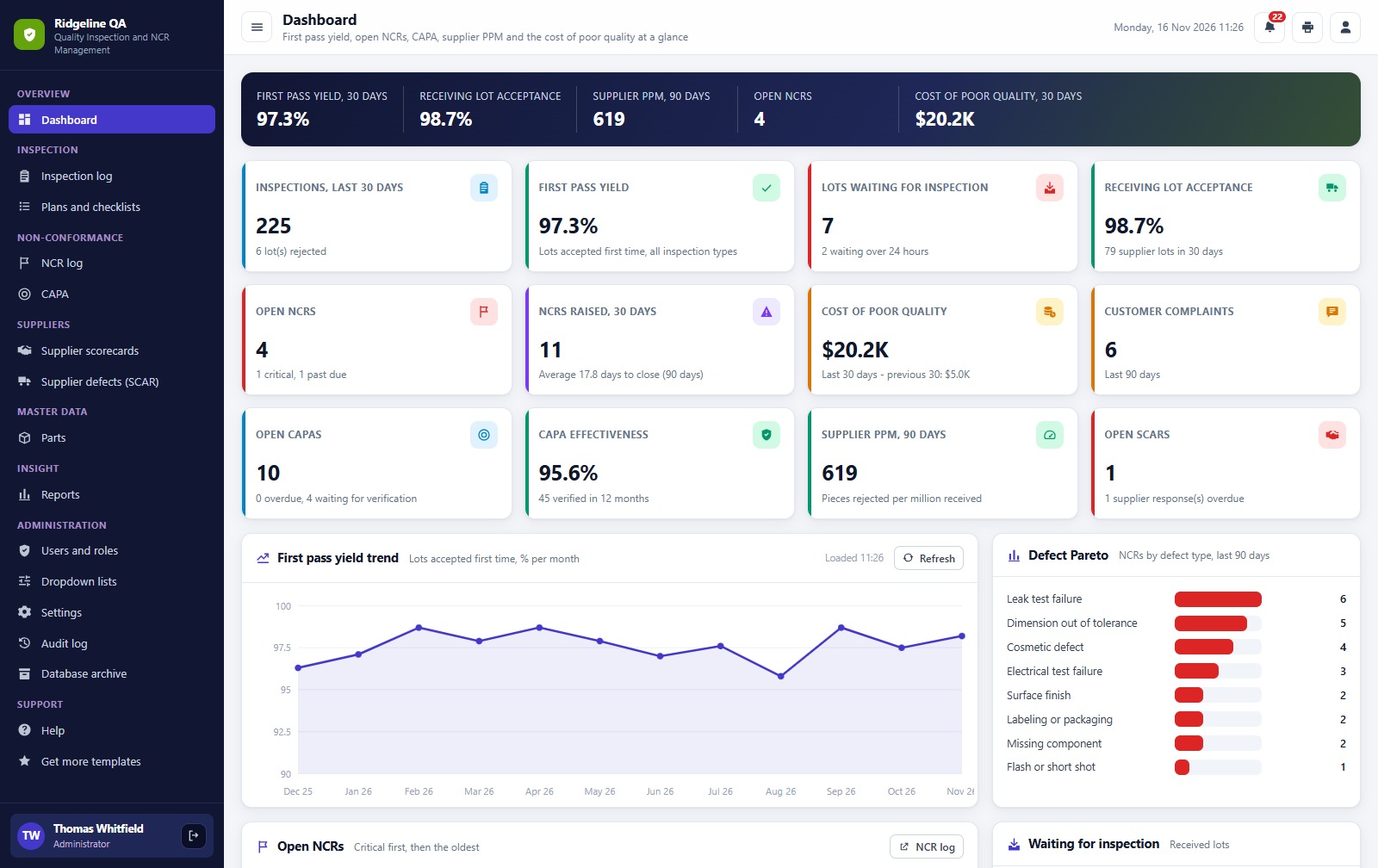
Sign-in page
Username and password sign-in with the feature list beside it. Passwords are never shown on this screen.
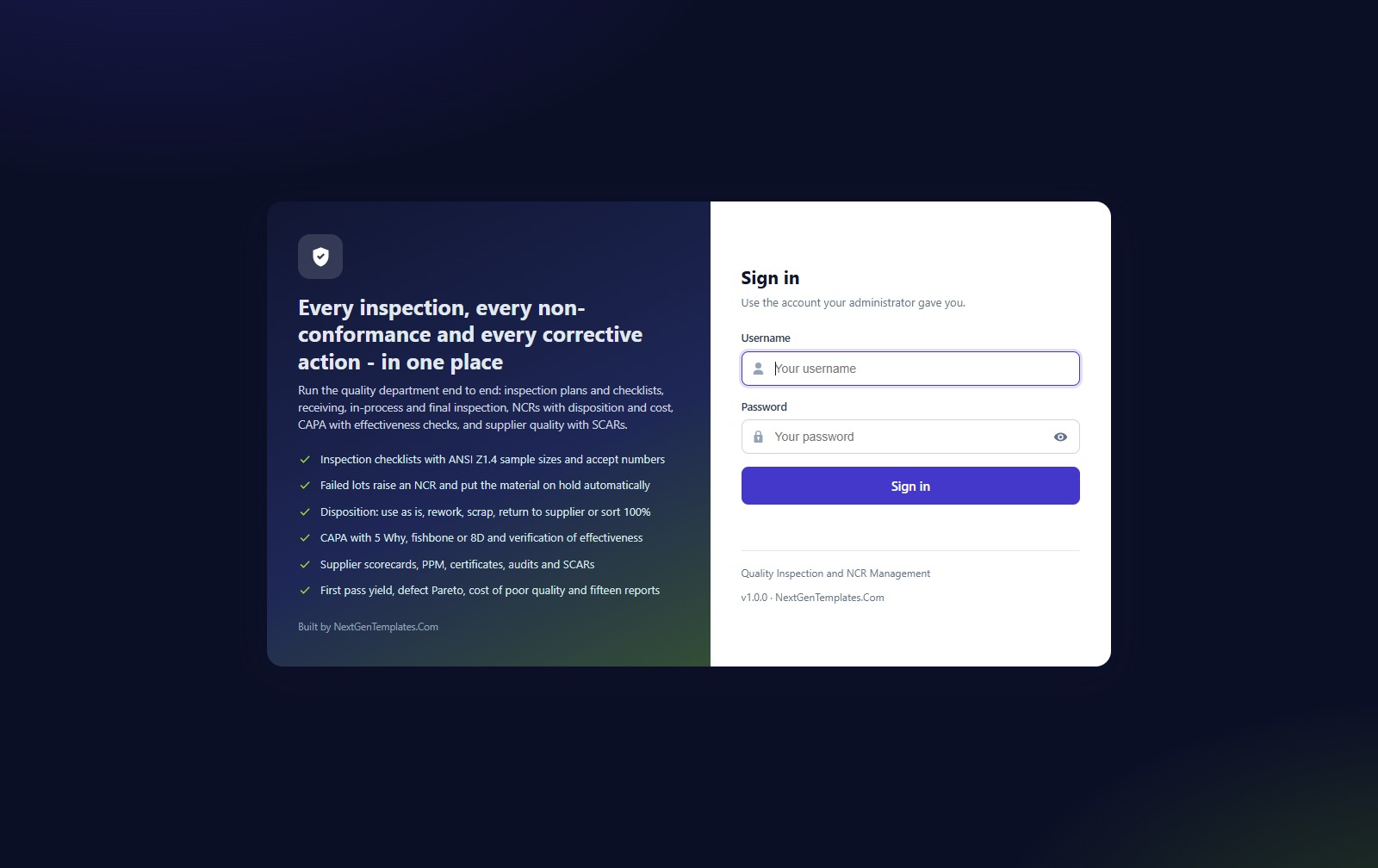
Dashboard
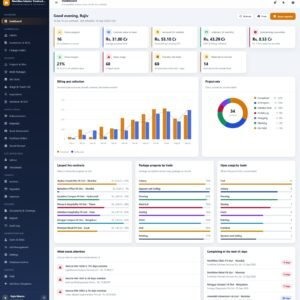
First pass yield, receiving lot acceptance, supplier PPM, open NCRs and cost of poor quality across the top, then 12 KPI cards, a first pass yield trend and a defect Pareto, with the open NCRs and the lots waiting for inspection below.
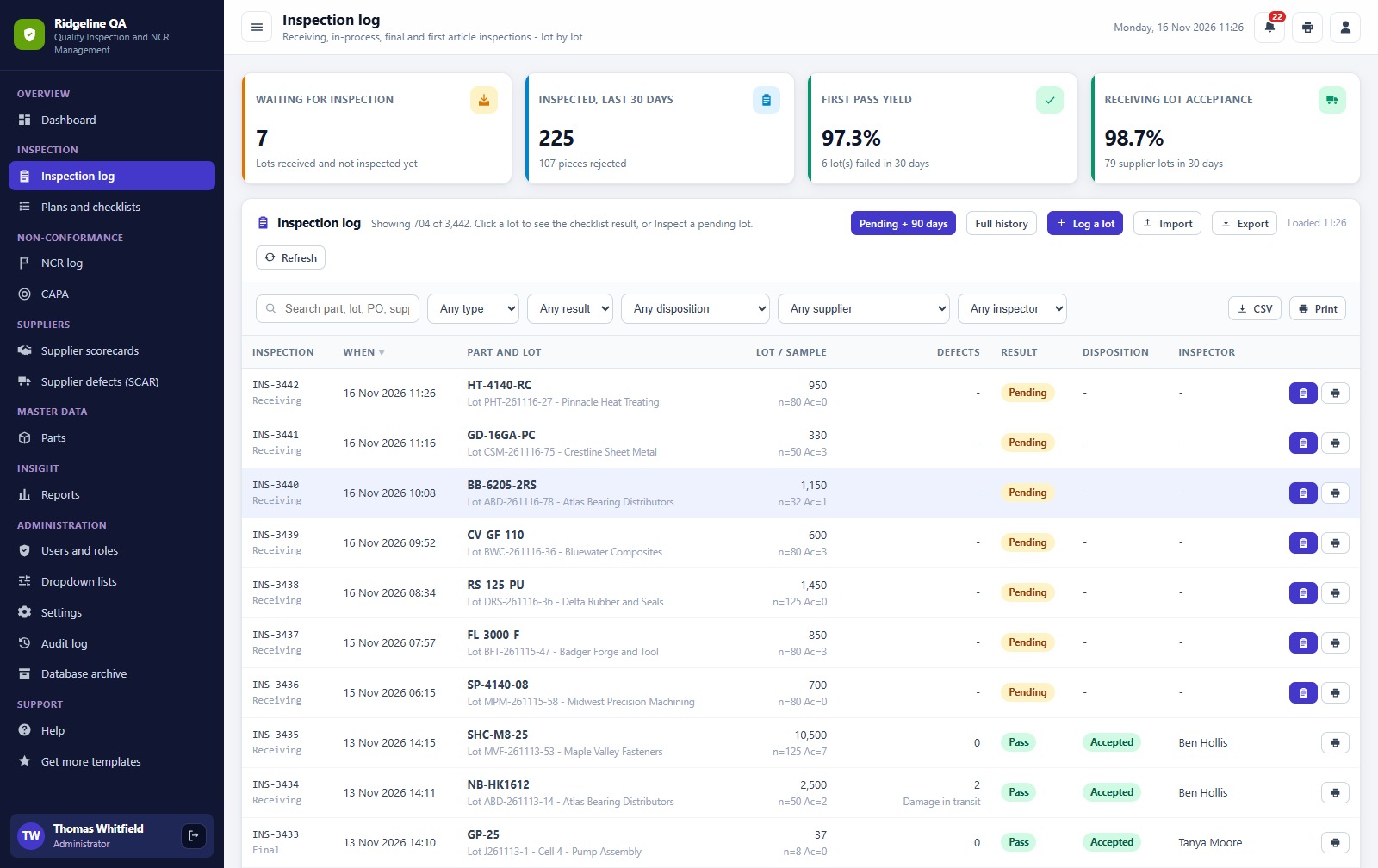
Inspection log
Every lot with part, lot size, sample size and accept number. Open a pending lot, work through its checklist and record pass or fail; a failed check rejects the lot and raises an NCR.
Plans and checklists
An inspection plan for each part: the characteristics to check, the sampling rule and the AQL, for receiving, in-process and final inspection.
NCR log
Non-conformance reports with severity, quantity, containment, owner, disposition (scrap, use as is, rework or return to supplier) and cost, plus a printable hold tag.
Corrective and preventive actions (CAPA)
Problem, root cause method (5 Why, fishbone or 8D), action plan, linked NCR and an effectiveness check that the quality manager verifies.
Supplier scorecards
A score for every supplier from its lot reject rate, PPM and open requests, with certificate expiry, next audit date and approval status.
Supplier defects (SCAR)
Raise a supplier corrective action request, record the supplier’s response, accept or reject it and track the chargeback.
Parts
The parts master with revision, source, unit cost, inspection level, AQL and 12-month yield, with critical parts flagged.
Reports
A library of 15 reports for inspection, non-conformance, CAPA and suppliers. Pick a date range, then print or export.
Users and roles
Application users with their role and status, plus the permission matrix that shows what each role can do. The same map drives the sidebar and the server checks.
📊 Quality Inspection and NCR Web App vs. Spreadsheet vs. Paid QMS Software
| Feature | This web app | Spreadsheet | Paid QMS software |
|---|---|---|---|
| Cost | ✅ One-time payment | Free, but you build it | Monthly subscription, often per user |
| Data location | ✅ A Google Sheet in your own Drive | Your file | Vendor cloud |
| Checklist inspections with automatic reject and NCR | ✅ Yes | Manual | ✅ Yes |
| CAPA with root cause and effectiveness check | ✅ Yes | Manual | ✅ Yes |
| Supplier scorecards and SCARs | ✅ Yes | Manual | ✅ Yes |
| Role-based logins and audit log | ✅ 6 roles | Sheet sharing only | ✅ Yes |
| Mobile app, barcode scanning, document control | No | No | Often ✅ |
For a small or mid-size plant that wants inspections, NCRs, corrective actions and supplier quality in one system without a per-user subscription, this web app sits in the sweet spot.
👥 Who This Web App Is For, and Who It’s Not For
✅ This web app is built for:
- Manufacturing plants and machine shops with a quality team and inspectors on the floor
- Quality managers who need an NCR log, CAPA tracking and supplier scorecards in one place
- Suppliers and contract manufacturers who must show customers their inspection and corrective action records
❌ This web app is NOT for:
- Teams that need a native mobile app, barcode scanning or measurement device integration
- Plants that need controlled document management or a certified QMS platform
⚙️ How to Set Up the Quality Inspection and Non-Conformance Management System Web App
- Try the live demo above first, and sign in as two or three different roles.
- Download the ZIP: it holds Code.cs.txt, Index.txt and the PDF user manual.
- Create a new Google Apps Script project, paste Code.cs.txt into Code.gs and add an HTML file named exactly Index with the contents of Index.txt.
- Deploy it as a web app and accept the Google permission prompt.
- Open the web app and press Run setup now, or run the setup function from the editor, and wait for Setup complete.
- Sign in with the administrator account from the manual and change every seeded password.
- Open Settings to enter your company details and quality rules, then delete or replace the sample data.
💼 Real-World Use Cases
A receiving inspector opens a lot of rod seals, works through the checklist, fails the hardness check and rejects the lot, which raises an NCR on its own.
A quality engineer reviews the new NCR, sets the disposition to return to supplier and raises a corrective action with a 5 Why root cause.
A supplier quality engineer reads the scorecards, raises a SCAR against the worst supplier and tracks the chargeback.
❓ Frequently Asked Questions
Can I try the Quality Inspection and Non-Conformance Management System Web App before buying?
Yes. The live demo above runs the full system with fictional data. Sign in with any of the 7 demo accounts to see the dashboard, the screens each role can reach and the reports before you spend anything.
What do I need to run it?
A Google account and an internet connection. The web app runs on Google Apps Script and creates its own Google Sheet database in your Drive during setup. Your team signs in with the usernames you create.
What happens when a check fails?
The inspector marks the characteristic as Fail, picks the defect type and the verdict says to reject the lot. When the result is saved the lot is rejected and put on hold, and an NCR is raised automatically.
Can an inspector see everything?
No. A QC Inspector can log and inspect lots and raise NCRs, and can see plans, CAPAs, suppliers and parts. Disposition, verification and administration belong to the quality and admin roles, and the server checks the role on every call.
Is it an ISO 9001 certified system?
No. It is a tool that helps you keep the records a quality system needs: inspections, NCRs, corrective actions and supplier scorecards. Certification is a matter for your own quality system and auditor.
Is there sample data?
Yes. Setup loads a fictional precision manufacturer with 54 parts, inspection plans, inspections, NCRs, corrective actions, suppliers and supplier requests. Delete it or import your own once you know the system.
How long does setup take?
You paste two files into a new Apps Script project, deploy it as a web app and press Run setup now. The first run loads the starter data in a few minutes, and the manual in the ZIP walks through each step.
👤 About the Author
Built by PK, Microsoft Certified Professional with 15+ years of Excel, Google Sheets, Apps Script and Power BI experience, founder of NextGenTemplates and the YouTube channels @PKAnExcelExpert and @NextGenTemplates. Every template is hand-built and tested before release.
🔗 Explore Related Templates
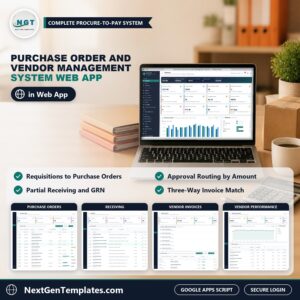
🛒 Purchase Order and Vendor Management System Web App: orders and vendors for the purchasing side.
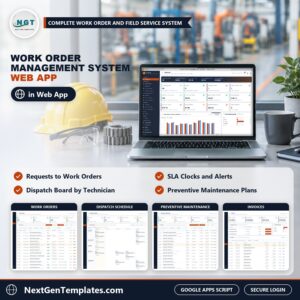
🔧 Work Order Management System Web App: maintenance requests, work orders and PM.
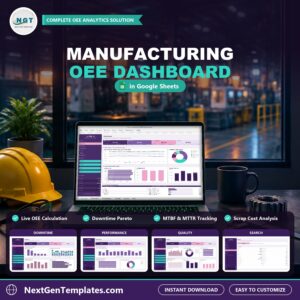
🏭 Manufacturing OEE Dashboard in Google Sheets: availability, performance and quality for production lines.
📋 Production Tracker in Excel: daily output and production tracking.
Browse every system in Web Apps.
🎥 Visit our YouTube channel for step-by-step video tutorials
👉 YouTube.com/@NextGenTemplates
📅 Last updated: November 2026

Reviews
There are no reviews yet.