

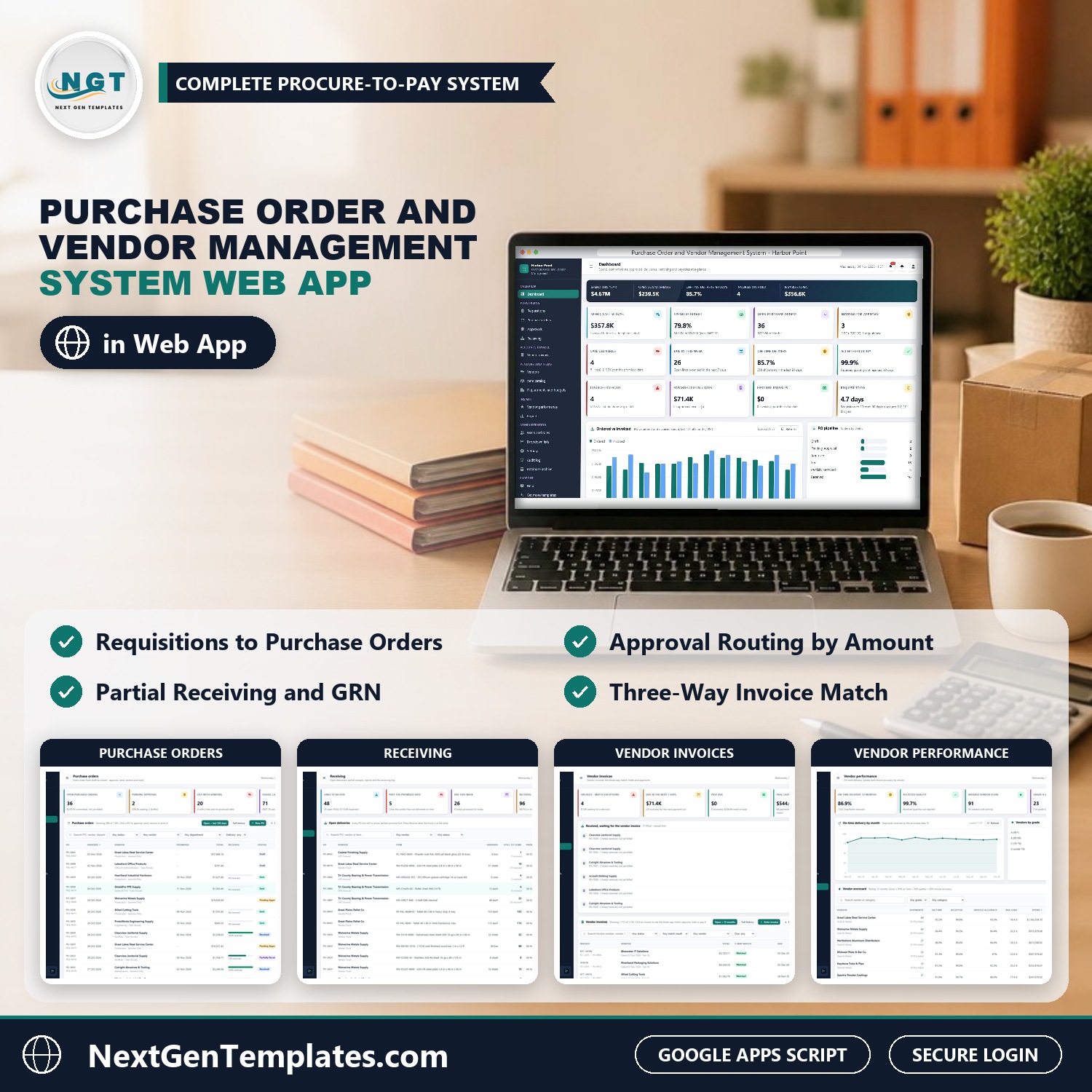

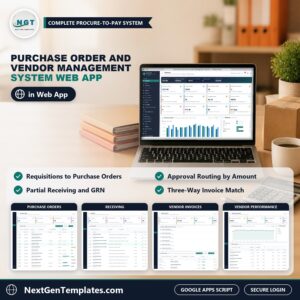
The Purchase Order and Vendor Management System Web App runs procure-to-pay for a manufacturer, distributor or any business that buys from suppliers, in one browser application: purchase requisitions, purchase orders with line items and approval routing, receiving with partial deliveries, vendor invoices with an automatic three-way match, payments, department budgets and vendor performance scorecards, with 7 role-based logins. It is built on Google Apps Script and keeps everything in a Google Sheet in your own Drive, so it works as purchase order software you own outright.
A requisition turns into a purchase order, the PO goes out to the vendor, the dock receives the goods, accounts payable enters the invoice, and the system checks it against the PO and the receipt before it is paid. Think of it as a purchase order management system, vendor management software and a procure to pay workflow in one download.
✅ Instant download · One-time payment · No subscription · No per-user fees
Watch the Purchase Order and Vendor Management System Web App walkthrough
🚀 Try the Live Demo: Login Details
Open the working Purchase Order and Vendor Management System in your browser right now: no download, no sign-up, nothing to install. Sign in as any role below and see exactly which screens that person can and cannot reach.
Demo sign-in details: all 7 roles
| Role | Username | Password | What this role can reach |
|---|---|---|---|
| Administrator | admin | Admin@123 | Everything, including users and roles, settings, the audit log, the database archive and backups |
| Purchasing Manager | purchasing | Purchasing@123 | Approves requisitions and level 1 purchase orders, plus purchase orders, receiving, vendors, items, budgets (view), vendor performance, reports, lists and the audit log |
| Buyer | buyer | Buyer@123 | Requisitions, purchase orders (create, submit, send, re-promise, close), vendors, items, budgets (view), vendor performance, reports, import and export |
| Buyer (second account) | buyer2 | Buyer@123 | The same Buyer role on a second login, so you can see two buyers working in the same database |
| Requester | requester | Request@123 | Raises requisitions for their own department only and follows them; can see purchase orders, receipts, vendors, items and budgets |
| Receiving Clerk | receiving | Receiving@123 | Open deliveries and the receiving log; receives goods, including part deliveries and rejects with a reason |
| AP Clerk | payables | Payables@123 | Vendor invoices, the three-way match, holds, disputes and payments |
| Finance Controller | controller | Finance@123 | Level 1 and level 2 approval, releases invoices on hold, payments, budgets (edit), reports and the audit log |
These credentials are public on purpose. The demo is a shared instance seeded with a fictional company (Harbor Point Fabrication, Inc., a metal fabrication manufacturer in Grand Rapids, Michigan) and it may be reset at any time. It is not anybody’s live purchasing data. Your own copy gets its own database, its own users and its own passwords, and the setup notes ask you to change every seeded password before anyone else signs in.
🔑 Key Features of the Purchase Order and Vendor Management System
📝 Requisitions. A department asks for something to be bought with a needed-by date, priority, reason and lines. Picking a catalog item fills the description, unit and last price. The Purchasing Manager approves or rejects with a reason, and a buyer converts an approved requisition into purchase orders, one per vendor when the lines name different vendors. A requester only sees their own department.
🧾 Purchase orders. Every order runs Draft, Pending Approval, Approved, Sent, Partially Received, Received and Closed, with Rejected, Cancelled and Close short for the exceptions. The total is lines plus freight plus sales tax, and production and finishing materials can be tax exempt while other departments take the default rate. The order form shows the approval routing it will need before you submit it.
✅ Approval routing by amount. Orders up to $2,500 approve themselves. Above that the Purchasing Manager approves at level 1, and above $25,000 the Finance Controller approves as well at level 2. Both limits are settings you can change. Each approver sees only the steps they may decide, and the last 90 days of decisions stay on the Approvals screen.
🚚 Send, re-promise and print. Sending a PO sets the promised date from the vendor lead time (or the date the vendor gave) and can email the order to the vendor. Re-promise records a new date for the open lines. Purchase orders, receiving reports, requisitions and remittance advice print at 3 inch, 4 inch or A4.
📦 Receiving with part deliveries. The Receiving screen lists every PO line still to arrive, earliest promise first, with late lines marked. Type the packing slip and carrier, enter the quantity received and any rejected quantity with a reason, and only the accepted quantity goes into stock. Each receipt gets a GRN number and an on-time stamp against the promised date, and the balance stays open on the PO.
🔎 Vendor invoices and the three-way match. Enter the invoice as the vendor billed it. The system compares every line with the PO price and the received quantity: if the billed quantity is not more than what was received and the price is within 2 percent of the PO price, the invoice is matched and approved for payment automatically. Price variance, quantity variance, not received and combined exceptions go On Hold, where the Finance Controller can accept them with a note or the AP Clerk can dispute them. The same vendor invoice number can never be entered twice, so duplicate payments are blocked.
💵 Payments and aging. Record payments by ACH, check, credit card or wire with a reference. Early-payment discounts on 2/10 and 1/10 terms are worked out inside the discount window, and you can print the remittance advice for the vendor. Payables due this week, past due amounts and the accounts payable aging are on screen and in the reports.
🏢 Departments and budgets. For each department the screen shows the annual budget, actual spend (invoiced this fiscal year), the amount committed on open POs, what is still available and a year-end forecast at the current run rate, with a warning colour when a department nears its limit.
⭐ Vendors and vendor performance. Each vendor keeps contact, location, payment terms, lead time and compliance details such as a W-9 on file. The rolling 12-month score is 50 percent on-time delivery, 30 percent accepted quality and 20 percent invoice accuracy, with grades A to D, on a scorecard and a performance screen with an on-time trend.
📚 Item catalog. SKU, standard cost, last price paid, stock on hand and reorder point for every item, a price history per item, and a Reorder low stock button that raises one requisition for everything at or under its reorder point.
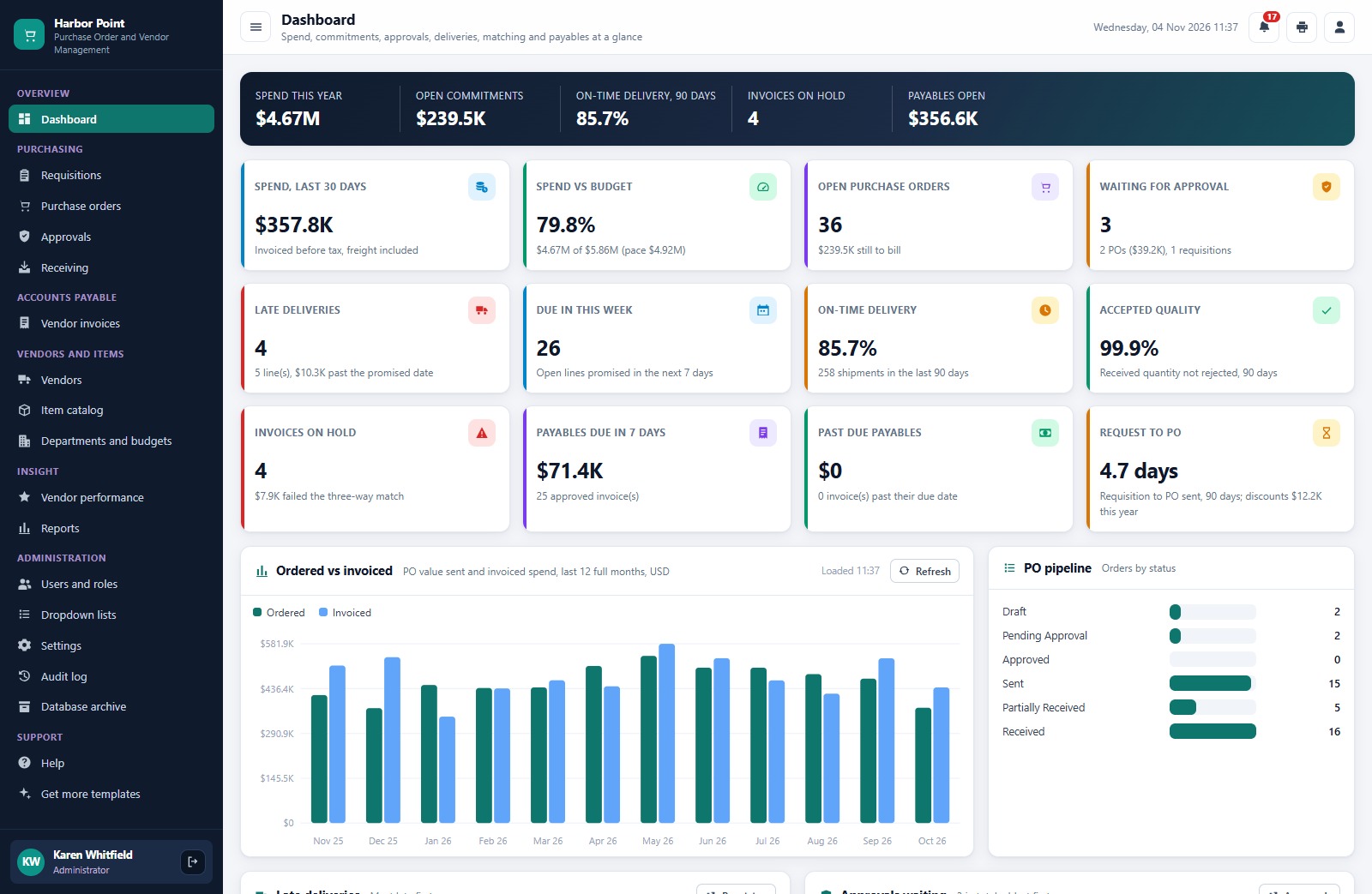
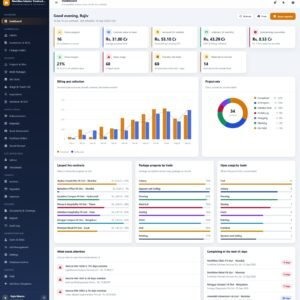
📊 Live dashboard and 14 reports. Spend this year, open commitments, on-time delivery, invoices on hold and payables open at the top, then twelve KPI cards, an ordered versus invoiced chart for the last 12 months, the PO pipeline by status, late deliveries, approvals waiting, spend by category, top vendors and budget used by department. Fourteen ready-made reports cover spend by vendor and by category, department spend versus budget, open commitments, late deliveries, price variance, the receiving log, three-way match exceptions, accounts payable aging and payments made, each with date and vendor filters, print and CSV export.
🔐 7 roles and 33 permissions. Administrator, Purchasing Manager, Buyer, Requester, Receiving Clerk, AP Clerk and Finance Controller, each seeing only the screens their job needs. Passwords are stored as salted SHA-256 hashes, every save runs under a lock so two buyers can work at the same time, and every change is written to the audit log.
🛠️ Lists, settings, import and archive. 14 dropdown lists feed every form, 28 settings cover the company, approval limits, match tolerances, budgets, email and print size, vendors, items, departments and users can be imported from a sheet, and old closed records can be moved to a database archive with a dated backup taken first.
The download includes realistic starter data so every screen is populated the moment you sign in: about 14,900 seeded rows across 18 tables, covering fifteen months of purchasing for a fictional metal fabrication company, with 10 departments and their budgets, 36 vendors, 121 catalog items, 8 users, roughly 1,040 purchase orders, 680 requisitions and 1,155 vendor invoices. The exact counts move a little with the day and hour you run setup. Delete or edit it once you are familiar with the system, or import your own vendors and items.
🖥️ What’s Inside: Screen by Screen
Sign-in page
A branded sign-in card with a show/hide password button. The default credentials are never printed on the sign-in screen, and a fresh install shows a first-run panel that builds the database for you.

Dashboard
A hero band with spend this year, open commitments, on-time delivery for 90 days, invoices on hold and payables open, then twelve KPI cards and the ordered versus invoiced chart with the PO pipeline by status.
Requisitions
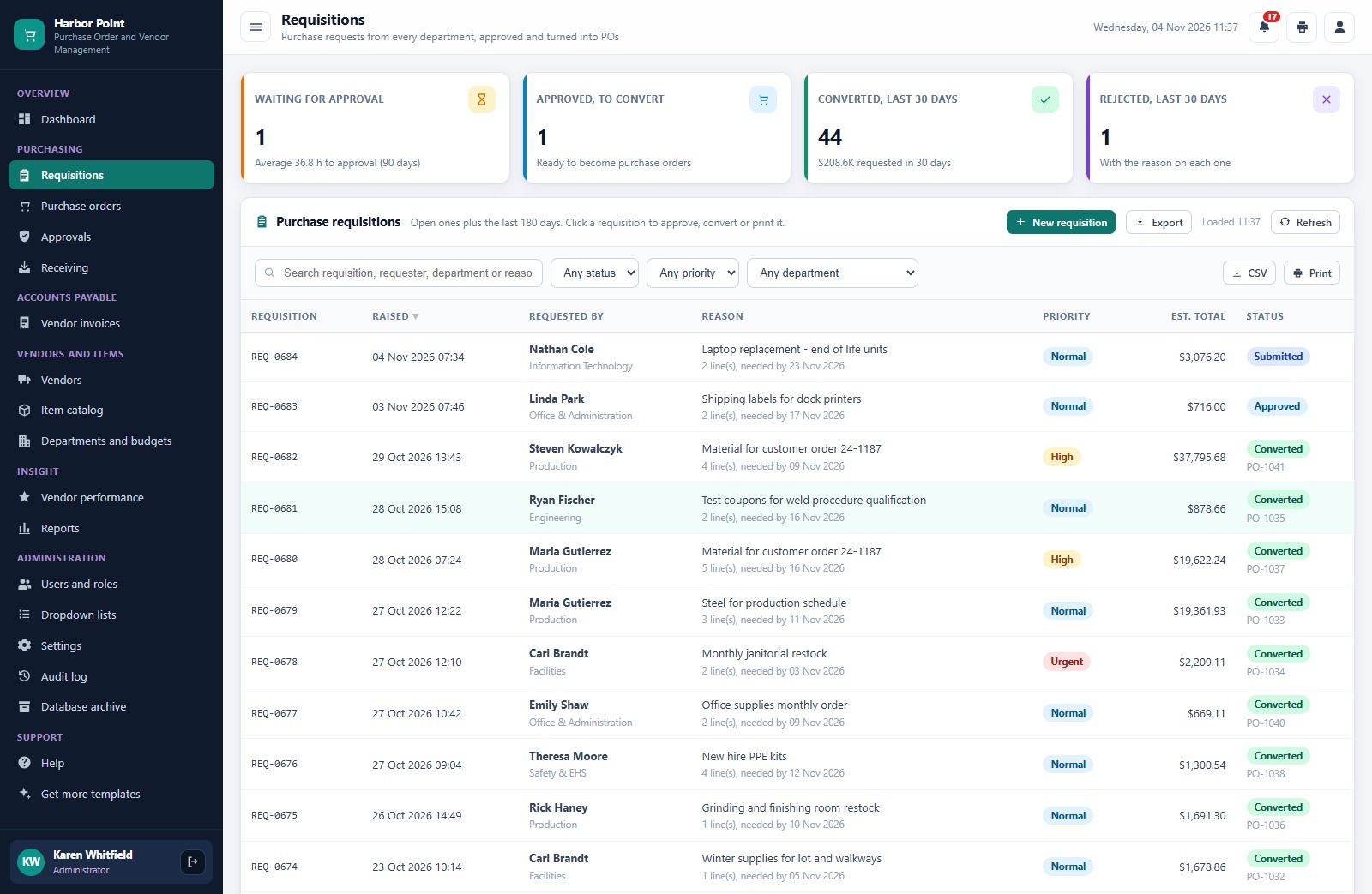
Every purchase request with requester, department, reason, priority, estimated total and status, plus cards for requisitions waiting for approval, approved and ready to convert, and converted or rejected in the last 30 days.
Purchase orders
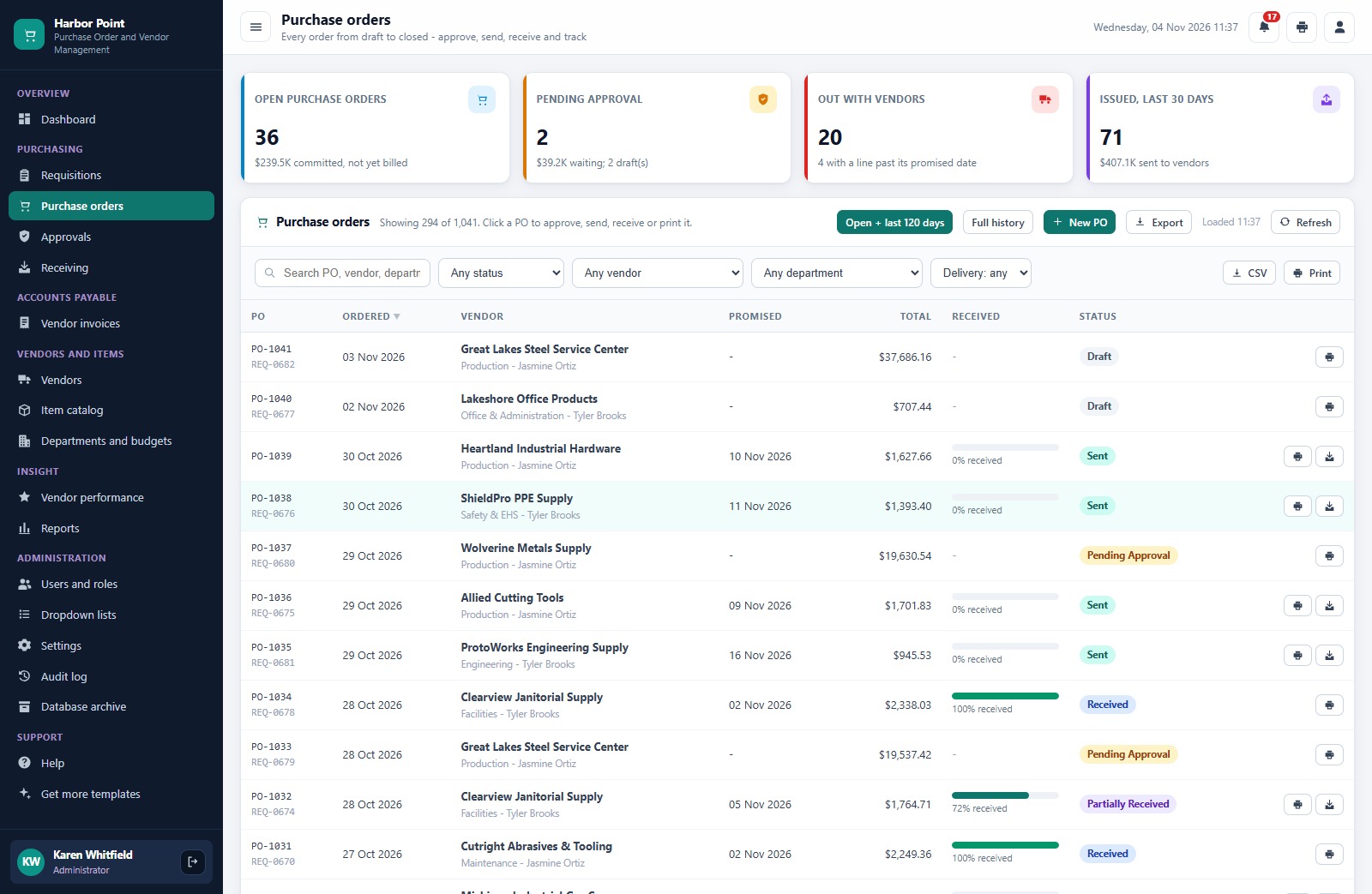
Open purchase orders, orders pending approval, orders out with vendors and POs issued in the last 30 days, then every order with vendor, promised date, total, percent received and status.
Approvals
The decisions waiting for you, oldest first, with approve and reject buttons, the routing rule in plain words and the history of the last 90 days with who decided and how long it took.

Receiving
Every open PO line by promised date with days late, and a Receive button for when the truck is at the dock.

Vendor invoices
Invoices on hold, payables due in the next seven days, the purchase orders received but not yet billed, and every invoice with its three-way match result and status.

Vendors
Suppliers with contact, location, terms, lead time, score, grade, 12-month spend and amount owed.

Vendor performance
On-time delivery by month, vendors by grade and the full scorecard with shipments, on-time, accepted quality, invoice accuracy, average lead time and spend.

Reports
A library of 14 ready-made reports across spend, purchasing, receiving, payables, vendors and admin. Set a date range and vendor, then print or export.

Also included: Item Catalog, Departments and Budgets, Users and Roles with the full permission matrix, Dropdown Lists, Settings, Audit Log, Database Archive, Help and a Get More Templates page.
📊 Purchase Order and Vendor Management System vs. Spreadsheet vs. Paid Procurement Software
| Feature | Purchase Order and Vendor Management System | Spreadsheet and email | Paid procurement software |
|---|---|---|---|
| Cost | ✅ One-time purchase | Free to low cost | Monthly or annual subscription, often per user |
| Platform | ✅ Browser, on your own Google account | A file everyone edits | Vendor cloud |
| Approval routing by amount | ✅ Two levels with limits you set | Email chains | ✅ Yes |
| Receiving with part deliveries | ✅ GRN, rejects and on-time stamps | Manual | Varies by plan |
| Three-way match | ✅ Automatic, with a 2 percent price tolerance | Manual checking | Often a higher tier |
| Department budgets and committed spend | ✅ Built in, with a year-end forecast | Separate sheets | Often an add-on |
| Role-based logins | ✅ 7 roles, 33 permissions | No | ✅ Yes |
| Your data stays in your Drive | ✅ A Google Sheet you own | ✅ Yes | No, vendor hosted |
| Source code you can change | ✅ Full Apps Script code | ✅ Yes | No |
👥 Who This Web App Is For, and Who It’s Not For
✅ Built for:
- Manufacturers, fabricators and distributors that raise purchase orders against a list of regular suppliers
- Small and mid-sized buying teams that want vendor management software with approvals and a three-way match without a per-user subscription
- Finance and accounts payable teams that want invoices checked against the PO and the receipt before they pay
❌ Not built for:
- Teams that need supplier punch-out catalogs, EDI or electronic invoicing networks
- Companies that need a full general ledger; this system tracks purchasing and payables, it does not post to your accounting software or move money
- Teams that must work offline; the app runs in the browser and needs an internet connection
⚙️ How to Set Up the Purchase Order and Vendor Management System
- Try the live demo first with the login details above, one role at a time.
- Create a new Google Apps Script project, paste Code.cs.txt into Code.gs, and add an HTML file named exactly
Indexcontaining Index.txt. - Deploy it as a web app (Execute as: Me, choose who has access) and accept the Google permission prompt.
- Open the web app URL and press Run setup now on the first-run panel, or run
setuponce from the editor. Setup creates the database spreadsheet and its tables, the Drive folders and the starter data, and carries on by itself if Google’s time limit interrupts it. - Sign in as admin and change every seeded password (or delete the accounts you do not need).
- In Settings, enter your company details, approval limits, match tolerances, sales tax rate, email and print size.
- Import your own vendors, catalog items and departments, or edit the starter data.
The ZIP contains Code.cs.txt, Index.txt and the PDF user manual with every screen explained. You can deploy it in about ten minutes.
💼 Real-World Use Cases
A manufacturer with a steady list of suppliers. Production raises requisitions for steel, fasteners and coatings, the Purchasing Manager approves them, and buyers convert them into purchase orders that route for approval by amount before they go out.
A dock that receives part deliveries. The receiving clerk books in each delivery against the PO line, rejects damaged goods with a reason, and the late-delivery list tells the buyer which vendor to chase.
An accounts payable desk that stops overpayment. The AP clerk enters each invoice, matched invoices are approved for payment, and a price or quantity variance is put on hold until the Finance Controller accepts it or the invoice is disputed.
❓ Frequently Asked Questions
Can I try the Purchase Order and Vendor Management System before buying?
Yes. The live demo above runs the full system with fictional data. Sign in with any of the demo accounts to see the dashboard, the screens each role can reach and all 14 reports before you spend anything.
What do I need to run it?
A Google account. The web app runs on Google Apps Script and creates its own Google Sheet database in your Drive during setup. Your team signs in with the usernames you create, so they do not need their own Google accounts.
How does the three-way match work?
For every invoice line the system compares the billed quantity with the quantity received and not yet billed, and the billed price with the PO price. Within the quantity tolerance and a 2 percent price tolerance the invoice is matched and approved. Otherwise it is held with the reason, and the Finance Controller can accept it with a note.
Can I change the approval limits?
Yes. The auto-approve limit ($2,500) and the level 2 limit ($25,000) are settings, as are the match tolerances, the default sales tax rate and the print size.
Can it email purchase orders to vendors?
Yes. When you send a purchase order you can email it to the vendor from the app, using your Google account, and you can print it at 3 inch, 4 inch or A4.
Can I use my own vendors and items?
Yes. Vendors, catalog items, departments and users can be imported from a sheet or added on screen, and the starter data can be deleted or edited.
👤 About the Author
Built by PK, Microsoft Certified Professional with 15+ years of Excel, Google Sheets, Apps Script and Power BI experience, founder of NextGenTemplates and the YouTube channels @PKAnExcelExpert, @NextGenTemplates and @NeoTechNavigators. Every template is hand-built and tested before release.
🔗 Explore Related Templates
🧮 Daily RFQ and Quote Comparison Management System Web App: requests for quotation and supplier quotes side by side, the step before the purchase order.
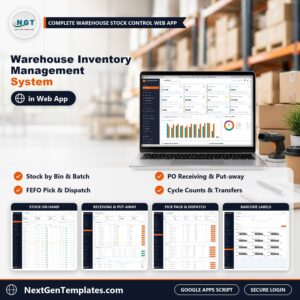
🏭 Warehouse Inventory Management System Web App: multi-warehouse stock by bin, batch and expiry.
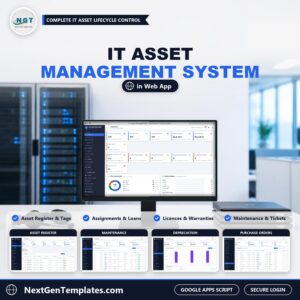
💻 IT Asset Management System Web App: purchases, assignments and renewals for IT equipment.
📈 Need only a log or KPIs? The Purchase Order Tracker in Google Sheets and the Purchase Order Management Dashboard in Google Sheets cover the basics without running the whole process. Browse every system in Web Apps.
📖 Click here to read the Detailed Blog Post
🎥 Visit our YouTube channel for step-by-step video tutorials
👉 YouTube.com/@NextGenTemplates
📅 Last updated: November 2026



Reviews
There are no reviews yet.