

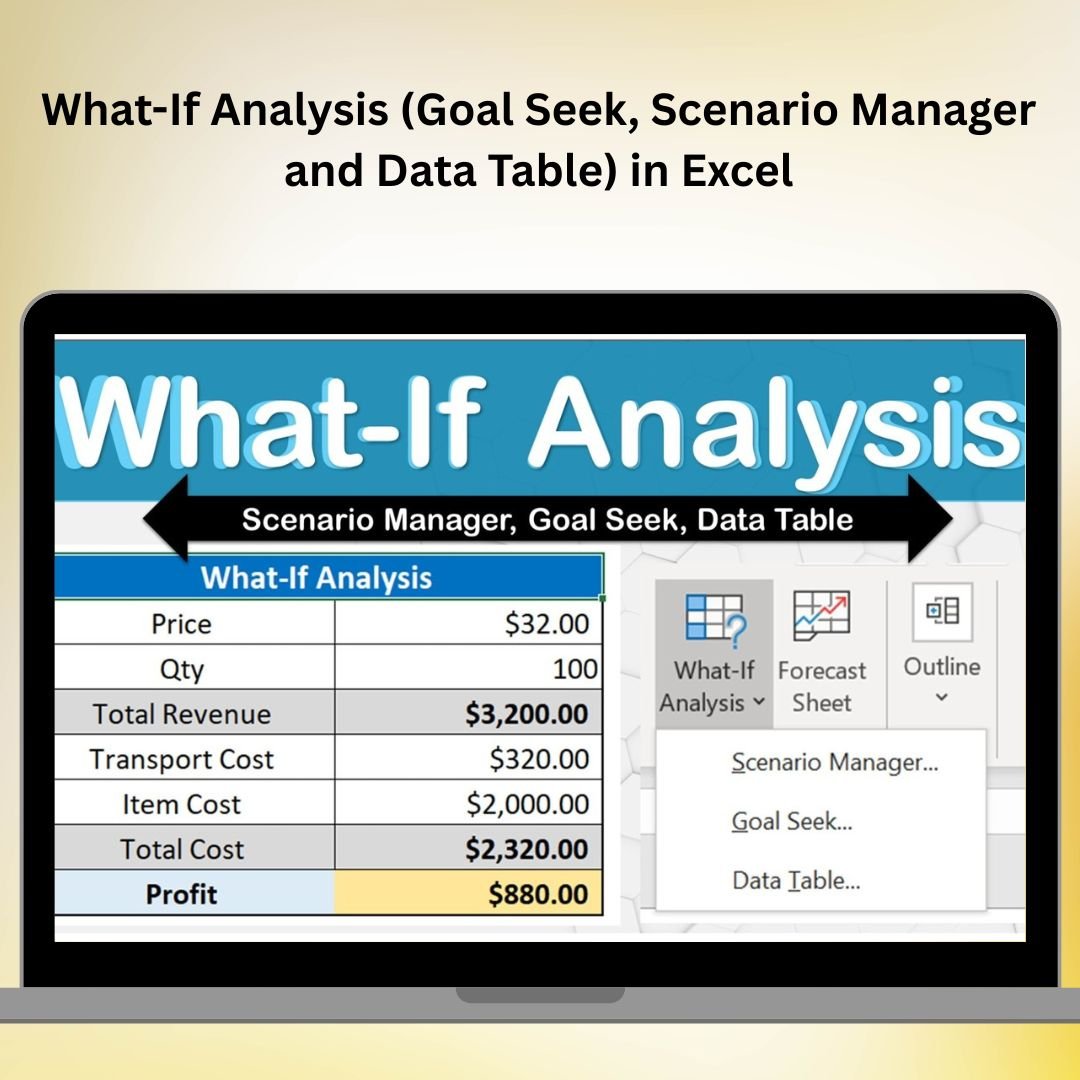

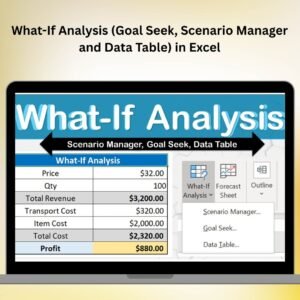
The What-If Analysis workbook in Excel is a free resource for exploring Goal Seek, Scenario Manager and Data Tables. Change model inputs, compare alternative scenarios and examine how a formula responds. It is useful for learning sensitivity analysis and reviewing assumptions in budgeting, planning or other spreadsheet models.
With advanced features like Goal Seek, Scenario Manager, and Data Table, this tool allows you to perform complex analyses without needing advanced programming skills. These features enable you to model different outcomes based on changing variables and find the most optimal solutions. This is a must-have tool for professionals who need to perform accurate forecasting, budgeting, and scenario planning.
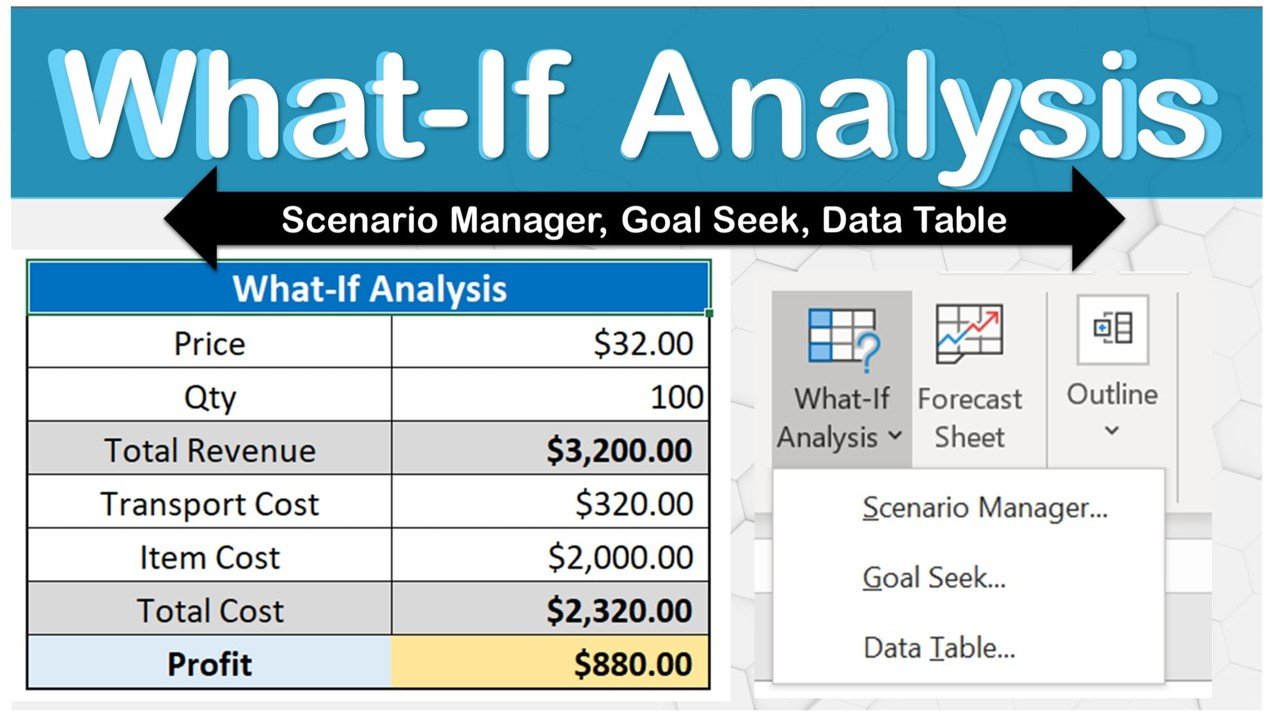
Key Features of the What-If Analysis: Goal Seek, Scenario Manager, and Data Table in Excel:
📊 Goal Seek
Goal Seek is an Excel tool that allows you to find the right input value to achieve a specific goal. Whether you’re solving for an unknown value or determining the impact of a particular change, Goal Seek helps you quickly identify the optimal solution.
🎯 Scenario Manager
Scenario Manager allows you to create and manage multiple scenarios, each with different input values. With this tool, you can compare the outcomes of different strategies or actions, helping you make more informed decisions based on possible future conditions.
📈 Data Table
The Data Table feature allows you to analyze how one or two variables affect a formula. You can create a table to show different scenarios and quickly visualize how changes in variables impact your results, making it ideal for sensitivity analysis and optimization.
🔄 Multiple Scenarios for Complex Decision Making
With Scenario Manager, you can model multiple scenarios (e.g., best case, worst case, and most likely case) and see how they affect your results. This helps in making more resilient and well-informed decisions, especially when you’re dealing with uncertainties.
💡 Detailed Reports
Generate comprehensive reports with ease. Use the data and scenarios you’ve modeled to produce summaries and visual charts that present your findings clearly to stakeholders, helping to drive better business decisions.
🚀 Why You’ll Love the What-If Analysis: Goal Seek, Scenario Manager, and Data Table in Excel:
✅ Simplify Complex Decisions – Easily analyze how changing variables affect your results to make more informed decisions.
✅ Optimize Business Strategies – Use Scenario Manager to explore different business strategies, forecast trends, and plan for various future conditions.
✅ Make Accurate Predictions – Use Data Tables to assess how one or two variables influence your outcome, helping you make more accurate predictions for business or financial models.
✅ Find Optimal Solutions – Use Goal Seek to determine the right input values that will help you achieve your specific goals or targets.
✅ Clear and Visual Reporting – Present your findings and scenarios with easy-to-understand reports and charts that highlight key insights.
✅ No Programming Required – These tools are all built into Excel, allowing you to perform sophisticated analyses without any programming knowledge.
What’s Inside the What-If Analysis: Goal Seek, Scenario Manager, and Data Table in Excel:
- Goal Seek Function: Easily solve for unknown values by determining the input needed to achieve a desired output.
- Scenario Manager: Model multiple scenarios and compare the results to understand different outcomes and their impact on your business.
- Data Table: Perform sensitivity analysis to see how changes in one or two variables affect your results.
- Comprehensive Report Generation: Create dynamic reports based on your analysis, helping to communicate your findings clearly and effectively.
- Customizable Scenarios: Create custom scenarios with different assumptions, inputs, and outputs to explore various possibilities in your business environment.
How to Use the What-If Analysis: Goal Seek, Scenario Manager, and Data Table in Excel:
1️⃣ Download the Template – Download the free Excel file from this product page.
2️⃣ Input Your Data – Enter the variables you wish to analyze and the desired results or outcomes.
3️⃣ Set Up Goal Seek – Use Goal Seek to find the specific input needed to achieve your target output.
4️⃣ Create and Compare Scenarios – Use Scenario Manager to create different scenarios and see how changes affect your results.
5️⃣ Analyze with Data Table – Use the Data Table feature to examine the impact of one or two variables on your results. 6️⃣ Generate Reports – Create and customize reports to present your analysis clearly to management, stakeholders, or clients.
Who Can Benefit from the What-If Analysis: Goal Seek, Scenario Manager, and Data Table in Excel:
- Financial Analysts
- Business Consultants
- Project Managers
- Data Analysts
- Sales and Marketing Managers
- Business Owners
- Accountants
- Strategic Planners
The What-If Analysis: Goal Seek, Scenario Manager, and Data Table in Excel is the ultimate solution for anyone needing to explore different scenarios, optimize outcomes, and make data-driven decisions.
Click here to read the Detailed blog post
Visit our YouTube channel to learn step-by-step video tutorials
Youtube.com/@PKAnExcelExpert
Watch the step-by-step video tutorial:
Compatibility and Requirements
- Works in Microsoft Excel desktop (Excel 2016 or later, or Microsoft 365).
- Goal Seek, Scenario Manager and Data Table are built into Excel under Data, What-If Analysis, so no add-in or programming is required.
- To chart your scenario results, Microsoft explains the steps in Create a chart from start to finish.
Frequently Asked Questions
Is the What-If Analysis workbook free?
Yes. The workbook is a free download from this page.
Which Excel tools does it cover?
It covers the three What-If Analysis tools: Goal Seek, Scenario Manager and Data Table.
How many variables can a Data Table test?
A Data Table shows how changes in one or two variables affect a formula result, which makes it useful for sensitivity analysis.
Can I compare best case and worst case results?
Yes. Scenario Manager lets you save several sets of input values, such as best case, worst case and most likely case, and compare the outcomes.
Do I need programming skills?
No. All three tools are built into Excel, so you only enter your inputs and target values.
Related Analysis and Finance Templates
- Profit Analysis Dashboard using What-if Parameter in Power BI: applies the same what-if idea with a parameter in Power BI
- SaaS Financial Model Dashboard in Excel: a ready financial model you can test with your own assumptions
- SaaS Financial Model Dashboard in Google Sheets: the same financial model in Google Sheets
- Finance & Accounting Command Center: eight finance and accounting templates in one bundle
Browse all Excel analysis templates or the Excel financial tools.


























Reviews
There are no reviews yet.