

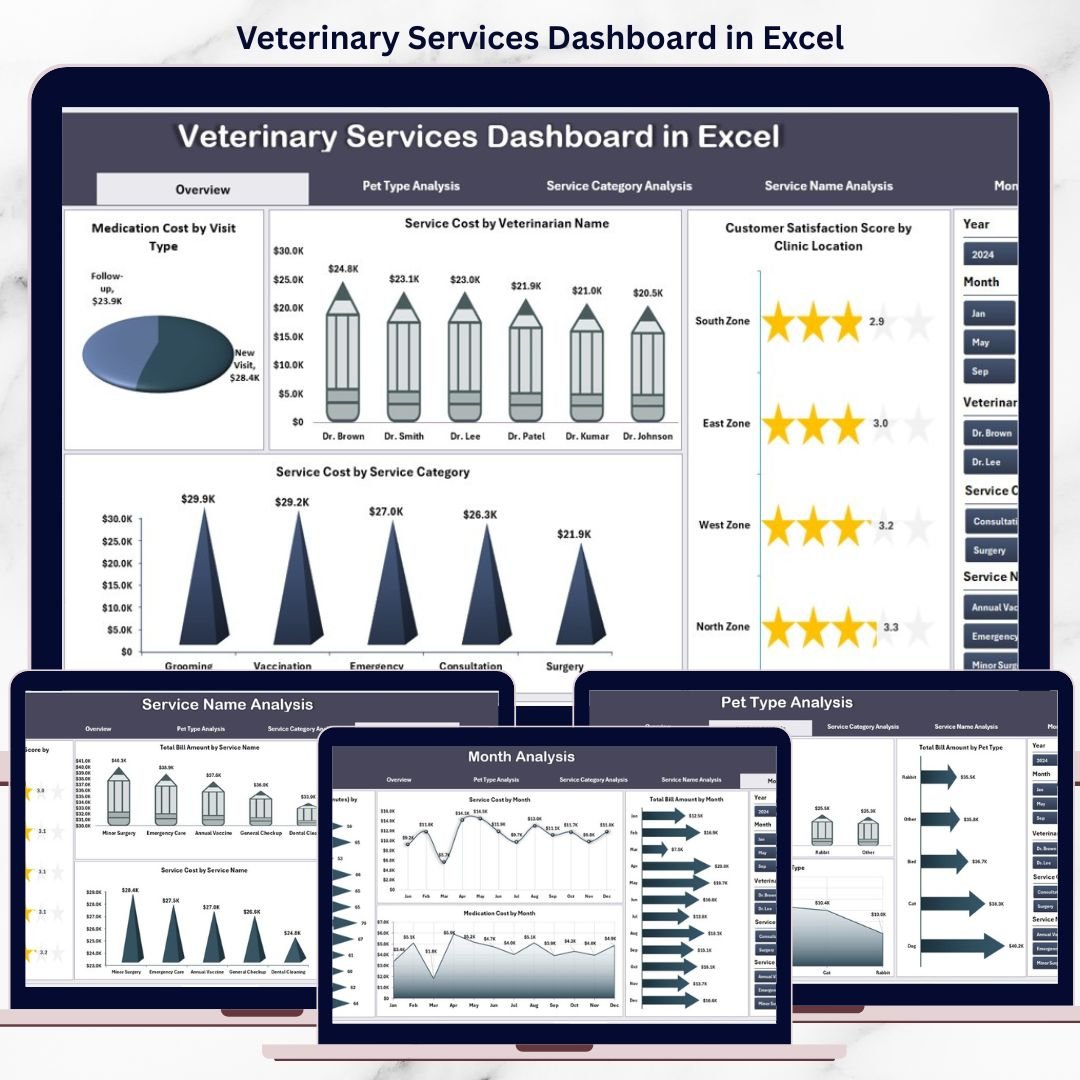

Running a veterinary clinic today is no longer limited to treating animals. Clinics must also manage appointments, control service and medication costs, track customer satisfaction, and monitor monthly performance. However, when all this information remains scattered across multiple Excel sheets or manual registers, decision-making becomes slow and unclear.
That is exactly where the Veterinary Services Dashboard in Excel becomes a powerful and practical solution 🚀.
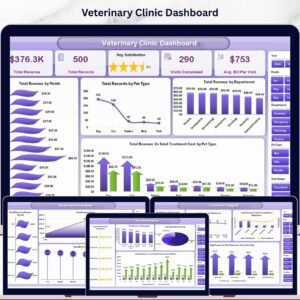
This ready-to-use Excel dashboard converts raw veterinary clinic data into clear KPIs, interactive charts, and actionable insights. Instead of spending hours preparing reports, clinic owners and managers can instantly understand which services cost the most, which pet types generate higher revenue, how customers feel, and how performance changes over time—all from one centralized dashboard.
Designed specifically for veterinary clinics, pet hospitals, and animal care centers, this dashboard supports both better animal care and stronger business performance.
🔑 Key Features of Veterinary Services Dashboard in Excel
📊 5 Structured Analysis Pages for complete clinic visibility
🧭 Page Navigator for easy movement across pages
🎯 Interactive Slicers for quick filtering
📈 Visual KPIs & Pivot Charts for instant insights
💊 Medication Cost Tracking
🐶 Pet Type-Wise Performance Analysis
💰 Service Cost & Billing Analysis
📆 Month-Wise Trend Tracking
🔄 Auto-refresh using Pivot Tables
This dashboard delivers clarity, control, and confidence—without expensive software.
📂 What’s Inside the Veterinary Services Dashboard
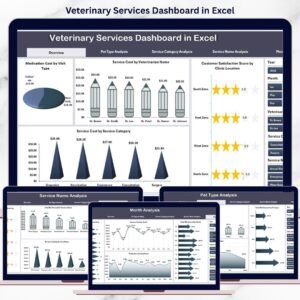
🏠 Overview Page
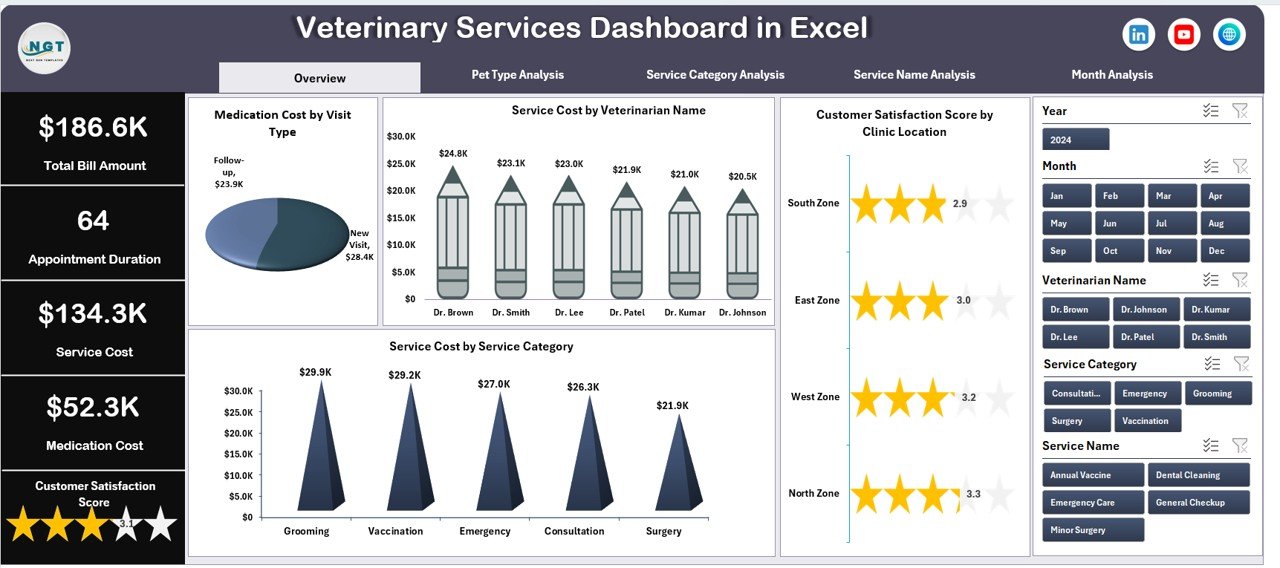
The Overview Page acts as the executive summary of the dashboard.
Key Insights Displayed:
Medication Cost by Visit
Service Cost by Veterinarian Name
Customer Satisfaction Score by Clinic Location
Service Cost by Service Category
This page helps management instantly identify cost drivers and service quality gaps.
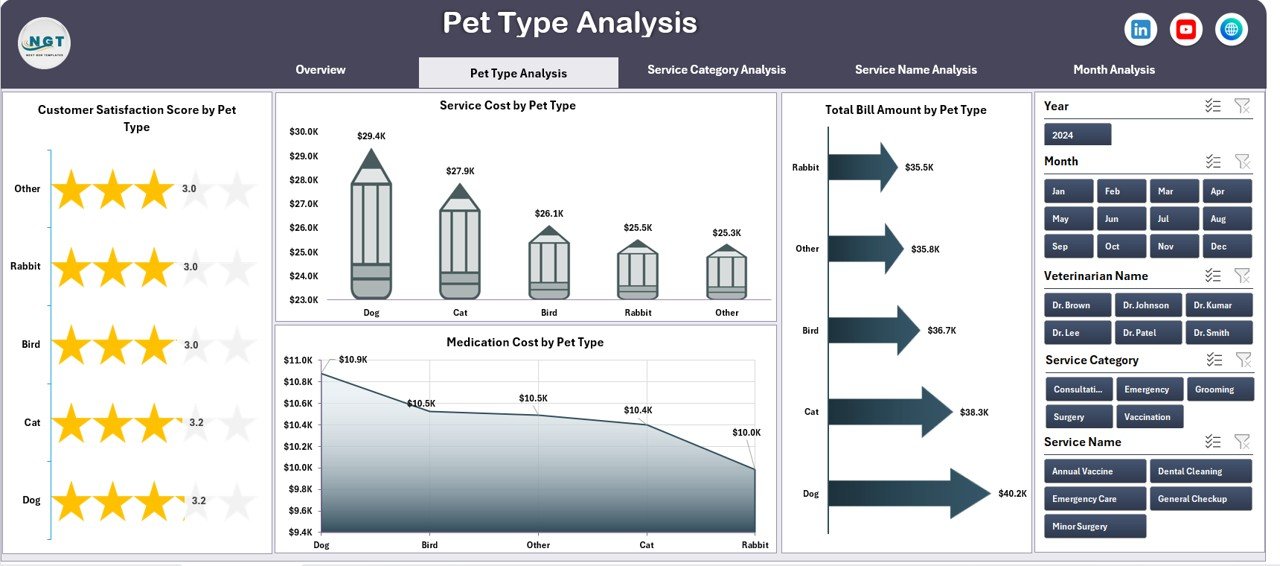
🐕 Pet Type Analysis Page
This page analyzes performance across different pet categories such as dogs, cats, birds, and others.
Charts Included:
Customer Satisfaction Score by Pet Type
Service Cost by Pet Type
Total Bill Amount by Pet Type
Medication Cost by Pet Type
Clinics can easily understand which pet types drive revenue and which increase costs.
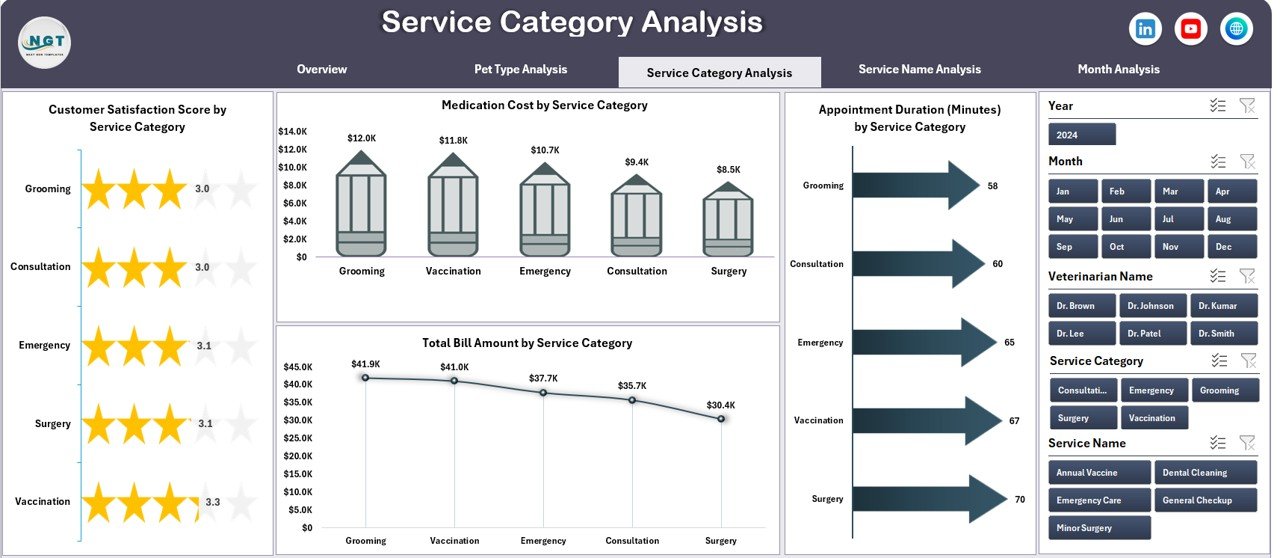
🏥 Service Category Analysis Page
Different veterinary services behave differently in terms of cost, time, and customer satisfaction.
Key Visuals:
Customer Satisfaction Score by Service Category
Total Bill Amount by Service Category
Medication Cost by Service Category
Appointment Duration (Minutes) by Service Category
This analysis supports pricing optimization, staffing decisions, and service planning.
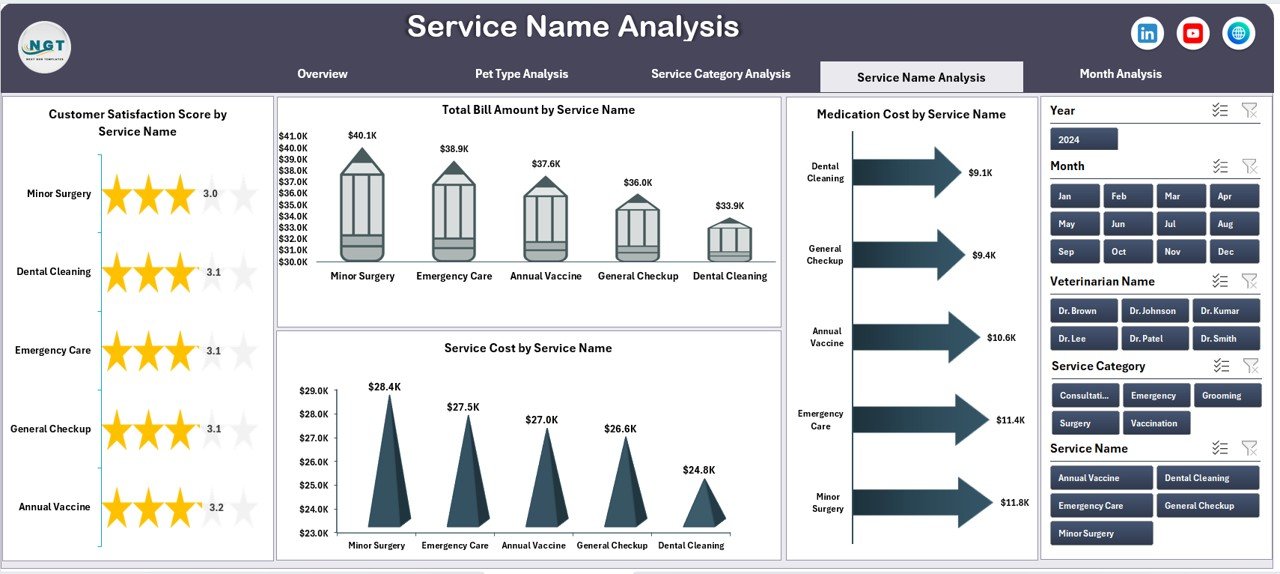
🩺 Service Name Analysis Page
This page provides deep insights into individual services.
Charts Available:
Customer Satisfaction Score by Service Name
Total Bill Amount by Service Name
Medication Cost by Service Name
Service Cost by Service Name
Using this page, clinics can refine service-level strategies and improve profitability.
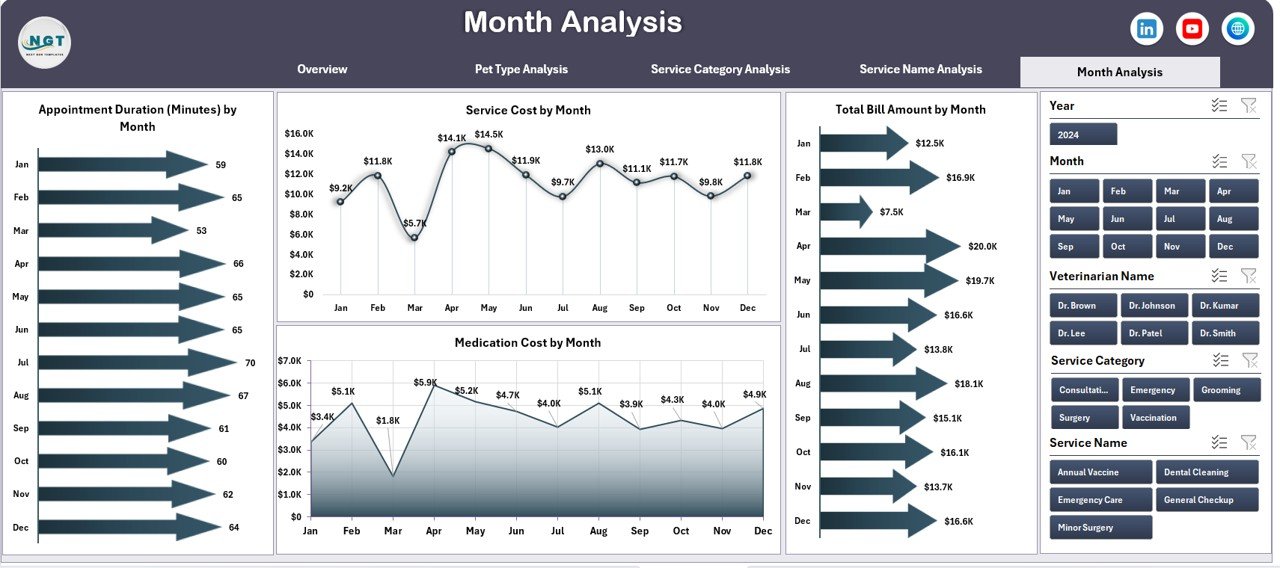
📆 Month Analysis Page
The Month Analysis Page highlights time-based trends.
Key Metrics:
Monthly cost and performance movement
Seasonal demand patterns
Revenue and expense fluctuations
This page helps clinics forecast demand, manage inventory, and plan staffing.
🛠️ How to Use the Veterinary Services Dashboard
✅ Enter or update clinic data in the data sheet
✅ Refresh Pivot Tables (one click)
✅ Use slicers to filter by pet type, service, location, or month
✅ Review KPIs and charts instantly
✅ Make faster, data-driven clinic decisions
No advanced Excel skills required.
👥 Who Can Benefit from This Dashboard?
🐾 Veterinary Clinic Owners
🏥 Pet Hospitals & Animal Care Centers
📊 Practice Managers & Administrators
💰 Finance & Billing Teams
😊 Customer Experience Teams
Perfect for single-clinic practices and multi-location veterinary networks.
👉 Click here to read the Detailed blog post
▶️ Visit our YouTube channel to learn step-by-step video tutorials
https://youtube.com/@PKAnExcelExpert
Watch the step-by-step video tutorial:
Compatibility and Requirements
- Works in Microsoft Excel desktop (Excel 2016 or later, or Microsoft 365).
- The dashboard uses pivot tables and slicers. Microsoft explains slicers in Use slicers to filter data.
Frequently Asked Questions
How many pages does the dashboard have?
Five pages: Overview, Pet Type Analysis, Service Category Analysis, Service Name Analysis and Month Analysis. A page navigator moves you between them.
How do I update it with my own clinic data?
Enter or update your data in the data sheet, then refresh the pivot tables with one click. The charts and KPIs update from the refreshed pivots.
Can I filter by pet type, service or location?
Yes. Interactive slicers let you filter by pet type, service, clinic location or month.
What cost and satisfaction figures does it show?
It shows medication cost, service cost, total bill amount, appointment duration and customer satisfaction score. You can view them by pet type, service category, service name, veterinarian, clinic location or month.
Do I need advanced Excel skills?
No. You enter data, refresh the pivot tables and use the slicers.
Is there a KPI version of this template?
Yes. See the Veterinary Services KPI Dashboard in Excel and the Veterinary Services KPI Dashboard in Power BI.
Related Veterinary and Service Templates
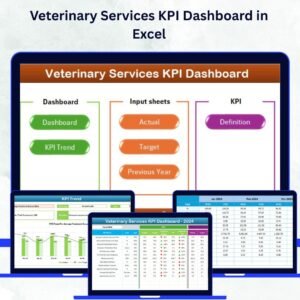
- Veterinary Services KPI Dashboard in Excel: a KPI view of the same type of clinic
- Veterinary Services KPI Dashboard in Power BI: the Power BI edition
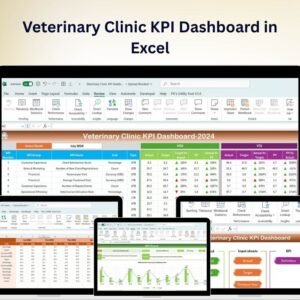
- Veterinary Clinic Dashboard in Excel: another clinic dashboard in Excel
- Veterinary Clinic KPI Dashboard in Google Sheets: the Google Sheets option
- Customer Service Dashboard in Excel: track service quality and requests
Browse all Excel dashboards.







Reviews
There are no reviews yet.