

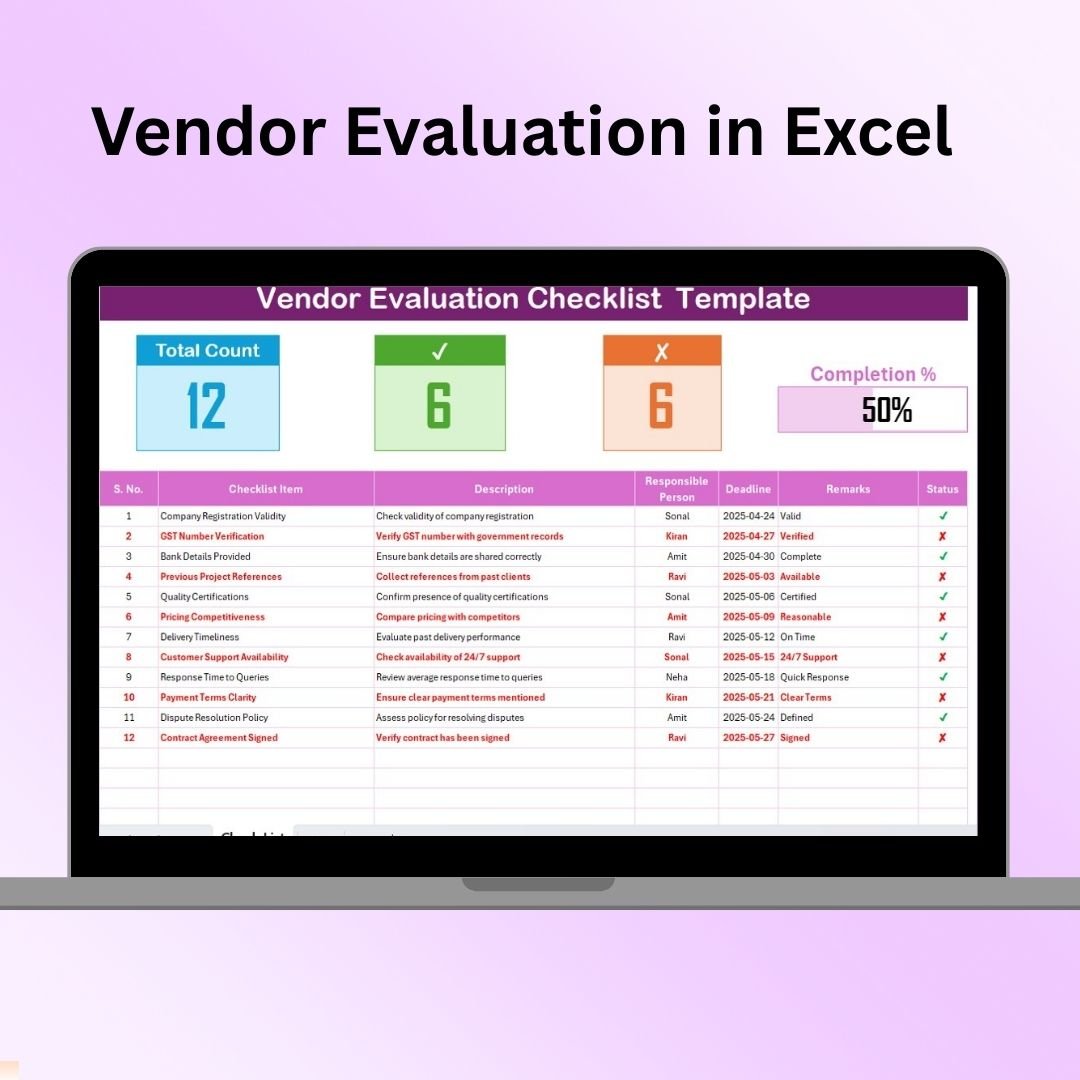

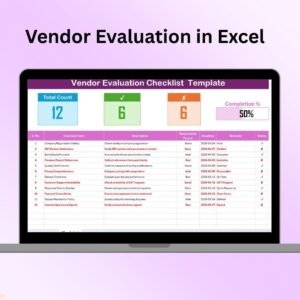
The Vendor Evaluation in Excel is a comprehensive and easy-to-use tool designed to help businesses and organizations evaluate their suppliers or vendors systematically. This Excel-based evaluation tool allows you to score and track vendor performance based on multiple criteria such as quality, delivery time, customer service, and cost, ensuring that you make data-driven decisions in your vendor selection and retention process.
The template helps streamline the vendor assessment process, making it easier to compare vendors objectively and identify the best-performing suppliers. Whether you’re a procurement manager, supply chain professional, or business owner, this tool simplifies the evaluation of potential and existing vendors, enabling you to build stronger, more reliable supplier relationships.
Key Features of the Vendor Evaluation in Excel
📋 Comprehensive Evaluation Criteria
Evaluate vendors across a range of criteria such as price, quality, reliability, delivery performance, and customer service. Customizable categories ensure that the evaluation matches your business requirements.
🔢 Scoring System
Use a weighted scoring system to objectively rate vendors based on their performance. The score is automatically calculated based on your inputs, making it easy to compare vendors at a glance.
📊 Vendor Comparison
Compare different vendors’ scores across multiple categories to identify the top performers. This feature simplifies vendor selection and helps you make informed decisions.
📅 Time-Based Tracking
Track vendor performance over time. Monitor improvements or declines in performance and use historical data to guide your future vendor management strategy.
🔄 Automated Calculations
The Excel sheet automatically calculates scores based on the data you input. This reduces the risk of manual errors and saves time during the evaluation process.
⚙️ Customizable & Scalable
The template is fully customizable to suit your specific needs. Whether you’re evaluating a small number of vendors or managing a large supplier pool, this tool is scalable to fit your business size and requirements.
Why You’ll Love the Vendor Evaluation in Excel

✅ Simplifies Vendor Selection & Assessment
Easily evaluate and compare vendors based on relevant performance metrics. Make data-driven decisions for better supplier relationships.
✅ Objectivity & Consistency
Using a weighted scoring system, you can objectively assess vendors and ensure consistent evaluation criteria across all suppliers.
✅ Track Vendor Performance Over Time
Monitor vendor performance over time, identify trends, and use historical data to drive future decisions and improvements.
✅ Customizable for Your Business Needs
Adapt the evaluation criteria, categories, and scoring system to fit your organization’s specific requirements.
✅ Automated Data Entry & Calculation
Automate the scoring process and reduce the chances of errors with Excel’s built-in formulas. Save time and focus on making actionable decisions.
What’s Inside the Vendor Evaluation in Excel?
Evaluation Criteria: Rate vendors on various categories such as price, quality, and reliability.
Weighted Scoring System: Automatically calculate scores based on your inputs.
Vendor Comparison: Compare multiple vendors based on their scores.
Time-Based Tracking: Track changes in vendor performance over time.
Customizable Fields: Tailor the evaluation process to suit your business needs.
How to Use the Vendor Evaluation in Excel
1️⃣ Download the Template: Access the Vendor Evaluation in Excel instantly.
2️⃣ Input Vendor Data: Enter data for each vendor across multiple categories.
3️⃣ Use the Scoring System: Rate each vendor on criteria such as price, quality, and delivery.
4️⃣ Analyze Vendor Performance: Use the vendor comparison feature to assess each vendor’s strengths and weaknesses.
5️⃣ Monitor Over Time: Track vendor performance over multiple periods to identify improvements or declines.
Who Can Benefit from the Vendor Evaluation in Excel?
🔹 Procurement Managers & Supply Chain Teams
🔹 Small & Medium Enterprises (SMBs)
🔹 Large Corporations with Multiple Vendors
🔹 Business Owners & Decision Makers
🔹 Data Analysts & Business Consultants
🔹 Vendor Management Teams & Operations Managers
Ensure you choose the best vendors and optimize supplier performance with the Vendor Evaluation in Excel. Compare and evaluate suppliers based on key performance metrics and make informed decisions to build long-term, successful vendor relationships.
Click here to read the Detailed blog post
Visit our YouTube channel to learn step-by-step video tutorials
Youtube.com/@PKAnExcelExpert
Watch the step-by-step video Demo:
Compatibility and Requirements
- Works in Microsoft Excel desktop (Excel 2016 or later, or Microsoft 365).
- Scores are calculated by built-in Excel formulas.
- New to Excel? Start with Microsoft’s Excel for Windows training.
Frequently Asked Questions
Which criteria can I rate vendors on?
Price, quality, reliability, delivery performance and customer service, and you can change the categories.
How is the score worked out?
A weighted scoring system calculates each vendor’s score from the ratings you enter.
Can I compare several vendors?
Yes. You can compare vendors’ scores across all categories to find the top performers.
Can I see changes over time?
Yes. Time-based tracking shows how a vendor’s performance improves or declines.
Related Vendor Evaluation Templates
- Vendor Evaluation Schedule in Excel: plan when each vendor is reviewed
- Vendor Evaluation Checklist Template in Excel: a checklist for each review
- Vendor Evaluation Checklist in Google Sheets: the checklist online
- Vendor Management KPI Dashboard in Excel: track vendor KPIs month by month
- Procurement and Vendor Management Kit: seven procurement templates in one download
Browse all Excel checklists or the template bundles.






























Reviews
There are no reviews yet.