

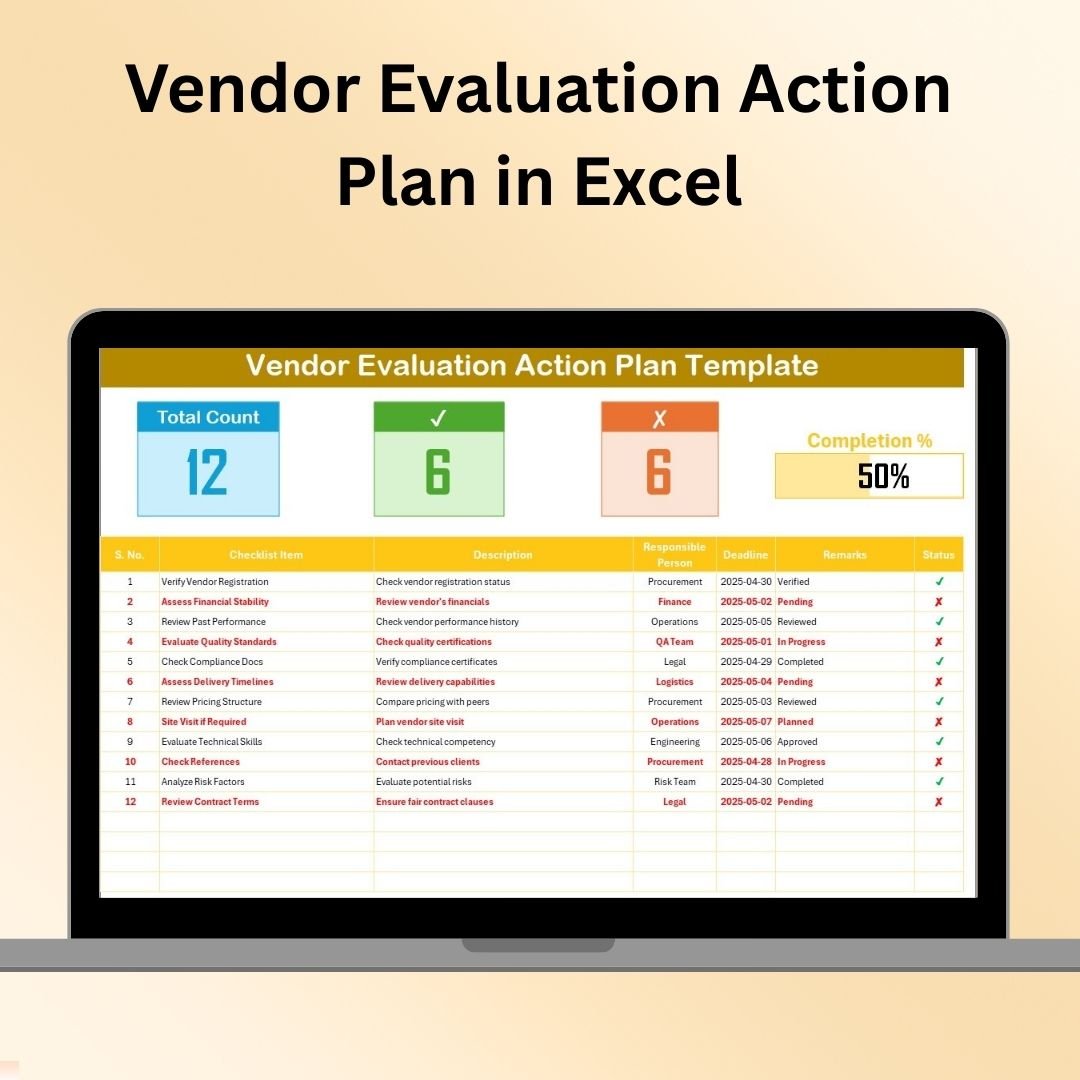
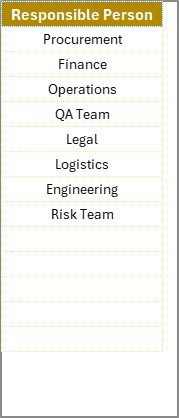

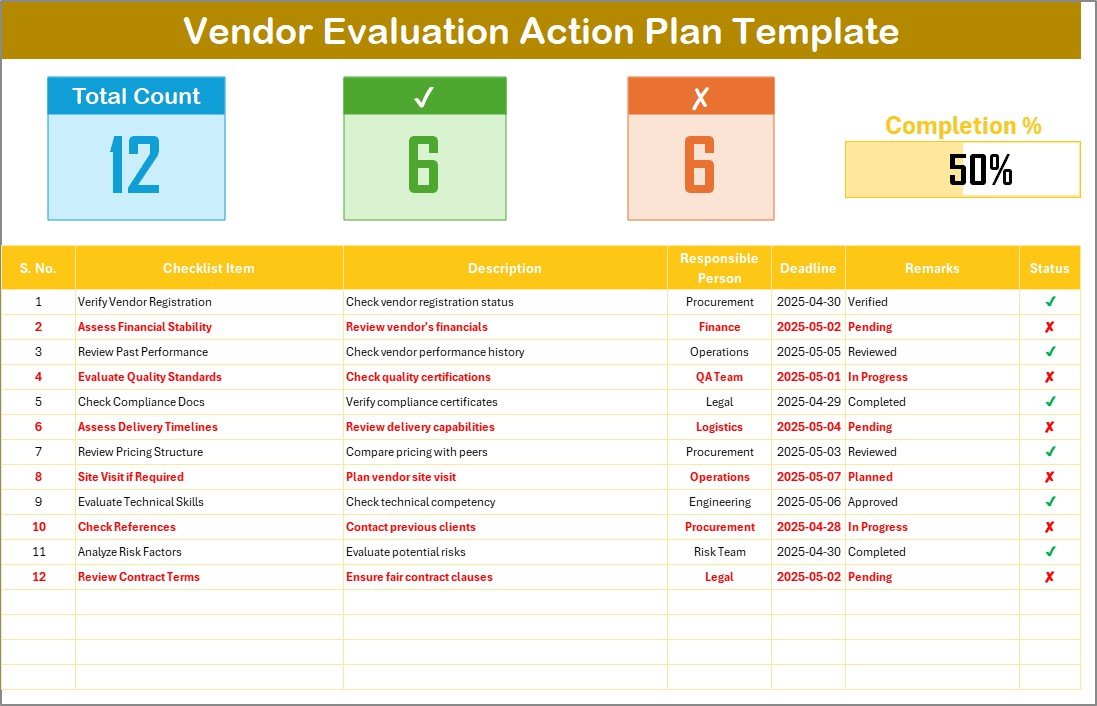
The Vendor Evaluation Action Plan in Excel is a powerful tool designed to help businesses evaluate and manage their vendors more effectively. This Excel-based template provides a structured framework for evaluating vendor performance, tracking progress, and ensuring that your vendors meet the necessary quality and compliance standards. Whether you’re a procurement manager or a business owner, this action plan helps you make informed decisions when selecting and working with vendors.
The Vendor Evaluation Action Plan streamlines the process by organizing key evaluation metrics such as quality, cost, delivery time, and service reliability. The template is highly customizable, allowing you to tailor the evaluation criteria to suit your specific business needs. With this tool, you can track vendor performance over time, identify areas for improvement, and take corrective actions to ensure optimal vendor relationships.
Key Features of the Vendor Evaluation Action Plan in Excel
📋 Structured Vendor Evaluation
Evaluate vendors based on critical criteria such as product quality, service reliability, delivery time, and cost. Organize your evaluations in a clear and actionable format to make informed decisions.
📈 Vendor Performance Tracking
Track vendor performance over multiple periods. Monitor their strengths, weaknesses, and improvement areas, and keep detailed records of your vendor evaluations.
🔄 Action Plan Monitoring
Create action plans based on vendor evaluations. Track the progress of corrective actions, and ensure vendors are taking the necessary steps to meet your business requirements.
⚙️ Customizable Evaluation Criteria
Tailor the evaluation criteria to suit your unique needs. Add or remove evaluation metrics, adjust weighting for each criterion, and ensure the evaluation process aligns with your business objectives.
📅 Time-Based Performance Monitoring
Track vendor performance over time to assess trends. Analyze how your vendors’ performance improves or declines and take timely actions to address any concerns.
📝 Detailed Reporting & Analysis
Generate reports based on vendor evaluations. Visualize key metrics, track improvements, and share insights with stakeholders to facilitate better decision-making.
Why You’ll Love the Vendor Evaluation Action Plan in Excel
✅ Streamlined Vendor Evaluation
Simplify the process of evaluating vendors. Use a structured framework to assess and compare performance across multiple criteria.
✅ Improve Vendor Relationships
By regularly evaluating and tracking vendor performance, you can address issues early, ensure that vendors meet your standards, and foster stronger long-term partnerships.
✅ Customizable & Scalable
Adapt the action plan to your organization’s specific needs. Whether you’re working with a few vendors or managing a large vendor network, the template can be customized and scaled accordingly.
✅ Data-Driven Decision Making
Make better vendor selection and management decisions based on data-driven insights. Use detailed reports to back up your decisions and improve your procurement strategies.
✅ Save Time & Effort
Save valuable time by using an organized and efficient framework for evaluating vendors. This Excel template allows you to conduct evaluations quickly and easily, with less manual effort.
What’s Inside the Vendor Evaluation Action Plan in Excel?
Vendor Evaluation Framework: Track vendor performance across various criteria such as quality, cost, and reliability.
Action Plan Tracker: Monitor the progress of corrective actions based on vendor performance evaluations.
Customizable Evaluation Criteria: Adjust the metrics to suit your business needs.
Time-Based Performance Monitoring: Assess how vendor performance changes over time.
Reports & Data Analysis: Generate detailed reports to help make informed decisions.
How to Use the Vendor Evaluation Action Plan in Excel
1️⃣ Download the Template: Instantly access the Vendor Evaluation Action Plan in Excel.
2️⃣ Customize Evaluation Criteria: Set up your custom evaluation criteria based on your specific requirements.
3️⃣ Evaluate Vendors: Use the template to assess vendor performance on key metrics such as quality, reliability, and cost.
4️⃣ Track Vendor Performance: Monitor how vendors perform over time, and identify areas for improvement.
5️⃣ Implement Action Plans: Use the action plan tracker to manage corrective actions and ensure that vendors meet your business standards.
Who Can Benefit from the Vendor Evaluation Action Plan in Excel?
🔹 Procurement Managers
🔹 Supply Chain & Vendor Relationship Managers
🔹 Business Owners & Executives
🔹 Small & Medium Enterprises (SMBs)
🔹 Large Enterprises with Multiple Vendor Relationships
🔹 Consultants & Procurement Advisors
Ensure optimal vendor performance and foster long-lasting relationships with the Vendor Evaluation Action Plan in Excel. Streamline your vendor management process, track performance, and make data-driven decisions that improve procurement strategies.
Click here to read the Detailed blog post
Visit our YouTube channel to learn step-by-step video tutorials
Youtube.com/@PKAnExcelExpert





























Reviews
There are no reviews yet.