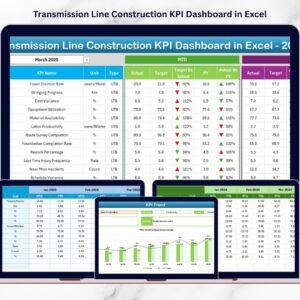

Managing transmission line construction projects requires precision, coordination, strict cost control, and continuous performance monitoring. These infrastructure projects span long distances, involve multiple contractors, and operate under tight regulatory and deadline pressures. Transmission Line Construction KPI Dashboard in Excel However, many project teams still rely on scattered spreadsheets, manual reporting, and disconnected tracking systems. As a result, managers struggle to monitor progress accurately, control budgets, and respond quickly to delays.
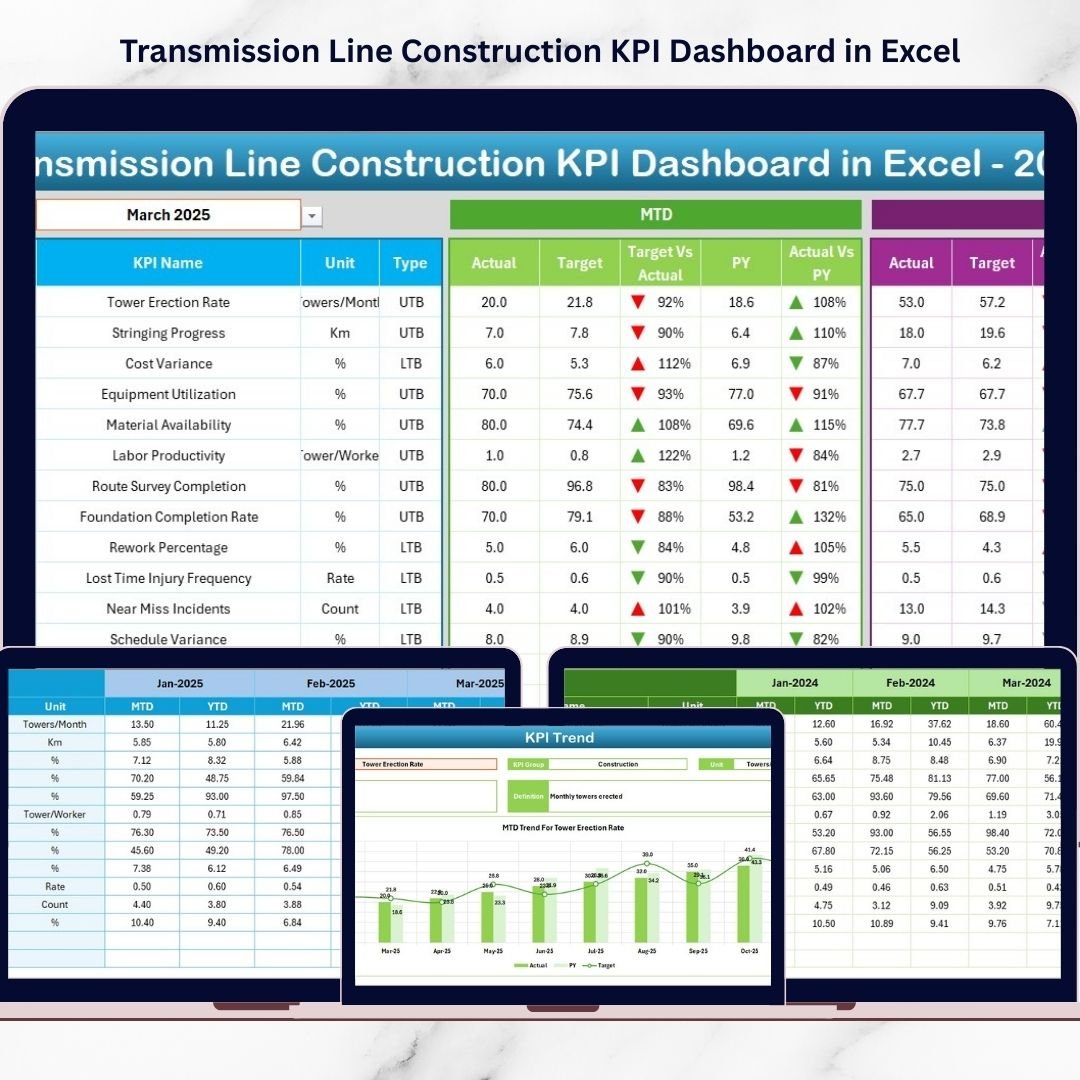
Transmission Line Construction KPI Dashboard in Excel The Transmission Line Construction KPI Dashboard in Excel provides a powerful, ready-to-use performance monitoring system designed specifically for transmission infrastructure projects. This structured Excel dashboard enables project managers, engineers, EPC contractors, and executives to track monthly progress, compare actual vs target performance, analyze year-to-date trends, and benchmark results against previous year data — all within one centralized solution.
Instead of spending hours preparing manual reports, teams simply update structured input sheets, and the dashboard automatically calculates and visualizes performance metrics. The result is improved transparency, faster decision-making, and stronger project control.
🚀 Key Features of Transmission Line Construction KPI Dashboard in Excel
📊 Interactive Monthly Dashboard – Select month (Cell D3) and update all KPIs instantly.
📈 MTD & YTD Performance Tracking – Monitor both short-term and cumulative performance.
🎯 Target vs Actual Comparison – Identify performance gaps clearly.
📅 Previous Year Benchmarking – Measure year-over-year improvement.
📉 Conditional Formatting Indicators – Up & down arrows highlight trends instantly.
📊 KPI Trend Analysis Sheet – Deep-dive performance visualization.
🧾 Structured Data Entry Sheets – Organized Actual, Target & PY inputs.
📘 KPI Definition Documentation – Clear formula and logic reference.
⚡ Fully Automated Calculations – No manual KPI computation required.
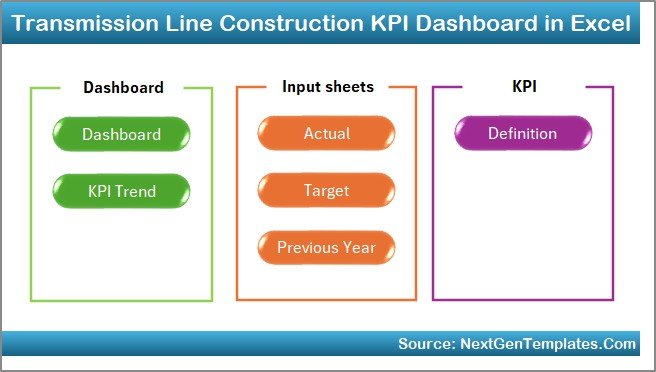
📦 Dashboard Structure – 7 Organized Worksheets
This dashboard includes seven structured worksheets designed for complete performance monitoring
1️⃣ Home Sheet – Navigation Control Center
6 navigation buttons
Clean layout
Quick access to major sheets
Improves usability and workflow efficiency.
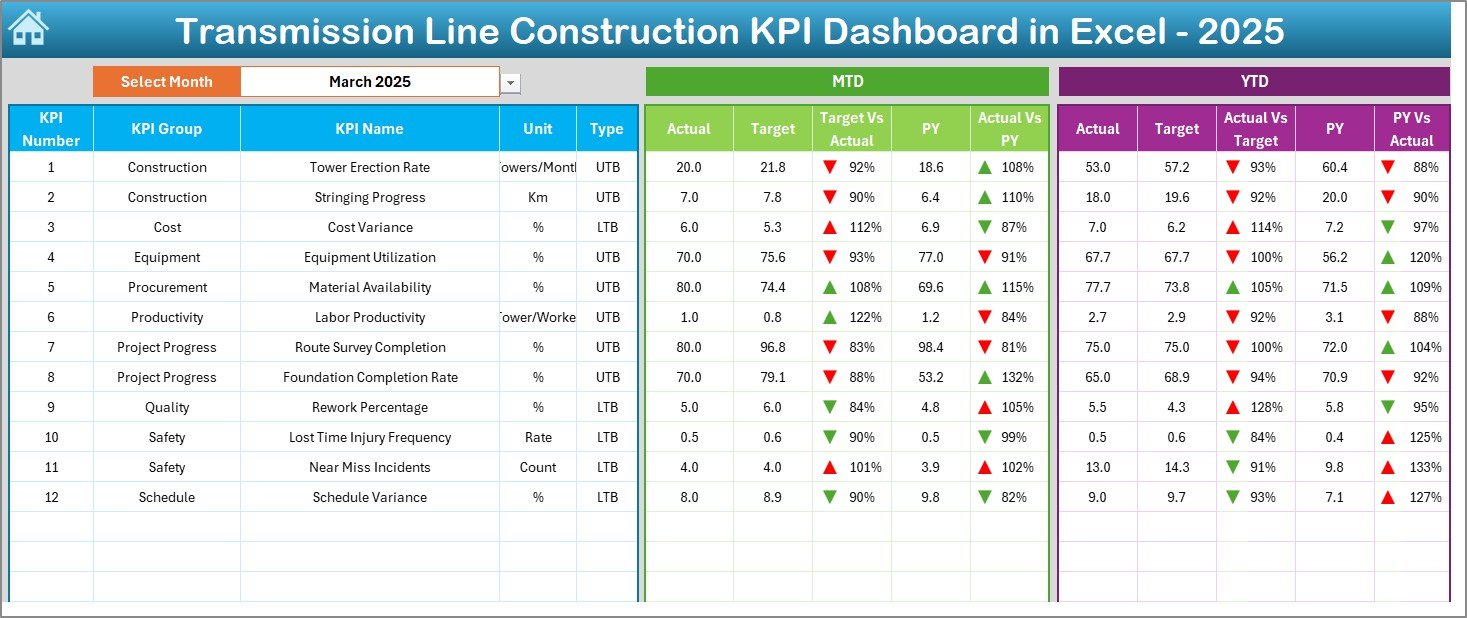
2️⃣ Dashboard Sheet – Main Performance View
Core reporting page.
Select month in Cell D3 → Entire dashboard updates automatically.
Displays:
📊 MTD Performance
Actual
Target
Previous Year
Target vs Actual
PY vs Actual
📈 YTD Performance
Actual
Target
Previous Year
Target vs Actual
PY vs Actual
Visual arrow indicators instantly show performance direction.
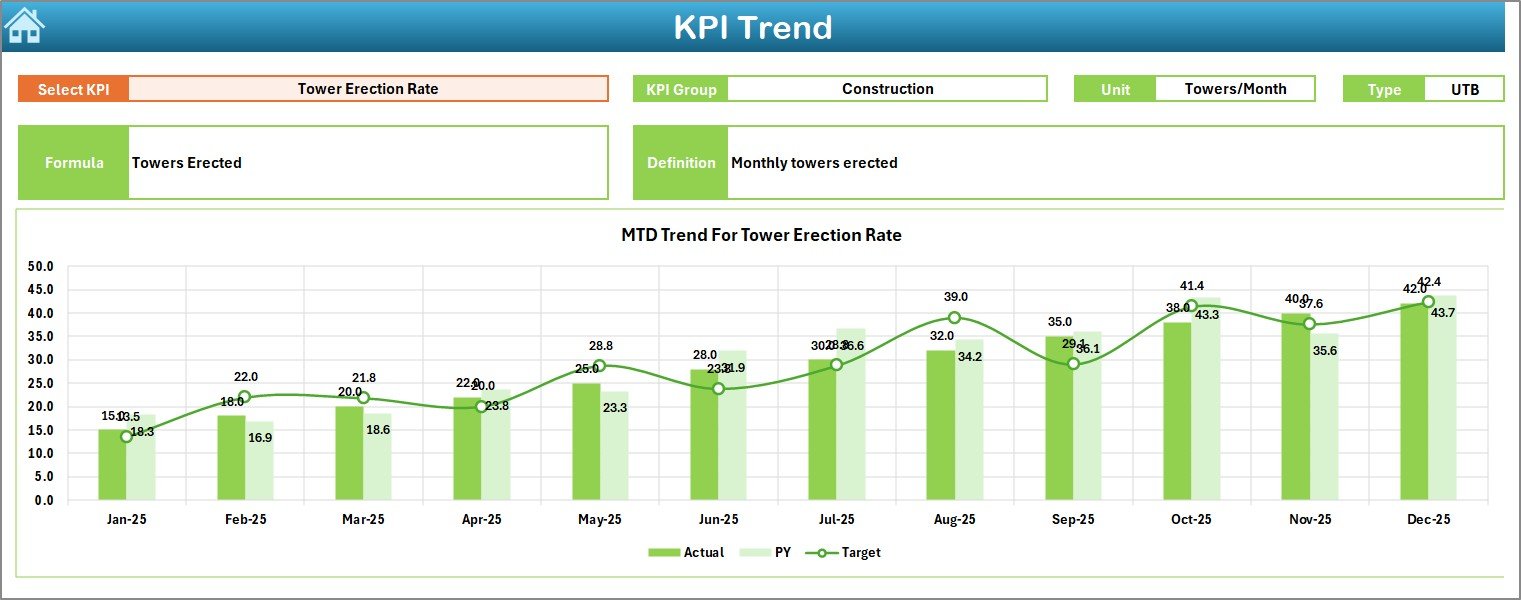
3️⃣ KPI Trend Sheet – Deep Performance Analysis
Select KPI in Cell C3 to view:
KPI Group
Unit
Type (LTB / UTB)
Formula
Definition
MTD Trend Chart
YTD Trend Chart
Perfect for analyzing:
Tower erection progress
Stringing completion
Safety frequency rate
Cost per km
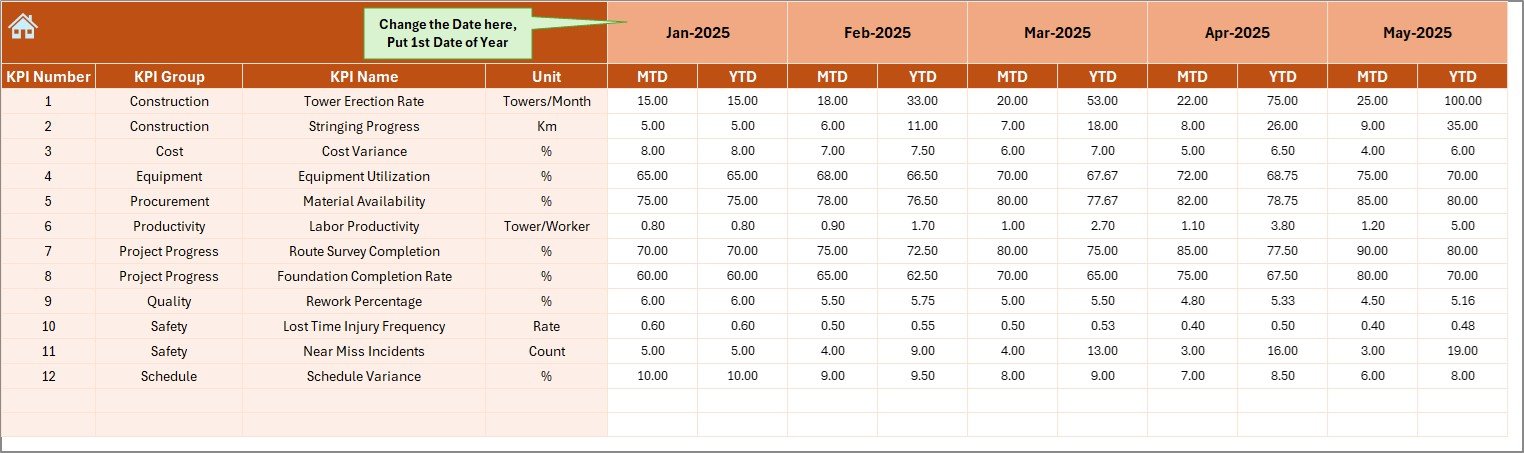
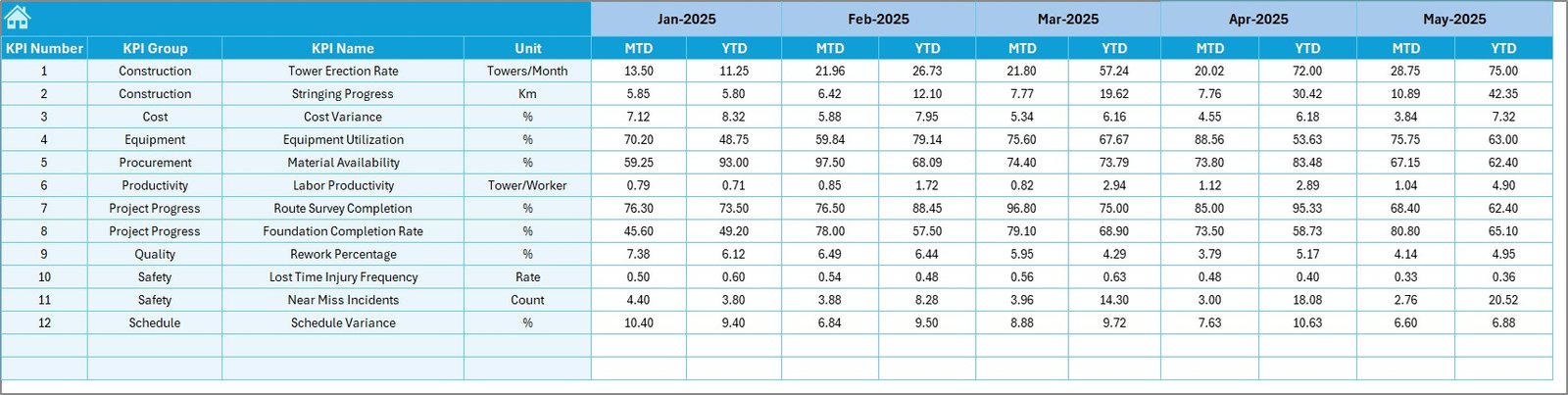
4️⃣ Actual Numbers Input Sheet
Structured data entry for current year performance.
Select starting month (Cell E1)
Enter MTD & YTD values
Dashboard updates automatically
Reduces reporting errors and improves consistency.
5️⃣ Target Sheet
Stores monthly planned targets:
MTD targets
YTD targets
Enables accurate performance benchmarking.
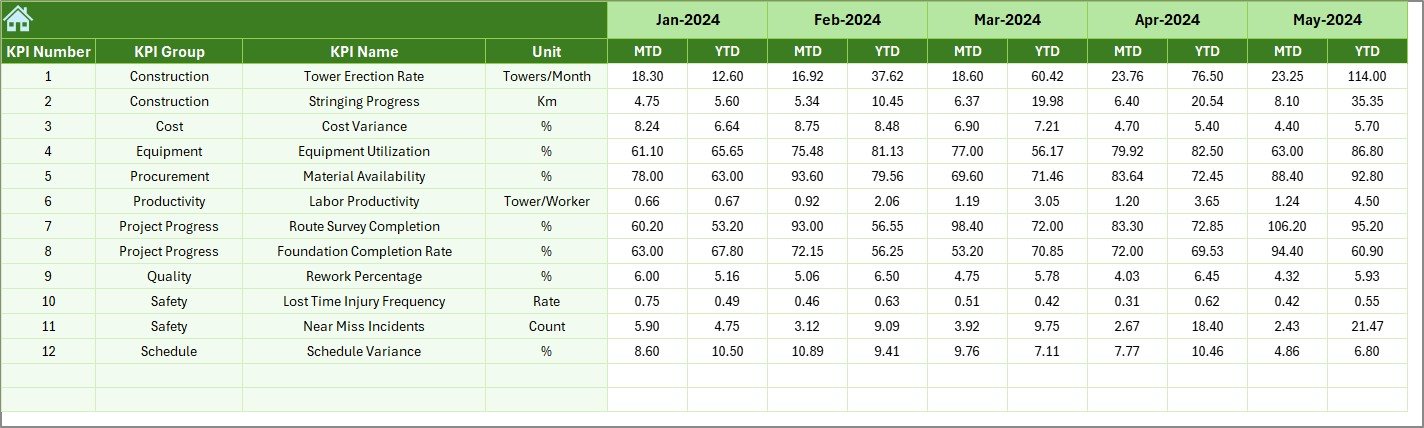
6️⃣ Previous Year Number Sheet
Used for historical comparison.
Enter last year data
Automatically compare year-over-year performance
Supports long-term improvement analysis.
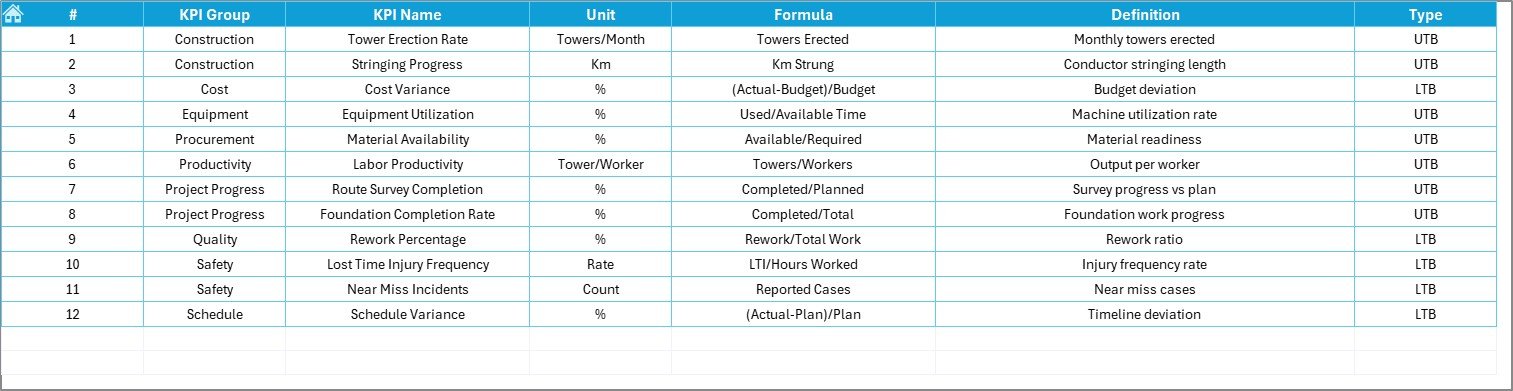
7️⃣ KPI Definition Sheet
Central KPI documentation sheet:
KPI Name
KPI Group
Unit
Formula
Definition
LTB or UTB classification
Ensures transparency and reporting clarity.
📊 Example KPIs You Can Track
🏗 Progress KPIs
Towers Installed
Foundation Completion %
Conductor Stringing Rate
ROW Clearance Rate
💰 Financial KPIs
Cost per Kilometer
Budget Variance %
Material Utilization Rate
⚡ Productivity KPIs
Crew Productivity
Equipment Utilization %
Average Installation Time
🦺 Safety KPIs
LTIFR
Near Miss Reports
Safety Compliance %
⭐ Advantages of Transmission Line Construction KPI Dashboard
✅ Centralized Project Monitoring
All KPIs available in one structured dashboard.
✅ Improved Decision-Making
Instant performance visibility enables quick corrective action.
✅ Better Budget Control
Track cost variance and material utilization efficiently.
✅ Enhanced Transparency
Standardized KPIs improve accountability.
✅ Reduced Reporting Time
Automatic calculations eliminate manual reports.
✅ Historical Benchmarking
Compare year-over-year performance easily.
✅ Scalable for Multiple Projects
Duplicate file for separate project tracking.
🔧 Best Practices for Maximum Results
✔ Update actual data monthly without delay
✔ Assign clear KPI ownership
✔ Keep KPI formulas simple and clear
✔ Review trends consistently (not just year-end)
✔ Focus only on actionable KPIs
✔ Use historical benchmarking for strategic planning
✔ Monitor safety KPIs closely
👥 Who Can Use This Dashboard?
Transmission Project Managers
EPC Contractors
Utility Companies
Infrastructure Developers
Construction Controllers
Site Engineers
Senior Management
💡 Why Choose Excel for Transmission KPI Tracking?
No expensive software required
Easy customization
Familiar interface
Strong calculation capability
Quick implementation
Excel provides flexibility and powerful automation for structured KPI monitoring.
### Click here to read the Detailed blog post
🎥 Visit our YouTube channel to learn step-by-step video tutorials
👉 https://youtube.com/@PKAnExcelExpert
Watch the step-by-step video tutorial:
Compatibility and Requirements
- Works in Microsoft Excel desktop (Excel 2016 or later, or Microsoft 365).
- You pick the month in cell D3 on the Dashboard sheet and the KPI in cell C3 on the KPI Trend sheet. Microsoft explains dropdown lists in Create a drop-down list.
Frequently Asked Questions
How many worksheets does the dashboard have?
Seven: Home, Dashboard, KPI Trend, Actual Numbers, Target, Previous Year Number and KPI Definition.
How do I change the month shown on the dashboard?
Select the month in cell D3 on the Dashboard sheet. The MTD and YTD figures, target comparison and previous year comparison update to that month.
Where do I enter my data?
Enter current year MTD and YTD values in the Actual Numbers sheet (pick the starting month in cell E1), monthly goals in the Target sheet and last year’s values in the Previous Year Number sheet.
How do I view the trend for one KPI?
Select the KPI in cell C3 on the KPI Trend sheet. It shows the KPI group, unit, type (LTB or UTB), formula, definition and the MTD and YTD trend charts.
Is there a Power BI version?
Yes. See the Transmission Line Construction KPI Dashboard in Power BI.
Related Construction Templates
- Transmission Line Construction KPI Dashboard in Power BI: the same KPIs as a Power BI report
- Construction KPI Dashboard in Excel: a general construction KPI view
- Construction Safety KPI Dashboard in Excel: focused on safety metrics
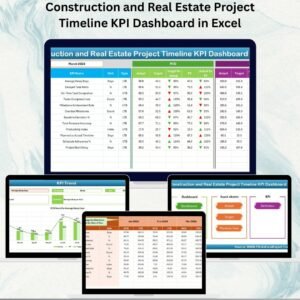
- Construction and Real Estate Project Timeline KPI Dashboard in Excel: timeline tracking for projects
- Construction Project Intelligence Kit: 6 construction templates in one download
Browse all Excel KPI dashboards.