

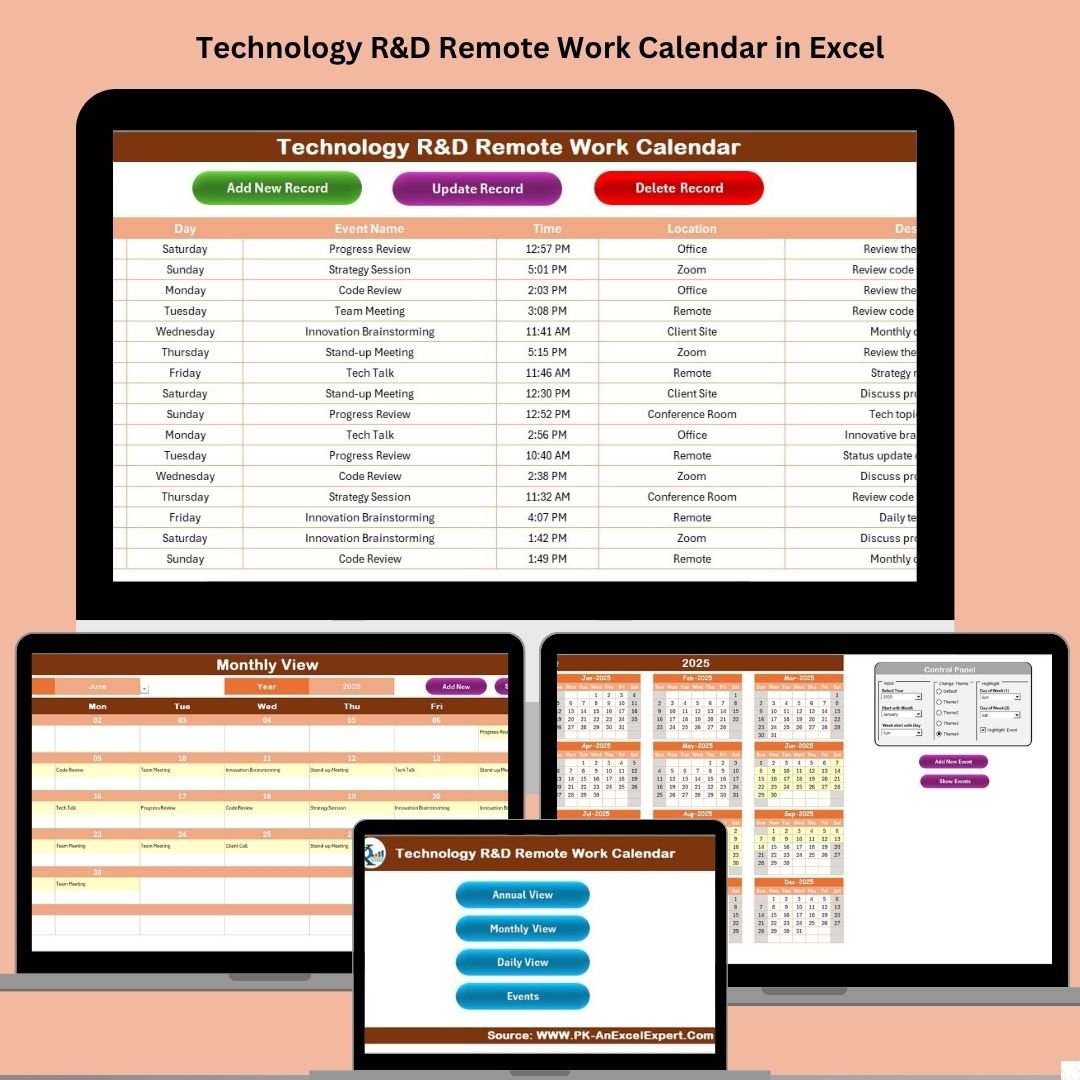

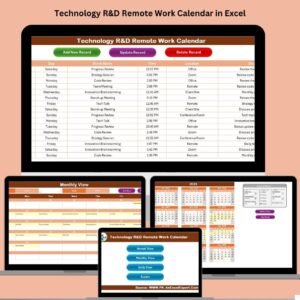
Keep your R&D team organized, efficient, and aligned—no matter where they work from! The Technology R&D Remote Work Calendar in Excel is a ready-to-use, interactive Excel planner designed specifically for remote research and development teams. Whether you’re coordinating across time zones or managing multiple deadlines, this Excel-based calendar helps you stay on track with minimal effort.
From a high-level annual view to detailed daily planning, this tool centralizes everything in one easy-to-use file. It’s flexible, customizable, and packed with automation to save you time while improving collaboration and scheduling accuracy.
✨ Key Features of the Remote Work Calendar
📌 Home Sheet with One-Click Navigation

Quickly access different calendar views (Annual, Monthly, Daily, Events) with the navigation dashboard.
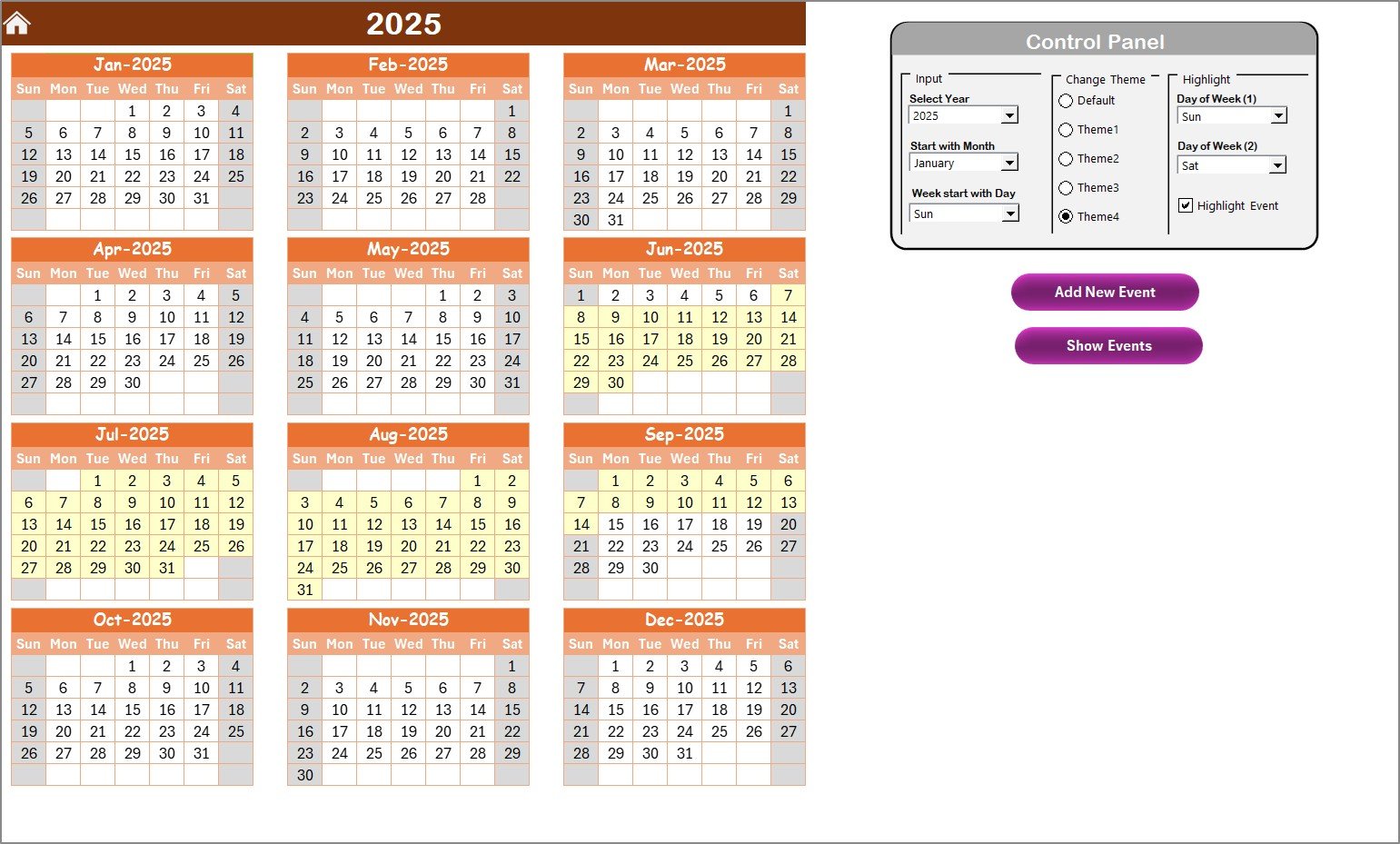
🗓️ Annual View Sheet
Plan your entire year in a single glance.
Select year, starting month, and first day of the week
Choose from 5 unique color themes
Highlight weekends, holidays, or key dates
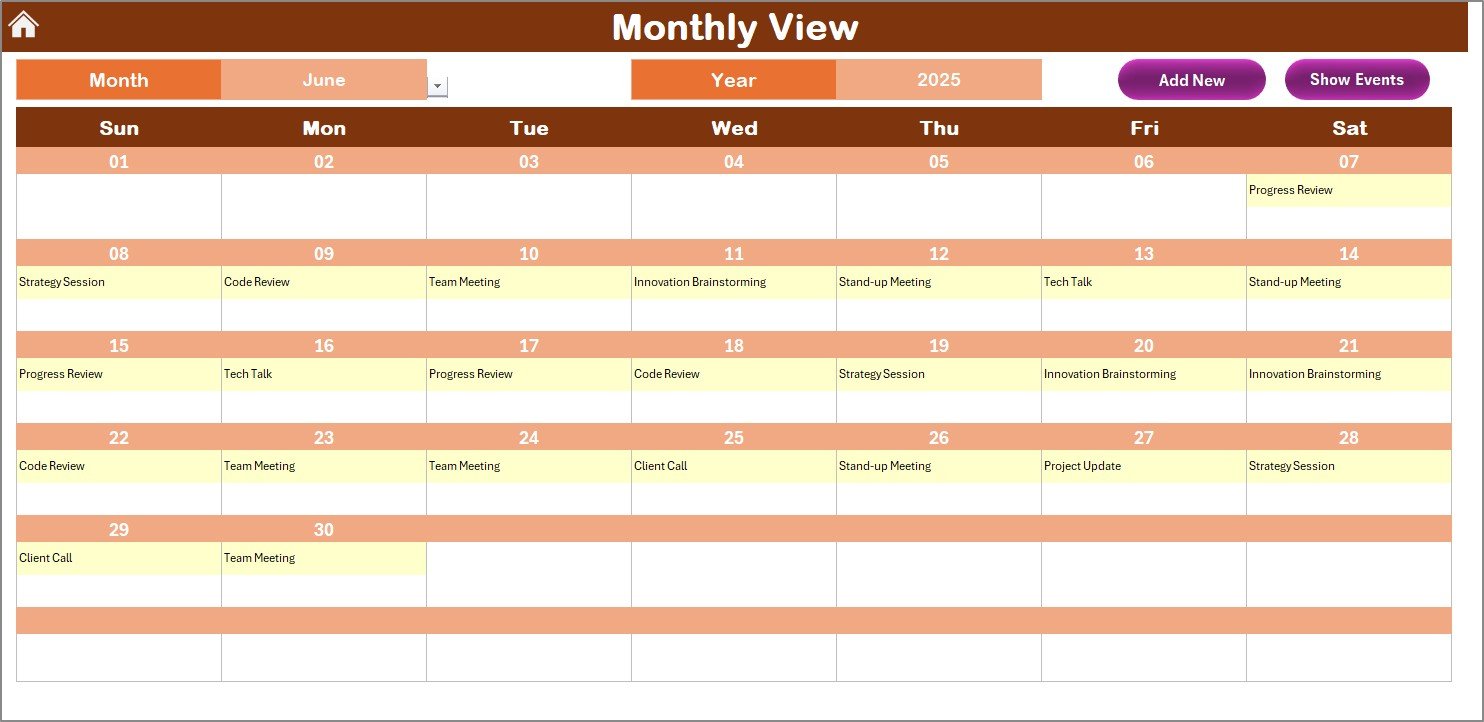
🗓️ Monthly View Sheet
Focus on one month at a time.
View all scheduled events
“More than 1…” alert for overlapping events
Add or view events directly from the calendar
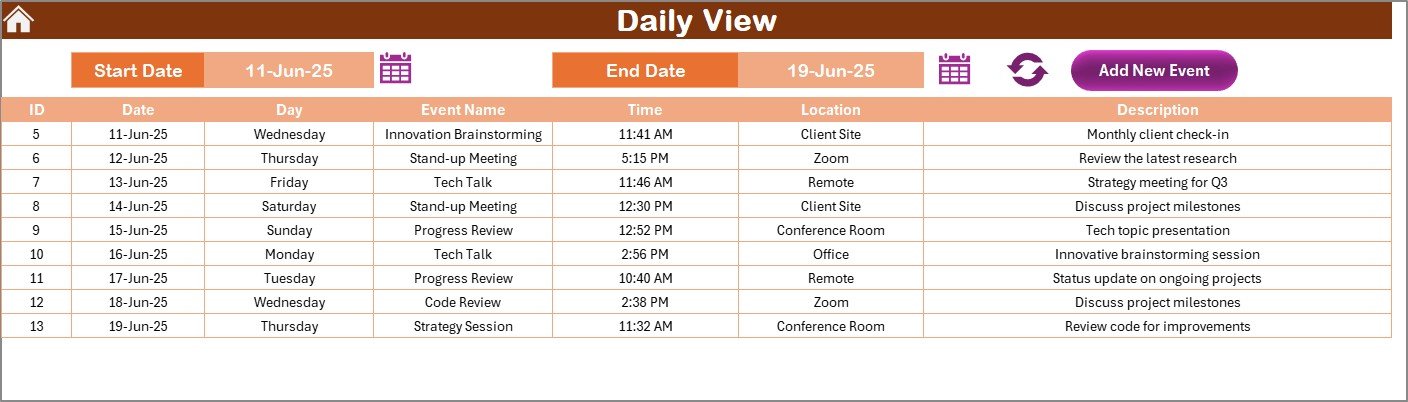
🗓️ Daily View Sheet
Zoom into specific date ranges.
Filter events by start and end date
Refresh with a single click to see real-time updates
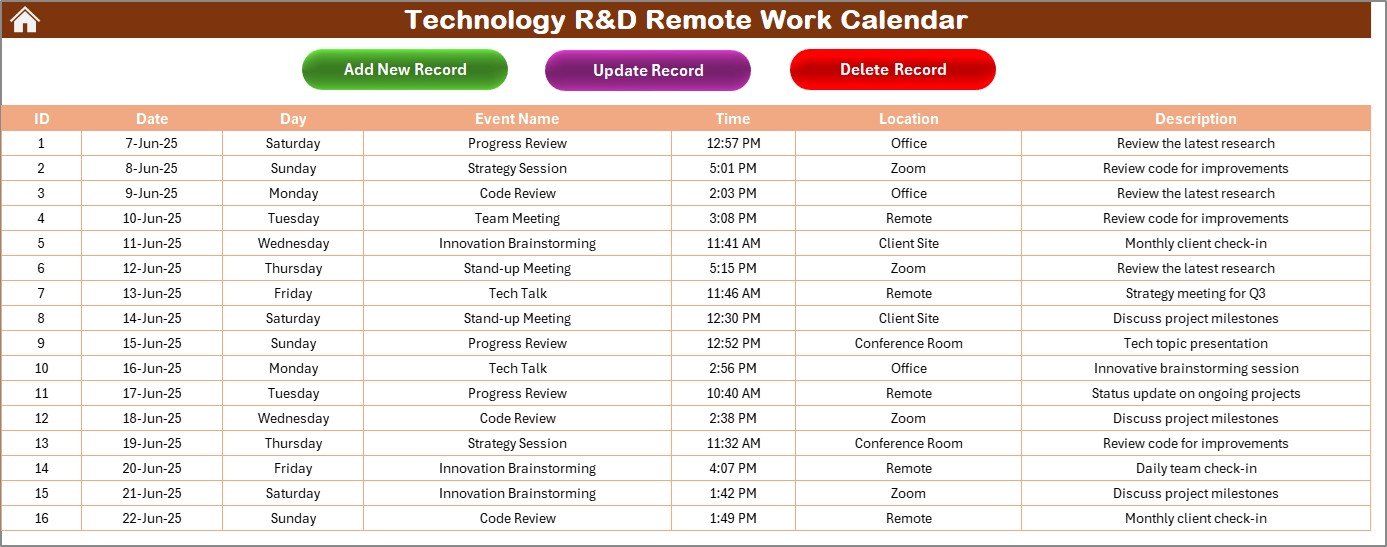
📝 Events Sheet (Database)
Track everything in one place:
Auto-generated Event ID
Date, Day, Name, Time, Location, Description
Buttons to Add, Update, or Delete records effortlessly
🎨 Theme Customization
Pick from 5 prebuilt color themes and highlight specific days for visual clarity and team preference.
📂 What’s Inside the Calendar Template
✅ Home Sheet
A clean, clickable interface to navigate the calendar with ease.
✅ Annual View Tab
Plan, highlight, and personalize your team’s yearly timeline. Great for milestone tracking and cross-project coordination.
✅ Monthly View Tab
Spot bottlenecks and prevent overlaps with intuitive day-by-day visuals.
✅ Daily View Tab
Use the event list for daily standups or to review task loads and upcoming meetings.
✅ Events Sheet Tab
A structured database for all event details, editable via user-friendly buttons.
🛠️ How to Use the Remote Work Calendar
👉 Step 1: Set Year and Start Preferences
Choose the year, first month, and day of the week in the Control Panel.
👉 Step 2: Add Events Easily
Click “Add New Event” from any view or directly use the Events Sheet.
👉 Step 3: Update or Remove Events
Use the “Update Existing Record” or “Delete Record” buttons—no manual search required.
👉 Step 4: Use Views as Needed
Switch between Annual, Monthly, or Daily views based on your planning needs.
👉 Step 5: Highlight Key Dates
Use the highlight group to mark project deadlines, holidays, or critical milestones.
👨💻 Who Can Benefit from This Calendar?
🔬 Technology R&D Teams – Schedule experiments, product testing, reviews, and sprints
🌐 Remote Development Teams – Stay aligned across time zones
🏢 Startups & Innovators – Organize collaborative brainstorming and design phases
📚 Academic Research Labs – Manage grant timelines, paper submissions, and team sync-ups
👨🏫 Corporate Training Teams – Track course launches, planning, and internal events
Basically, any team that works remotely and values structure and scheduling can benefit from this tool.
🔧 Customize It to Fit Your Needs
✅ Add columns like “Owner,” “Team,” or “Priority”
✅ Personalize it with company branding
✅ Switch date ranges or use weekly/quarterly filters
✅ Add VBA enhancements for alerts or syncing with email reminders
✅ Use conditional formatting for urgent items
✅ Click here to read the Detailed blog post
🔗 Visit our YouTube channel to learn step-by-step video tutorials
Watch the step-by-step video tutorial:
Compatibility and Requirements
- Works in Microsoft Excel desktop (Excel 2016 or later, or Microsoft 365).
- The Add, Update and Delete Record buttons and the refresh button on the Daily View use macros, so enable macros when Excel asks. It does not run in Excel for the web, Google Sheets or mobile apps. Microsoft explains the steps in Enable or disable macros in Microsoft 365 files.
Frequently Asked Questions
Which sheets are included?
Five sheets: Home, Annual View, Monthly View, Daily View and Events. The Home sheet links to the other four.
What can I choose on the Annual View?
You select the year, the starting month and the first day of the week. You can also pick one of 5 color themes and highlight weekends, holidays or key dates.
What happens when two events fall on the same day?
The Monthly View shows a “More than 1…” alert on that day, so you can spot overlaps before they turn into conflicts.
What details does the Events sheet store?
Each event has an auto-generated Event ID, date, day, name, time, location and description. You add, update or delete records with the buttons on the sheet.
How do I see events for a specific date range?
Open the Daily View, enter a start date and an end date, and click the refresh button. The event list updates to that range.
Is there a version for another team?
Yes. For example, the Technology IT Remote Work Calendar in Excel and the R&D Remote Work Calendar in Excel use the same layout.
Related Remote Work Calendar Templates
- R&D Remote Work Calendar in Excel: the same calendar for general R&D teams
- Technology IT Remote Work Calendar in Excel: for IT teams in technology companies
- Technology Operations Remote Work Calendar in Excel: for operations teams working remotely
- Training and Workshop Calendar in Excel: for scheduling training sessions and workshops
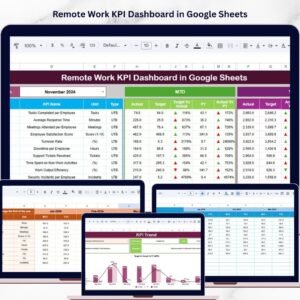
- Remote Work KPI Dashboard in Google Sheets: track remote work metrics in Google Sheets
Browse all Excel calendar templates.

























Reviews
There are no reviews yet.