

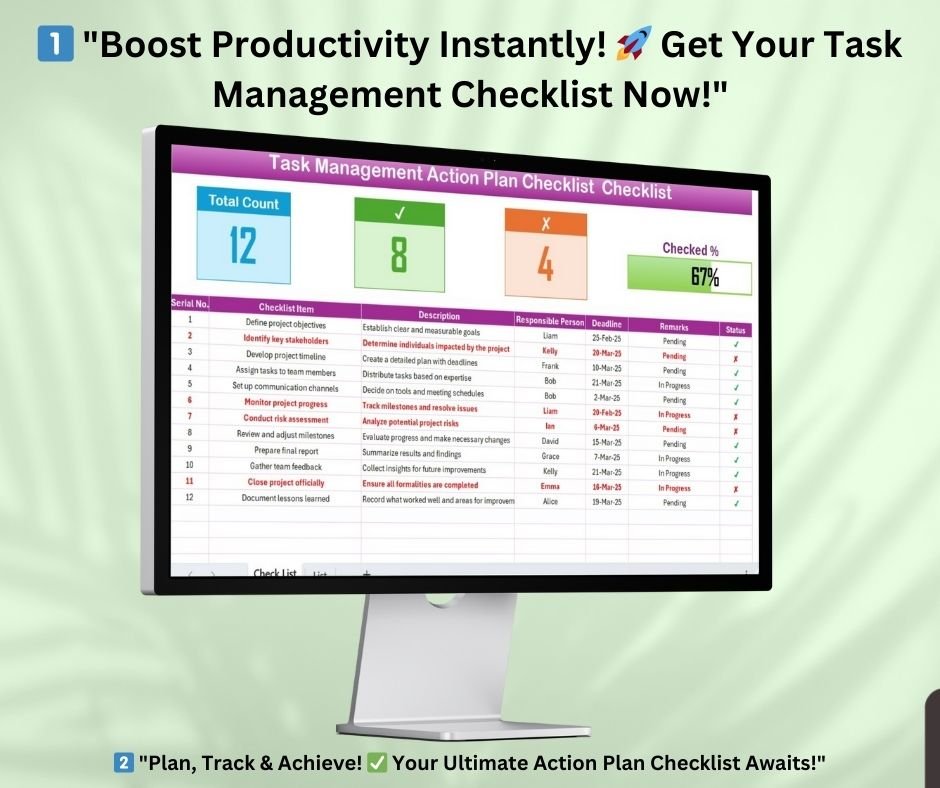

Take control of your projects and daily tasks with our Task Management Action Plan Checklist in Excel. This structured, easy-to-use checklist helps teams and individuals efficiently plan, organize, and track tasks for improved productivity.
With built-in task tracking, progress monitoring, and responsibility assignment, this Excel template ensures that no task is left incomplete. Whether you’re managing a team project, handling personal to-dos, or streamlining business workflows, this template is the perfect tool to keep everything on track!
Why Use a Task Management Action Plan Checklist?
A well-organized Task Management Action Plan improves efficiency by:
✔ Ensuring tasks are assigned to the right person
✔ Keeping deadlines visible and manageable
✔ Tracking progress with real-time updates
✔ Encouraging accountability within teams
✔ Helping prioritize high-impact tasks
This Excel template simplifies task delegation, reduces missed deadlines, and enhances team collaboration—all in one easy-to-use format.
Key Features of the Task Management Action Plan Checklist Template
This Excel-based Task Management Action Plan Checklist consists of two main worksheets that make task tracking simple and effective.
1. Task Management Checklist Sheet Tab
The primary worksheet where all task details are recorded, tracked, and updated in real time.
Sections Included:
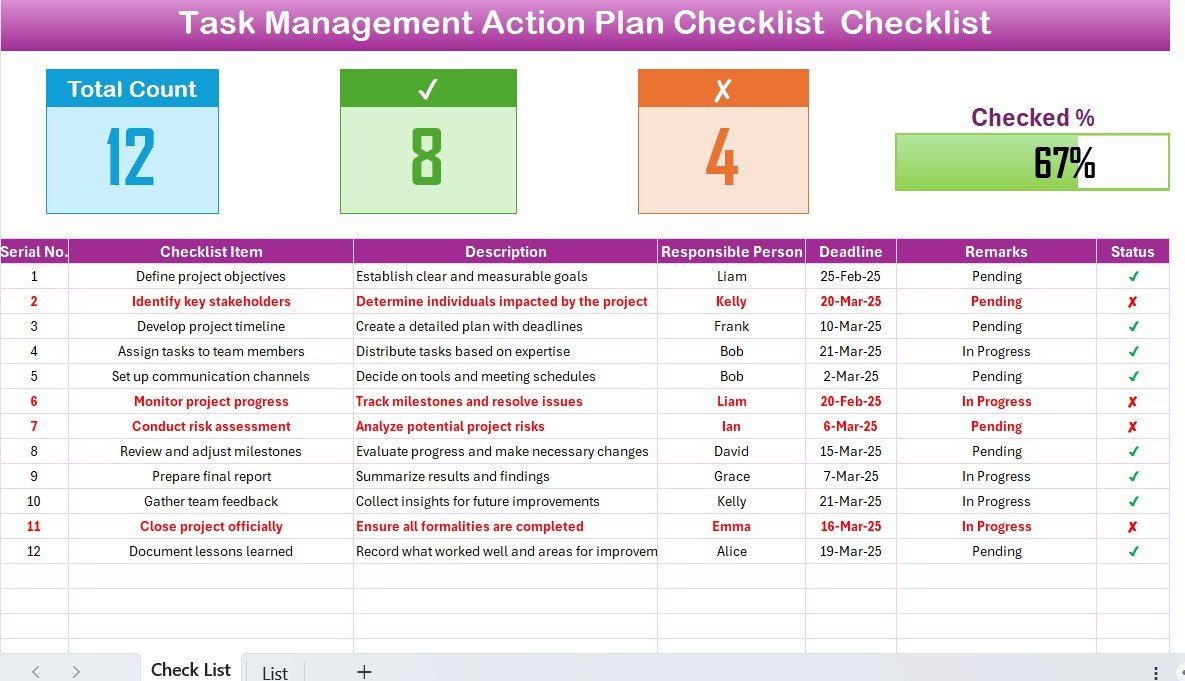
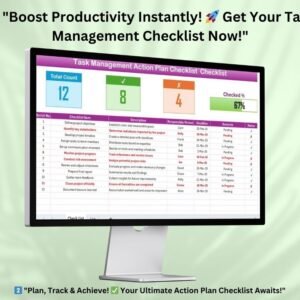
✅ Task Overview Panel – At the top, you’ll see:
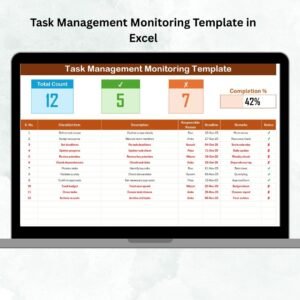
- Total Task Count – Displays the total number of tasks in the checklist.
- Completed Task Count – Number of tasks marked as done.
- Pending Task Count – Tasks still in progress or overdue.
- Progress Bar – A visual tracker showing overall task completion percentage.
✅ Task Management Table – A structured table that ensures efficient task tracking. Columns include:
- Serial No. – Unique identifier for each task.
- Task Name – Clearly defined task names.
- Description – Brief details of what the task involves.
- Responsible Person – Dropdown menu to assign tasks to a team member.
- Deadline – Target completion date for each task.
- Remarks – Additional notes on progress or task status.
- Status – Mark tasks as ✔ (Completed) or ✘ (Pending).
2. List Sheet Tab
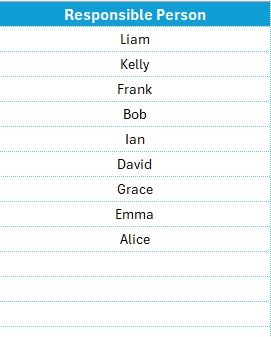
The List Sheet is used to store names of team members or employees responsible for different tasks.
💡 Why It’s Useful:
✔ Automatically populates the Responsible Person dropdown list in the main table
✔ Prevents errors in manual data entry
✔ Saves time when assigning tasks
This sheet ensures seamless task delegation, making it easy to update assignments dynamically without manually entering names each time.
How This Template Helps Your Team?
✅ Streamlines Task Management: Organizes all tasks in one place for easy access.
✅ Improves Team Collaboration: Assign tasks with clear deadlines and responsibilities.
✅ Increases Productivity: Helps teams prioritize tasks efficiently.
✅ Enhances Accountability: Keeps track of who is responsible for each task.
✅ Monitors Progress with Visual Insights: Tracks completed vs. pending tasks with real-time updates.
Who Can Use This Task Management Action Plan Checklist?
This Excel template is perfect for:
🔹 Project Managers – Organize and track project deliverables
🔹 Small Business Owners – Manage business operations efficiently
🔹 HR Teams – Assign and monitor onboarding tasks
🔹 Event Planners – Keep track of event logistics
🔹 Freelancers – Manage personal work schedules
🔹 Students & Educators – Plan coursework and assignments
Whether you’re working solo or managing a team, this Task Management Action Plan Checklist in Excel is your go-to productivity tool!
How to Use This Template?
1️⃣ Download the template after purchase
2️⃣ Enter your tasks in the Task Management Checklist tab
3️⃣ Assign responsible persons using the dropdown list
4️⃣ Set deadlines and update the status of each task
5️⃣ Monitor progress using the visual progress tracker
6️⃣ Stay organized and improve productivity effortlessly!
Why Choose This Excel Template?
💡 Pre-Formatted & Ready to Use – No setup required, just plug and play
📊 Visually Appealing & Intuitive Layout – Clear structure with color-coded status updates
📈 Improves Efficiency & Productivity – Helps teams work smarter, not harder
✔️ 100% Editable & Customizable – Modify it to suit your needs
⏳ Saves Time – No need to create a checklist from scratch
Visit our YouTube channel to learn step-by-step video tutorials
Click hare to read the Detailed blog post
Compatibility and Requirements
- Works in Microsoft Excel desktop (Excel 2016 or later, or Microsoft 365).
- You pick the person responsible for each task from a dropdown list. Microsoft explains how in Create a drop-down list.
Frequently Asked Questions
Which sheets are included?
Two sheets: the Task Management Checklist sheet and the List sheet.
What does the Task Management Checklist sheet show?
The top of the sheet shows the total, completed and pending task counts and a progress bar. Below that is a table with Serial No., Task Name, Description, Responsible Person, Deadline, Remarks and Status.
How do I assign a task to someone?
Type the team member names on the List sheet. They then appear in the Responsible Person dropdown in the main table, so you pick a name instead of typing it.
How do I mark a task as done?
Set the Status column to the check mark for completed tasks or the cross for pending ones. The completed and pending counts and the progress bar follow your entries.
Is there a Google Sheets version?
This page covers the Excel version. For Google Sheets, see the Task Completion Checklist in Google Sheets.
Related Task Management Templates
- Task Management Planner Checklist Template in Excel: a planner layout for your tasks
- Task Management Outline Checklist in Excel: an outline-style task checklist
- Task Completion Checklist in Excel: track which tasks are finished
- Task Completion Checklist in Google Sheets: the same idea in Google Sheets
- Checklist & SOP Pack: 12 Excel and Google Sheets checklist templates in one download
Browse all Excel checklist templates.





























Reviews
There are no reviews yet.