
Managing startup ecosystems requires strong visibility into performance, funding activity, incubation success, and startup growth. Governments, incubators, venture capital firms, and innovation hubs constantly work with startups to accelerate innovation and entrepreneurship. However, tracking the performance of startup programs manually through scattered spreadsheets and reports can quickly become overwhelming.
This is where the Startup Hubs KPI Dashboard in Power BI becomes a powerful solution. This ready-to-use analytics dashboard helps startup ecosystem managers monitor key performance indicators (KPIs) in a centralized and interactive reporting environment.
The dashboard consolidates important metrics such as startup growth, funding progress, incubation program success, investor engagement, and operational efficiency. Because it runs on Microsoft Power BI, users can explore data using dynamic charts, filters, slicers, and KPI cards.
With this dashboard, startup hub managers can instantly analyze performance, track progress toward targets, and identify growth opportunities. Instead of spending hours compiling reports, decision-makers can quickly understand ecosystem performance and make data-driven decisions.
🚀 Key Feature of Startup Hubs KPI Dashboard in Power BI
The Startup Hubs KPI Dashboard in Power BI includes three powerful analytical pages that provide deep insights into startup ecosystem performance.
📊 Interactive Summary Dashboard
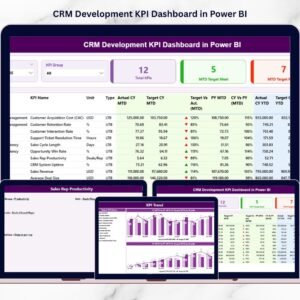
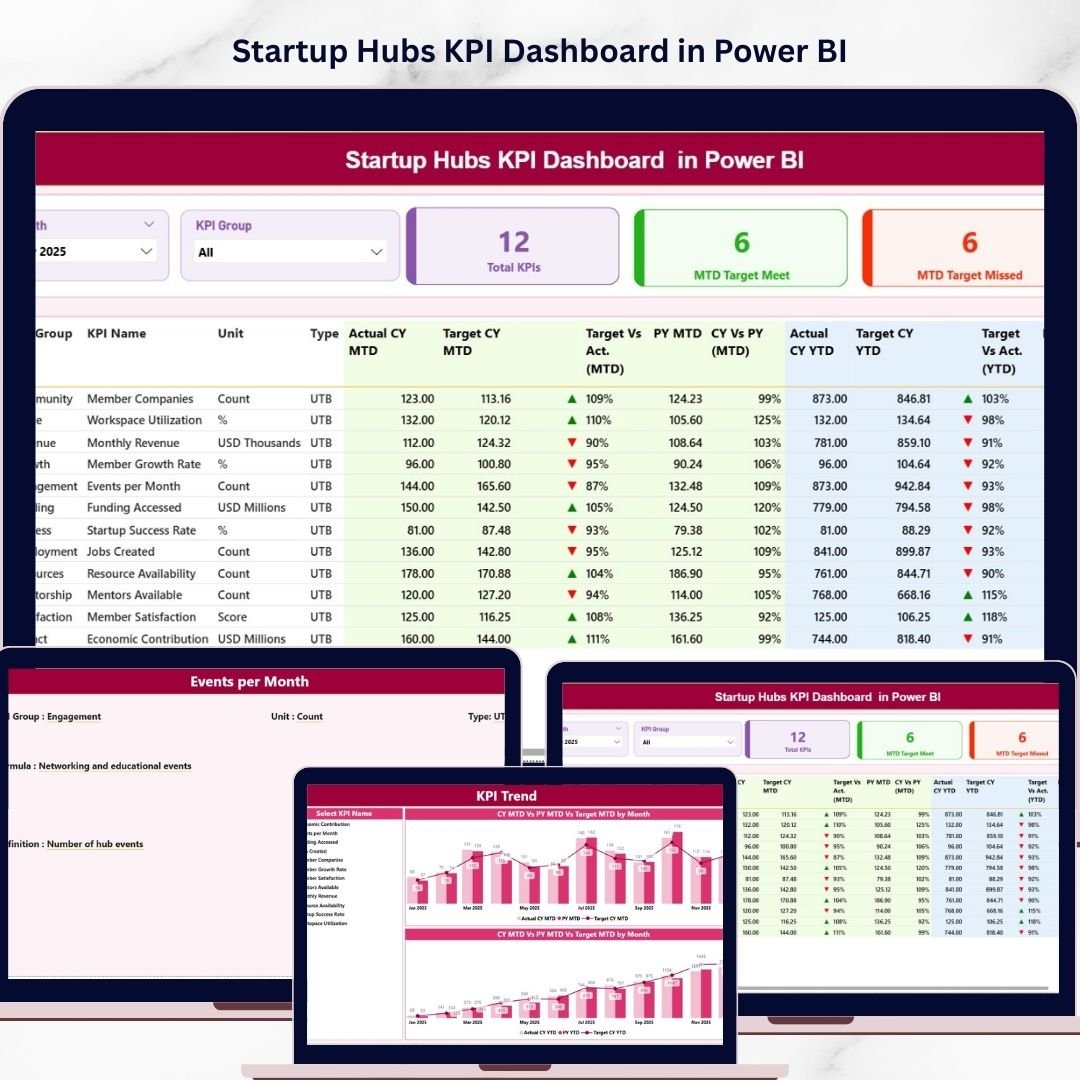
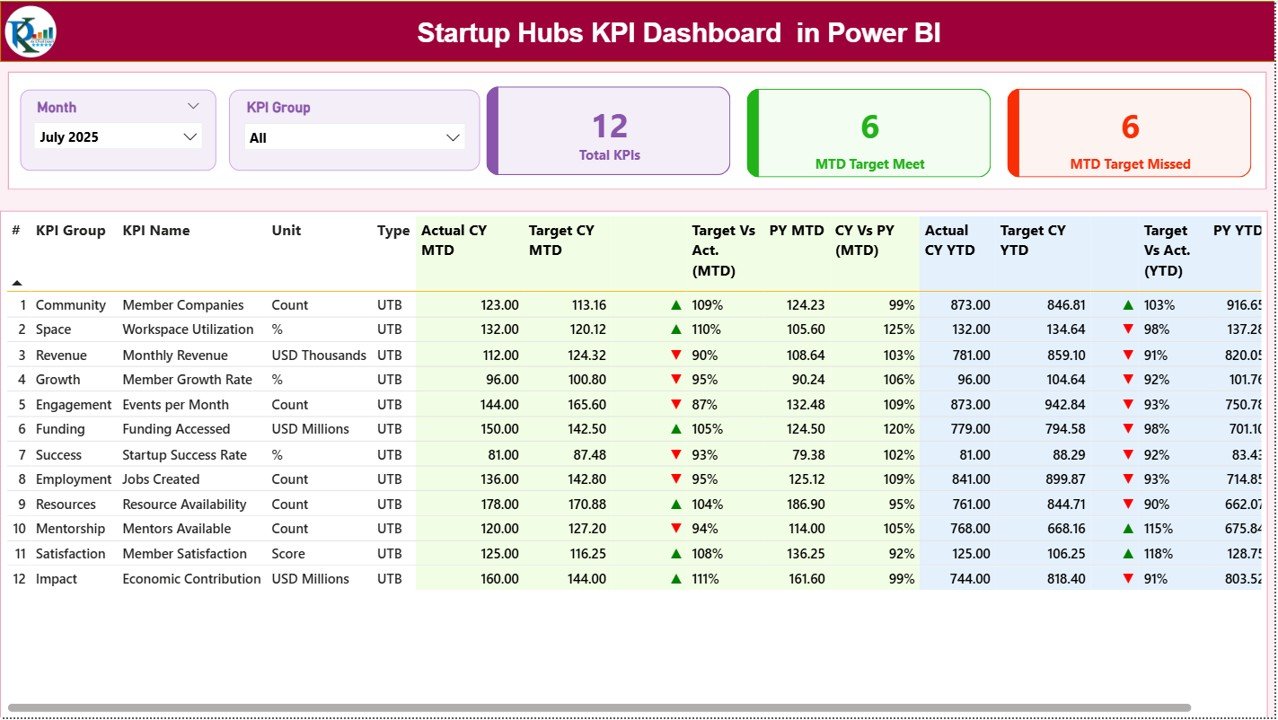
Monitor overall startup hub performance using dynamic KPI cards, detailed KPI tables, and performance indicators.
📅 Month and KPI Group Filters
Easily analyze performance by selecting specific months or KPI categories using slicers.
🎯 Target vs Actual KPI Tracking
Compare actual performance with targets using automatic calculations and visual indicators.
📈 MTD and YTD Performance Analysis
Track both Month-To-Date and Year-To-Date performance to monitor short-term and long-term progress.
📉 Visual Performance Indicators
Quickly identify KPI success using green arrows for achieved targets and red arrows for missed targets.
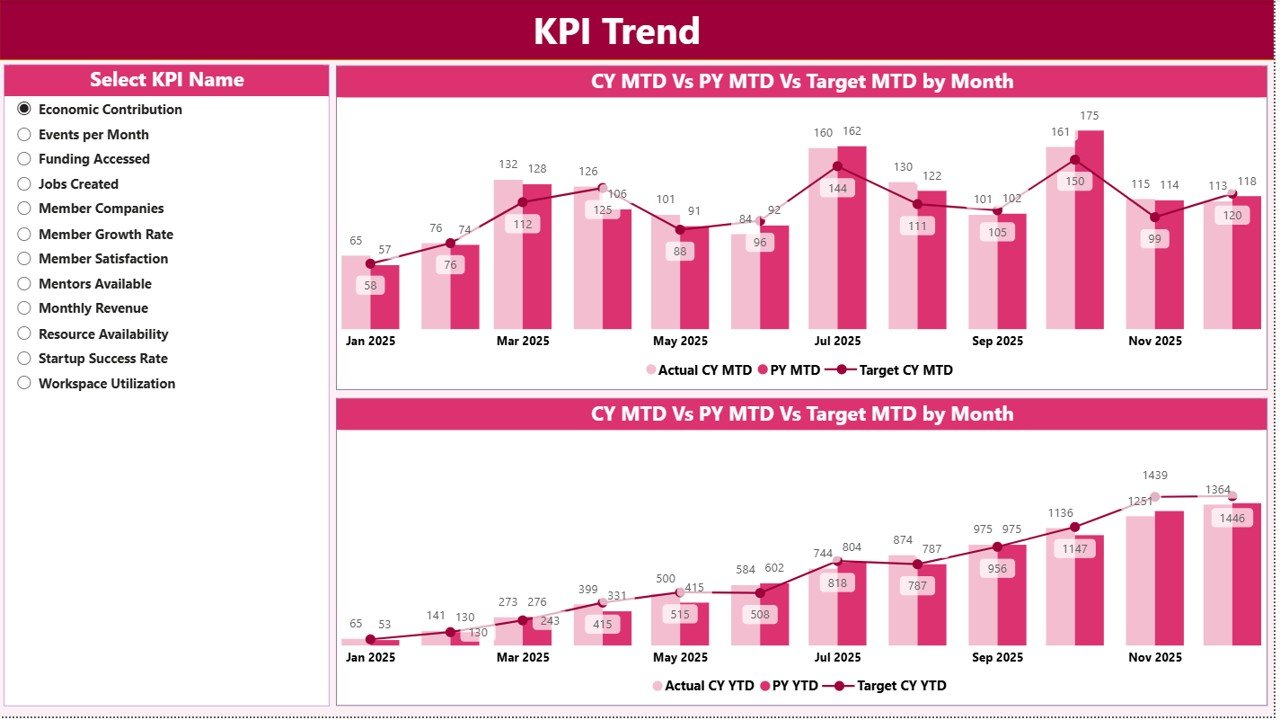
📊 KPI Trend Analysis Page
Analyze performance trends over time using powerful combo charts comparing actual values, targets, and previous year results.
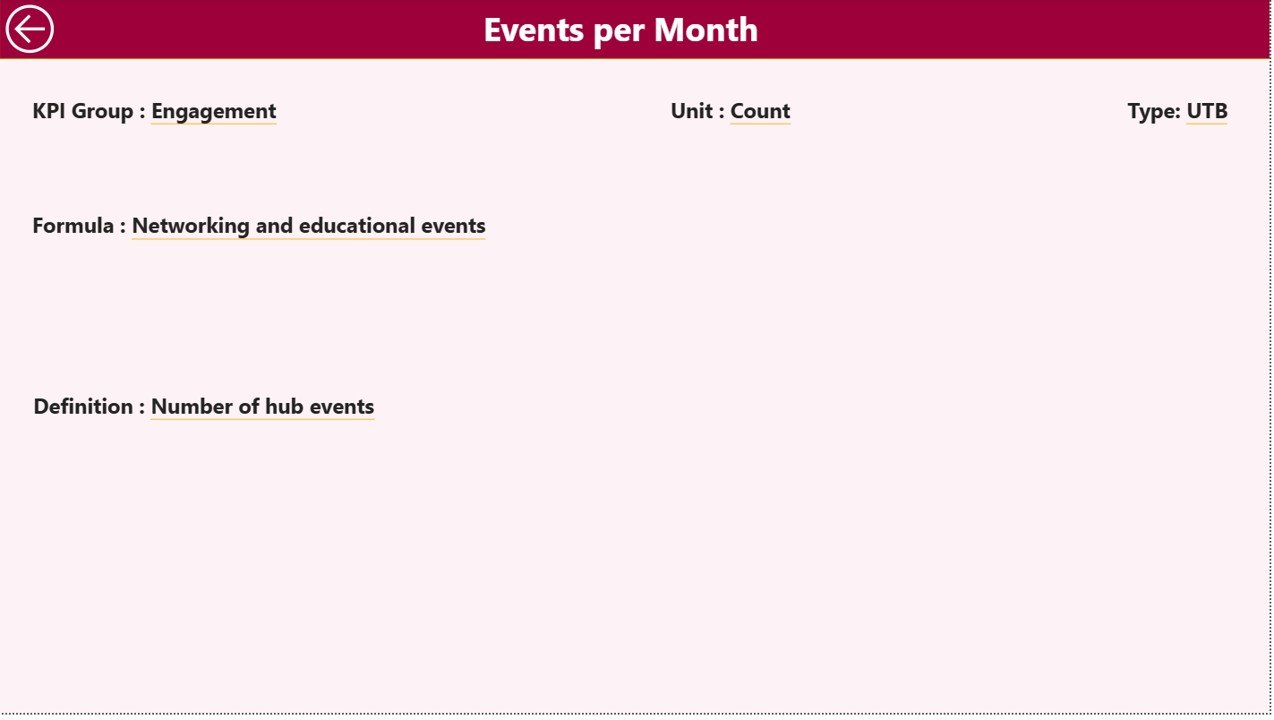
📚 KPI Definition Page
Access detailed KPI documentation including KPI formulas, definitions, units, and KPI type classification.
🔄 Excel Data Integration
The dashboard connects with Excel files, making it easy to update data and refresh reports regularly.
📦 What’s Inside the Startup Hubs KPI Dashboard in Power BI
This ready-to-use Power BI template includes several important components that make startup ecosystem monitoring easier.
✔ 3 Power BI Report Pages
1️⃣ Summary Page – Displays overall KPI performance with KPI cards, performance tables, and visual indicators.
2️⃣ KPI Trend Page – Shows performance comparisons between current year, previous year, and target values using interactive charts.
3️⃣ KPI Definition Page – Provides complete KPI documentation with KPI formulas and definitions.
✔ Excel Data Source File
The dashboard connects to an Excel workbook that includes three structured worksheets:
📄 Input Actual Sheet – Stores actual KPI values such as MTD and YTD performance.
📄 Input Target Sheet – Contains KPI target values for comparison.
📄 KPI Definition Sheet – Includes KPI metadata such as KPI group, formula, and KPI type.
Because of this structured design, updating the dashboard becomes extremely simple.
⚙️ How to Use the Startup Hubs KPI Dashboard in Power BI
Using this dashboard is simple and requires only a few steps.
1️⃣ Enter KPI Data in Excel
Input the actual KPI values and target values in the Excel data source file.
2️⃣ Refresh the Power BI Dashboard
Open the Power BI file and refresh the dataset to update all charts and KPI indicators.
3️⃣ Analyze Dashboard Performance
Use slicers to filter KPIs by month or KPI category.
4️⃣ Explore Trend Analysis
Select a KPI on the KPI Trend Page to analyze historical performance trends.
5️⃣ View KPI Definitions
Drill through to the KPI Definition page to understand the formulas and definitions behind each KPI.
With this workflow, startup ecosystem managers can analyze performance within seconds.
👥 Who Can Benefit from This Startup Hubs KPI Dashboard in Power BI
This dashboard is designed for organizations involved in startup ecosystem development.
🚀 Startup Incubators – Monitor incubation program success and startup growth.
💼 Startup Accelerators – Track startup progress, funding milestones, and program outcomes.
🏢 Innovation Hubs – Measure ecosystem performance and collaboration impact.
🏛 Government Startup Programs – Evaluate national startup development initiatives.
💰 Venture Capital Firms – Analyze startup performance and investment progress.
By using this dashboard, organizations gain better visibility into ecosystem performance and make smarter strategic decisions.
## Click here to read the Detailed blog post
Visit our YouTube channel to learn step-by-step video tutorials
https://youtube.com/@PKAnExcelExpert
Watch the step-by-step video tutorial:
Compatibility and Requirements
- Works in Power BI Desktop, which is free to download. Microsoft explains the install in Get Power BI Desktop.
- The dashboard reads its data from an Excel workbook with three worksheets: Input Actual, Input Target and KPI Definition.
Frequently Asked Questions
How many report pages does the dashboard have?
Three pages: Summary, KPI Trend and KPI Definition.
Where do I enter my KPI data?
In the Excel data source file. Put actual MTD and YTD values in the Input Actual sheet, targets in the Input Target sheet, and KPI formulas and types in the KPI Definition sheet. Then refresh the dataset in Power BI.
Can I filter the dashboard by month?
Yes. Slicers on the Summary page filter by month and by KPI group.
How do I see which targets were met?
Green arrows mark KPIs that reached their target and red arrows mark KPIs that missed it. Both MTD and YTD results are shown.
Is there an Excel version?
Yes. See the Startup Hubs KPI Dashboard in Excel.
Related Startup Dashboard Templates
- Startup Hubs KPI Dashboard in Excel: the same dashboard in Excel
- Startup Growth KPI Dashboard in Power BI: growth KPIs for a single startup in Power BI
- Startup Growth KPI Dashboard in Google Sheets: a Google Sheets edition of the growth dashboard
- Agri Tech Startups KPI Dashboard in Power BI: a startup KPI dashboard for agri tech
- Power BI Dashboard Mega Collection: 15 Power BI templates in one download
Browse all Power BI KPI dashboards.