
In today’s fast-moving and highly competitive chemical industry, specialty chemical manufacturers must continuously monitor production efficiency, quality performance, safety compliance, and financial outcomes. However, many organizations still rely on disconnected spreadsheets and manual reporting systems. As a result, performance tracking becomes slow, errors increase, and decision-makers struggle to respond quickly to operational challenges.
The Specialty Chemicals KPI Dashboard in Excel is a powerful, ready-to-use performance management solution designed to transform complex operational data into clear, visual, and actionable insights. Instead of reviewing multiple reports across departments, managers can monitor all key performance indicators (KPIs) from a single centralized Excel dashboard.
Built using advanced yet user-friendly Excel functionality, this dashboard converts raw production and business data into meaningful analytics through KPI cards, automated calculations, trend charts, and performance indicators. Because Excel is widely accessible, organizations can implement this solution immediately without investing in expensive software or complex systems.
This dashboard helps specialty chemical companies track production performance, quality outcomes, safety metrics, operational efficiency, and financial indicators simultaneously. Consequently, leadership teams gain real-time visibility into performance and make faster, data-driven decisions.
🚀 Key Feature of Specialty Chemicals KPI Dashboard in Excel
⚗️ Centralized KPI Monitoring
Track operational, financial, quality, and safety KPIs in one unified dashboard.
📊 Dynamic Dashboard Overview
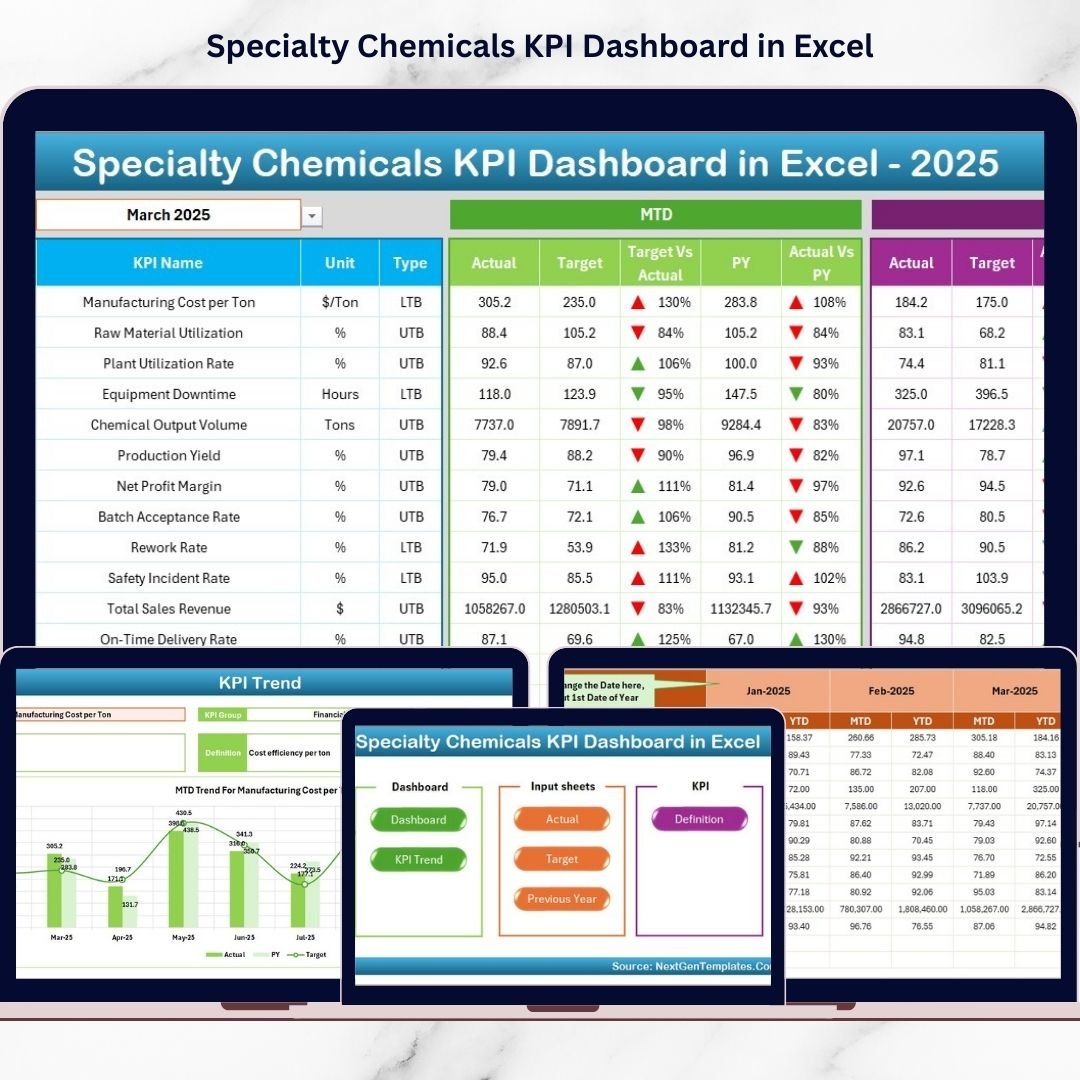
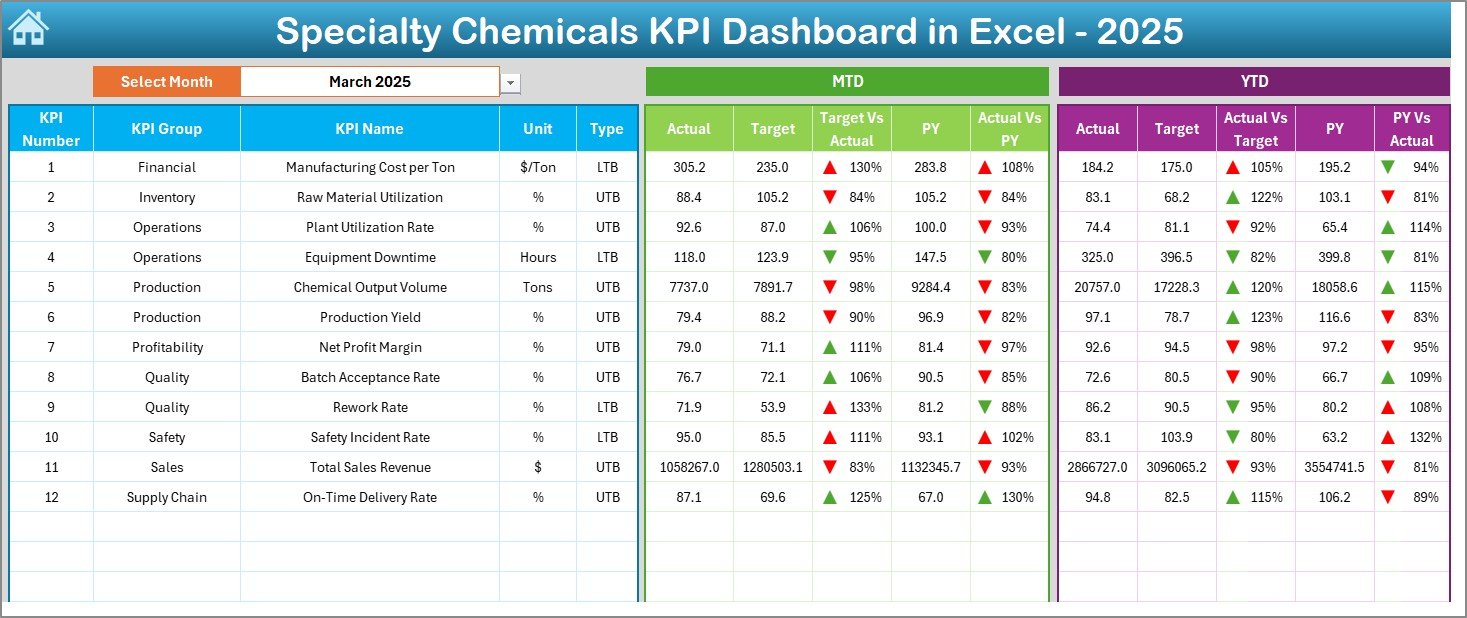
Instantly view MTD and YTD performance comparisons with automated calculations.
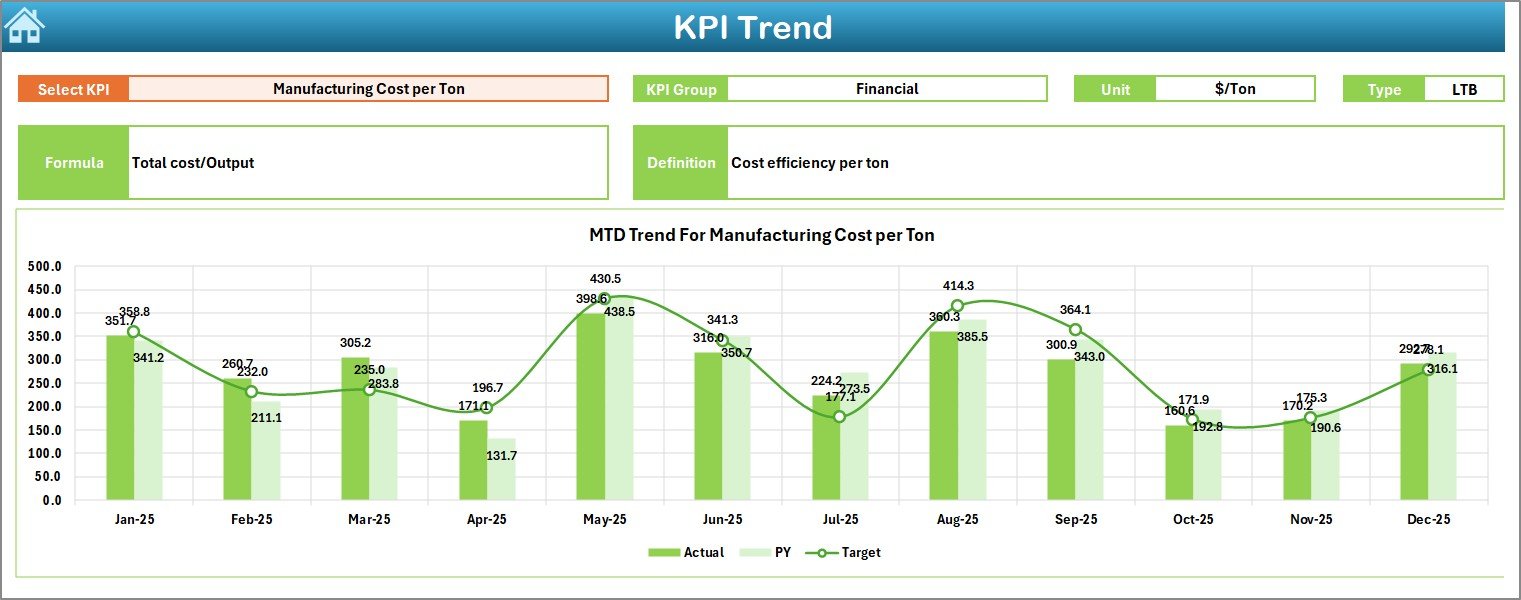
📈 KPI Trend Analysis
Analyze performance trends using visual charts and historical comparisons.
🎯 Target vs Actual Performance Tracking
Identify performance gaps quickly using automated comparisons.
📅 Month Selection Control
Change reporting month using a dropdown and update insights instantly.
🔺 Visual Performance Indicators
Up/down arrows and conditional formatting highlight KPI status clearly.
📂 Structured Data Management
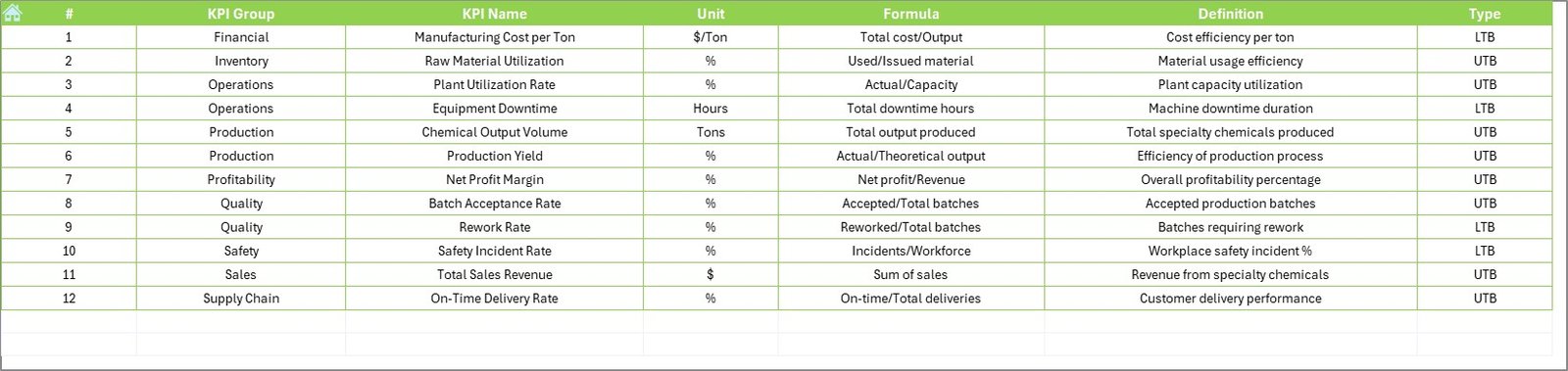
Dedicated sheets for targets, historical data, and KPI definitions ensure consistency.
💡 User-Friendly Navigation
Home sheet navigation buttons simplify dashboard usage for all users.
📦 What’s Inside the Specialty Chemicals KPI Dashboard in Excel
This ready-to-use Excel template includes a complete KPI monitoring framework:
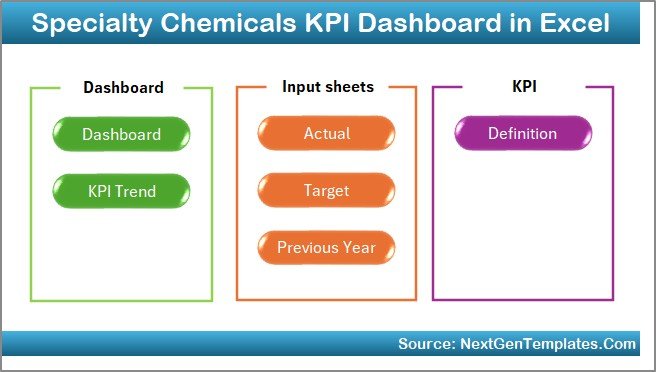
✅ 7 Structured Worksheets
Home Sheet (Navigation Hub)
Dashboard Sheet (Main Overview)
KPI Trend Sheet
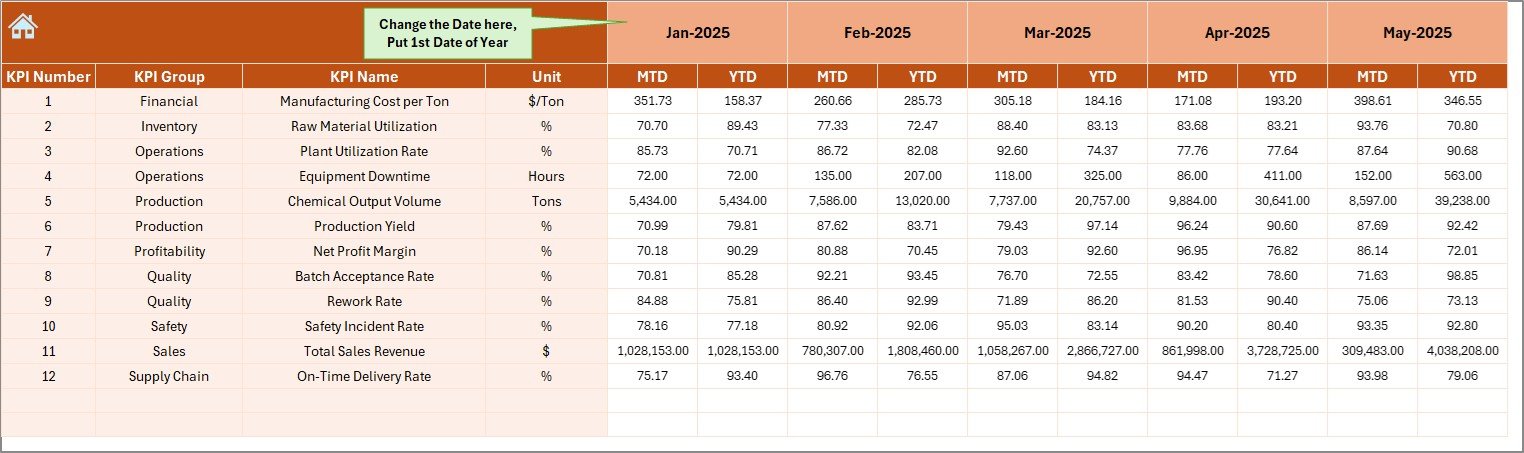
Actual Numbers Input Sheet
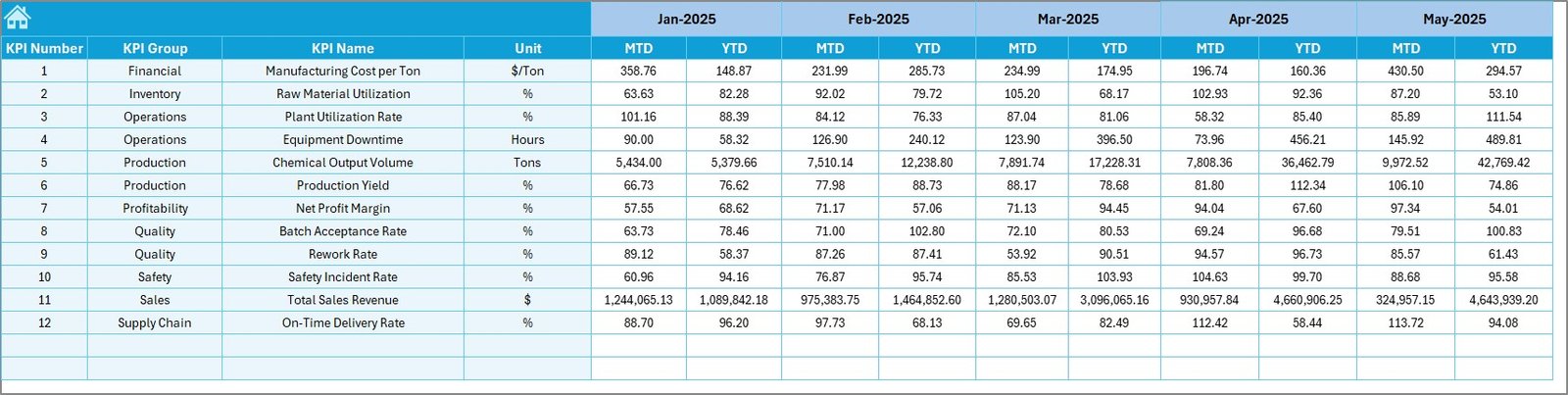
Target Sheet
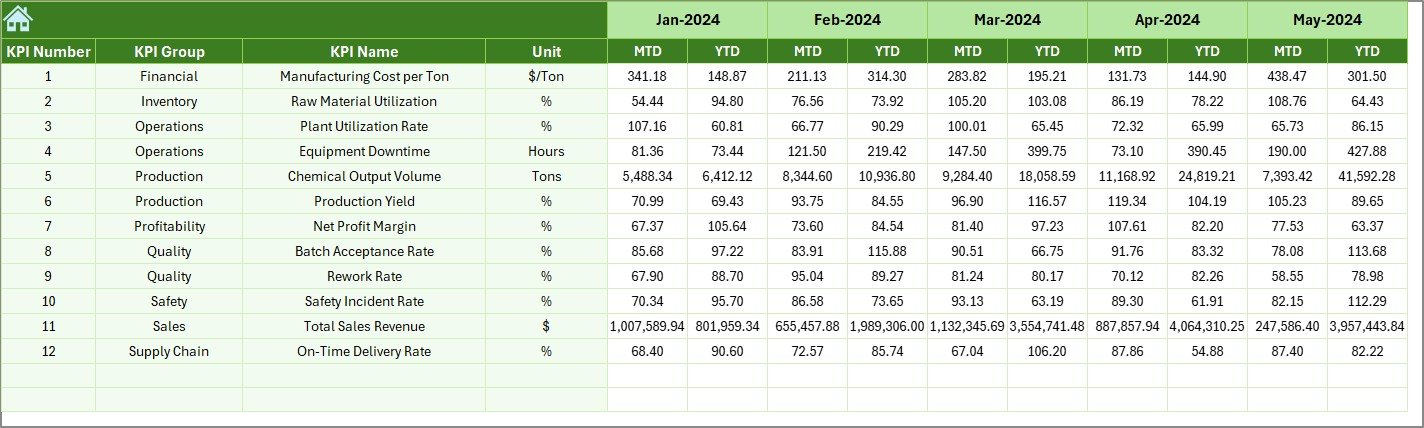
Previous Year Numbers Sheet
KPI Definition Sheet
✅ Automated KPI Calculations
✅ MTD & YTD Performance Tracking
✅ Historical Benchmarking Analysis
✅ Interactive Trend Charts
✅ Professional KPI Reporting Layout
Simply input your data and start analyzing performance instantly.
🛠️ How to Use the Specialty Chemicals KPI Dashboard in Excel
The dashboard is designed for simplicity and quick adoption:
1️⃣ Define KPIs in the KPI Definition Sheet.
2️⃣ Enter monthly targets in the Target Sheet.
3️⃣ Add previous year performance data.
4️⃣ Input actual MTD and YTD values regularly.
5️⃣ Select the reporting month from the dashboard dropdown.
6️⃣ Review visual insights and performance trends.
Because calculations update automatically, reporting becomes fast and reliable.
👥 Who Can Benefit from This Specialty Chemicals KPI Dashboard in Excel
This dashboard supports multiple roles across chemical manufacturing organizations:
🏭 Plant Managers
⚙️ Operations Heads
🧪 Quality Assurance Teams
📊 Business Analysts
💰 Finance Departments
🚚 Supply Chain Managers
📈 Executive Leadership Teams
From mid-size manufacturers to large chemical enterprises, this dashboard enables structured performance management.
By implementing this dashboard, organizations reduce manual reporting, improve accountability, enhance operational visibility, and support proactive decision-making. Instead of reacting to problems after they occur, teams monitor performance continuously and take corrective action early.
### Click here to read the Detailed blog post
Visit our YouTube channel to learn step-by-step video tutorials:
👉 https://youtube.com/@PKAnExcelExpert
Watch the step-by-step video tutorial:
Compatibility and Requirements
- Works in Microsoft Excel desktop (Excel 2016 or later, or Microsoft 365).
- You pick the reporting month from a dropdown on the Dashboard sheet. Microsoft explains how dropdown lists work in Create a drop-down list.
Frequently Asked Questions
Which sheets are included?
Seven sheets: Home, Dashboard, KPI Trend, Actual Numbers, Target, Previous Year Numbers and KPI Definition.
How do I update the dashboard?
Enter your actual MTD and YTD values in the Actual Numbers sheet and your monthly goals in the Target sheet. Then select the reporting month from the dropdown on the Dashboard sheet and the figures update.
Can I compare results with last year?
Yes. Add last year’s figures to the Previous Year Numbers sheet. The dashboard shows them next to your actuals and targets.
How do I see the status of each KPI?
Up and down arrows and conditional formatting on the Dashboard sheet show whether each KPI is meeting its target.
Is there a Power BI version?
Yes. See the Specialty Chemicals KPI Dashboard in Power BI.
Related Chemical and Manufacturing Templates
- Specialty Chemicals KPI Dashboard in Power BI: the same topic in Power BI
- Chemical Manufacturing KPI Dashboard in Excel: KPIs for chemical production plants
- Chemical KPI Dashboard in Excel: a general chemical industry KPI view
- Petrochemicals KPI Dashboard in Excel: a related dashboard for petrochemical operations
- Manufacturing Excellence Bundle: 8 manufacturing templates in one download
Browse all Excel KPI dashboards.