



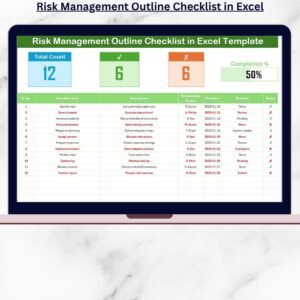
The Risk Management Review Checklist in Excel is an essential tool for organizations looking to effectively manage and mitigate risks. This Excel-based checklist allows businesses to track, assess, and review potential risks, ensuring that each critical risk factor is addressed systematically. Designed for risk managers, compliance officers, and business owners, this checklist simplifies the risk management process by providing a clear structure for identifying, prioritizing, and mitigating risks.
By using this tool, you can ensure that your organization has a comprehensive view of all potential risks, including operational, financial, regulatory, and reputational risks. The easy-to-use interface and customizable features make it a valuable resource for maintaining compliance, improving decision-making, and safeguarding the future of your business.
Key Features of the Risk Management Review Checklist in Excel
📋 Risk Identification & Assessment
Identify and assess potential risks across various categories such as financial, operational, and strategic. Track each risk’s likelihood, impact, and potential consequences to prioritize mitigation efforts.
⚠️ Risk Mitigation & Action Plan
Create an actionable plan for mitigating each identified risk. Assign responsibilities, set deadlines, and monitor progress to ensure timely resolution of risk factors.
🔄 Risk Status & Tracking
Track the status of each risk, from identification to mitigation. Monitor the progress of mitigation actions and ensure that risks are continually managed and reviewed.
📅 Time-Based Risk Monitoring
Set deadlines for risk mitigation actions and review them periodically. Track risk mitigation progress over time to ensure that resolutions are being implemented effectively.
📈 Reporting & Analysis
Generate reports to analyze risk trends and mitigation outcomes. Use data to make informed decisions and implement more effective risk management strategies.
⚙️ Customizable & Scalable
Adapt the checklist to suit the unique needs of your business. Add custom risk categories, adjust risk ratings, and modify tracking features to meet specific organizational requirements.
Why You’ll Love the Risk Management Review Checklist in Excel

✅ Comprehensive Risk Tracking
Identify, assess, and mitigate all types of risks, ensuring that your organization is prepared to handle potential threats.
✅ Proactive Risk Mitigation
Create a detailed action plan for mitigating risks and track the progress to ensure risks are addressed in a timely manner.
✅ Improve Compliance & Decision-Making
Ensure compliance with regulatory requirements and use risk data to make informed decisions that safeguard your organization’s future.
✅ Time-Based Risk Monitoring
Stay on top of risk mitigation deadlines and monitor progress over time, ensuring that no risk is overlooked or left unresolved.
✅ Customizable to Your Needs
The checklist is fully customizable, making it suitable for businesses of any size or industry. Tailor it to track specific risks relevant to your organization.
What’s Inside the Risk Management Review Checklist in Excel?
Risk Identification & Assessment: Track risks by likelihood, impact, and category.
Risk Mitigation & Action Plan: Create a detailed action plan for addressing identified risks.
Risk Status & Tracking: Monitor the status and progress of risk mitigation actions.
Time-Based Risk Monitoring: Set deadlines and track mitigation progress.
Reporting & Analysis: Generate reports and analyze risk data for decision-making.
Customizable Features: Adapt the checklist to fit your business’s specific risk management needs.
How to Use the Risk Management Review Checklist in Excel
1️⃣ Download the Template: Get access to the Risk Management Review Checklist in Excel instantly.
2️⃣ Identify & Assess Risks: Input risks based on likelihood, impact, and type.
3️⃣ Create an Action Plan: Assign responsibilities and deadlines for mitigating each risk.
4️⃣ Track Progress & Status: Monitor the progress of risk mitigation actions and adjust as needed.
5️⃣ Analyze Data & Improve Risk Strategies: Use the insights from the reports to improve your organization’s risk management strategies.
Who Can Benefit from the Risk Management Review Checklist in Excel?
🔹 Risk Managers & Compliance Officers
🔹 Business Owners & Executives
🔹 Finance & Operations Managers
🔹 Regulatory & Legal Teams
🔹 Small & Medium Enterprises (SMBs)
🔹 Large Corporations with Complex Risk Structures
Ensure that your organization is protected against potential risks with the Risk Management Review Checklist in Excel. Stay organized, track risks, and ensure timely mitigation with this powerful tool.
Click here to read the Detailed blog post
Visit our YouTube channel to learn step-by-step video tutorials
Youtube.com/@PKAnExcelExpert
Watch the step-by-step video Demo:
Compatibility and Requirements
- Works in Microsoft Excel desktop (Excel 2016 or later, or Microsoft 365).
- The checklist is built from worksheet cells, so you can add rows and risk categories to suit your business. Microsoft’s Excel for Windows training covers the basics.
Frequently Asked Questions
What does the Risk Management Review Checklist track?
It tracks each risk by likelihood, impact and category, along with its status, the mitigation action, the person responsible and the deadline.
Can I add my own risk categories?
Yes. The checklist is customizable, so you can add risk categories, change risk ratings and adjust the tracking fields to fit your organization.
Can I follow mitigation progress over time?
Yes. You set a deadline for each mitigation action and update the status as work moves from identification to resolution. This shows which risks are still open.
Does it include reports?
Yes. It includes reporting and analysis so you can look at risk trends and mitigation results when you make decisions.
Is there a dashboard version for risk management?
Yes. See the Risk Management Dashboard in Excel, the Risk Management Dashboard in Google Sheets and the Risk Management KPI Dashboard in Power BI.
Related Risk and Review Templates
- Risk Assessment Checklist Template in Excel: a checklist for assessing risks
- Vendor Risk Assessment Checklist in Excel: risk checks for suppliers and vendors
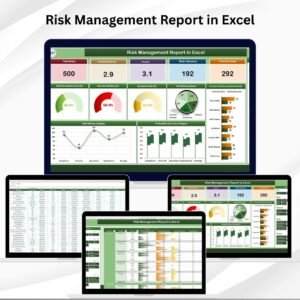
- Risk Management Report in Excel: a report view of your risks
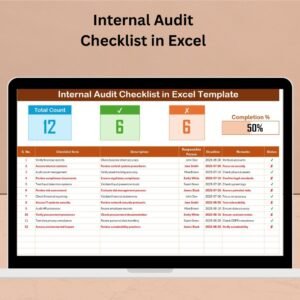
- Internal Audit Checklist in Excel: a checklist for internal audits
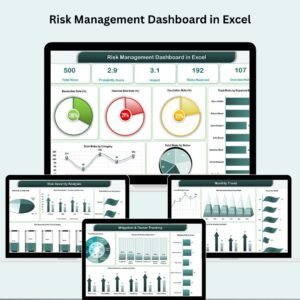
- Risk Management Dashboard in Excel: a dashboard for tracking risks
Browse all Excel checklist templates.
























Reviews
There are no reviews yet.