

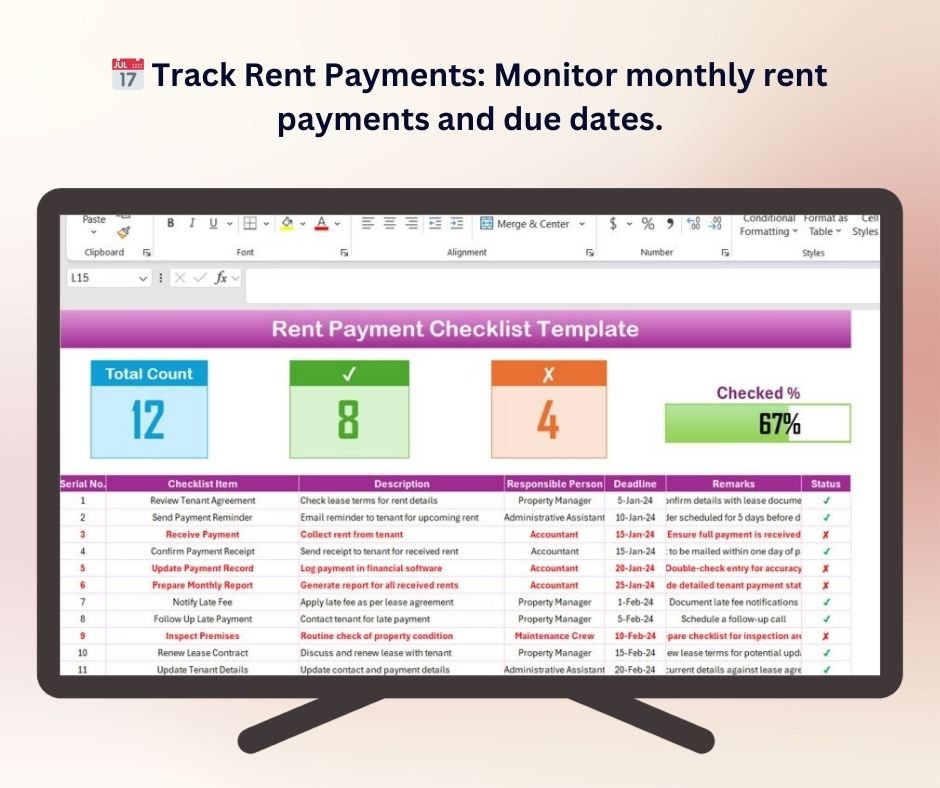


The Rent Payment Checklist Template in Excel is a simple and efficient tool designed to help tenants and landlords stay organized and ensure timely rent payments. This Excel-based checklist enables easy tracking of monthly rent payments, payment due dates, and payment status, allowing you to avoid late fees and ensure that rent payments are made promptly.
This template is perfect for both individuals and property management businesses, offering a structured way to monitor payments, manage records, and communicate with tenants. With clear categories and interactive features, it helps keep all rent-related information in one place for easy access and management.
Key Features of the Rent Payment Checklist Template in Excel
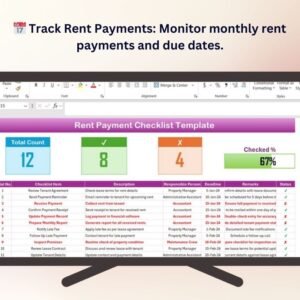
📅 Track Monthly Rent Payments
Easily monitor rent payments on a month-to-month basis. Track payment due dates and keep a record of payments to ensure everything is up to date.
💰 Record Payment Status
Keep track of whether rent has been paid, partially paid, or remains unpaid. The template includes a convenient checkbox system for payment tracking.
🔄 Customizable Payment Reminders
Set reminders for upcoming rent payments to avoid missing deadlines. The template allows you to personalize reminders and follow-up actions.
📊 Interactive & Real-Time Updates
The Excel template automatically updates as payments are made, providing a real-time overview of payment statuses, balances, and outstanding amounts.
🖥️ Easy-to-Use & Customizable Template
This template is simple to use with dropdowns, color-coded sections, and fields that can be tailored to your needs. Personalize it to track rent payment schedules, manage different properties, and keep organized records.
Why You’ll Love the Rent Payment Checklist Template in Excel

✅ Stay Organized & On-Time
Never miss a rent payment again. The checklist helps keep you on top of due dates and ensures payments are made on time, avoiding late fees and misunderstandings.
✅ Manage Multiple Properties Easily
Landlords can manage multiple properties with ease by customizing the checklist for each unit or tenant, streamlining the entire rent payment process.
✅ Simplify Communication with Tenants
Track payment status and share updates with tenants to ensure that everyone is on the same page about outstanding payments or dues.
✅ Track Payment History & Outstanding Balances
Easily track payment history, monitor any overdue payments, and calculate any remaining balance for a specific period, making it easier to follow up with tenants.
✅ Fully Customizable for Your Needs
Tailor the checklist to your unique needs. Customize categories, reminder settings, and other details based on how you manage your rent payments.
What’s Inside the Rent Payment Checklist Template in Excel?
- Monthly Payment Tracking: Track rent payments month by month, ensuring you never miss a payment.
- Payment Status Monitoring: Check the payment status (paid, unpaid, or partial payment) for each month.
- Customizable Reminders: Set up customizable payment reminders and follow-up actions for each tenant.
- Real-Time Data Updates: Automatically track and update payment statuses as payments are received.
- Customizable Fields & Categories: Adapt the checklist for multiple properties, tenants, or payment structures.
How to Use the Rent Payment Checklist Template in Excel
1️⃣ Download the Template: Get instant access to the Rent Payment Checklist Template in Excel.
2️⃣ Input Rent Payment Data: Enter payment due dates, amounts, and tenants’ payment details.
3️⃣ Track Payment Status: Use the checklist to track whether payments are made on time, partially paid, or unpaid.
4️⃣ Set Payment Reminders: Customize reminders for upcoming rent payments and follow-up actions.
5️⃣ Monitor & Optimize: Stay organized by reviewing and updating payment statuses regularly, ensuring smooth rent payment management.
Who Can Benefit from the Rent Payment Checklist Template in Excel?
🔹 Tenants Looking to Stay Organized
🔹 Landlords & Property Managers
🔹 Real Estate Investors & Agents
🔹 Financial Advisors Managing Rent Payments
🔹 Anyone in Charge of Rent Collection & Payment Tracking
Ensure a smooth and efficient rent payment process with the Rent Payment Checklist Template in Excel. Stay organized, track payments easily, and avoid late fees with this customizable and interactive tool.
Click here to read the Detailed blog post
Visit our YouTube channel to learn step-by-step video tutorials
Youtube.com/@PKAnExcelExpert
Compatibility and Requirements
- Works in Microsoft Excel desktop (Excel 2016 or later, or Microsoft 365).
- The sheet uses color-coded sections and dropdowns. Microsoft explains color rules in Use conditional formatting to highlight information.
Frequently Asked Questions
What can I track with this checklist?
You can track monthly rent payments, due dates, amounts and whether each payment is paid, partially paid or unpaid.
How do I mark a payment?
The template has a checkbox system for payment tracking, so you tick each payment as it comes in.
Can I use it for more than one property?
Yes. Landlords can customize the checklist for each unit or tenant and manage several properties in one file.
Does it show outstanding balances?
Yes. It updates as payments are made and shows payment statuses, balances and outstanding amounts.
Is there a Google Sheets version?
Yes. The Rent Payment Checklist in Google Sheets works in a browser.
Related Rent and Property Templates
- Rent Payment Checklist in Google Sheets: the same checklist in Google Sheets
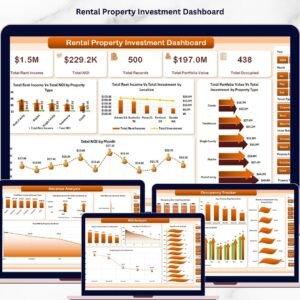
- Rental Property Investment Dashboard in Excel: analyze rental income and returns
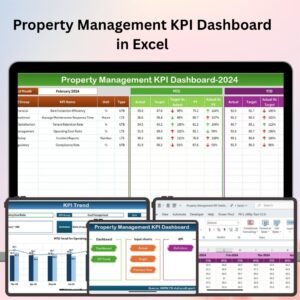
- Property Management KPI Dashboard in Excel: KPIs for a property portfolio
- Tenant and Property Management Dashboard in Google Sheets: tenants and properties on one dashboard
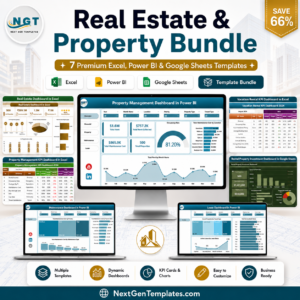
- Real Estate & Property Bundle: 7 property templates in one download
Browse all Excel checklists or the Excel financial tools.























Reviews
There are no reviews yet.