
Railway infrastructure forms the backbone of national transportation systems. Every day, millions of passengers and massive volumes of cargo travel across railway networks. Because of this large-scale operation, railway authorities must continuously monitor infrastructure performance, operational efficiency, safety compliance, and maintenance activities.
However, many railway organizations still rely on fragmented reports and manual spreadsheets. As a result, managers struggle to track infrastructure performance, analyze KPI trends, and identify operational gaps quickly.
That is where the Railway Infrastructure KPI Dashboard in Power BI becomes an extremely valuable solution.
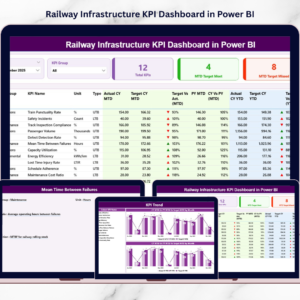
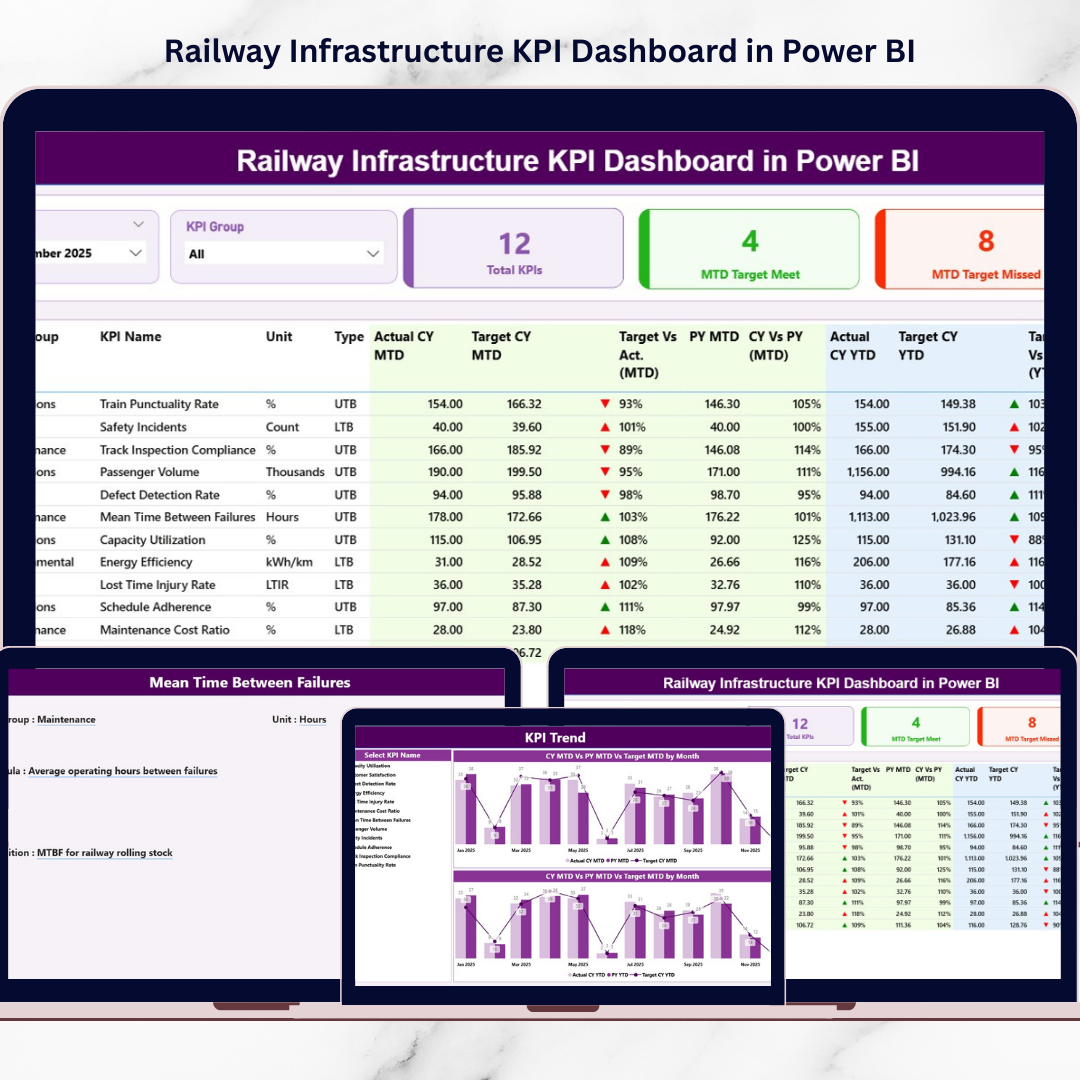
This ready-to-use Power BI dashboard converts raw railway performance data into interactive visual insights. Instead of reviewing multiple reports manually, railway managers can monitor key performance indicators, compare targets with actual results, analyze trends, and evaluate infrastructure efficiency through one centralized dashboard.
Because Power BI provides interactive visuals, filters, and automated calculations, decision-makers can analyze railway infrastructure performance quickly and make smarter data-driven decisions.
If you want to improve railway infrastructure monitoring and operational efficiency, this dashboard offers a powerful and practical analytics solution.
🚆 Key Feature of Railway Infrastructure KPI Dashboard in Power BI
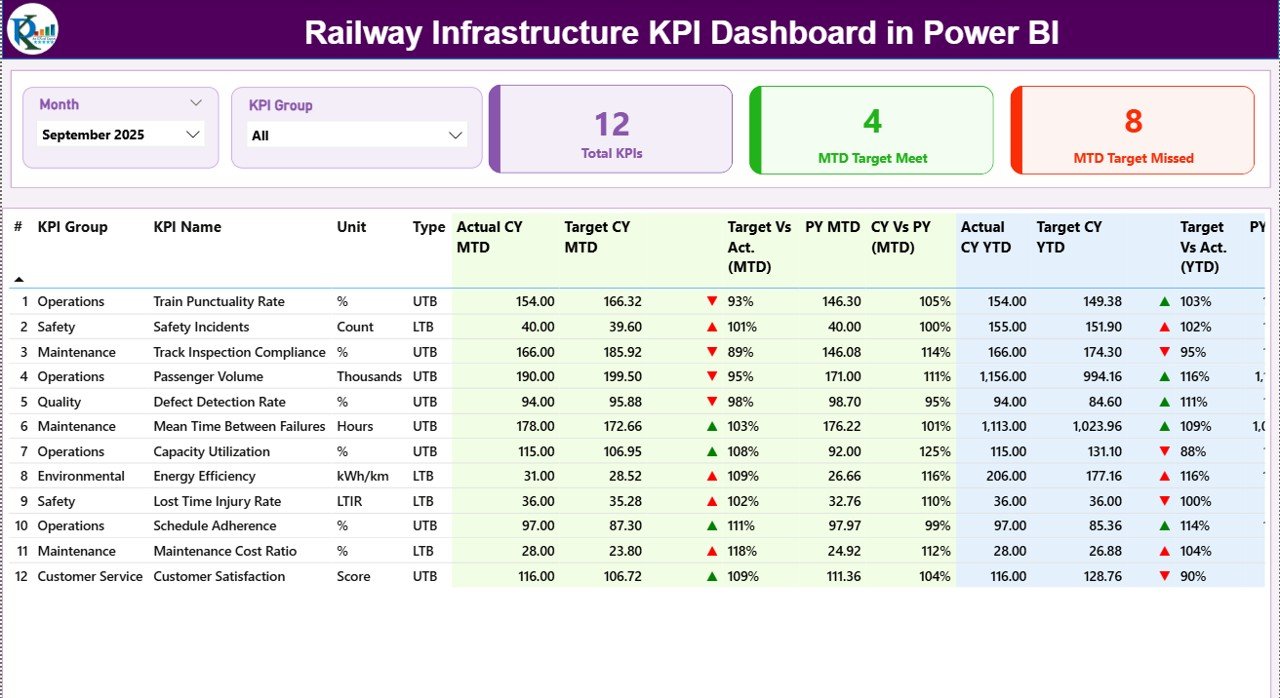
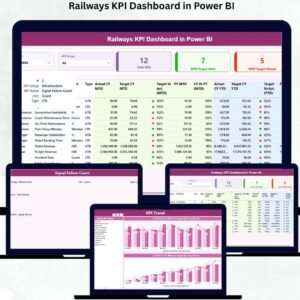
This structured Power BI dashboard includes three analytical pages designed to monitor railway infrastructure KPIs effectively.
📊 Summary Dashboard Page – A central page displaying key infrastructure performance indicators.
🎯 Interactive Slicers – Filter the dashboard using Month and KPI Group slicers for dynamic analysis.
📈 KPI Performance Cards – Quickly view Total KPIs, Target Meet Count, and Target Missed Count.
📊 Detailed KPI Performance Table – Analyze KPI metrics including Actual vs Target and Previous Year comparisons.
📅 MTD KPI Monitoring – Track Month-To-Date KPI performance across infrastructure operations.
📆 YTD KPI Analysis – Monitor Year-To-Date KPI performance for long-term infrastructure insights.
⬆️⬇️ Performance Indicator Icons – Visual indicators highlight KPI performance status instantly.
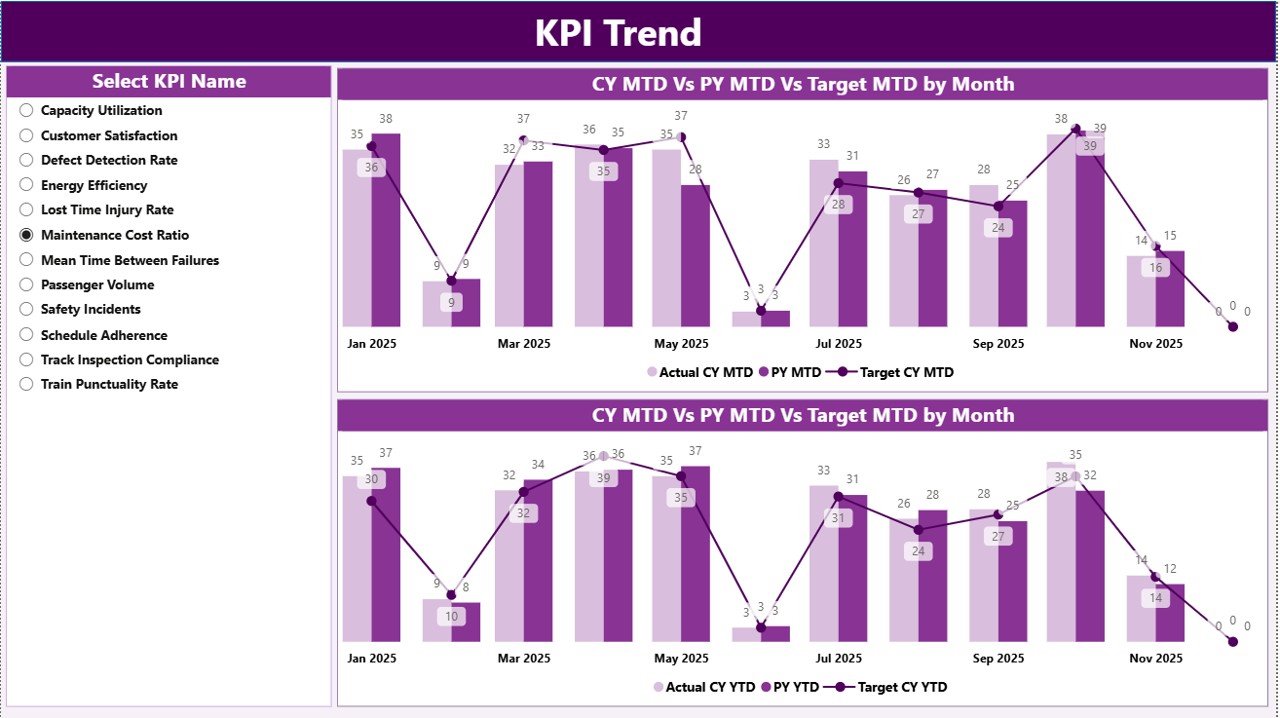
📈 KPI Trend Analysis Charts – Evaluate monthly and yearly KPI performance trends.
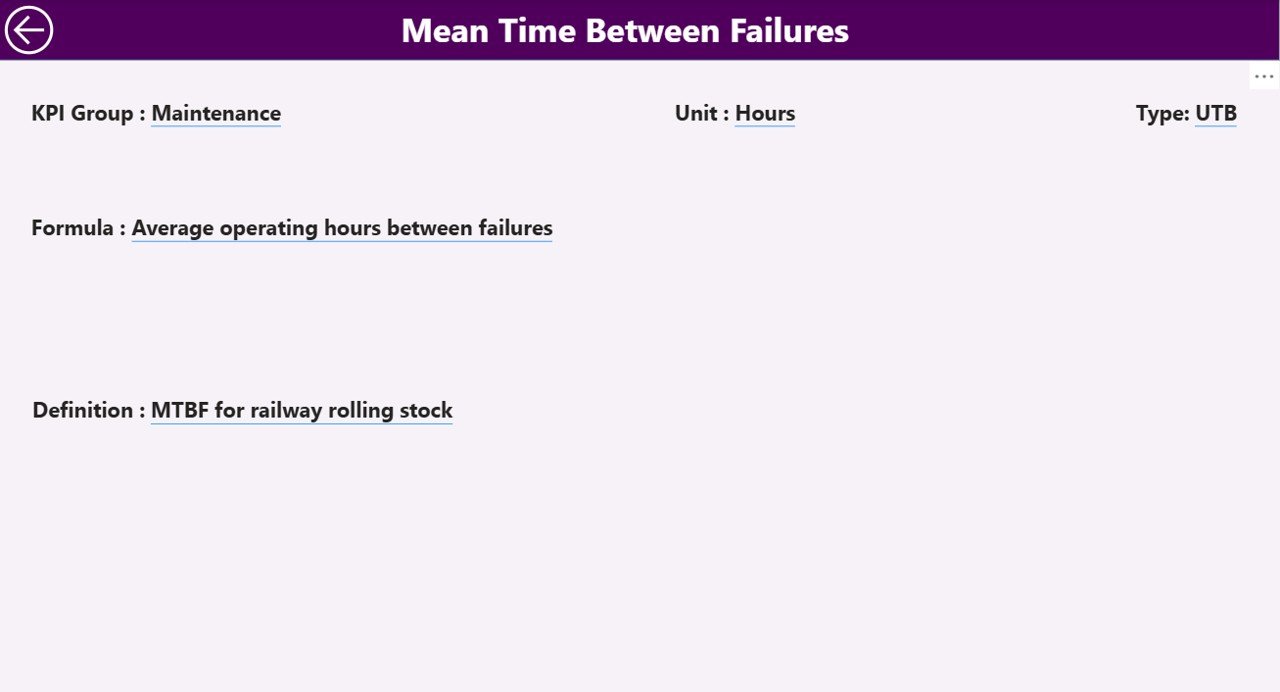
📘 KPI Drill-Through Page – Access detailed KPI formulas, definitions, and measurement units.
Because the dashboard updates dynamically, users can analyze infrastructure performance in seconds.
📦 What’s Inside the Railway Infrastructure KPI Dashboard in Power BI
The dashboard is built using Power BI for visualization and Excel as the data source, creating a flexible and scalable performance monitoring system.
Inside the dashboard you get:
✅ Summary Page – Central KPI monitoring interface
✅ KPI Trend Page – Detailed performance trend analysis
✅ KPI Definition Page – KPI formula and definition reference
✅ Interactive KPI Cards – Instant performance indicators
✅ Dynamic KPI Table – Detailed KPI performance comparisons
✅ Interactive Filters & Slicers – Easy data exploration
The dashboard typically uses structured Excel datasets that include:
KPI Number
KPI Group
KPI Name
Unit of Measurement
KPI Type (LTB or UTB)
Month
MTD Actual Value
MTD Target Value
YTD Actual Value
YTD Target Value
Previous Year Values
KPI Definition
KPI Formula
Because Power BI supports multiple data connections, organizations can integrate this dashboard with:
Excel spreadsheets
Railway operational databases
Maintenance systems
Asset management platforms
This flexibility allows the dashboard to scale as railway networks grow.
⚙️ How to Use the Railway Infrastructure KPI Dashboard in Power BI
Using the dashboard is simple and efficient.
1️⃣ Maintain KPI data in the Excel source file.
2️⃣ Enter actual KPI performance values in the Input_Actual Sheet.
3️⃣ Enter target values in the Input_Target Sheet.
4️⃣ Define KPI details in the KPI Definition Sheet.
5️⃣ Refresh the Power BI dashboard to update visuals.
6️⃣ Use slicers to filter KPIs by Month or KPI Group.
Within seconds, railway managers can analyze infrastructure performance and identify operational improvements.
Even users with basic Power BI knowledge can easily operate the dashboard.
👥 Who Can Benefit from This Railway Infrastructure KPI Dashboard in Power BI
This dashboard is designed for professionals responsible for railway infrastructure planning and performance monitoring.
It is particularly useful for:
🚆 Railway Authorities
🛠 Infrastructure Maintenance Teams
📊 Railway Operations Managers
🏛 Government Transportation Departments
📈 Railway Project Managers
📉 Infrastructure Performance Analysts
Because the dashboard simplifies complex infrastructure data into visual insights, both technical teams and executives can analyze KPI performance easily.
💡 Why This Dashboard Improves Railway Infrastructure Management
✔ Centralized KPI monitoring system
✔ Real-time infrastructure performance insights
✔ Faster identification of operational gaps
✔ Improved maintenance planning
✔ Clear comparison between targets and actual results
✔ Historical performance benchmarking
✔ Better infrastructure investment decisions
✔ Scalable and interactive Power BI analytics
Instead of relying on manual reports, railway authorities can use this dashboard to gain immediate insights into infrastructure performance.
This dashboard transforms operational data into actionable insights that support better railway management and planning.
### Click here to read the Detailed blog post
Visit our YouTube channel to learn step-by-step video tutorials
Youtube.com/@PKAnExcelExpert
Watch the step-by-step video tutorial:
Compatibility and Requirements
- Works in Power BI Desktop, which is free to download. Microsoft explains how to get it in Get Power BI Desktop.
- The data source is an Excel file with the Input_Actual, Input_Target and KPI Definition sheets, so you also need Excel to edit your KPI data.
Frequently Asked Questions
How many pages does the dashboard have?
Three pages: the Summary page, the KPI Trend page and the KPI Definition page. The KPI Definition page opens as a drill-through.
Where do I enter my KPI numbers?
Enter actual values in the Input_Actual sheet and target values in the Input_Target sheet of the Excel source file. Define each KPI in the KPI Definition sheet, then refresh the Power BI report.
Can I filter the dashboard by month or KPI group?
Yes. The Summary page has a Month slicer and a KPI Group slicer. The KPI cards and the KPI table update when you change them.
Does it show month-to-date and year-to-date figures?
Yes. The KPI table shows MTD and YTD actual and target values, with previous year comparisons. Icons show whether each KPI met its target.
Is there an Excel or Google Sheets version?
Yes. See the Railway Infrastructure KPI Dashboard in Excel and the Railway KPI Dashboard in Google Sheets.
Related Railway Templates
- Railway Infrastructure KPI Dashboard in Excel: the same infrastructure KPIs in Excel
- Railways KPI Dashboard in Power BI: another railway KPI dashboard in Power BI
- Railway Cargo KPI Dashboard in Power BI: KPIs for rail cargo operations
- Urban Infrastructure KPI Dashboard in Power BI: infrastructure KPIs for city networks
- Power BI Dashboard Mega Collection: 15 Power BI templates in one download
Browse all Power BI KPI dashboards.