

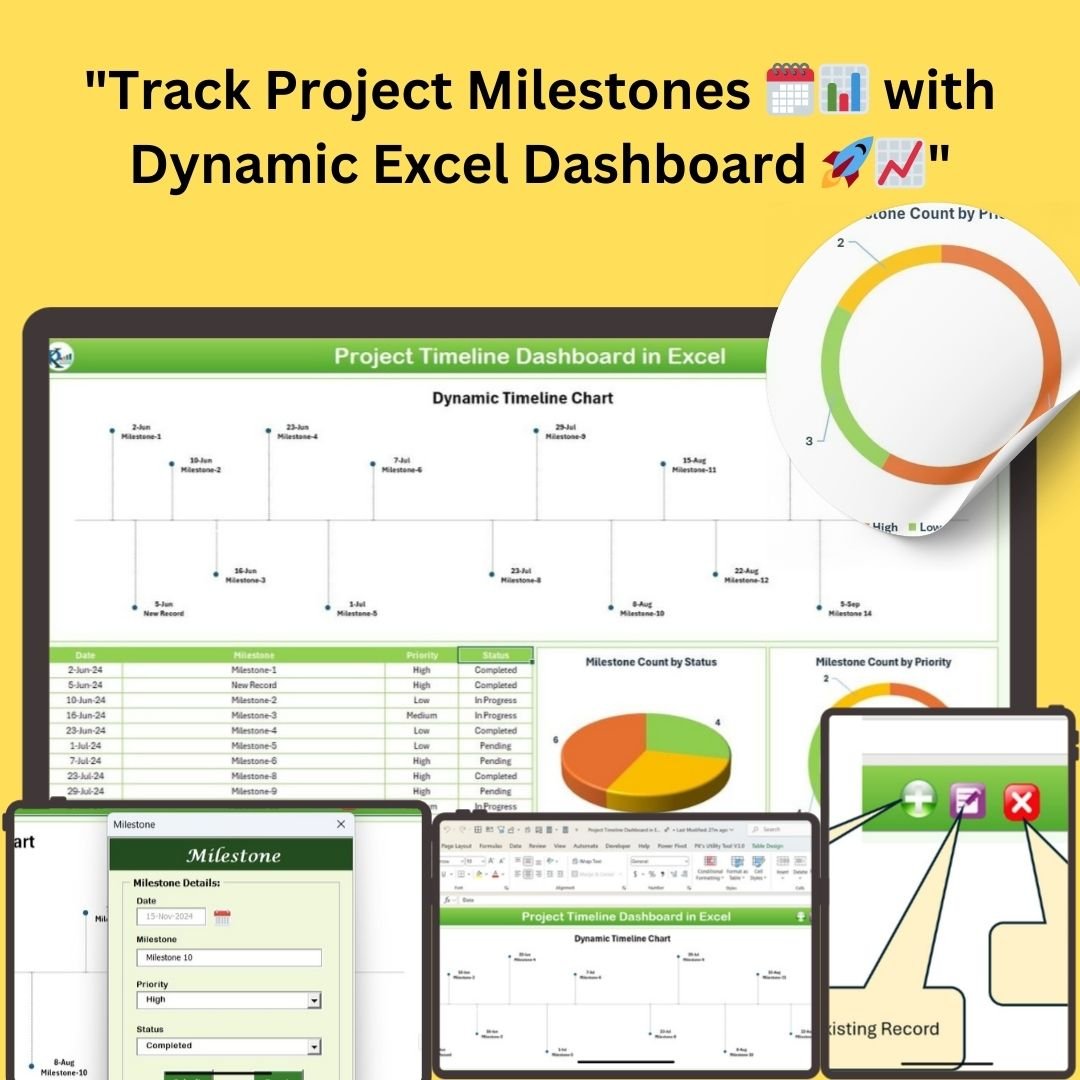

The Project Timeline Dashboard in Excel is a ready-made, macro-enabled Excel template for planning, tracking and reporting project milestones in one place. It is built for project managers and teams who want a clear visual view of deadlines, priorities and progress without building charts from scratch. Add, update or delete milestones with interactive buttons, and the dynamic timeline and charts refresh automatically.

Key Features of the Project Timeline Dashboard in Excel
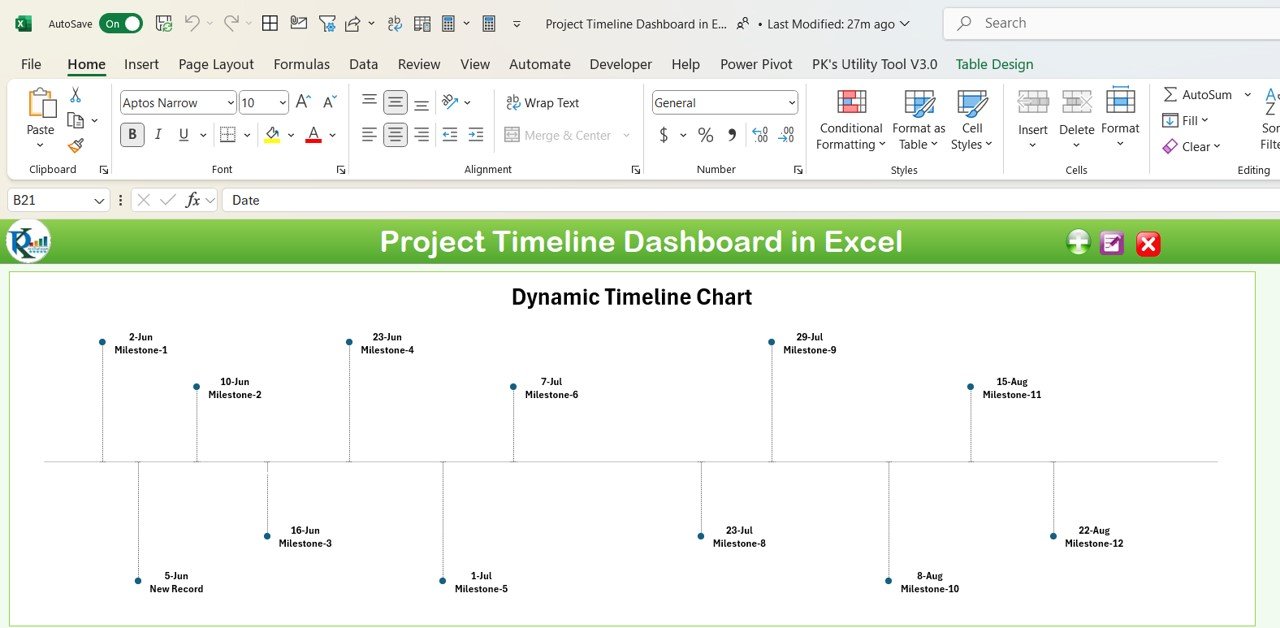
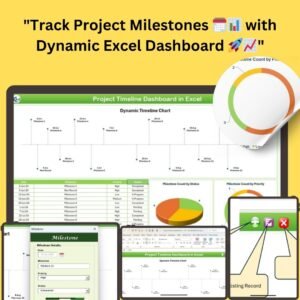
- Dynamic Timeline Chart: The dynamic timeline chart at the top of the dashboard updates automatically as new milestones are added, giving a clear overview of the project timeline and helping you spot where delays might occur.
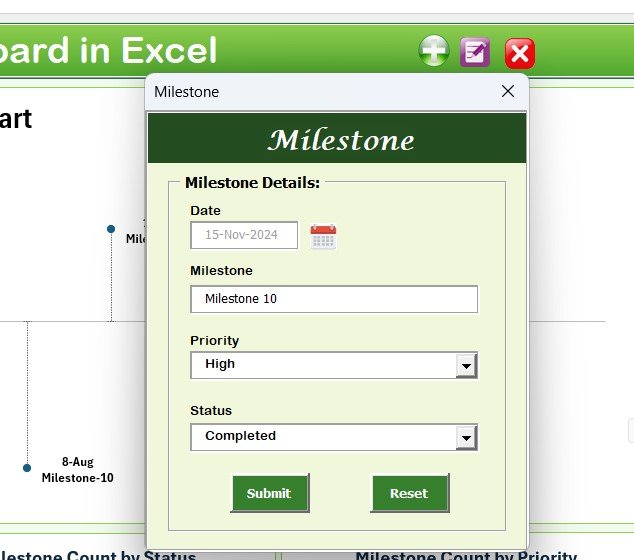
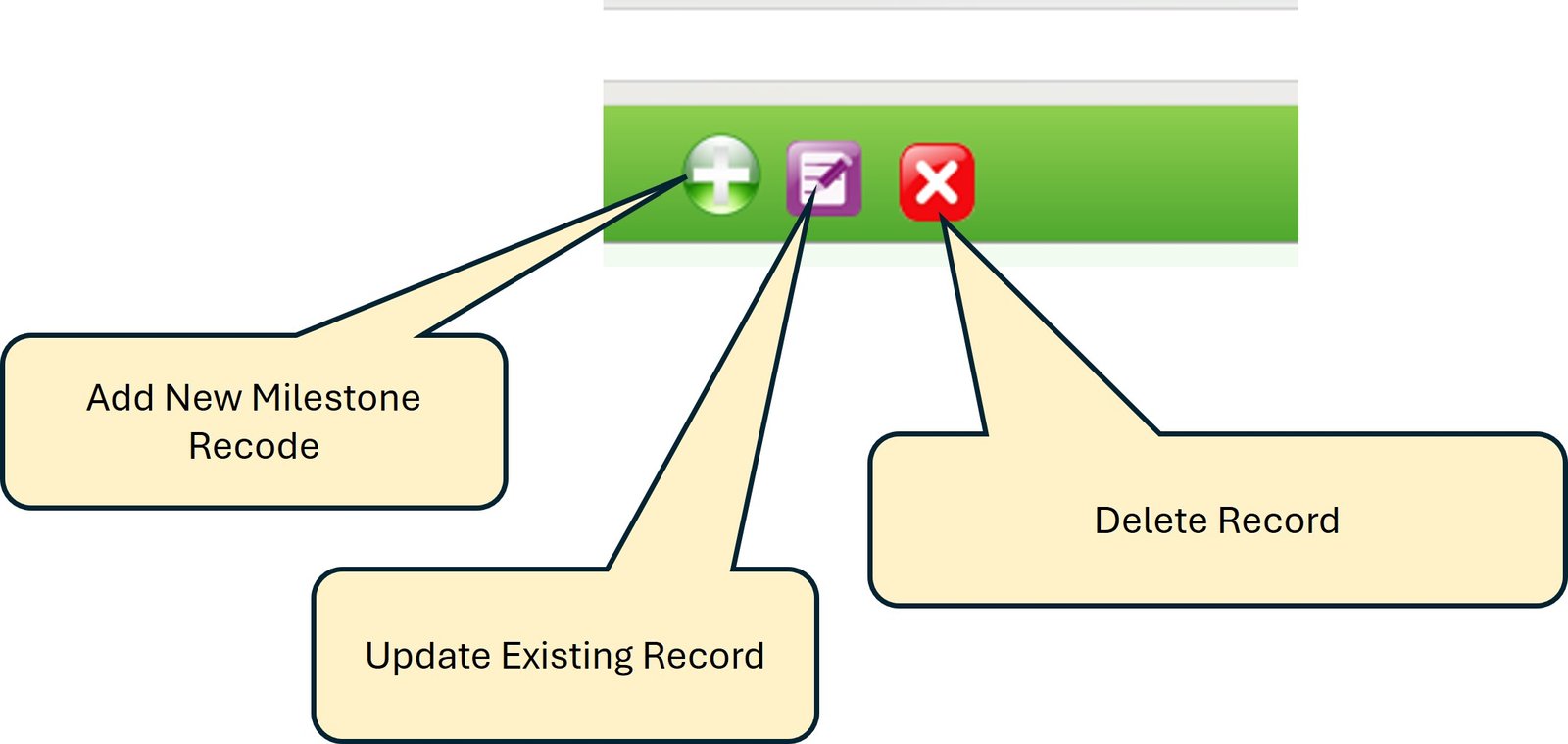
- Easy Record Management: Interactive buttons let you quickly add, update or delete milestone records, so you spend less time on admin work and more time on the project itself.
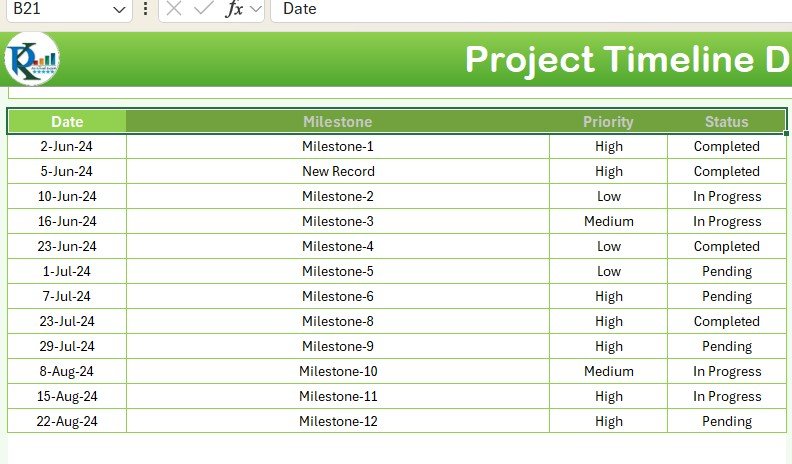
- Data Table for Comprehensive Tracking: Beneath the timeline, a detailed data table captures each milestone’s name, date, priority and status in one central location.
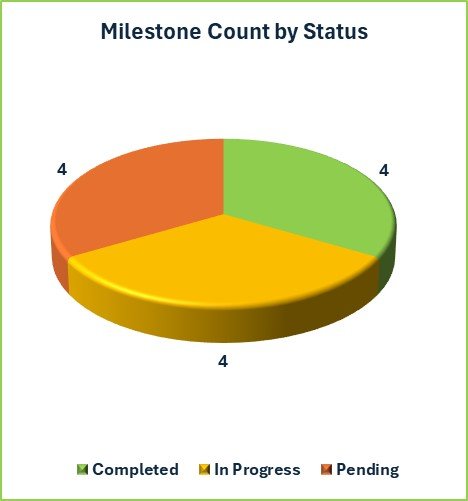
- Status Pie Chart: Shows the count of milestones by status (Completed, In Progress, Pending) so you can see how much work is done versus pending.
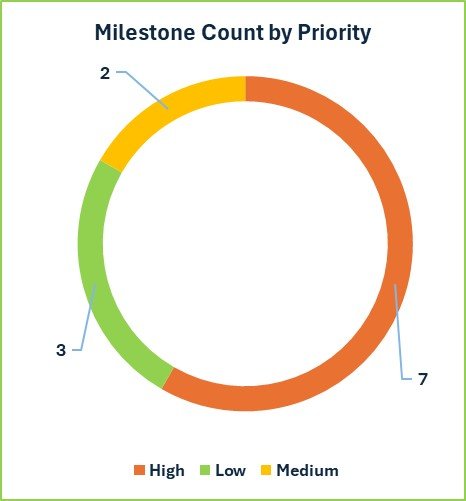
- Priority Doughnut Chart: Breaks milestones down by priority level (High, Medium, Low) to help you focus effort where it matters most.
- Real-Time Updates: The dashboard automatically reflects changes as records are added, keeping your project timeline current for informed decisions.
- Milestone Tracking by Status and Priority: Combine both views to manage critical tasks and keep deadlines on track.
- Customizable: Adjust categories, data fields and charts to match your project requirements, whether you manage a single project or multiple projects.
- Clear Visual Representation: Charts, a timeline and detailed tables together make progress easy to understand and report to stakeholders.
- User-Friendly: An easy-to-navigate interface that keeps project management simple.
What’s Inside: Two Dedicated Worksheets
| Worksheet | Purpose |
|---|---|
| Project Timeline Sheet | The visual hub of the template. It holds the dynamic timeline chart, the milestone data table, the status pie chart, the priority doughnut chart and the interactive buttons for managing records. |
| Support Sheet | A hidden worksheet used for data management. It generates the pivot tables that power the status and priority charts, keeping data processing separate so the main dashboard stays clean and clutter-free. |
Each milestone record in the data table includes the milestone name, date, priority and status, which feed every chart on the dashboard.
Who This Excel Project Management Template Is For
- Project managers who need a quick, visual way to monitor milestones and deadlines.
- Project teams that want a shared, up-to-date view of what is completed, in progress or pending.
- Team leads and coordinators who report progress to stakeholders and want clear charts instead of long status emails.
- Anyone managing a single project or multiple projects who prefers working in Excel and wants a ready-to-use project progress tracker.
Why Choose This Template
- Simplified project management: Interactive features and an easy interface make day-to-day tracking straightforward.
- Real-time tracking: The timeline and charts always show the latest progress.
- Efficient milestone tracking: See the status and priority of every milestone at a glance.
- Comprehensive overview: Milestone counts, priority and status in one dashboard.
How to Use the Project Timeline Dashboard
- Download and unzip the file.
- Open the workbook in Excel and enable macros (the record buttons use VBA). After downloading and unzipping this file, ensure that macros are enabled before use. Refer to our tutorial for step-by-step instructions on enabling macros in Excel: https://www.pk-anexcelexpert.com/4-easy-ways-to-enable-macros-in-excel-vba/
- Go to the Project Timeline sheet and use the interactive buttons to add your milestones with name, date, priority and status.
- Update or delete records with the buttons as your project changes.
- Review the dynamic timeline chart, status pie chart and priority doughnut chart, which refresh automatically, and share the dashboard with stakeholders.
Click here to read the detailed blog post
Watch the Step-by-Step Video Tutorial
Visit our YouTube channel to learn from step-by-step video tutorials: Youtube.com/@PKAnExcelExpert
Frequently Asked Questions
What does the Project Timeline Dashboard in Excel track?
It tracks project milestones with their name, date, priority and status, and visualizes them in a dynamic timeline chart, a status pie chart and a priority doughnut chart.
Do I need to enable macros?
Yes. The interactive buttons for adding, updating and deleting records rely on VBA, so macros must be enabled after you download and unzip the file. Our tutorial linked above explains how.
How many worksheets are included?
Two: the Project Timeline sheet, which is the visual dashboard, and a hidden Support Sheet that builds the pivot tables behind the status and priority charts.
Do the charts update automatically?
Yes. As you add or change milestone records, the timeline and charts update automatically to reflect the latest data.
Can I customize the template?
Yes. You can adjust categories, data fields and charts to suit your project, whether you are tracking one project or several.
Is it suitable for reporting to stakeholders?
Yes. The combination of the timeline, charts and data table gives a clear, visual summary of milestone tracking that is easy to share and explain.
Also check our Download Attachments from Multiple Emails Automatically using VBA
Last updated: October 2026
Compatibility and Requirements
- Microsoft Excel desktop on Windows (Excel 2016 or later, or Microsoft 365).
- Macros must be enabled, because the forms and buttons run on VBA. Microsoft shows how in Enable or disable macros in Microsoft 365 files.
- It does not run in Excel for the web, Google Sheets or the Excel mobile apps.
Related Project Tracking Templates
- Project Milestone Tracking Dashboard in Excel: track milestones on a dedicated dashboard.
- Project Management Dashboard in Excel: status, budget and tasks for one project.
- Multiple Projects Management Dashboard in Excel: compare several projects at once.
- Project Milestone Tracking Dashboard in Google Sheets: milestone tracking in Google Sheets.
- Project Management Pro Bundle: 9 project templates for Excel and Google Sheets.
Browse all Excel project management templates or the Excel dashboards.































Reviews
There are no reviews yet.