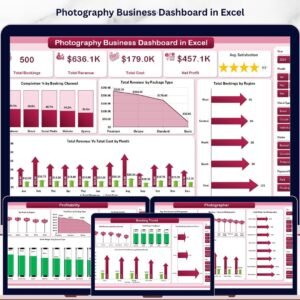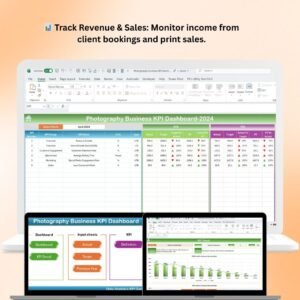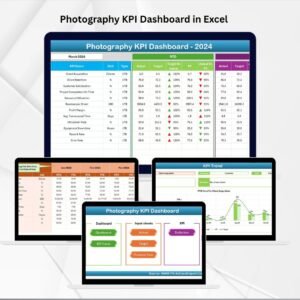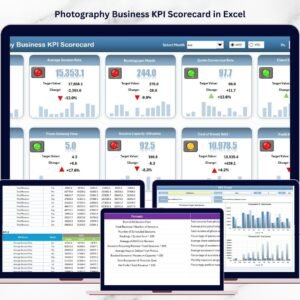


Running a photography business requires much more than artistic creativity and camera skills. Photographers must also manage bookings, track revenue, monitor expenses, evaluate marketing performance, and ensure customer satisfaction. Photography Business KPI Scorecard in Excel Without a structured monitoring system, it becomes difficult to understand how well the business is performing.
Many photography studios rely on scattered spreadsheets or manual reports to track their business metrics. However, this approach often leads to confusion, missed insights, and poor decision-making. This is exactly where the Photography Business KPI Scorecard in Excel becomes an essential business management tool.
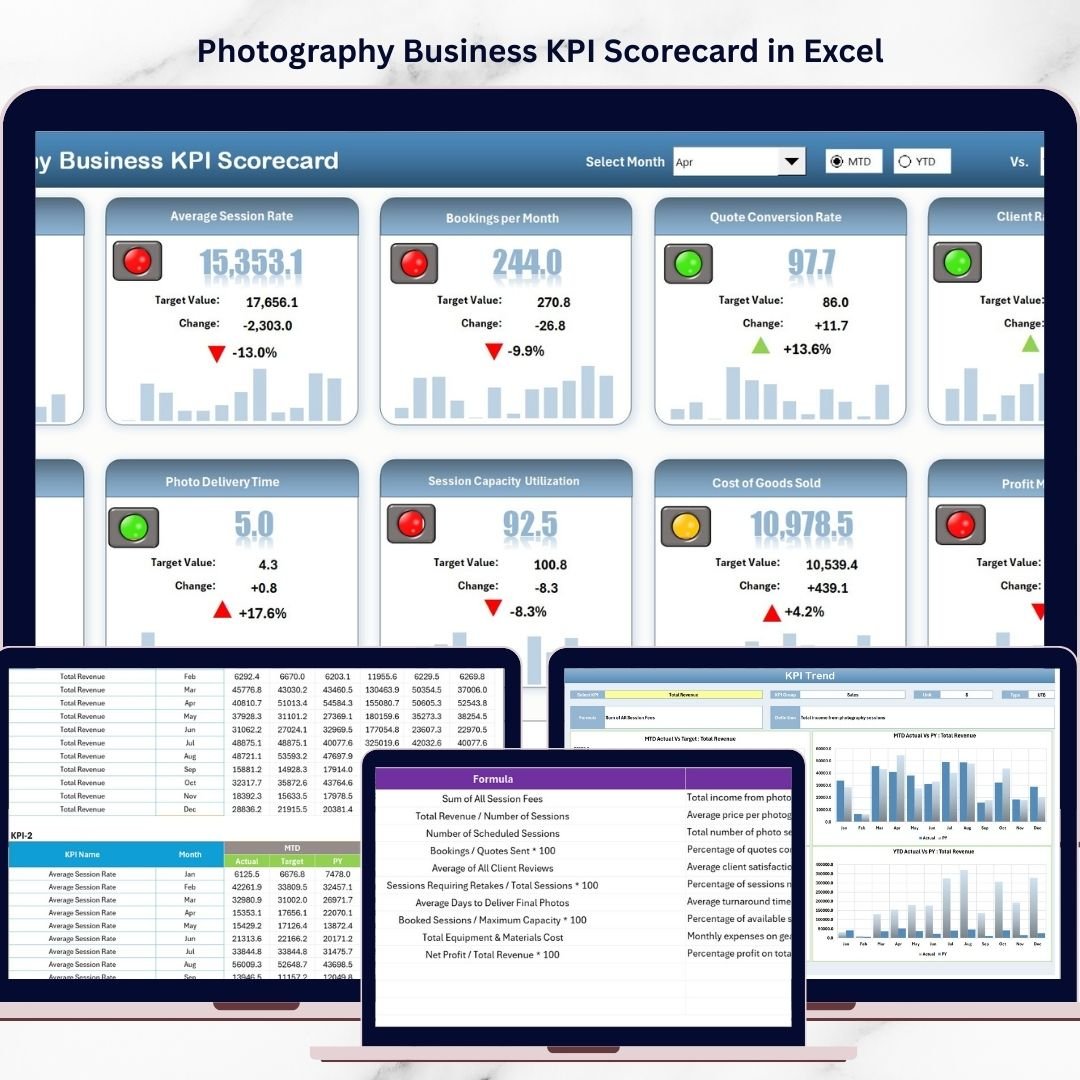
The Photography Business KPI Scorecard in Excel is a ready-to-use performance tracking template designed to monitor the key performance indicators (KPIs) of photography businesses. Using Excel’s powerful features such as charts, automated calculations, conditional formatting, and trend analysis, the scorecard converts raw business data into clear performance insights.
Photography Business KPI Scorecard in Excel Instead of analyzing multiple reports, photographers can instantly evaluate their business performance using a structured scorecard interface. The template allows users to monitor revenue growth, booking trends, marketing performance, operational efficiency, and customer satisfaction metrics in one centralized dashboard.
Because the template is built entirely in Microsoft Excel, it is easy to use, customizable, and accessible for both freelance photographers and large photography studios.
Whether you manage wedding photography, commercial shoots, event photography, or studio sessions, this KPI scorecard provides the insights needed to improve profitability and grow your photography business.
📸 Key Feature of Photography Business KPI Scorecard in Excel
📊 Centralized Business Performance Monitoring
Track all photography business KPIs in one structured scorecard dashboard.
📈 Actual vs Target Performance Comparison
Instantly compare actual results with target values to evaluate business performance.
📉 Month-to-Date and Year-to-Date Tracking
Monitor both short-term and long-term performance indicators.
🎯 Visual KPI Indicators
Color-coded indicators quickly highlight whether KPIs meet or miss targets.
📊 Detailed KPI Trend Analysis
Analyze KPI performance trends using automated charts and historical comparisons.
⚡ Interactive KPI Selection
Users can select specific KPIs to analyze trends and detailed metrics.
📋 Structured KPI Reference Library
Each KPI includes its formula, definition, unit of measurement, and category.
🔧 Fully Customizable Excel Template
Users can easily modify KPIs, targets, and calculations based on their business needs.
📦 What’s Inside the Photography Business KPI Scorecard in Excel
This ready-to-use Excel template includes four structured worksheets designed for effective KPI monitoring.
Scorecard Sheet
The main performance dashboard where photographers can monitor business KPIs through a structured scorecard interface.
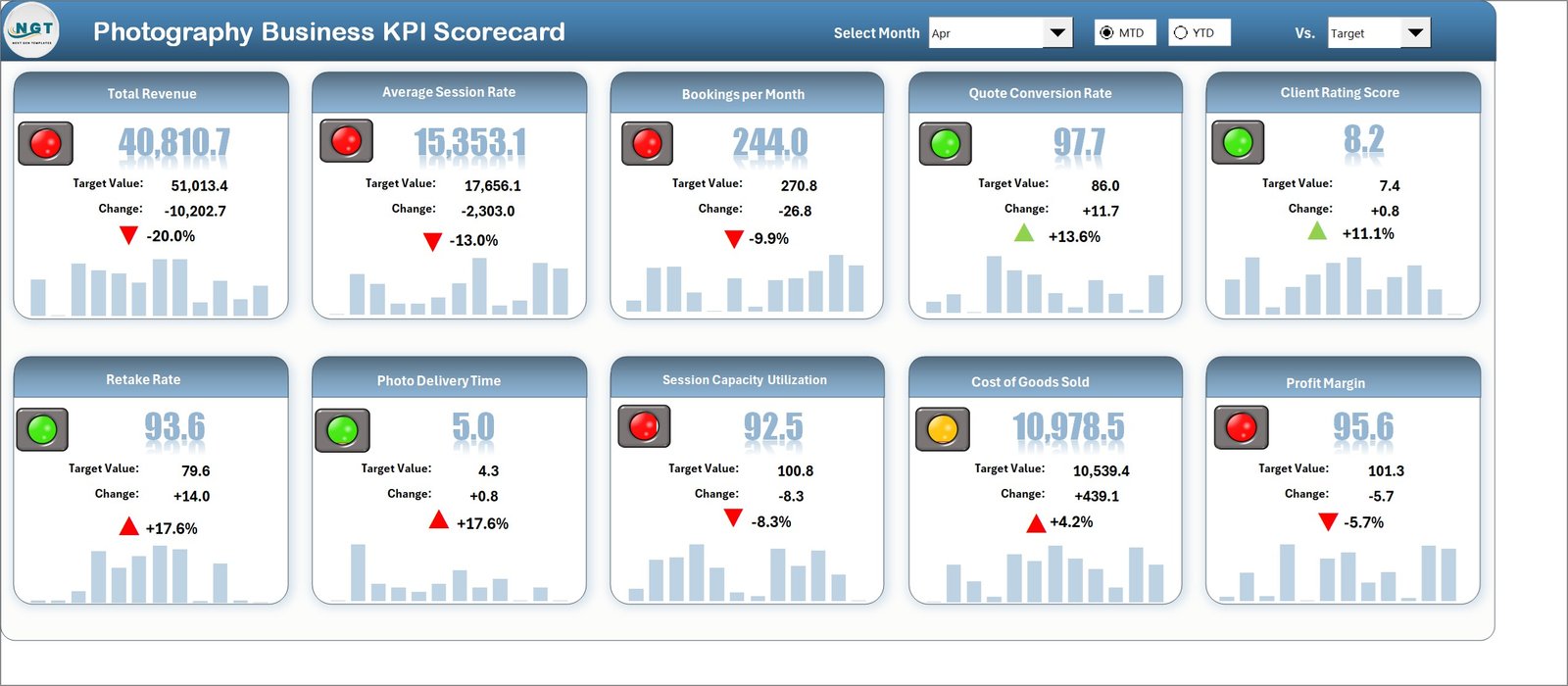
Users can select:
Month
MTD (Month-to-Date)
YTD (Year-to-Date)
This allows users to analyze performance for different time periods.
The scorecard also displays Actual vs Target comparisons and visual performance indicators.
KPI Trend Sheet
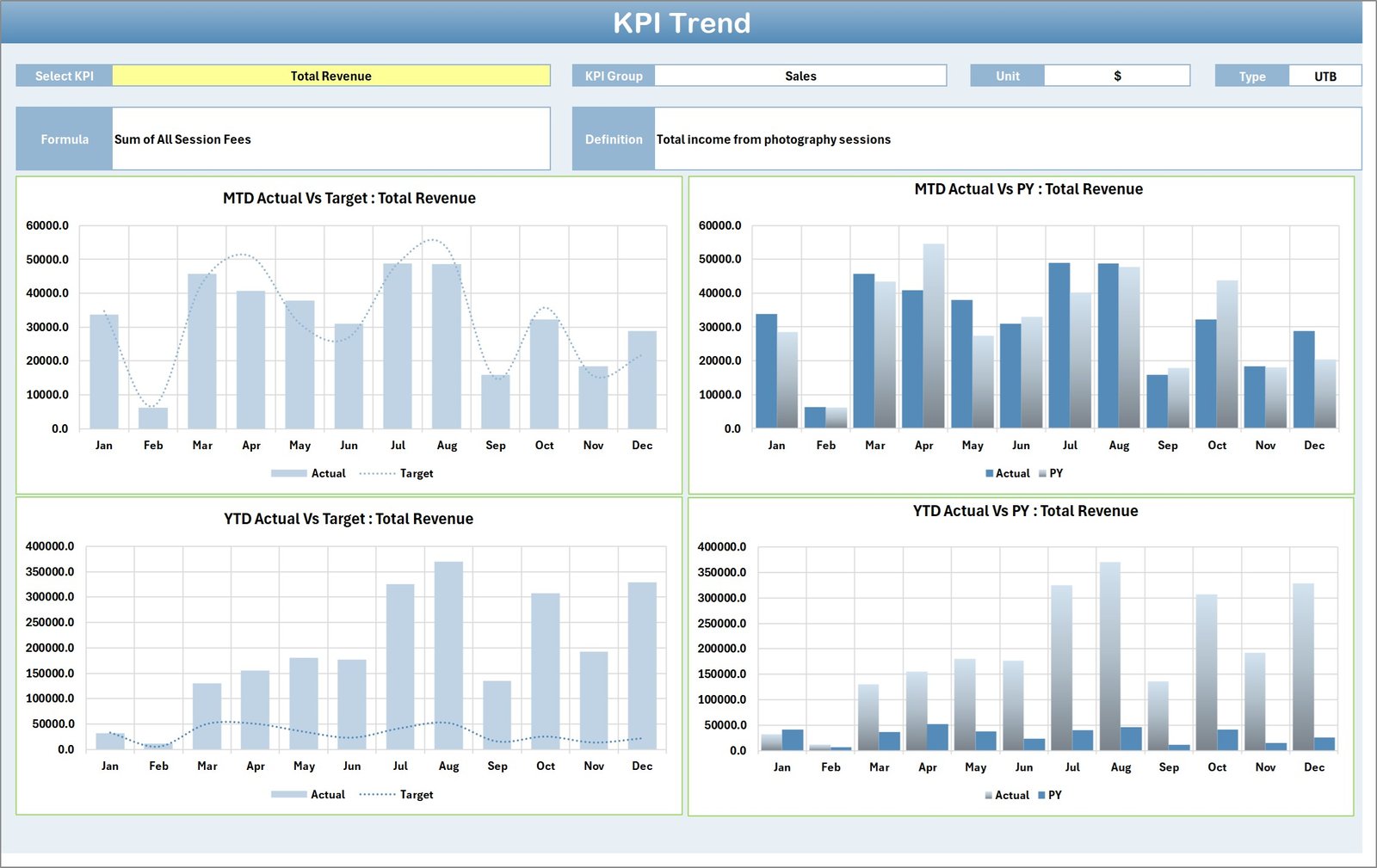
Provides detailed trend analysis for individual KPIs.
Users can select a KPI from the dropdown menu to view performance details such as:
KPI Group
Unit of Measurement
KPI Formula
KPI Definition
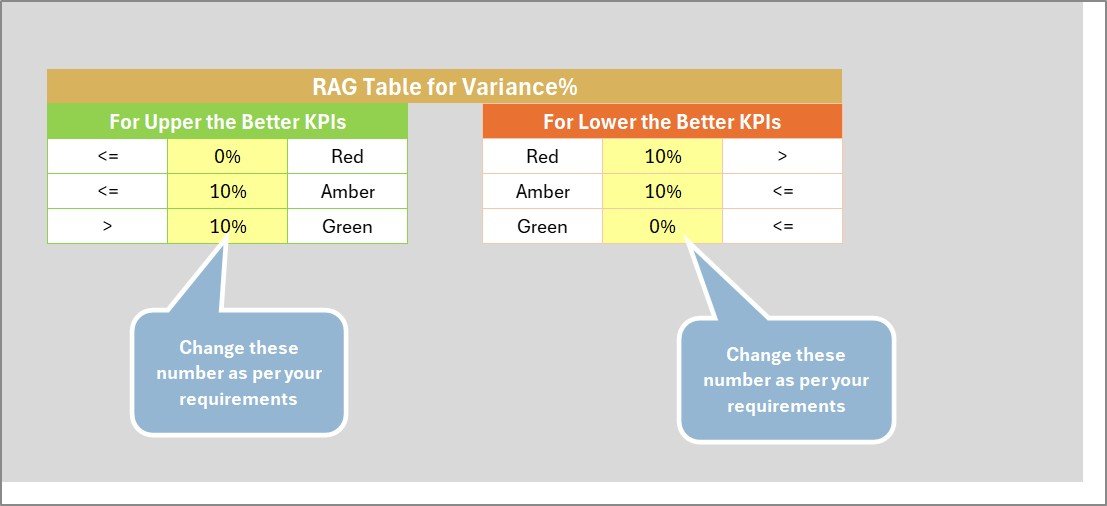
KPI Type (Lower the Better or Upper the Better)
The sheet also includes MTD and YTD trend charts showing current performance, target values, and previous year comparisons.
Input Data Sheet
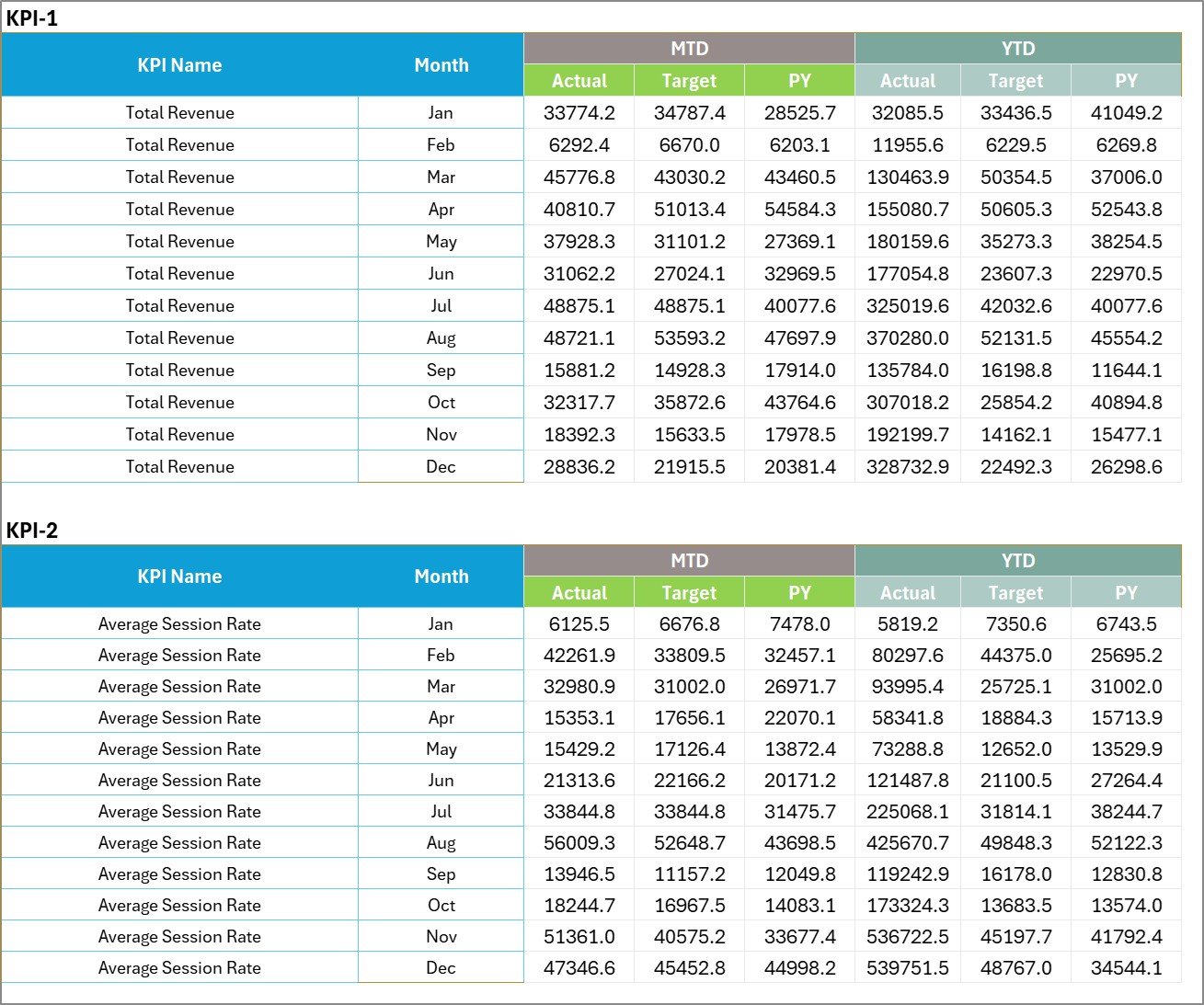
This sheet allows users to enter the actual KPI performance data and target values.
All dashboard calculations automatically update when new data is entered.
KPI Definition Sheet
Acts as a KPI reference library where users can define KPI formulas, measurement units, and explanations.
This ensures consistent KPI tracking across the business.
🧭 How to Use the Photography Business KPI Scorecard in Excel
Using the scorecard is simple and requires only basic Excel knowledge.
Step 1 – Define Business KPIs
Enter KPI details such as KPI name, group, formula, and definition in the KPI Definition Sheet.
Step 2 – Set KPI Targets
Enter monthly or yearly target values for each KPI.
Step 3 – Record Actual Performance Data
Update the Input Data Sheet with actual business performance metrics.
Step 4 – Monitor KPI Dashboard
Use the Scorecard Sheet to analyze performance indicators and target comparisons.
Step 5 – Analyze Performance Trends
Review the KPI Trend Sheet to understand business growth patterns and performance trends.
This process helps photographers evaluate business performance and make informed decisions.
👥 Who Can Benefit from This Photography Business KPI Scorecard
This template is useful for professionals and organizations working in the photography industry.
📸 Photography studios
📷 Freelance photographers
💍 Wedding photographers
🏢 Commercial photography agencies
📊 Photography business consultants
🎯 Marketing teams managing photography services
Any photography business looking to improve profitability, operational efficiency, and performance tracking can benefit from this KPI scorecard.
Click hare to read the Detailed blog post
Visit our YouTube channel to learn step-by-step video tutorials
👉 https://youtube.com/@PKAnExcelExpert
Watch the step-by-step video tutorial:
Compatibility and Requirements
- Works in Microsoft Excel desktop (Excel 2016 or later, or Microsoft 365).
- You pick the KPI on the KPI Trend sheet from a dropdown. Microsoft explains dropdown lists in Create a drop-down list.
Frequently Asked Questions
Which sheets are included?
Four sheets: Scorecard, KPI Trend, Input Data and KPI Definition.
How do I update the scorecard?
Enter your actual figures and your targets on the Input Data sheet. The Scorecard sheet recalculates when you pick a month and choose MTD or YTD.
Can I add my own KPIs?
Yes. The template is customizable. Define each KPI’s name, group, unit, formula and definition on the KPI Definition sheet, and set its targets.
What does the KPI Trend sheet show?
Pick a KPI from the dropdown to see its group, unit, formula, definition and type (Lower the Better or Upper the Better). MTD and YTD trend charts show actuals, targets and previous year values.
Is there a Google Sheets or Power BI version?
There are dashboard versions for both. See the Photography Business KPI Dashboard in Google Sheets and the Photography Business KPI Dashboard in Power BI.
Related Photography and KPI Templates
- Photography Business KPI Dashboard in Excel: a dashboard view of the same business
- Photography Business Dashboard in Excel: a wider business dashboard in Excel
- Photography Business KPI Dashboard in Google Sheets: the Google Sheets edition
- Freelance Business KPI Scorecard in Excel: a scorecard for freelancers
- Small Business KPI Scorecard in Excel: a general small business scorecard
Browse all Excel KPI dashboards.