

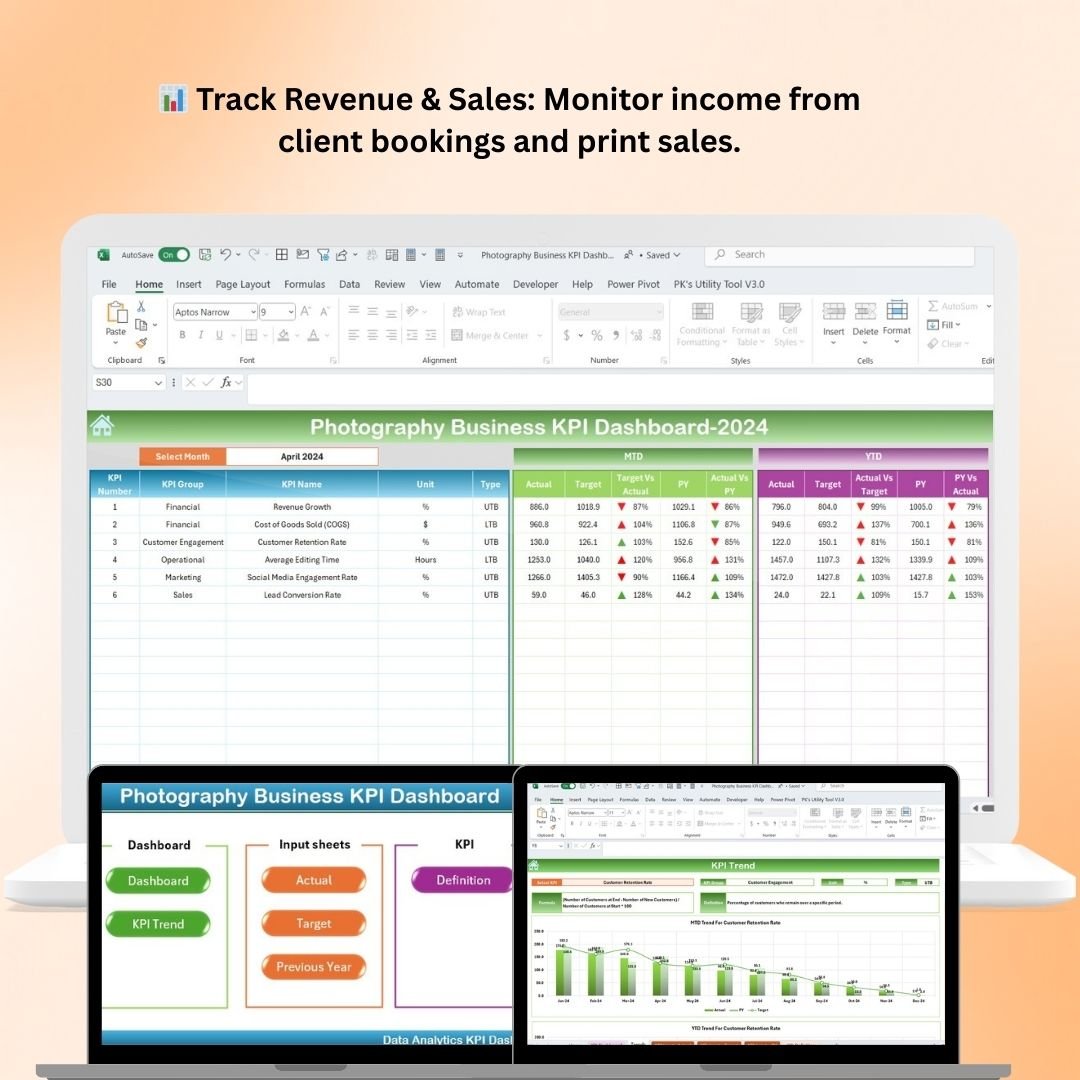
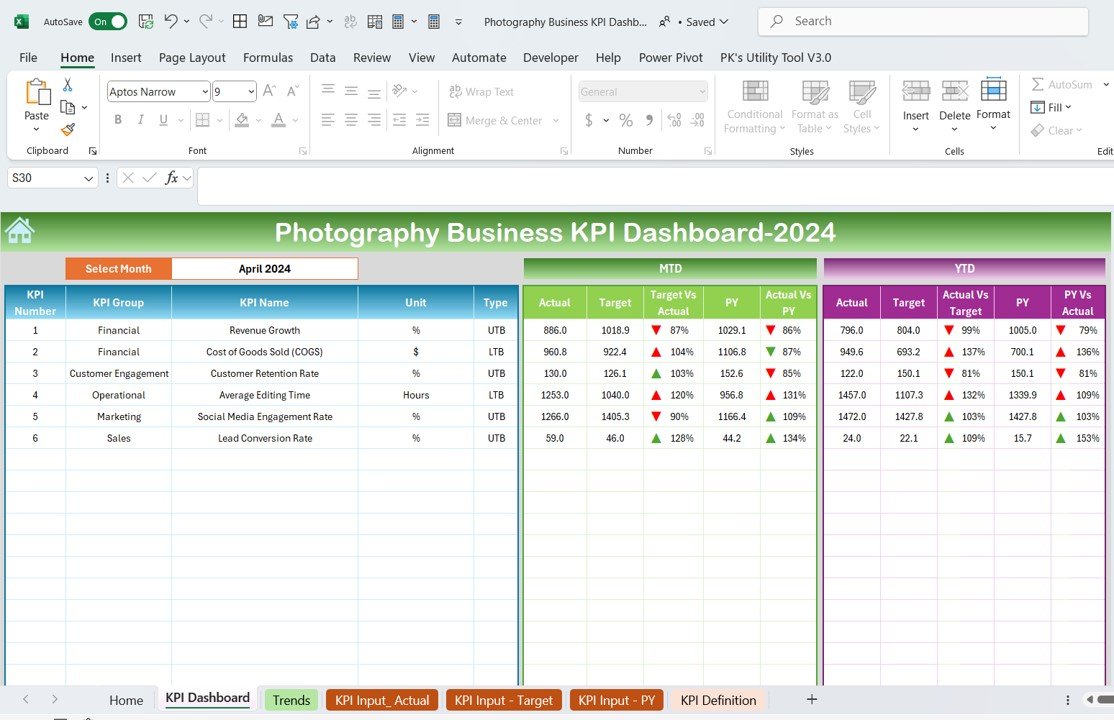
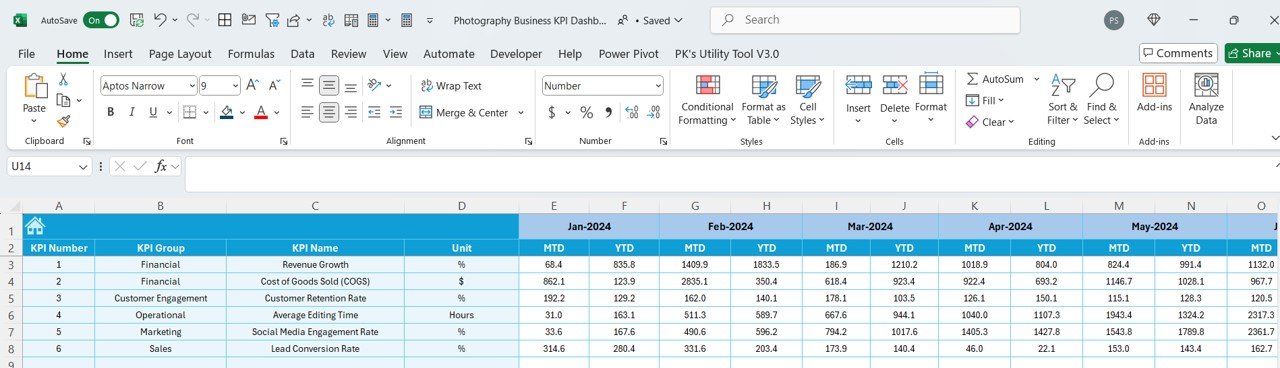
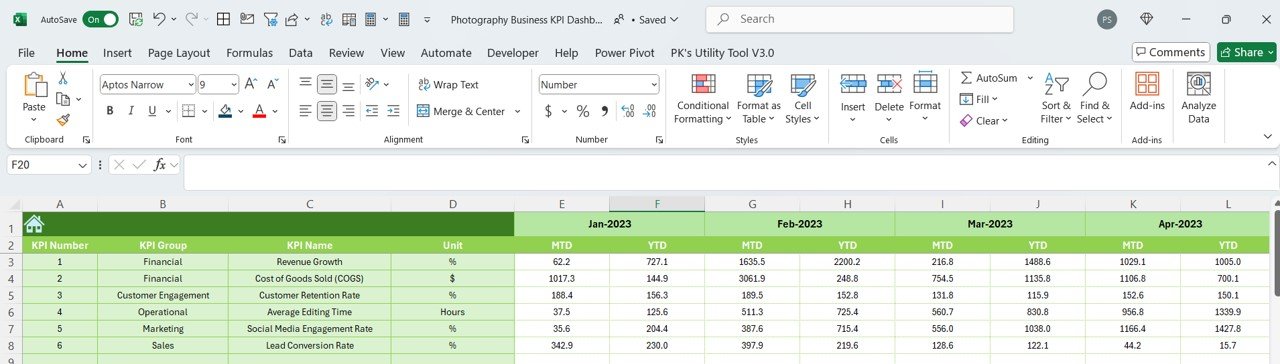
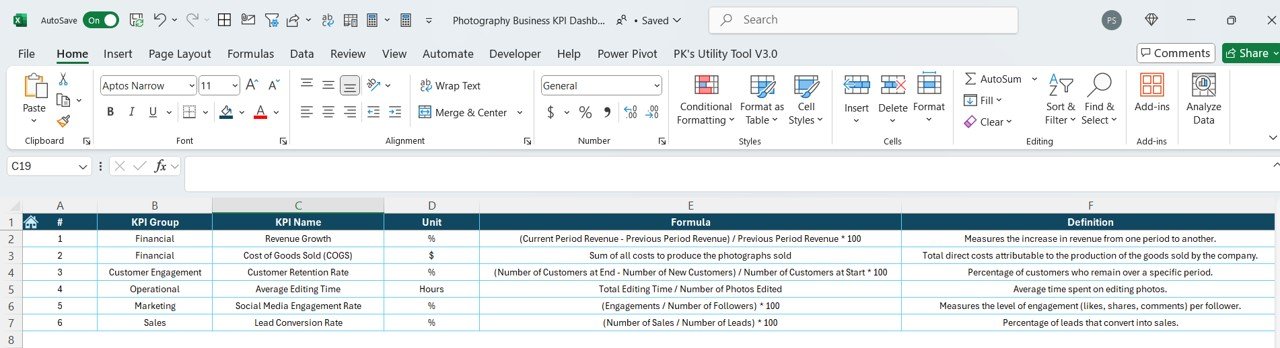

The Photography Business KPI Dashboard in Excel is an essential tool for photographers and photography studios looking to track and optimize their business performance. This Excel-based dashboard provides a comprehensive overview of key performance indicators (KPIs) such as revenue, client bookings, expenses, project completion rates, and more, helping you make data-driven decisions to grow your photography business.
With easy-to-read charts, graphs, and real-time data updates, this dashboard helps you track the most important aspects of your business in one place. Whether you’re a freelance photographer or managing a photography studio, this customizable dashboard helps you keep track of your goals, monitor financial health, and ensure that you’re meeting client expectations.
Key Features of the Photography Business KPI Dashboard in Excel
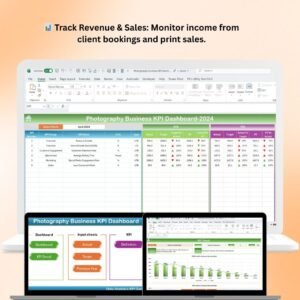
📊 Track Revenue & Sales
Monitor income from different sources, such as client bookings, print sales, and digital products. Track your revenue growth and identify high-performing services to boost sales.
📈 Client Bookings & Project Tracking
Keep track of client bookings, project status, and timelines. Monitor project completion rates to ensure timely delivery and client satisfaction.
💰 Expense Tracking & Profitability
Track business expenses including marketing, equipment, and software costs. Measure your profitability by comparing revenue against expenses and make adjustments as needed.
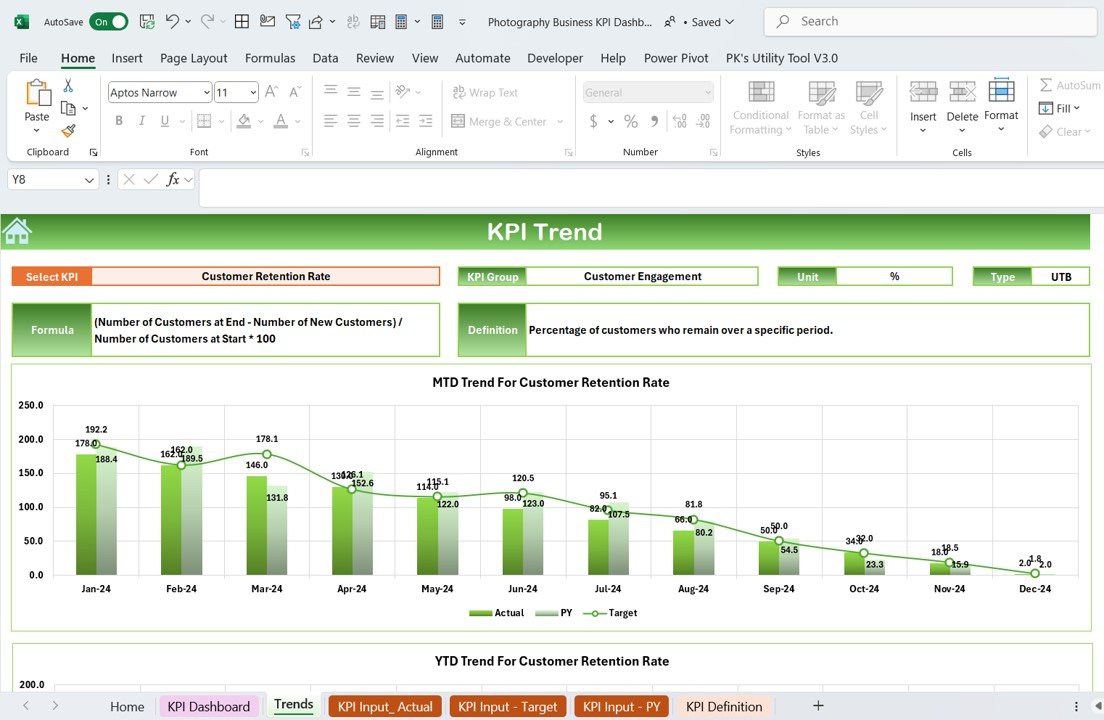
🗓️ Booking Trends & Seasonal Analysis
Analyze booking trends over time and identify peak seasons for photography services. Plan marketing and promotional efforts around these trends to maximize sales.
🖥️ Customizable & Interactive Layout
Customize the dashboard according to your specific business needs. Adjust KPIs, time periods, and data visualization settings to match your business objectives and make the dashboard your own.
📅 Real-Time Data Tracking
Stay up-to-date with real-time data and gain a clear picture of your business’s health at any given moment. Monitor all key metrics in one place and take immediate action to improve performance.
Why You’ll Love the Photography Business KPI Dashboard in Excel
✅ Optimize Business Performance
Track revenue, bookings, expenses, and client satisfaction in one place to optimize your business operations and increase profitability.
✅ Track Project Timelines & Client Satisfaction
Monitor the status of your client projects and ensure that you’re meeting deadlines. Track client satisfaction with completed projects and use insights to improve your service delivery.
✅ Control Your Finances
Manage expenses effectively and track your profitability to ensure your business stays financially healthy. With this dashboard, you’ll always know your bottom line.
✅ Make Data-Driven Decisions
Use real-time data to identify trends, monitor performance, and adjust your business strategies accordingly. Make informed decisions to grow your photography business.
✅ Fully Customizable for Your Needs
The dashboard is fully customizable to meet the unique needs of your photography business. Filter data by service type, client, or time period for deeper insights into your performance.
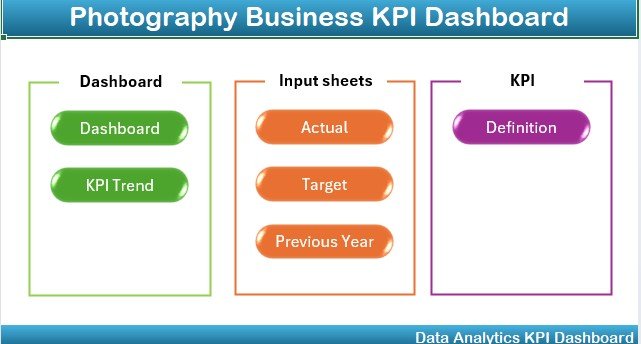
What’s Inside the Photography Business KPI Dashboard Template in Excel?
- Revenue & Sales Tracking: Monitor income from client bookings, print sales, and digital products.
- Client & Project Tracking: Keep track of client bookings, project status, and timelines.
- Expense & Profitability Monitoring: Track expenses and calculate profitability.
- Booking Trends Analysis: Analyze seasonal booking trends and adjust your marketing strategy accordingly.
- Customizable Visualizations: Adjust KPIs, time periods, and chart styles for tailored insights.
- Real-Time Data Updates: Stay updated with real-time performance tracking.
How to Use the Photography Business KPI Dashboard in Excel
1️⃣ Download the Template: Get instant access to the Photography Business KPI Dashboard in Excel.
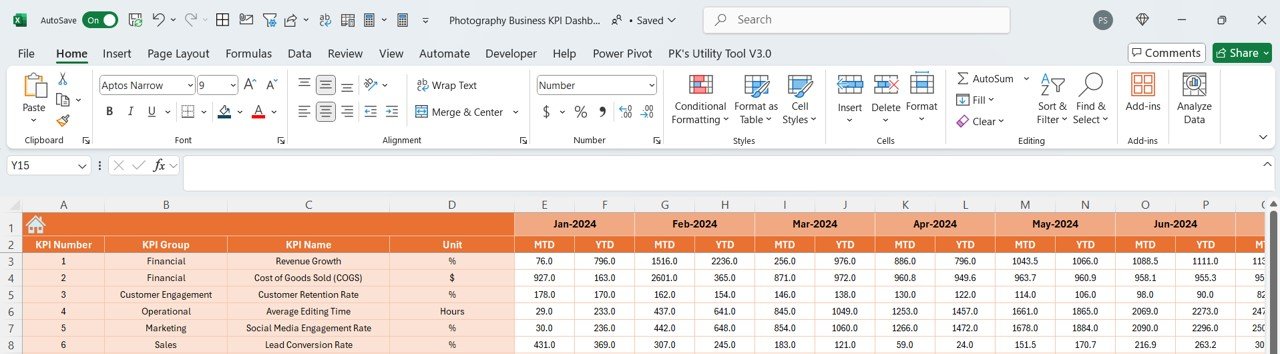
2️⃣ Input Your Business Data: Enter your revenue, client bookings, project status, and expenses into the dashboard.
3️⃣ Track & Monitor KPIs: Use the dashboard to track revenue, bookings, expenses, and more.
4️⃣ Analyze Trends & Adjust Strategies: Use data insights to adjust your marketing, bookings, and business strategies.
5️⃣ Generate Reports & Insights: Create customized reports to share with clients, stakeholders, or for internal analysis.
Who Can Benefit from the Photography Business KPI Dashboard in Excel?
🔹 Freelance Photographers
🔹 Photography Studio Owners
🔹 Event Photographers
🔹 Portrait & Wedding Photographers
🔹 Marketing & Sales Teams for Photography Businesses
🔹 Business Analysts & Consultants in the Photography Industry
Optimize your photography business and boost performance with the Photography Business KPI Dashboard in Excel. Track revenue, bookings, expenses, and client satisfaction to ensure you’re making the most out of every opportunity.
Click here to read the Detailed blog post
Visit our YouTube channel to learn step-by-step video tutorials
Youtube.com/@PKAnExcelExpert






























Reviews
There are no reviews yet.