



Running a successful photography business is not just about capturing stunning images—it’s also about managing performance, tracking growth, and making smarter business decisions. That’s where the Photography KPI Dashboard in Excel comes in. This ready-to-use Excel template is designed to help photographers, studios, and agencies measure the metrics that matter most.
From client bookings to revenue growth and project delivery timelines, this dashboard gives you complete visibility over your photography operations. Whether you are a freelance photographer, a wedding studio, or a corporate photography service, this tool helps you align your creativity with solid business insights.
✨ Key Features of Photography KPI Dashboard in Excel
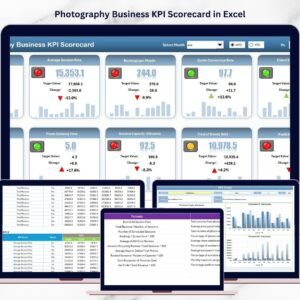
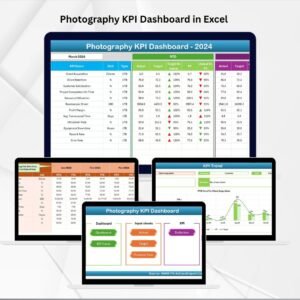
🖥 Interactive Dashboard – Track MTD & YTD performance with instant updates and conditional formatting (up/down arrows).
📊 KPI Trend Analysis – Select any KPI from the dropdown and view long-term performance trends.
📂 7 Structured Worksheets – Includes Home, Dashboard, KPI Trend, Actual Numbers Input, Target, Previous Year Numbers, and KPI Definition sheets.
🎯 Target vs Actual Tracking – Compare results against targets and last year’s performance.
⚡ Quick Navigation – Home sheet with shortcut buttons saves time moving across sheets.
💰 Cost-Effective Tool – Built in Excel, no expensive software required.
🛠 Customizable – Add or remove KPIs based on your business needs.
📂 What’s Inside the Photography KPI Dashboard
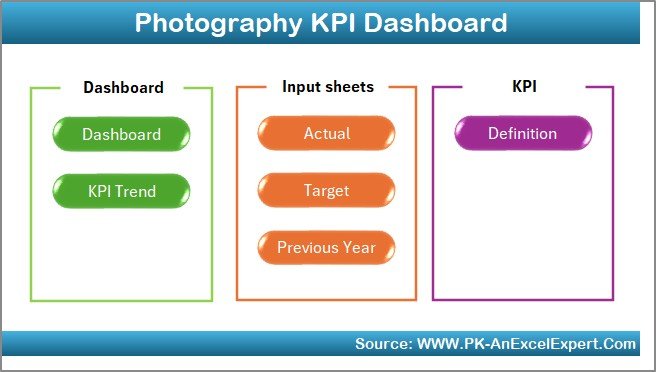
Home Sheet – Central hub with navigation buttons.
Dashboard Sheet – Main performance tracker with visuals for MTD, YTD, Targets, and Previous Year comparisons.
KPI Trend Sheet – Drill down into individual KPIs with charts and progress insights.
Actual Numbers Input – Enter monthly data in a structured format.
Target Sheet – Set MTD and YTD targets for all KPIs.
Previous Year Numbers – Compare last year’s results with current performance.
KPI Definition Sheet – Standardized KPI definitions with formula, unit, and type (UTB/LTB).
📖 How to Use the Photography KPI Dashboard
Set Up – Define KPIs in the definition sheet and record last year’s data.
Update Monthly – Input actual numbers and targets for each KPI.
Analyze Performance – Open the dashboard, select a month, and review MTD/YTD vs. targets.
Track Trends – Use the KPI Trend sheet for deeper insights.
Take Action – Identify weak areas, adjust strategy, and improve results.
👥 Who Can Benefit from This Dashboard?
Freelance Photographers – Manage client bookings, revenue, and timelines.
Wedding & Event Studios – Track multiple projects, deadlines, and satisfaction levels.
Corporate Photography Teams – Ensure accountability and performance tracking across staff.
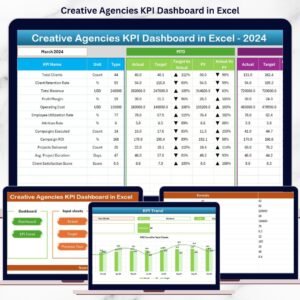
Creative Agencies – Combine artistic work with structured performance measurement.
With this dashboard, you’ll balance your artistic vision with business growth strategies.
✅ Click here to read the Detailed blog post
Visit our YouTube channel to learn step-by-step video tutorials
Watch the step-by-step video tutorial:
Compatibility and Requirements
- Works in Microsoft Excel desktop (Excel 2016 or later, or Microsoft 365).
- You pick the KPI on the KPI Trend sheet from a dropdown. Microsoft explains dropdowns in Create a drop-down list.
Frequently Asked Questions
Which worksheets are included?
Seven worksheets: Home, Dashboard, KPI Trend, Actual Numbers Input, Target, Previous Year Numbers and KPI Definition.
How do I update the dashboard?
Enter your monthly figures in the Actual Numbers Input sheet and your MTD and YTD targets in the Target sheet. Then open the Dashboard sheet and select a month.
Can I compare this year with last year?
Yes. Add last year’s results to the Previous Year Numbers sheet and the Dashboard shows them next to your actuals and targets.
Can I add my own KPIs?
Yes. The template is customizable, so you can add or remove KPIs to match your photography business. Describe each one in the KPI Definition sheet with its formula, unit and type (UTB or LTB).
Is there a Google Sheets or Power BI version?
Yes. See the Photography Business KPI Dashboard in Google Sheets and the Photography Business KPI Dashboard in Power BI.
Related Photography Templates
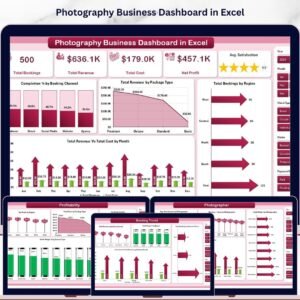
- Photography Business KPI Dashboard in Excel: another KPI dashboard for a photography business
- Photography Business KPI Scorecard in Excel: a scorecard view of your photography KPIs
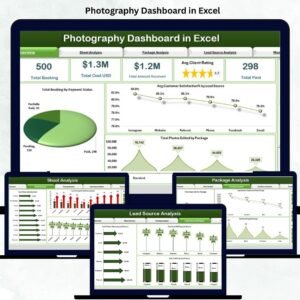
- Photography Dashboard in Excel: a general photography performance dashboard
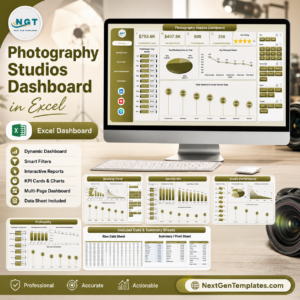
- Photography Studios Dashboard in Excel: a dashboard for studio operations
- Photography Session Checklist in Excel: a checklist for shoot days
Browse all Excel KPI dashboards.





Reviews
There are no reviews yet.