



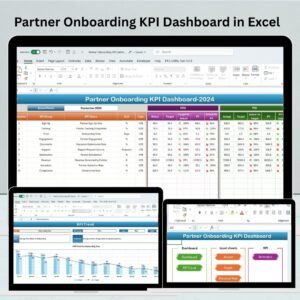
The Partner Onboarding KPI Dashboard in Excel is a valuable tool designed to help businesses manage and track the onboarding process of their partners effectively. Whether you’re dealing with resellers, distributors, or other strategic partners, this dashboard provides a clear and structured view of the onboarding process, helping to streamline communication, improve efficiency, and ensure that all milestones are met.
From the initial partner registration to final approval and integration into your business, the dashboard allows you to monitor each step of the process, track partner performance, and measure the success of the onboarding process. This Excel-based tool is customizable, ensuring that it fits your specific business needs while providing detailed insights into partner progress.
Key Features of the Partner Onboarding KPI Dashboard in Excel
📋 Partner Registration & Details Tracking
Track important partner details such as registration dates, contact information, and business type. This allows you to have all partner information organized in one place for easy reference.
📝 Onboarding Progress Monitoring
Monitor the progress of each partner throughout the onboarding process. The dashboard provides a clear view of milestones such as training completion, document submission, and other key steps in the process.
🎯 Performance Tracking & KPI Monitoring
Monitor key performance indicators (KPIs) such as partner engagement, sales performance, and completion of onboarding tasks. This helps you identify high-performing partners and areas for improvement.
⏱ Time-Based Tracking
Track the time spent at each stage of the onboarding process, including training, document verification, and integration into your business. This helps to identify delays and optimize the process.
📈 Partner Feedback & Evaluation
Collect feedback from partners regarding the onboarding experience. Track satisfaction levels, identify areas for improvement, and enhance the overall partner experience.
⚙️ Customizable & Scalable Dashboard
The dashboard is fully customizable to meet your specific partner onboarding process. Adjust KPIs, change data sources, and add new fields to reflect your business needs.
Why You’ll Love the Partner Onboarding KPI Dashboard in Excel

✅ Streamline Partner Onboarding
Organize and streamline the onboarding process, from registration to final approval, ensuring that everything runs smoothly and efficiently.
✅ Monitor Partner Performance
Track KPIs and performance metrics to understand how well your partners are progressing through the onboarding process and how engaged they are.
✅ Identify Bottlenecks & Optimize Processes
Analyze the time spent at each stage of the onboarding process to identify inefficiencies and implement strategies for faster and more effective onboarding.
✅ Improve Communication & Engagement
Keep track of partner feedback and engagement throughout the process. Use insights to improve your partner relationships and ensure a positive onboarding experience.
✅ Customizable to Fit Your Needs
Easily tailor the dashboard to reflect your specific business needs and requirements. Whether you have a small number of partners or are managing a large-scale onboarding process, this tool can scale with you.
What’s Inside the Partner Onboarding KPI Dashboard in Excel?
Partner Registration & Details Tracking: Store partner contact information and registration details in one place.
Onboarding Progress Monitoring: Track the completion of milestones in the onboarding process.
Performance Tracking & KPI Monitoring: Monitor key performance indicators to track partner progress.
Time-Based Tracking: Track time spent on each stage of the onboarding process.
Partner Feedback & Evaluation: Collect feedback and measure partner satisfaction.
Customizable Dashboard: Adapt the dashboard to your business needs with custom fields and KPIs.
How to Use the Partner Onboarding KPI Dashboard in Excel
1️⃣ Download the Template: Instantly access the Partner Onboarding KPI Dashboard in Excel.
2️⃣ Input Partner Details: Add details such as registration date, contact information, and business type.
3️⃣ Monitor Onboarding Progress: Track each step of the onboarding process and monitor milestones.
4️⃣ Track Partner Performance: Monitor KPIs such as partner engagement, sales performance, and task completion.
5️⃣ Analyze & Optimize: Use the insights to improve the onboarding process and optimize performance.
Who Can Benefit from the Partner Onboarding KPI Dashboard in Excel?
🔹 Partner Managers & Relationship Managers
🔹 Sales & Marketing Teams
🔹 Business Development & Growth Teams
🔹 Human Resources & Training Departments
🔹 Small & Medium Enterprises (SMBs)
🔹 Large Enterprises with Strategic Partner Networks
Ensure a smooth and efficient partner onboarding process with the Partner Onboarding KPI Dashboard in Excel. Track progress, performance, and feedback, and use data to optimize your partner onboarding and engagement strategies.
Click here to read the Detailed blog post
Visit our YouTube channel to learn step-by-step video tutorials
Youtube.com/@PKAnExcelExpert
Compatibility and Requirements
- Works in Microsoft Excel desktop (Excel 2016 or later, or Microsoft 365).
- Microsoft’s guide Create a chart from start to finish explains the Excel feature this file is built on.
Frequently Asked Questions
What does the Partner Onboarding KPI Dashboard in Excel track?
It tracks partner registration details, onboarding milestones such as training and document submission, time spent at each stage, partner KPIs and partner feedback.
Which partner details can I record?
Registration date, contact information and business type for each partner.
Can I find where onboarding slows down?
Yes. Time based tracking shows how long each stage takes, such as training, document checks and integration.
Can I change the KPIs?
Yes. You can adjust KPIs, change data sources and add new fields.
Related Partner Templates
- Partner Onboarding KPI Dashboard in Google Sheets: the same dashboard in your browser
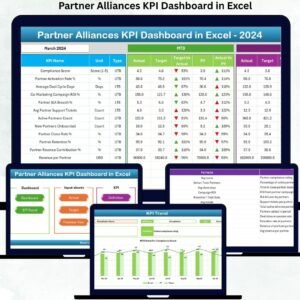
- Partner Alliances KPI Dashboard in Excel: KPIs for partner programs
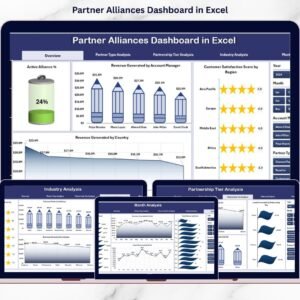
- Partner Alliances Dashboard in Excel: a data dashboard for alliances
- Corporate Partnership Request Tracker in Google Sheets: log partnership requests
Browse all Excel KPI dashboards or the Excel sales and marketing templates.






























Reviews
There are no reviews yet.