



The Medical Research KPI Dashboard in Excel is an essential tool for researchers, lab managers, and medical professionals engaged in clinical and preclinical research. This Excel-based dashboard enables you to track key performance indicators (KPIs) related to medical research projects, including patient recruitment, study progress, data quality, and research milestones, providing you with real-time insights into the efficiency and success of your studies.
With interactive features, customizable options, and automated tracking, this dashboard allows you to effectively monitor the performance of medical research projects, ensuring that goals are met on time and within budget, while maintaining high-quality standards.

Key Features of the Medical Research KPI Dashboard in Excel:
🔬 Study Progress Tracking
Monitor the progress of your medical research studies, including recruitment, data collection, and study completion, helping you stay on schedule and meet deadlines.
👩🔬 Patient Recruitment Monitoring
Track patient recruitment efforts and ensure that enrollment targets are being met, helping you optimize the recruitment process and reduce delays.
📊 Data Quality Monitoring
Monitor the quality of data being collected during the study, ensuring that it meets the required standards for analysis and reporting.
🎯 Research Milestones and Goals
Track key milestones and objectives in your medical research projects, ensuring that each phase of the study is completed on time and within budget.
💰 Cost and Budget Tracking
Track costs associated with research studies, including recruitment, equipment, and personnel expenses, ensuring that your projects remain cost-effective.
🚀 Why You’ll Love the Medical Research KPI Dashboard in Excel:
✅ Track Study Progress – Stay on top of your research projects by tracking study progress, ensuring that all phases are completed on time and within scope.
✅ Optimize Patient Recruitment – Monitor recruitment efforts to ensure that patient enrollment meets study requirements and deadlines.
✅ Ensure Data Quality – Track the quality of data being collected to ensure it meets research standards and supports reliable results.
✅ Monitor Research Milestones – Track progress toward key research milestones to stay aligned with project goals and timelines.
✅ Control Research Costs – Track expenses related to research, ensuring that your projects stay within budget and do not exceed financial limits.
✅ Fully Customizable and Interactive – Fully customizable to suit your specific research needs, with interactive charts and real-time tracking to enhance decision-making.
What’s Inside the Medical Research KPI Dashboard in Excel:
Study Progress Tracking: Monitor recruitment progress, data collection, and study completion to ensure that research projects stay on schedule.
Patient Recruitment Monitoring: Track patient enrollment numbers and ensure that recruitment targets are met for successful study outcomes.
Data Quality Monitoring: Track data quality indicators, such as completeness and accuracy, to ensure that the data meets required standards.
Research Milestones: Track the completion of research milestones, such as patient recruitment and data analysis, to ensure the study stays on track.
Cost Management: Monitor costs associated with recruitment, equipment, and personnel to ensure that research studies remain cost-effective.
Custom Reports: Generate customized reports summarizing key KPIs such as recruitment progress, data quality, and study milestones to guide decision-making.
How to Use the Medical Research KPI Dashboard in Excel:
1️⃣ Download the Template – Instantly access your Excel file upon purchase.
2️⃣ Enter Research Data – Input data related to recruitment, study progress, and costs to start tracking key research KPIs.
3️⃣ Monitor Study Progress – Use the dashboard to track recruitment, data collection, and milestones, ensuring the study stays on track.
4️⃣ Analyze Data Quality – Track data quality metrics to ensure that the data collected is of the highest standard for analysis.
5️⃣ Generate Reports – Create customized reports summarizing key research performance metrics to support decision-making and strategic planning.
Who Can Benefit from the Medical Research KPI Dashboard in Excel:
Medical Researchers
Clinical Trial Managers
Research Directors
Academic Institutions and Universities
Healthcare Providers
Pharmaceutical and Biotechnology Companies
Clinical Research Organizations
Research Data Analysts
The Medical Research KPI Dashboard in Excel is the ideal solution for anyone managing medical research projects. With features that help track recruitment, study progress, data quality, and costs, this dashboard ensures that your research projects are managed efficiently and successfully, leading to reliable and actionable results.
Click here to read the Detailed blog post
https://www.pk-anexcelexpert.com/medical-research-kpi-dashboard-in-excel/
Visit our YouTube channel to learn step-by-step video tutorials
Youtube.com/@PKAnExcelExpert
Compatibility and Requirements
- Works in Microsoft Excel desktop (Excel 2016 or later, or Microsoft 365).
- The dashboard uses interactive charts. Microsoft explains how to build them in Create a chart from start to finish.
Frequently Asked Questions
What can I track with this dashboard?
You can track study progress, patient recruitment, data quality, research milestones and research costs for your medical research projects.
How do I start using it?
Download the Excel file and enter your data on recruitment, study progress and costs. The dashboard then shows your research KPIs.
Does it track data quality?
Yes. It tracks data quality indicators such as completeness and accuracy, so you can see whether collected data meets your required standards.
Can I track research costs?
Yes. You can monitor costs for recruitment, equipment and personnel to keep a study within budget.
Is there a Google Sheets or Power BI version?
There is a Medical Research KPI Dashboard in Google Sheets. For Power BI, see the Medical Device KPI Dashboard in Power BI.
Related Medical and Research Templates
- Medical Research KPI Dashboard in Google Sheets: the same research KPIs in Google Sheets
- Research Project Checklist in Excel: a checklist for research project tasks
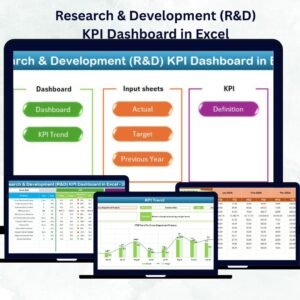
- Research & Development (R&D) KPI Dashboard in Excel: KPIs for R&D work
- Medical Device KPI Dashboard in Excel: a KPI dashboard for medical devices
- Healthcare & Hospital Management Bundle: 8 templates for healthcare operations in one download
Browse all Excel KPI dashboards.
































Reviews
There are no reviews yet.