



📨 Key Features of Job Confirmation Letter Template
Make probation-to-permanent transitions official with confidence. Our Job Confirmation Letter Template in MS Word and Google Docs is a ready-to-edit document that allows HR teams, managers, and business owners to formally confirm an employee’s successful completion of their probation period. It communicates appreciation, confirms permanent status, and sets the tone for continued success.

🎉 Celebrate new beginnings with clarity and professionalism!
✅ Legally Structured Format – Announces transition from probation to permanent
✅ Fully Editable Fields – Update employee name, designation, confirmation date, and department
✅ MS Word & Google Docs Included – Flexible format access
✅ Appreciative Language – Recognizes satisfactory performance
✅ A4 Layout for Professional Use – Ideal for both print and digital delivery
✅ Signature Block – Adds formal closure and authority
✅ Reusable – Use for any employee role or level
✅ Branding Space – Include company name, contact info, and logo
📂 What’s Inside the Job Confirmation Letter Template
Your download includes:
📄 1 MS Word (.docx) file
🔗 1 Google Docs editable version
✍️ Editable placeholders for:
Employee Full Name
Job Title and Department
Confirmation Date
Manager/HR Name and Designation
🖋️ Signature block for official sign-off
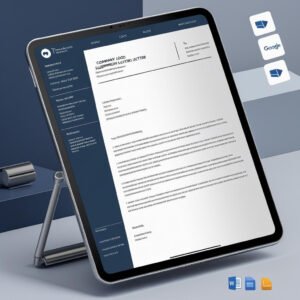
🧾 A4-size clean and modern layout
🏢 Editable header with company contact details
All essential fields are pre-structured so you can simply plug in your info and deliver with ease.
🛠️ How to Use the Job Confirmation Letter Template
Follow these simple steps:
📥 Download the file
🛠️ Open it in MS Word or Google Docs
✍️ Replace placeholder text with your employee’s confirmation details
🎨 Optional: Add your company logo or style updates
📤 Send via email or print a signed copy for your employee’s record
No need to write from scratch — just personalize and go!
👥 Who Can Benefit from This Job Confirmation Letter Template
Perfect for:
🧑💼 HR Managers confirming permanent employment
🏢 Small Business Owners formalizing new hires
📋 Team Leaders & Department Heads issuing role confirmations
👩💻 HR Consultants supporting multiple clients
💼 Startups and SMEs developing professional HR processes
From first-time employees to senior roles, this template works across departments and industries.
Compatibility and Requirements
- Microsoft Word (desktop or Microsoft 365).
- Google Docs, free with a Google account. Upload the file to Google Drive and open it with Google Docs. Google explains the steps in Work with Office files.
Frequently Asked Questions
What comes in the Job Confirmation Letter Template download?
One MS Word (.docx) file and one editable Google Docs version, both on a clean A4 layout with a signature block and an editable company header.
Which details do I fill in?
The placeholders cover the employee’s full name, job title and department, the confirmation date, and the manager or HR name and designation.
When should I send a job confirmation letter?
Send it when an employee has completed the probation period and moves to permanent status. The letter thanks them for their performance and confirms the new status.
Can I use it for any role?
Yes. The letter is reusable for any employee role or level, and you can add your company name, contact details and logo.
Is the Job Confirmation Letter Template free?
Yes, it is a free download.
Related HR Letter Templates
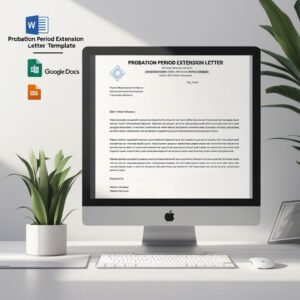
- Probation Period Extension Letter Template in MS Word and Google Docs: for employees who need more time on probation.
- Employee Evaluation Form in MS Word and Google Docs: review performance before confirming the role.
- Appointment Letter Template in MS Word and Google Docs
- Employee Database Tracker in Excel: keep each employee’s status and records in one file.
- HR & Workforce Analytics Bundle: 10 HR templates across Excel, Google Sheets and Power BI.
Browse all letter templates or the HR and Payroll templates.





















Reviews
There are no reviews yet.