



💼 Key Features of Appointment Letter Template
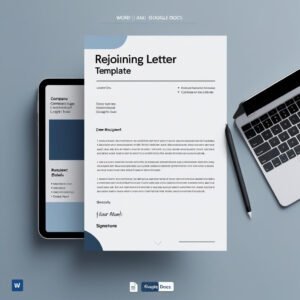
Seal the deal with professionalism! Our Appointment Letter Template in MS Word and Google Docs is your all-in-one solution for issuing official job appointment documents with confidence. Whether you run a startup or manage a large organization, this sleek and editable template saves you hours while ensuring compliance and clarity.
🔥 This is more than just a letter – it’s your first official handshake with the employee!

✅ Professionally Designed Format – Clean layout with branding space
✅ Fully Editable – Update name, role, date, and terms easily
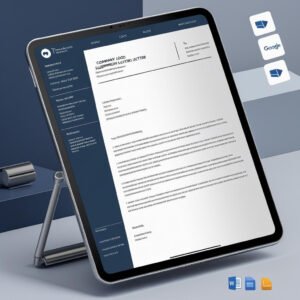
✅ Available in Two Formats – MS Word (.docx) and Google Docs
✅ Covers Essential Employment Details – Role, salary, joining date, location
✅ Print-Ready & E-Sign Friendly – Great for both physical and digital use
✅ Legal-Standard Structure – Suitable for all types of companies
✅ Signature & Logo Sections – Adds authenticity to the letter
📂 What’s Inside the Appointment Letter Template
Inside your download package, you’ll get:
📄 1 MS Word (.docx) file
🔗 1 Google Docs version link
✍️ Editable placeholders for:
Employee Name
Job Title
Department & Reporting Manager
Joining Date & Work Location
Compensation and Terms
📑 Formatted on A4 size paper
🖋️ Designated area for Authorized Signatory and company stamp
Everything is thoughtfully pre-structured so you can just plug in your details and send it off!
⚙️ How to Use the Appointment Letter Template
It’s as easy as 1-2-3:
📥 Download the file from our site
🛠️ Open in MS Word or Google Docs
🖊️ Edit placeholders with your employee and company details
🎨 Optionally customize colors, fonts, or logos
📤 Print it or share digitally for a professional onboarding experience
No formatting hassles. Just smooth appointment letters in minutes.
👥 Who Can Benefit from This Appointment Letter Template
This template is a must-have for:
🧑💼 HR Professionals formalizing job offers
🏢 Startups & SMEs looking for quick and professional templates
🧾 Recruitment Agencies issuing formal job appointments
👩💻 Freelance HR consultants serving multiple clients
🔁 Corporate Teams handling bulk hiring
Whether it’s your first hire or your hundredth, this template simplifies your onboarding process and ensures consistency in communication.
Compatibility and Requirements
- Opens in Microsoft Word (.docx) or in Google Docs with a free Google account.
- Formatted for A4 paper, so it prints cleanly or can be shared as a digital file.
- To edit the Word file in Google Docs, upload it to Google Drive. Google explains how in Work with Office files.
Frequently Asked Questions
Which details does the appointment letter cover?
The letter has editable fields for employee name, job title, department and reporting manager, joining date and work location, and compensation and terms.
Can I add my company logo and signature?
Yes. The layout has space for your branding, an authorized signatory and a company stamp.
Can I change the wording of the terms?
Yes. It is a normal Word and Google Docs file, so you can edit any text, font, color or logo before you print or send it.
Is the appointment letter template free?
Yes, it is a free download.
Related HR Letter Templates
- Offer Letter Template in MS Word and Google Docs: the letter you send before the appointment letter
- Job Confirmation Letter Template: confirms the employee after the probation period
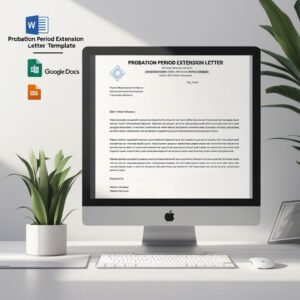
- Probation Period Extension Letter Template: for when probation needs more time
- Experience Letter Template: issued when an employee leaves
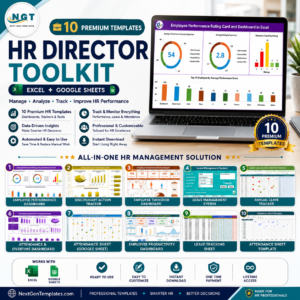
- HR Director Toolkit: 10 premium HR templates in Excel and Google Sheets
Browse all letter templates or the MS Word templates.


















Reviews
There are no reviews yet.