




💼 Key Features of Offer Letter Template
Looking to simplify your hiring process with a professional and fully editable offer letter? Our Offer Letter Template in MS Word and Google Docs is your perfect solution! Whether you’re a startup or a large corporation, this easy-to-customize template ensures a smooth onboarding experience with a polished and legally sound document. ✨
✅ Professional Format: Designed with clean formatting and corporate styling
✅ Fully Editable: Change fonts, logos, job titles, and compensation in minutes
✅ Dual Format Access: Available in both MS Word and Google Docs versions
✅ Legally Compliant: Covers key employment terms in a formal structure
✅ Ready to Print or Share: Instantly usable for digital signing or print
✅ Modern Look: Dark header and clean layout for strong first impressions
✅ Easy Placeholder Text: Clearly marked sections for fast edits

📂 What’s Inside the Offer Letter Template
Your download includes:
📝 1 MS Word (.docx) file
📄 1 Google Docs link (easy to open, edit, and share)
🔒 Editable placeholders for:
Job Title
Candidate Name
Company Name
Compensation & Start Date
Reporting Manager & Office Location
Acceptance Deadline
🎯 Fully designed on an A4-size page
🖋️ Space for signature and company seal
This sleek template includes every essential section you need to issue a formal offer of employment while saving hours of formatting work!
📌 How to Use the Offer Letter Template
Using this template is quick and easy!
🔓 Download the template file from our website.
✍️ Open in MS Word or Google Docs – whichever you prefer.
🔄 Replace the placeholder text with actual candidate and job details.
🎨 Customize fonts, logos, or color to match your branding (optional).
💾 Save and send the finalized letter digitally or print it for signing.
No more struggling with formatting or wondering what to include – we’ve got it all pre-structured for you.
👥 Who Can Benefit from This Offer Letter Template
This product is perfect for:
🧑💼 HR Managers and recruiters hiring new talent
🏢 Small business owners formalizing their recruitment process
👩💻 Startups and growing teams onboarding employees efficiently
📋 Freelancers and consultants formalizing part-time offers
💼 Corporate teams looking for quick, legally sound documentation
Whether you’re sending out one offer or fifty, this template ensures every candidate receives a consistent, professional, and positive experience.
Compatibility and Requirements
- Microsoft Word (desktop or Microsoft 365).
- Google Docs, free with a Google account. Upload the file to Google Drive and open it with Google Docs. Google explains the steps in Work with Office files.
Frequently Asked Questions
What comes in the Offer Letter Template download?
One MS Word (.docx) file and one Google Docs link. Both have the same A4 layout with space for a signature and company seal.
Which details do I need to fill in?
The placeholders cover the job title, candidate name, company name, compensation and start date, reporting manager and office location, and the acceptance deadline.
Can I add my company logo and colors?
Yes. You can change fonts, logos, colors and job titles to match your branding.
Can the letter be signed digitally?
Yes. Save the finished letter and send it for digital signing, or print it and sign it by hand.
Is the Offer Letter Template free?
Yes, it is a free download.
Related HR Letter Templates
- Appointment Letter Template in MS Word and Google Docs: the formal appointment once the offer is accepted.
- Employee Onboarding Form Template in MS word and Google Docs
- Job Confirmation Letter Template in MS Word and Google Docs: confirm the role after probation.
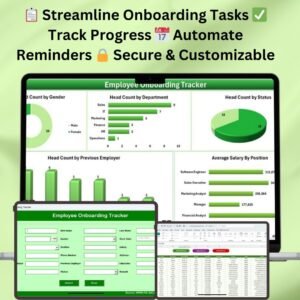
- Employee Onboarding Tracker in Excel: track each new hire’s onboarding tasks.
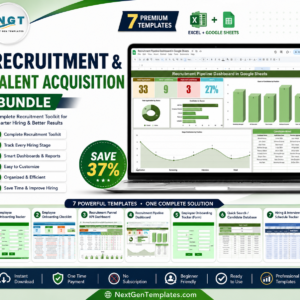
- Recruitment & Talent Acquisition Bundle: 7 Excel and Google Sheets hiring templates.
Browse all letter templates or the HR and Payroll templates.




















Reviews
There are no reviews yet.