



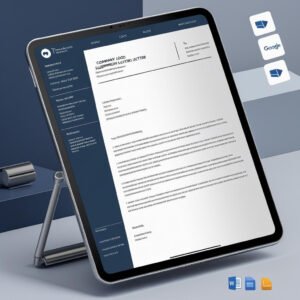
Looking to formally recognize an employee’s contributions? Our Experience Letter Template in MS Word and Google Docs is a professionally drafted document that helps employers certify an employee’s tenure, conduct, and performance with precision and class. Whether the employee is moving on to a new opportunity or requires official proof of work history, this template ensures your company sends a clear, professional, and polished letter every time.

📄 Build credibility for your employees with confidence and consistency!
✅ Formal and Respectful Wording – Crafted for positive endorsements
✅ Fully Editable Fields – Input name, title, department, dates, and more
✅ Dual Format Access – Available in both MS Word and Google Docs
✅ Professional Layout – Clean A4-size format with signature section
✅ HR-Compliant Language – Includes behavior, contribution, and conduct
✅ Print and Share Ready – For email or hard copy distribution
✅ Time-Saving Structure – Ready-to-use format saves hours of work
✅ Company Branding Fields – Add address, logo, contact info easily
📂 What’s Inside the Experience Letter Template
Your download includes:
📄 1 MS Word (.docx) file
🔗 1 Google Docs version (ready for cloud editing and sharing)
✍️ Customizable placeholders for:
Employee’s Full Name
Job Title and Department
Employment Start and End Dates
Performance Summary
Company Name, Address, Contact Info
🖋️ HR/Manager signature space
🧾 Standardized A4 paper size
📌 Professional formatting with all essentials included
Simply open, edit, and send — no formatting headaches or legal worries.
🛠️ How to Use the Experience Letter Template
Getting started is quick and easy:
📥 Download the template after purchase
📂 Open in MS Word or Google Docs
✍️ Fill in the employee-specific details
🎨 Add your company logo or make stylistic tweaks (optional)
📤 Print, email, or export to PDF for sharing
Perfect for individual recognition or bulk certificate generation across departments.
👥 Who Can Benefit from This Experience Letter Template
Ideal for any business, HR department, or manager who wants to streamline the exit or employee verification process:
🧑💼 HR Managers issuing experience letters at resignation
🏢 Business Owners certifying employment for ex-employees
📋 Corporate Admins or Team Leads formalizing tenure acknowledgments
👩💻 Freelance HR consultants who need plug-and-play documentation
💼 Startups or SMEs looking for legally sound HR letter formats
From freshers to seasoned professionals, this template helps organizations communicate experience clearly and with dignity.
Compatibility and Requirements
- Opens in Microsoft Word (desktop or Microsoft 365) and in Google Docs, which is free with a Google account.
- To edit in Docs, upload the file to Google Drive and open it with Google Docs. Google explains the steps in Work with Office files.
- The page is set to A4 paper size.
Frequently Asked Questions
What details do I fill in?
The placeholders cover the employee’s full name, job title and department, employment start and end dates, a performance summary, and your company name, address and contact details.
Can I add our company logo?
Yes. The layout has company branding fields, so you can add your logo, address and contact information before you print or send it.
Is there a Google Docs version?
Yes. The download includes an MS Word (.docx) file and a Google Docs version for cloud editing and sharing.
Is the Experience Letter Template free?
Yes, it is a free download.
Related HR Letter Templates
- Relieving Letter Template in MS Word and Google Docs: often issued with the experience letter
- Employment Verification Letter Template in MS Word and Google Docs: confirm current or past employment for a third party
- Resignation Acceptance Letter Template in MS Word and Google Docs: accept a resignation in writing
- Appointment Letter Template in MS Word and Google Docs: for new joiners
- Employee Database Tracker in Excel: keep the employee records these letters draw on
Browse all letter templates or the MS Word templates.




















Reviews
There are no reviews yet.