



The Investor Relations Calendar in Excel is an essential tool for investor relations teams, corporate communications, and financial managers. This Excel-based calendar helps you organize, track, and plan all of your investor communications and activities. Whether you’re managing quarterly earnings reports, shareholder meetings, or key investor events, this calendar ensures that everything runs smoothly and on schedule.
With its user-friendly interface, customizable features, and real-time tracking, the Investor Relations Calendar helps you manage deadlines, prepare for critical events, and ensure timely communication with investors, analysts, and stakeholders.

Key Features of the Investor Relations Calendar in Excel:
📅 Investor Events Tracking
Track all major investor events such as earnings calls, shareholder meetings, investor days, and press conferences, ensuring you never miss an important date.
📊 Quarterly and Annual Reporting
Monitor the timeline for quarterly and annual financial reports, including submission deadlines, press release drafts, and analyst presentations.
📈 Stakeholder Communication Planning
Plan and schedule communication with key stakeholders, including investors, analysts, and board members, ensuring consistent updates and transparency.
🎯 Customizable Reminders and Alerts
Set reminders and alerts for important deadlines, ensuring that you never miss a critical task or event.
💼 Investor Meetings and Conferences
Track investor meetings, conferences, and roadshows, including locations, agendas, and participants, to ensure efficient management of in-person and virtual engagements.
🚀 Why You’ll Love the Investor Relations Calendar in Excel:
✅ Track Important Dates – Keep track of critical investor relations events such as earnings reports, shareholder meetings, and press releases.
✅ Efficient Communication Planning – Stay organized and plan stakeholder communications with ease, ensuring all parties are informed and up-to-date.
✅ Stay Ahead of Deadlines – Set reminders and alerts to ensure all tasks and events are completed on time, avoiding missed deadlines.
✅ Customizable and Flexible – Fully customizable to fit your company’s specific investor relations activities, with an easy-to-use interface.
✅ Comprehensive Event Management – Manage all aspects of investor events, from planning to execution, ensuring smooth and professional operations.
What’s Inside the Investor Relations Calendar in Excel:
Investor Events Tracking: Track all critical investor relations events such as quarterly earnings reports, shareholder meetings, and investor roadshows.
Reporting Deadlines: Monitor quarterly and annual reporting deadlines, ensuring timely submissions and preparation for analyst presentations.
Stakeholder Communication: Organize communication with investors, analysts, and board members, ensuring that all updates are transparent and timely.
Meeting and Conference Management: Track investor meetings and conferences, including locations, participants, and agendas, to ensure smooth execution.
Reminder and Alert System: Set up automated reminders for upcoming deadlines and tasks, keeping your investor relations activities on track.
Customizable Templates: Tailor the calendar to fit your organization’s specific needs and adjust the structure as needed to fit your investor relations schedule.
How to Use the Investor Relations Calendar in Excel:
1️⃣ Download the Template – Instantly access your Excel file upon purchase.
2️⃣ Add Your Investor Events – Input key dates, such as earnings calls, shareholder meetings, and press releases, to begin tracking.
3️⃣ Monitor Deadlines – Use the calendar to stay on top of reporting deadlines and prepare your financial documents accordingly.
4️⃣ Set Reminders – Configure alerts and reminders for upcoming events, meetings, and deadlines to ensure nothing is missed.
5️⃣ Generate Reports – Create customized reports summarizing your investor relations events and activities, to keep your team on track and stakeholders informed.
Who Can Benefit from the Investor Relations Calendar in Excel:
Investor Relations Managers
Corporate Communications Teams
Financial Managers
CFOs and CEOs
Publicly Traded Companies
Investor Relations Agencies
Financial Analysts
PR and Media Relations Teams
The Investor Relations Calendar in Excel is the perfect tool for companies looking to streamline their investor communications, track key events, and ensure timely reporting. This calendar will help you stay organized and ahead of deadlines, enabling effective engagement with investors and stakeholders.
Click here to read the Detailed blog post
https://www.pk-anexcelexpert.com/investor-relations-calendar-in-excel/
Visit our YouTube channel to learn step-by-step video tutorials
Youtube.com/@PKAnExcelExpert
Watch the step-by-step video Demo:
Compatibility and Requirements
- Works in Microsoft Excel desktop (Excel 2016 or later, or Microsoft 365).
- New to Excel? Microsoft’s Excel for Windows training covers the basics.
Frequently Asked Questions
Which investor events can I track?
Earnings calls, shareholder meetings, investor days, press conferences, roadshows, and investor meetings and conferences.
Does it cover reporting deadlines?
Yes. It tracks quarterly and annual reporting deadlines, press release drafts and analyst presentations.
Can I record meeting details?
Yes. You can track the location, agenda and participants for each investor meeting or conference.
Is there a Google Sheets version?
Yes. The Investor Relations Calendar in Google Sheets covers the same events online.
Related Investor Relations Templates
- Investor Relations Calendar in Google Sheets: the same calendar in a shared online sheet
- Investor Relations KPI Dashboard in Excel: measure investor relations KPIs
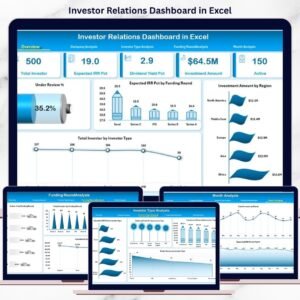
- Investor Relations Dashboard in Excel: a full investor relations dashboard
- Investor Relations Dashboard in Power BI: the dashboard for Power BI users
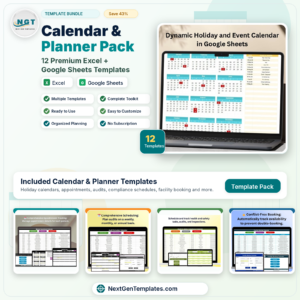
- Calendar & Planner Pack: 12 calendar and planner templates in one download
Browse all Excel calendars or the Excel financial tools.








Reviews
There are no reviews yet.