



The Import Customs KPI Dashboard in Excel is a powerful and efficient tool designed to help businesses, logistics teams, and supply chain managers track and manage key performance indicators (KPIs) related to the import customs process. This Excel-based dashboard provides insights into various aspects of customs operations, including import clearance times, customs duties, compliance rates, and overall efficiency, ensuring smooth international trade operations.
This comprehensive dashboard helps businesses stay compliant with customs regulations, improve import processing times, and reduce costs associated with duties and tariffs. With real-time data integration and customizable features, this tool enables businesses to optimize their import operations and make data-driven decisions to improve their customs processes.
Key Features of the Import Customs KPI Dashboard in Excel
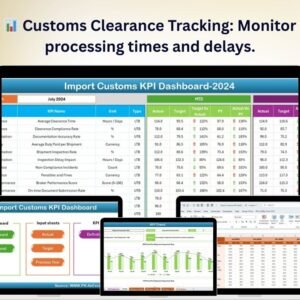
📊 Customs Clearance Tracking
Monitor the efficiency of your customs clearance process by tracking key metrics such as clearance time, delays, and pending shipments. This helps to optimize customs operations and reduce bottlenecks.
💰 Customs Duties & Tariff Monitoring
Track the duties and tariffs associated with imported goods. Keep an eye on costs to ensure accurate budgeting and identify opportunities to reduce fees.
⚙️ Compliance Monitoring
Ensure that all imported goods are in compliance with local and international customs regulations. The dashboard allows you to track compliance rates and flag any discrepancies for resolution.
📅 Time-Based Performance Analysis
Analyze the performance of your import customs operations over different time periods. Track improvements or identify trends in clearance times, costs, and compliance over the course of weeks, months, or years.
📈 Customizable KPIs & Reporting
Adapt the dashboard to include the KPIs most relevant to your business. You can add additional metrics, such as shipping delays, import processing times, or customs inspection rates, to suit your needs.
🔑 Real-Time Data Integration
Integrate real-time data from your customs clearance systems, freight forwarders, and shipping platforms to ensure that all performance metrics are up-to-date and accurate.
Why You’ll Love the Import Customs KPI Dashboard in Excel

✅ Streamline Customs Operations
Monitor every step of the import customs process, from clearance to duty payment, and ensure that operations are running smoothly and efficiently.
✅ Reduce Customs Costs
Track and manage customs duties and tariffs to optimize costs and identify potential savings. The dashboard helps keep expenses in check by monitoring fees and identifying areas where you can negotiate better terms.
✅ Ensure Regulatory Compliance
Easily track compliance with international customs regulations and flag discrepancies to avoid fines and delays. Stay on top of customs documentation and requirements with ease.
✅ Improve Decision-Making with Data Insights
Utilize the insights from the dashboard to make data-driven decisions. By tracking trends in customs clearance times, duties, and compliance, you can make proactive adjustments to improve efficiency and cost-effectiveness.
✅ Customizable & Scalable
The dashboard is highly customizable, allowing you to tailor it to the specific needs of your business. It can scale to accommodate small, medium, or large businesses with complex import customs processes.
What’s Inside the Import Customs KPI Dashboard in Excel?
Customs Clearance Tracking: Track clearance times, delays, and pending shipments.
Customs Duties & Tariffs Monitoring: Monitor and manage costs related to import duties and tariffs.
Compliance Monitoring: Track compliance rates and ensure adherence to customs regulations.
Time-Based Performance Analysis: Analyze performance over different time periods.
Real-Time Data Integration: Ensure accurate performance metrics with real-time data updates.
Customizable KPIs: Add or modify KPIs to meet your business’s specific needs.
How to Use the Import Customs KPI Dashboard in Excel
1️⃣ Download the Template: Get instant access to the Import Customs KPI Dashboard in Excel.
2️⃣ Integrate Your Data Sources: Connect your customs clearance systems, freight providers, and shipping platforms to the dashboard.
3️⃣ Track KPIs & Performance: Monitor key metrics such as clearance times, duties, and compliance rates.
4️⃣ Analyze Trends & Data: Use time-based analysis to track performance over weeks, months, or years.
5️⃣ Optimize Customs Operations: Make data-driven decisions to reduce costs, improve compliance, and optimize the import process.
Who Can Benefit from the Import Customs KPI Dashboard in Excel?
🔹 Logistics & Supply Chain Managers
🔹 Customs Brokers & Clearance Teams
🔹 International Traders & Importers
🔹 Freight Forwarders
🔹 Compliance & Regulatory Teams
🔹 E-commerce Businesses with International Operations
🔹 Large Enterprises with Importing Needs
Ensure smooth and compliant customs operations with the Import Customs KPI Dashboard in Excel. Track clearance times, monitor duties, ensure regulatory compliance, and make informed decisions to optimize your import processes.
Click here to read the Detailed blog post
Visit our YouTube channel to learn step-by-step video tutorials
Youtube.com/@PKAnExcelExpert































Reviews
There are no reviews yet.