

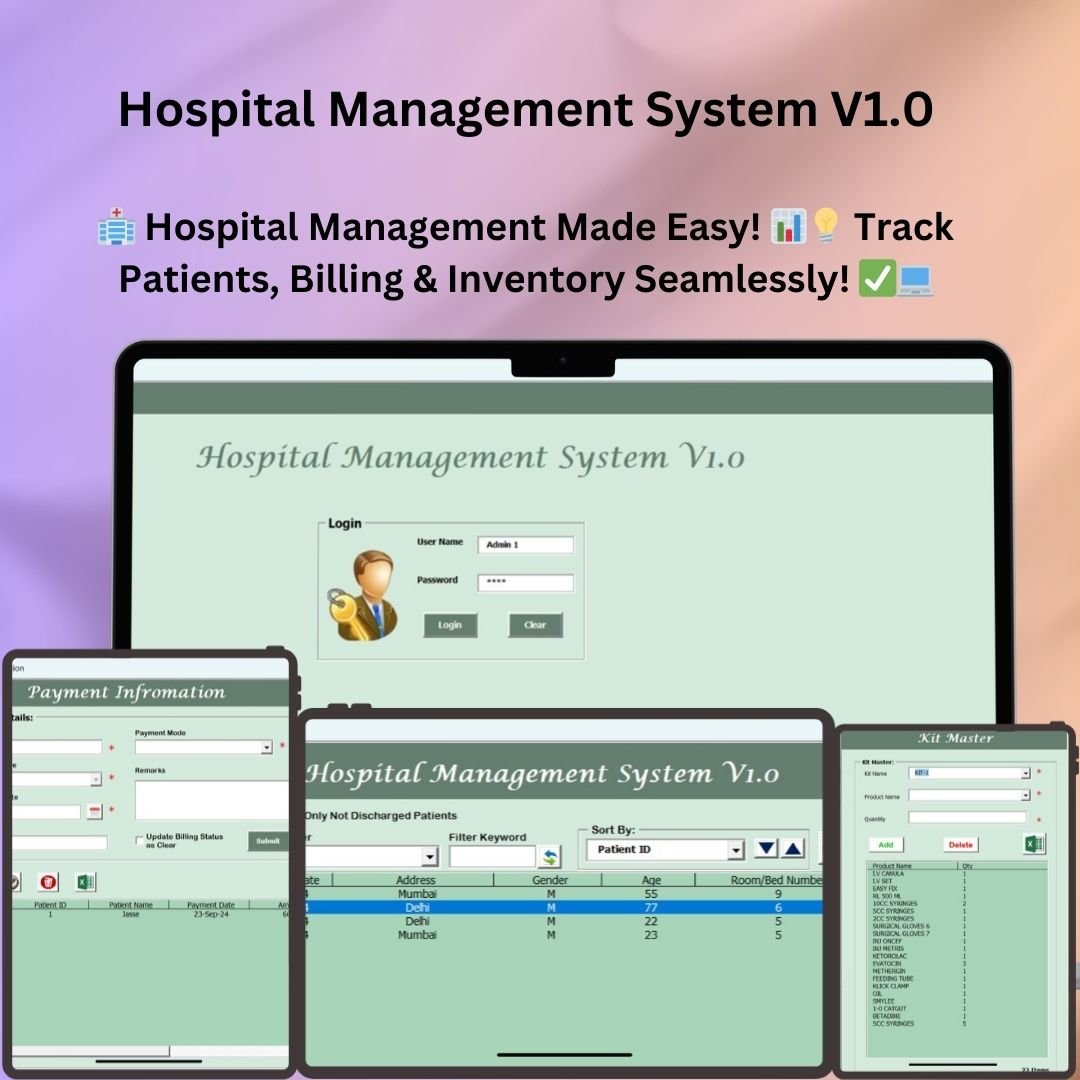



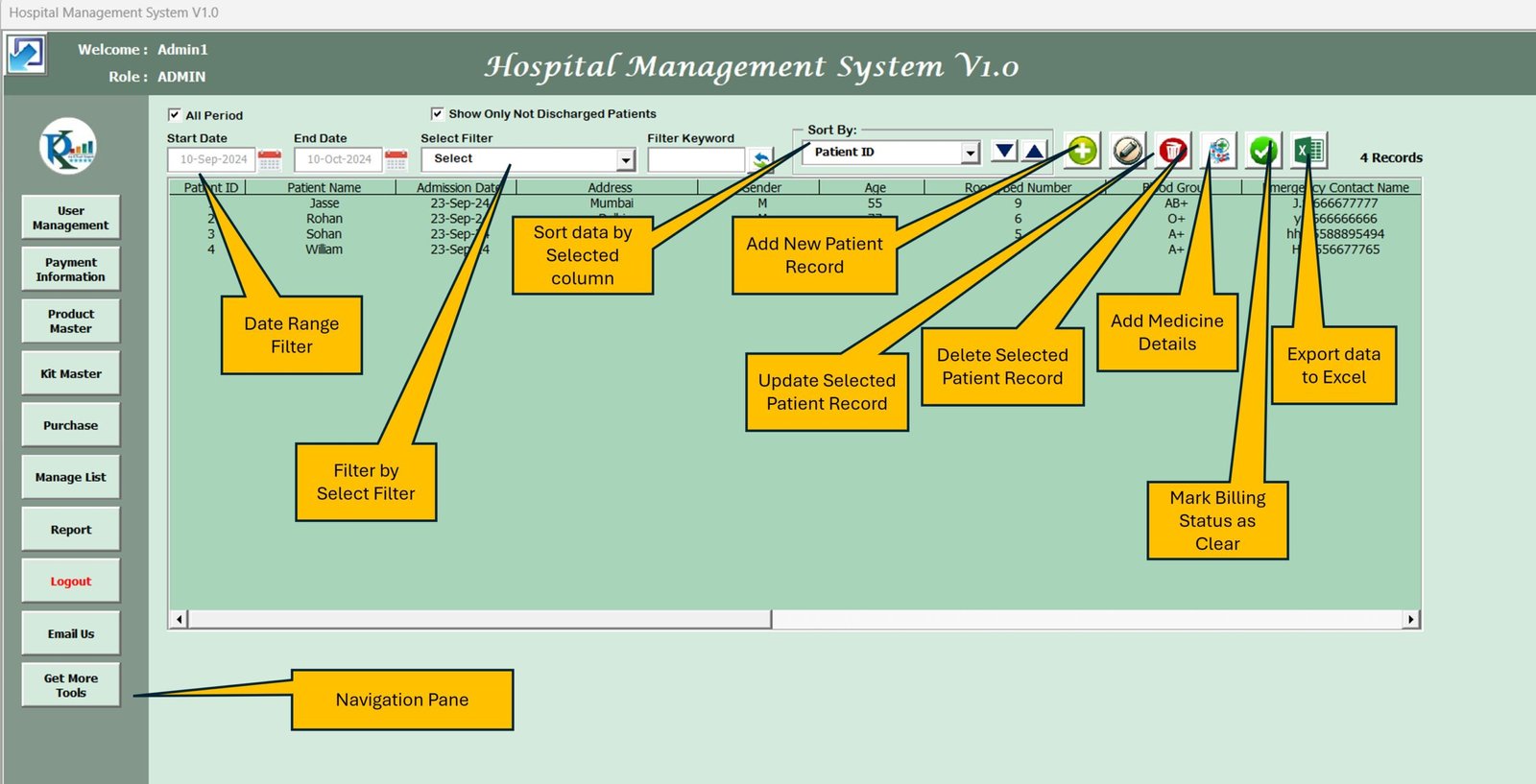

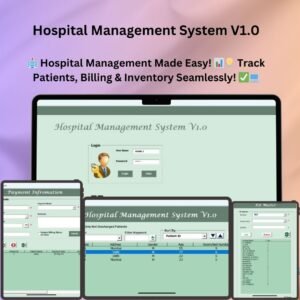
Hospital Management System V1.0 is a ready-made, Excel-based VBA tool that brings patient records, billing, payments, inventory, medicine kits, purchases and reports together in one dashboard. It is built for small and medium-sized healthcare facilities that want a simple Excel hospital management system instead of expensive software. The result is less manual paperwork, more accurate records and less time spent on patient record management.
Key Features of Hospital Management System V1.0
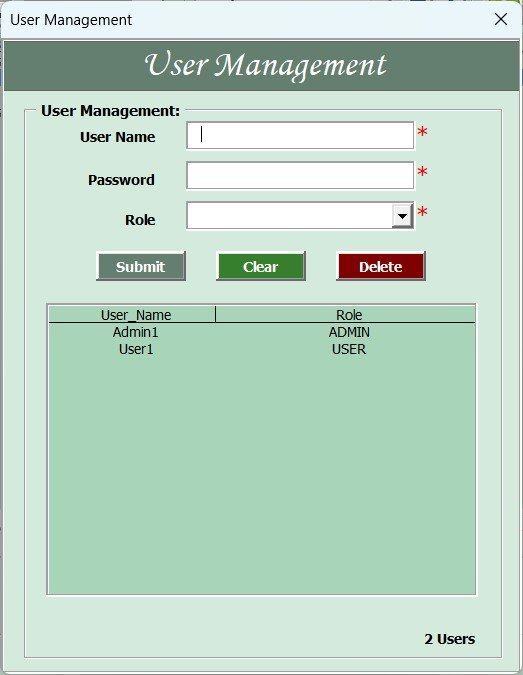
1. Secure Login and User Management
- User authentication: Only authorized staff can open patient records and billing details.
- Role-based access control: Admin and User roles each have their own permissions for managing data.
- Quick login: Press Enter after typing your credentials to go straight to the main dashboard.
2. Intuitive Main Dashboard
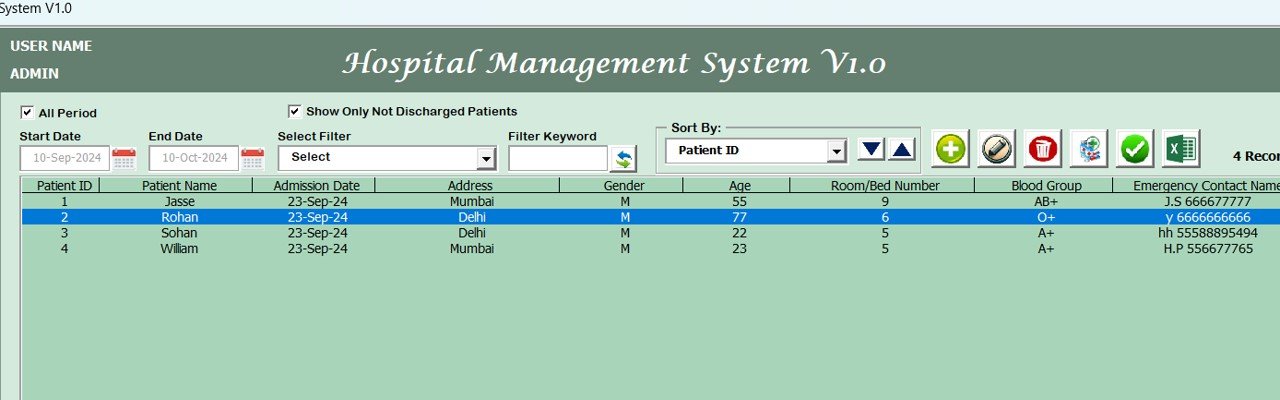
- Complete patient list: See all patient records in one organized view.
- Filters and sorting: Sort by date, billing status or other key fields.
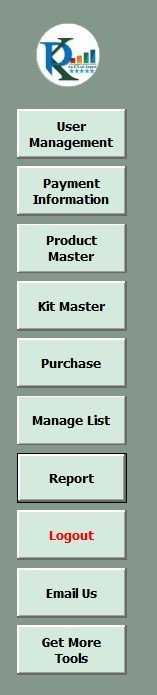
- Navigation panel: Open User Management, Payment Information, Product Master, Kit Master, Reports and other modules quickly.
3. Billing Information System
- Real-time billing overview: Shows bill value, payments, balance amount and billing status.
- Automated balance calculation: Calculates amount paid and pending balance instantly.
- Billing status updates: Marks each bill as Clear or Not Clear. This works as a built-in hospital billing tracker.
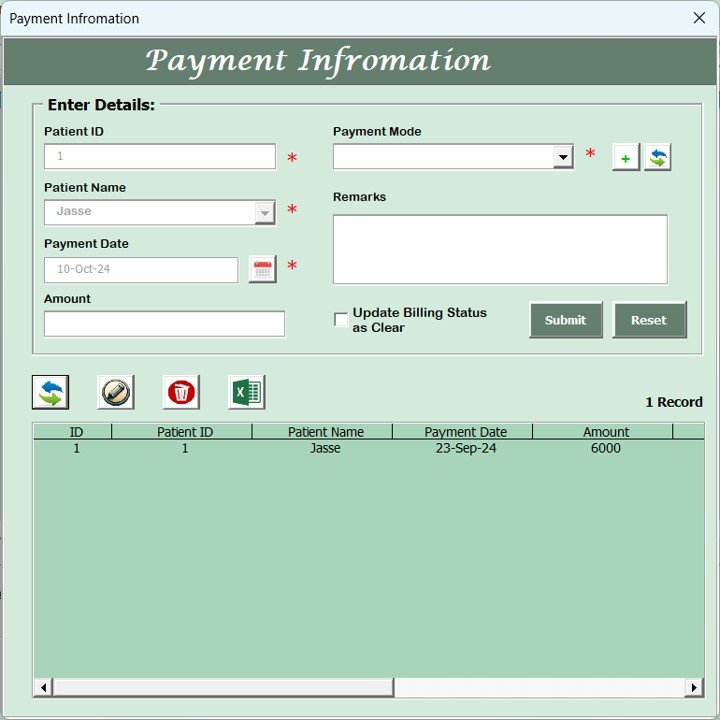
4. Payment Information and Transaction Tracking
- Payment entry module: Record the date, payment mode and amount.
- Automated status update: Billing status updates once a payment is received.
- Payment reports: Export payment records to Excel for analysis and audits.
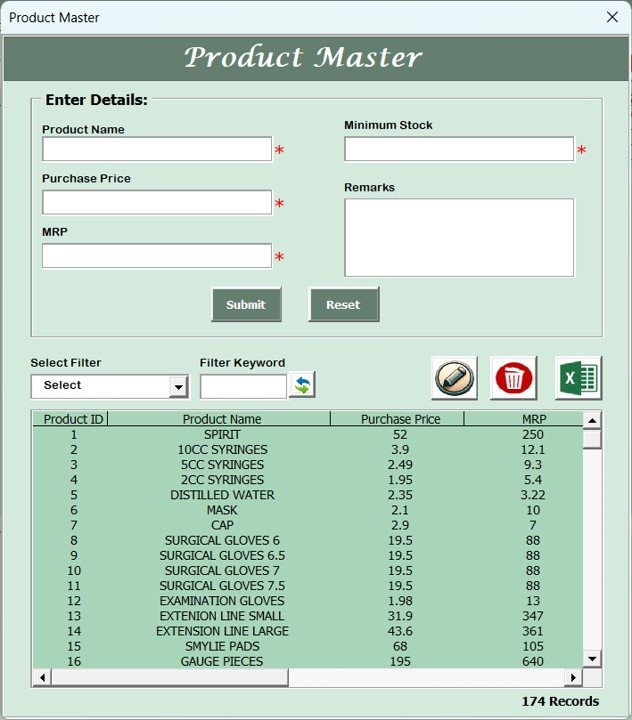
5. Product Master for Medical Inventory Management
- Stock and medicine tracking: Maintain purchase price, MRP and stock levels for medical supplies.
- Product filters: Find items by product ID or keyword.
- Bulk import and export: Export stock lists and import new product data in Excel format.
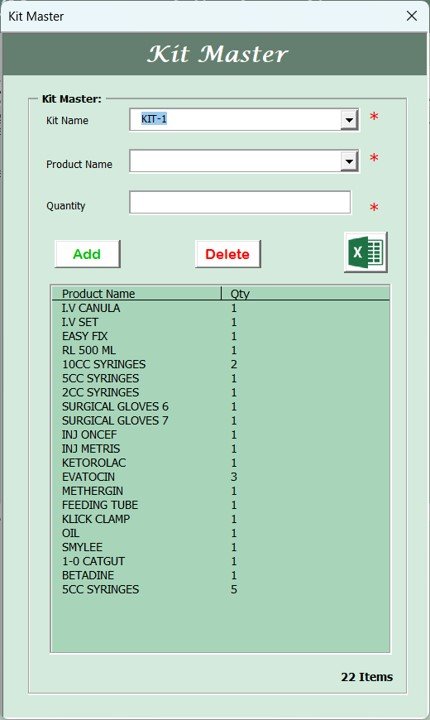
6. Kit Master for Patient Medication Kits
- Predefined medical kits: Set up and manage pre-packaged medicine kits for patients.
- Easy changes: Add or remove medicines from a kit as needed.
- Inventory link: Stock levels update automatically when kits are dispensed.
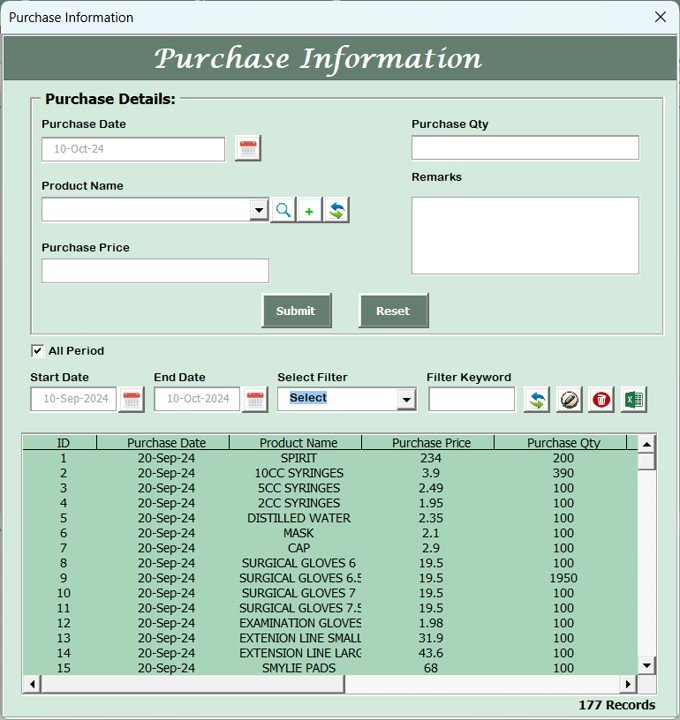
7. Purchase Management Module
- Record and monitor purchases: Track purchases of supplies, medicines and equipment.
- Purchase history: View past purchases by date range, supplier or product type.
- Automated inventory updates: Stock levels stay accurate after each purchase.
8. Patient and Appointment Management
- Patient record management: Keep patient history, doctor assignments and treatment details.
- Appointment scheduling: Track upcoming consultations and follow-ups.
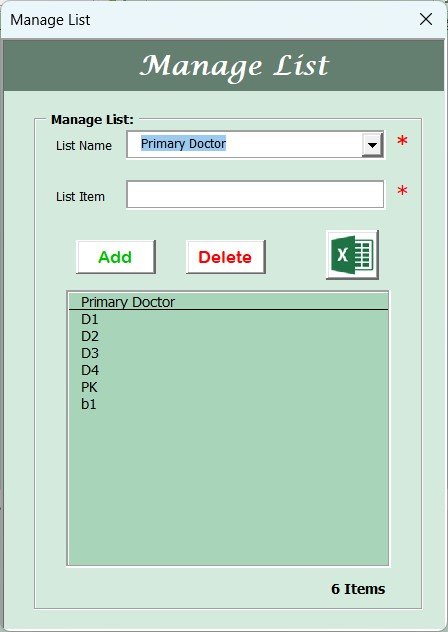
- Doctor allocation: Assign patients to primary doctors and specialists.
9. Reports and Data Analysis
- Generate reports: Export detailed reports on patient records, payments, purchases and billing.
- Customizable filters: Build custom reports by date range, department or patient type.
- Audit logs: Track changes made to records for security and compliance.
10. Additional Features
- Logout and security: Log out securely at the end of a session to protect sensitive data.
- Email support: Contact support directly from the dashboard.
- Access more tools: Open additional hospital management resources quickly.
What’s Inside: Modules at a Glance
| Module | What it does |
|---|---|
| Login and User Management | Secure, role-based access for Admin and Users |
| Main Dashboard | Patient list, filters, sorting and navigation panel |
| Billing Information | Bill value, payments, balance and Clear / Not Clear status |
| Payment Information | Payment date, mode and amount, with exportable reports |
| Product Master | Purchase price, MRP, stock levels, plus import and export |
| Kit Master | Pre-packaged medicine kits linked to inventory |
| Purchase Management | Purchase records and history with automatic stock updates |
| Patient and Appointment | Patient history, appointments and doctor allocation |
| Reports | Patient, payment, purchase and billing reports, plus audit logs |
Why Choose This Excel Hospital Management System?
- User-friendly: A simple interface makes navigation and data entry easy.
- Automated processes: Reduces manual paperwork and improves hospital efficiency.
- Excel-based: Works in Microsoft Excel, so you don’t need expensive software.
- Customizable: Adapt the template to your hospital’s requirements.
- Complete record management: Tracks all essential hospital operations in one place.
Who It’s For
Hospital Management System V1.0 is a cost-effective choice for:
- Small and medium-sized hospitals
- Clinics and other healthcare facilities
- Administrators who need patient record management, billing and stock control in Microsoft Excel
How to Use It
- Download and unzip the file.
- Enable macros in Excel before you start. See the tutorial at https://www.pk-anexcelexpert.com/4-easy-ways-to-enable-macros-in-excel-vba/ for step-by-step instructions.
- Log in with your credentials and press Enter to open the main dashboard.
- Use the navigation panel to add patients, bills, payments, products, kits and purchases.
- Generate and export reports as needed.
Click here to read the detailed blog post on Hospital Management System
Watch the step-by-step video tutorial: Hospital Management System
Visit our YouTube channel for step-by-step video tutorials.
Frequently Asked Questions
What software do I need to run Hospital Management System V1.0?
You need Microsoft Excel. It is a VBA tool, so macros must be enabled after you download and unzip the file.
Does it support multiple users?
Yes. It has a secure login system with role-based access for Admin and User roles, each with specific permissions.
Can it track hospital bills and pending balances?
Yes. The billing module shows bill value, payments and balance, calculates pending amounts automatically, and marks each bill as Clear or Not Clear.
Does it handle medical inventory management?
Yes. The Product Master tracks purchase price, MRP and stock levels. Stock updates automatically after purchases and when medicine kits are dispensed.
Can I export reports?
Yes. You can export patient, payment, purchase, billing and inventory data to Excel, with filters for date range, department or patient type.
Can I customize the template?
Yes. Because it is Excel-based, you can adapt the template to your hospital’s requirements.
Also check our Download Attachments from Multiple Emails Automatically using VBA
Last updated: October 2026
Compatibility and Requirements
- Needs Microsoft Excel desktop on Windows with macros enabled. The login, forms and buttons run on VBA.
- Download and unzip the file first, then enable macros before you log in.
- It does not run in Excel for the web, Google Sheets or the Excel mobile apps.
- Microsoft explains how to turn on macros in Enable or disable macros in Microsoft 365 files.
Related Healthcare Templates
- Dental Clinic Management System V1.0: a similar Excel VBA system for dental clinics
- Hospital Operations KPI Dashboard in Excel: track hospital KPIs in a dashboard
- Hospitals Dashboard in Power BI: hospital reporting for Power BI users
- Hospital Patient Flow Dashboard in Google Sheets: patient flow reporting in Google Sheets
- Healthcare and Hospital Management Bundle: 8 healthcare templates in one bundle
Browse all Excel VBA tools or the Excel KPI dashboard templates.













Reviews
There are no reviews yet.