



The GDPR Compliance Checklist Template in Excel is a structured and user-friendly tool designed to help businesses and organizations systematically track their compliance efforts with the General Data Protection Regulation (GDPR). Whether you’re a data protection officer, compliance manager, or business owner, this template ensures you never miss a crucial step in meeting GDPR requirements.
This Excel-based checklist simplifies compliance tracking by organizing tasks, responsibilities, deadlines, and progress in one centralized location. With easy-to-read dashboards, automated tracking, and an intuitive interface, this template allows you to streamline GDPR compliance and maintain complete control over your data protection initiatives.
Key Features of the GDPR Compliance Checklist Template
📌 Two Organized Tabs for Easy Management

The template is structured into two main sheets to simplify tracking:
- GDPR Compliance Checklist Tab – This is where you input and track all GDPR-related tasks, responsible personnel, due dates, and completion statuses.
- List Sheet Tab – A separate sheet to maintain a list of responsible team members, ensuring easy task assignments through dropdown selections.
🛠 At-a-Glance Progress Tracking
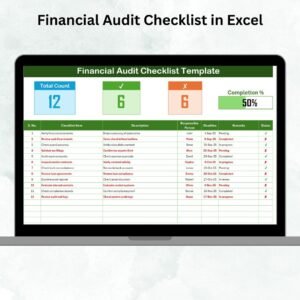
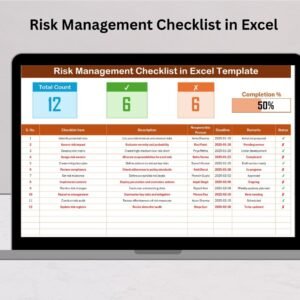
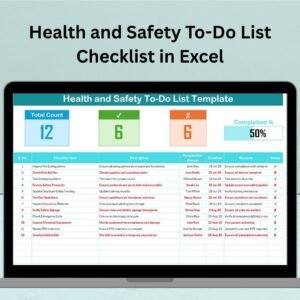
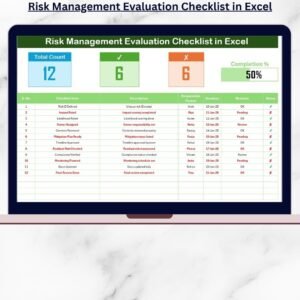
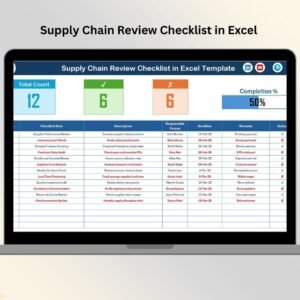
Stay on top of your compliance efforts with a visual dashboard that includes:
✔ Total Count: Get an overview of the total GDPR tasks in your compliance plan.
✔ Completed Tasks: See how many tasks have been successfully completed.
✔ Pending Tasks: Identify outstanding compliance tasks that require immediate attention.
✔ Progress Bar: A dynamic visual representation of your GDPR compliance progress.
📋 Detailed GDPR Checklist Table
Every compliance task is listed in a well-organized table, complete with:
- Checklist Item – A brief task description outlining essential compliance requirements.
- Task Details – Key compliance actions, such as data security implementation, policy updates, and employee training.
- Responsible Person – Assign accountability by linking tasks to specific team members.
- Deadline Tracking – Set deadlines and ensure timely compliance with GDPR requirements.
- Remarks Section – Add notes on implementation status, pending issues, or additional actions required.
- Completion Status – Mark tasks as completed, in progress, or pending with an intuitive checkbox system.
🚀 Why You’ll Love This GDPR Compliance Checklist Template
✅ Simplifies GDPR Compliance – Stay compliant with an easy-to-follow checklist covering crucial GDPR requirements.
✅ Boosts Accountability – Clearly assign compliance tasks to designated team members for better follow-through.
✅ Enhances Productivity – Track progress effortlessly with a structured, well-organized layout.
✅ Ensures Timely Compliance – Avoid penalties by keeping up with GDPR obligations and deadlines.
✅ Customizable & Scalable – Tailor the template to your organization’s unique compliance needs.
🔍 What’s Inside the GDPR Compliance Checklist?
- Data Inventory Assessment – Document and map personal data collected.
- Consent Mechanisms Review – Ensure proper consent collection from users.
- Privacy Policy Updates – Align company policies with GDPR regulations.
- Data Security Measures – Implement robust technical measures to secure sensitive data.
- Third-Party Contracts Review – Verify agreements with vendors handling personal data.
- Data Breach Response Plan – Establish structured guidelines to mitigate data breaches.
- GDPR Training – Provide compliance training for employees.
- Data Retention Policy Updates – Maintain compliance with GDPR data storage guidelines.
📂 How to Use the GDPR Compliance Checklist Template
1️⃣ Download the Template – Instantly access your Excel file upon purchase.
2️⃣ Customize the Checklist – Add or modify compliance tasks based on your company’s GDPR obligations.
3️⃣ Assign Responsibilities – Use the dropdown list to designate responsible team members for each task.
4️⃣ Set Deadlines & Track Progress – Mark completion statuses and monitor real-time compliance efforts.
5️⃣ Stay Audit-Ready – Maintain an updated record of GDPR compliance for future audits.
🎯 Who Can Benefit from This GDPR Checklist?
🔹 Data Protection Officers (DPOs)
🔹 Compliance Managers & Teams
🔹 IT & Security Teams
🔹 HR & Legal Departments
🔹 Small & Medium Businesses (SMBs)
🔹 Enterprises & Corporations
Ensure your organization meets GDPR standards effortlessly with this structured and professional checklist.
Click hare to read the Detailed blog post
Visit our YouTube channel to learn step-by-step video tutorials
Compatibility and Requirements
- Works in Microsoft Excel desktop (Excel 2016 or later, or Microsoft 365).
- Completion status uses checkboxes, and responsible people are picked from a dropdown fed by the List Sheet tab. Microsoft explains checkboxes in Using check boxes in Excel.
Frequently Asked Questions
How many sheets does the template have?
Two: the GDPR Compliance Checklist tab, where you track tasks, and the List Sheet tab, where you keep the names of responsible team members.
How do I assign a task to someone?
Add the person’s name to the List Sheet tab. Then pick the name from the dropdown in the Responsible Person column of the checklist.
What does the progress summary show?
It shows the total count of tasks, the completed tasks, the pending tasks and a progress bar.
Can I add my own compliance tasks?
Yes. You can add or change checklist items to fit your company’s GDPR obligations. Each task has a description, task details, a responsible person, a deadline, remarks and a completion status.
Is there a Google Sheets version?
Yes. See the GDPR Compliance Checklist in Google Sheets.
Related Compliance Templates
- GDPR Compliance Checklist in Google Sheets: the same checklist for Google Sheets
- GDPR Compliance Tracking Checklist in Excel: another GDPR checklist layout in Excel
- Legal Compliance Checklist Template in Excel: a wider legal compliance checklist
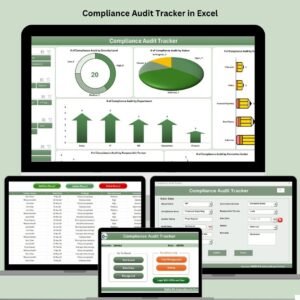
- Compliance Audit Tracker in Excel: track compliance audits
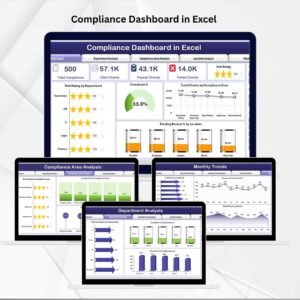
- Compliance Dashboard in Excel: a dashboard view of compliance
Browse all Excel checklist templates.


























Reviews
There are no reviews yet.