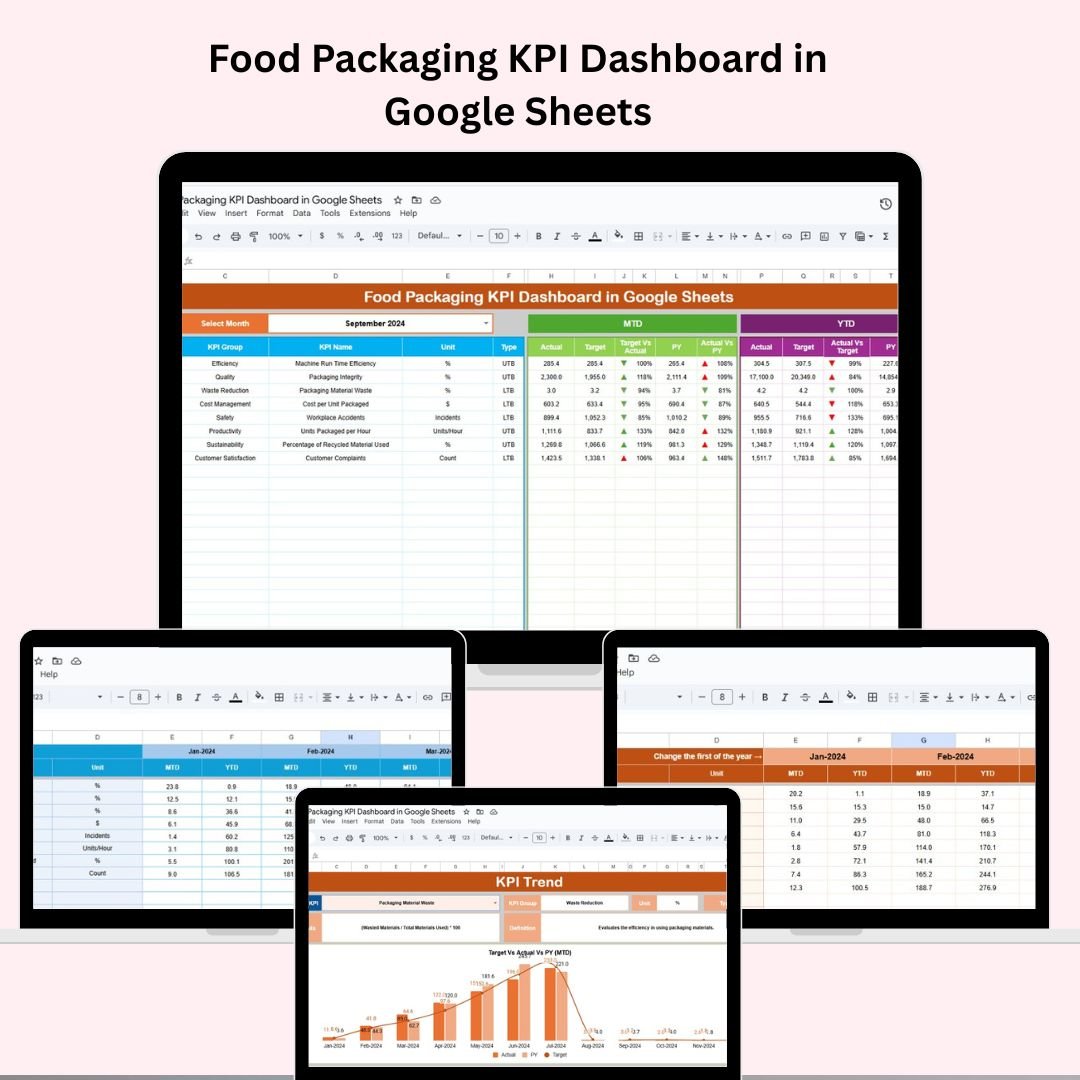
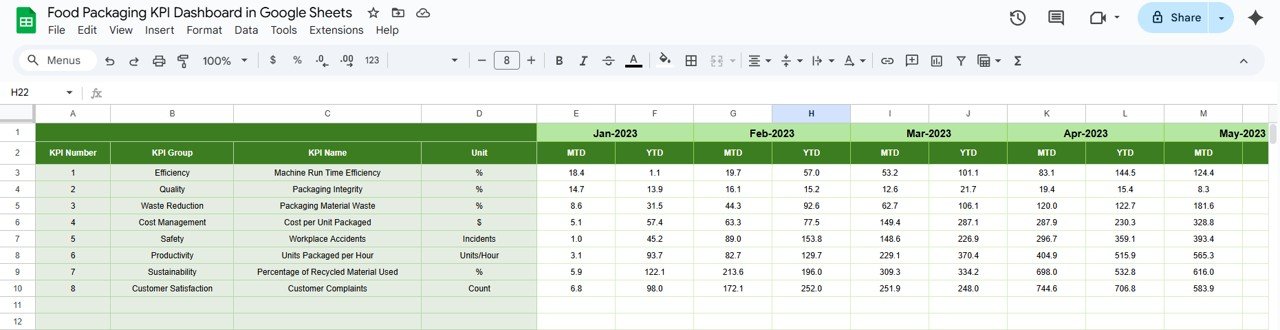
In the competitive landscape of food packaging, knowing your numbers isn’t optional—it’s essential. Efficiency, quality, and cost control depend on real-time visibility across your KPIs. That’s why we created the Food Packaging KPI Dashboard in Google Sheets—an intuitive, dynamic, and data-driven tool designed specifically for packaging professionals who want clarity, control, and consistency in performance tracking.
Whether you’re an operations manager, a quality assurance expert, or a plant supervisor, this dashboard gives you everything you need to monitor, manage, and improve your packaging KPIs without the hassle of complex systems.
✨ Key Features of the Food Packaging KPI Dashboard
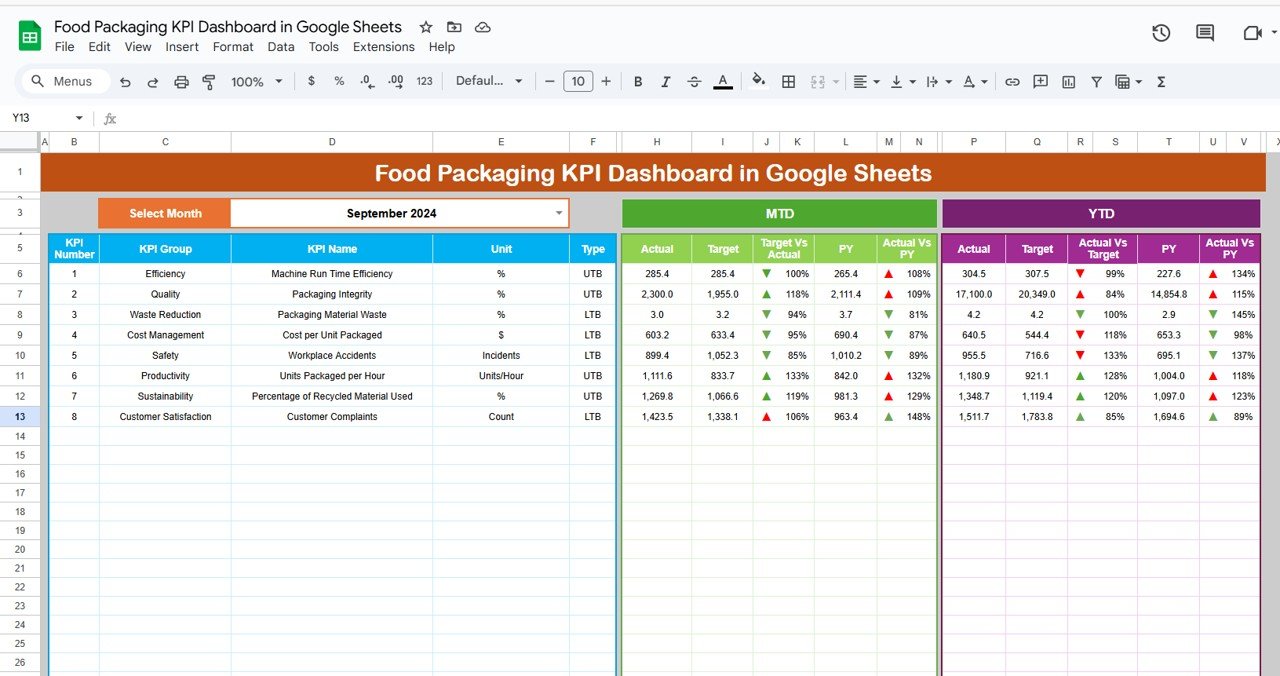
📊 Dashboard Sheet
🎯 Select Any Month (Cell D3) – Watch all dashboard numbers auto-update
🔄 MTD & YTD View – Get Actual, Target & Previous Year comparisons
🔺🔻 Conditional Formatting Arrows – Instantly spot performance gaps
📈 Real-Time Visualizations – Make data-driven decisions at a glance
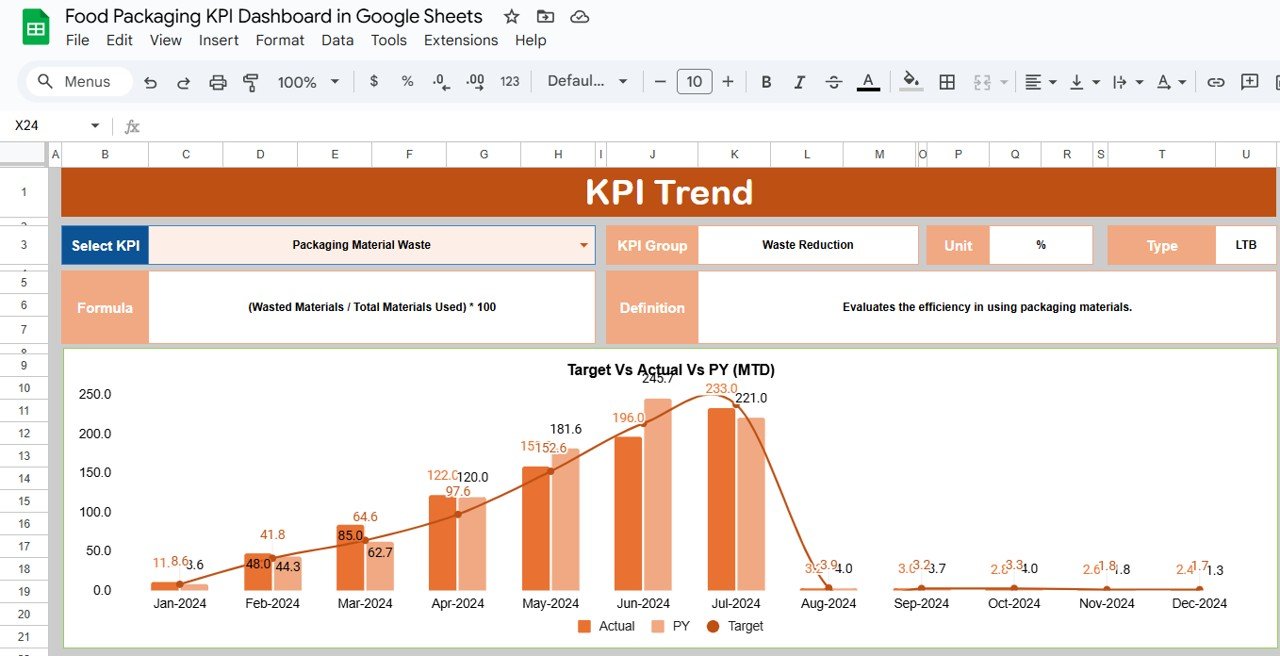
📉 KPI Trend Sheet
🧮 KPI Drop-down Selector – Choose from a list of defined KPIs
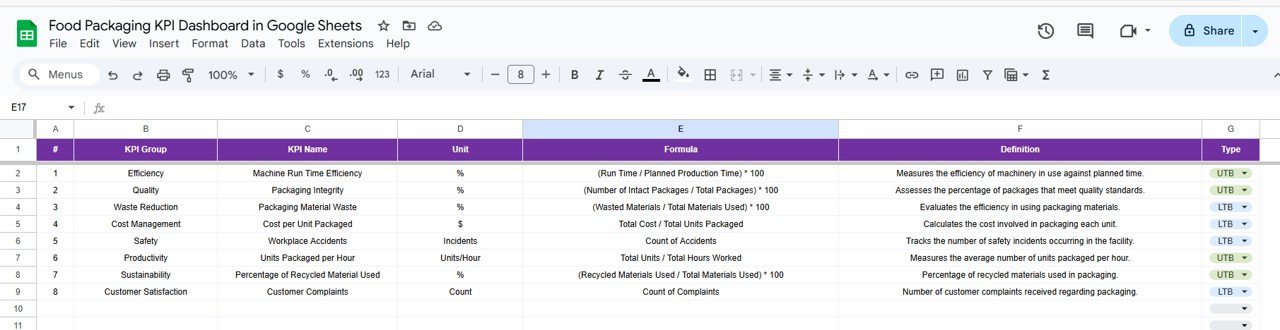
🏷️ KPI Metadata – View unit, type (UTB/LTB), formula & description
📊 Trend Analysis – Understand monthly performance across time
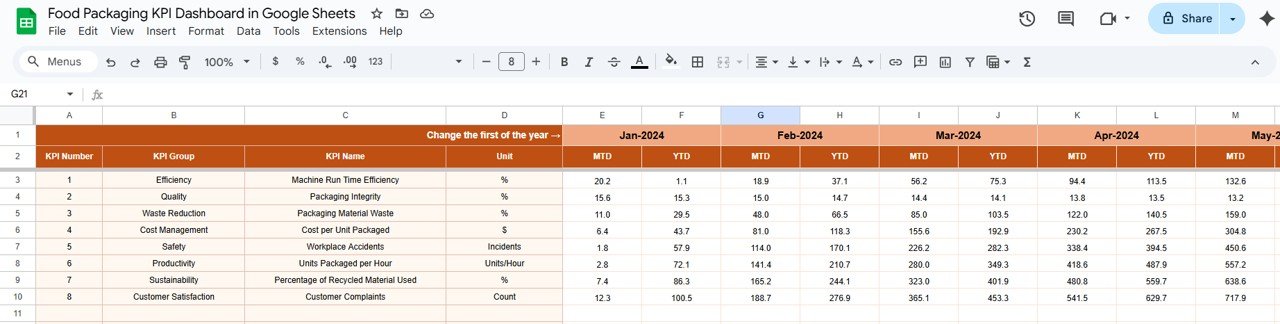
✍️ Actual Numbers Sheet
📅 Month-Specific Entry (Cell E1) – Update monthly actuals
✨ MTD and YTD Fields – Simple, centralized, and editable
✅ Instant Integration – Feeds data into dashboard and charts
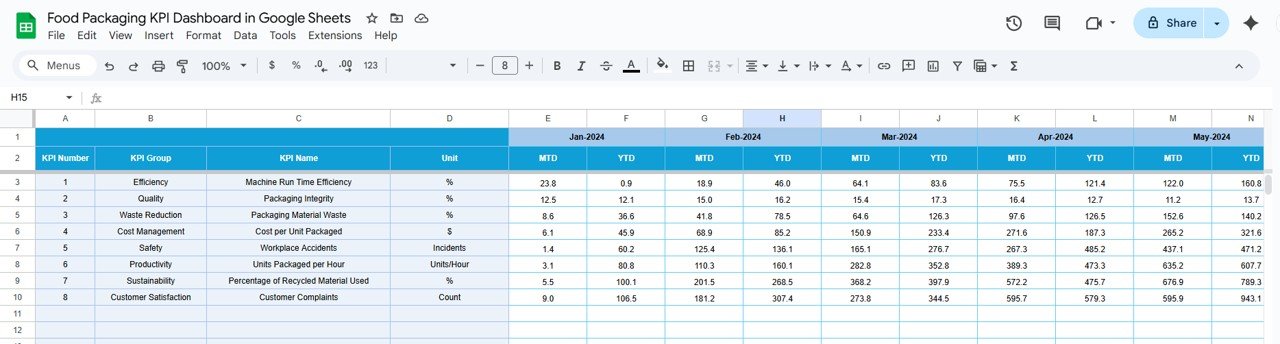
🎯 Target Sheet
🔢 Define MTD & YTD Targets – Monthly goal setting
🎯 Department-Wide Alignment – Keep everyone on the same page
📌 Benchmark Tracking – Measure performance against set goals
🔁 Previous Year Sheet
🗓️ Year-over-Year Comparison – Input past performance for all KPIs
🧭 Historical Insights – Learn from past trends and improve
🧾 KPI Definition Sheet
🔠 KPI Details – Group, Unit, Formula, and Definitions
🧭 KPI Type Tags – Mark as UTB (Upper the Better) or LTB (Lower the Better)
📚 Team Clarity – Everyone knows what each KPI means
📦 What’s Inside the Product?
✅ 6 Custom-Built Sheets (Dashboard, KPI Trend, Actual, Target, Previous Year, KPI Definition)
✅ Plug-and-play formulas for auto-calculation
✅ Conditional formatting for quick visual alerts
✅ Drop-down menus for simplified data selection
✅ Fully editable fields for total flexibility
✅ Built-in charts to visualize performance instantly
🛠️ How to Use the Dashboard
📥 Download and open the Google Sheets file
🗓️ Select a month from the dashboard (Cell D3)
🧮 Input MTD and YTD values in the Actual Numbers tab
🎯 Set monthly targets in the Target Sheet
🕰️ Enter previous year’s data for historical comparison
📊 Use the KPI Trend tab to track long-term performance
📤 Share with your team for real-time collaboration and updates
👤 Who Can Benefit from This Dashboard?
🏭 Food Packaging Companies – Track operations from floor to forecast
🧑💼 Operations Managers – Streamline production performance
✅ Quality Assurance Teams – Monitor defect and compliance KPIs
📈 Consultants & Analysts – Provide strategic insights to clients
🚀 Startups & SMEs – Get high-level tracking without high costs