





The Film Production KPI Dashboard in Excel is a powerful and fully automated tool designed for film studios, production houses, and content creators to track, measure, and optimize key performance indicators (KPIs) for their projects.
Whether you are managing budgets, crew efficiency, post-production timelines, or distribution performance, this Excel-based dashboard provides real-time insights into your production performance, helping you make data-driven decisions and improve efficiency.
With automated KPI tracking, dynamic charts, and user-friendly data input, this film industry-specific KPI dashboard streamlines reporting and ensures your production stays on track.
Key Features
✅ Instant Download – Start Tracking Film Production KPIs Immediately!
✅ Comprehensive Dashboard – Monitor MTD & YTD Performance
✅ Automated KPI Calculation – Compare Targets, Actuals & Previous Year Data
✅ Dynamic Visuals – Highlight KPI Trends with Conditional Formatting
✅ Excel-Based & User-Friendly – No Additional Software Required
What’s Inside?
This Film Production KPI Dashboard consists of seven essential worksheets, each tailored for performance tracking and strategic analysis.
1. Home Sheet – The Central Hub
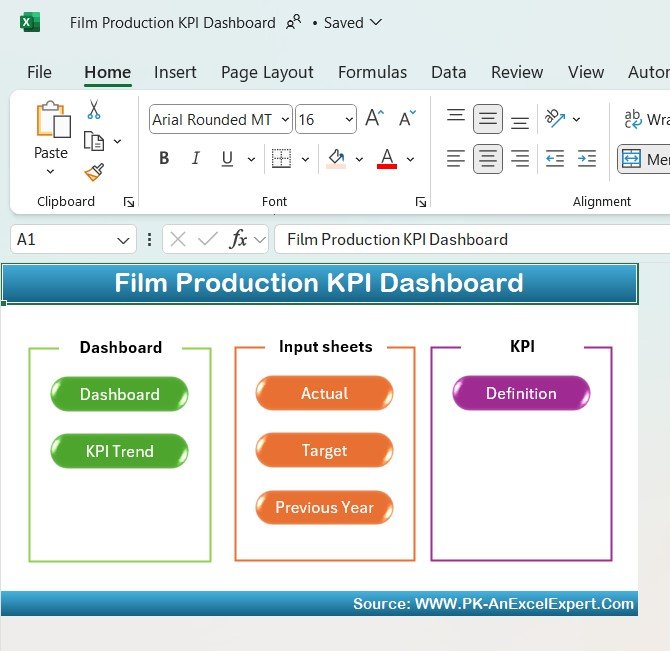
The Home Sheet acts as an interactive index, allowing quick navigation across the dashboard.
🖱️ Quick Navigation Buttons:
- Dashboard – Access the main KPI dashboard.
- KPI Trend – View monthly and yearly performance trends.
- Actual – Input real-time production performance data.
- Target – Set production goals and benchmarks.
- Previous Year – Compare past and present production metrics.
- Definition – Understand each KPI with formula breakdowns.
📌 Why It’s Powerful?
✔ One-Click Access – Jump between sections easily.
✔ User-Friendly Layout – Designed for fast and intuitive use.
2. Dashboard Sheet – Complete Production Overview
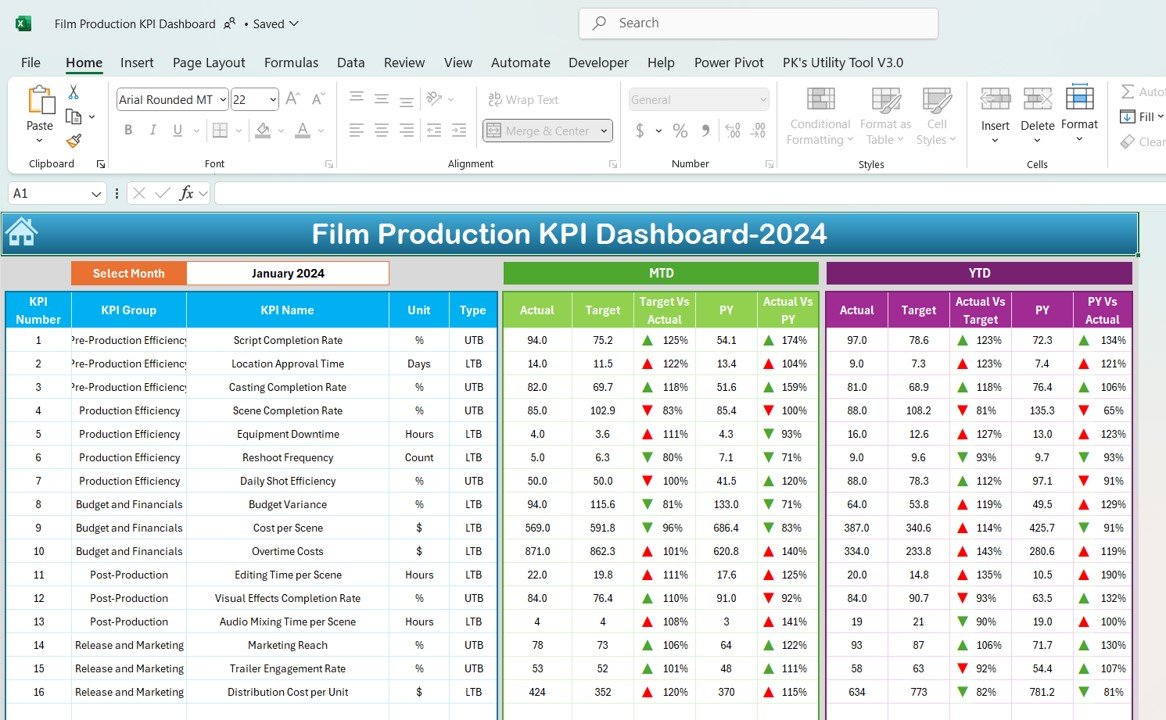
The Film Production KPI Dashboard Sheet is the core of the Film Production KPI Dashboard, providing real-time insights into key performance indicators (KPIs).
📌 Key Features:
- Month-to-Date (MTD) & Year-to-Date (YTD) Metrics:
- View actual performance vs. targets vs. previous year data.
- Identify growth trends and performance gaps.
- Dynamic KPI Selection:
- Select any month, and the dashboard updates automatically.
- Visual Indicators:
- Green & Red Arrows highlight positive and negative trends.
📊 Track Budget Utilization, Shooting Schedules & Crew Efficiency!
3. KPI Trend Sheet – Deep Dive Into KPI Performance
This sheet provides in-depth analysis of individual KPIs with interactive trend charts.
📌 Key Features:
- Dropdown Menu Selection:
- Choose a KPI and see its historical performance instantly.
- KPI Breakdown:
- KPI Group: Budget, Scheduling, Post-Production, Distribution.
- Unit Type: Hours, Percentage, Currency.
- Performance Type: Whether higher or lower values are better.
- Trend Charts:
- MTD & YTD performance comparison with actual, target & previous year data.
📊 Monitor Editing Timelines, Revenue Targets & Content Distribution!
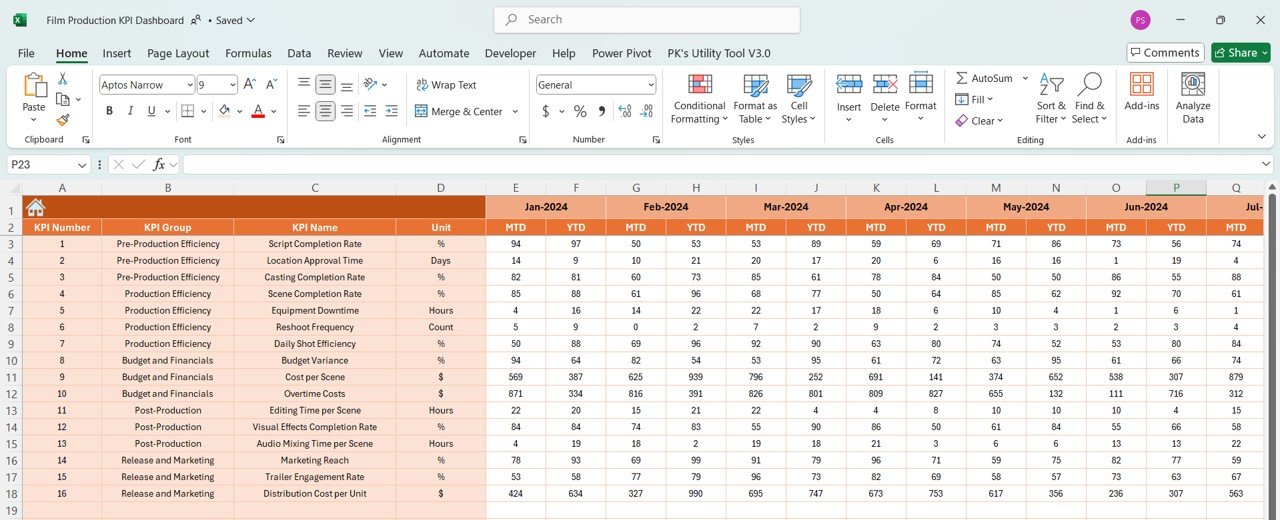
4. Actual Numbers Input Sheet – Data Entry Made Simple
This sheet is dedicated to entering actual production numbers, making KPI tracking easy and efficient.
📌 Key Functionalities:
- Enter monthly and yearly performance data for each KPI.
- Adjust the starting month of the production year in one step.
- Ensures consistent data tracking for budget, time, and resources.
📊 Keep Production Costs & Schedules on Track!
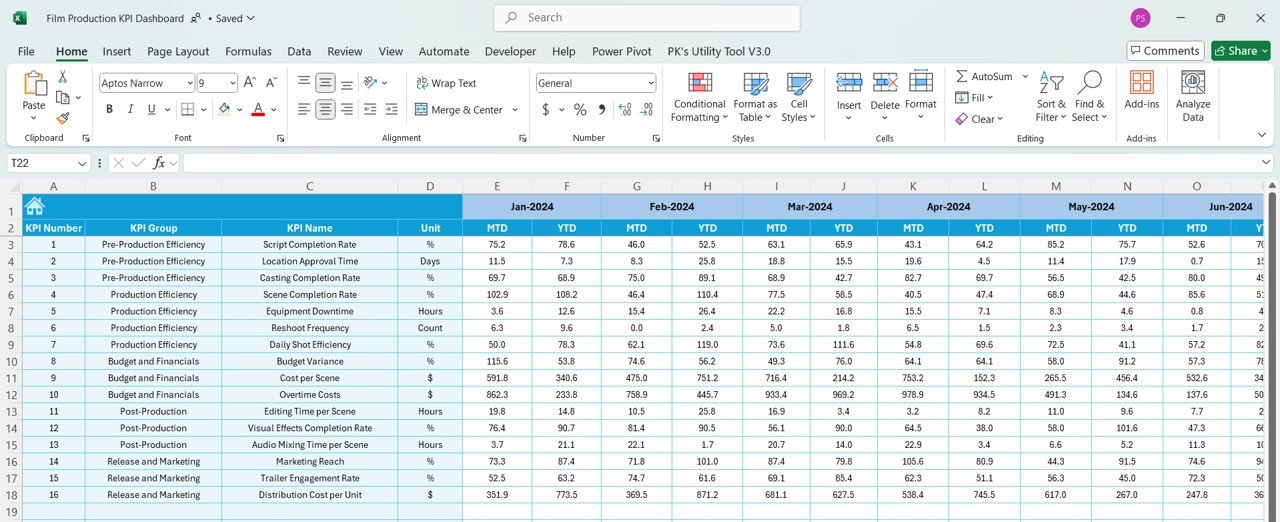
5. Target Sheet – Set Production Goals
A successful film production relies on well-defined goals. This sheet helps set realistic targets for KPIs.
📌 Key Features:
✔ Define Monthly & Yearly Targets for each KPI.
✔ Compare Actual vs. Target Performance Easily.
✔ Helps in Budget Planning, Scheduling & Efficiency Improvements.
📊 Achieve Cost Efficiency & On-Time Deliverables!
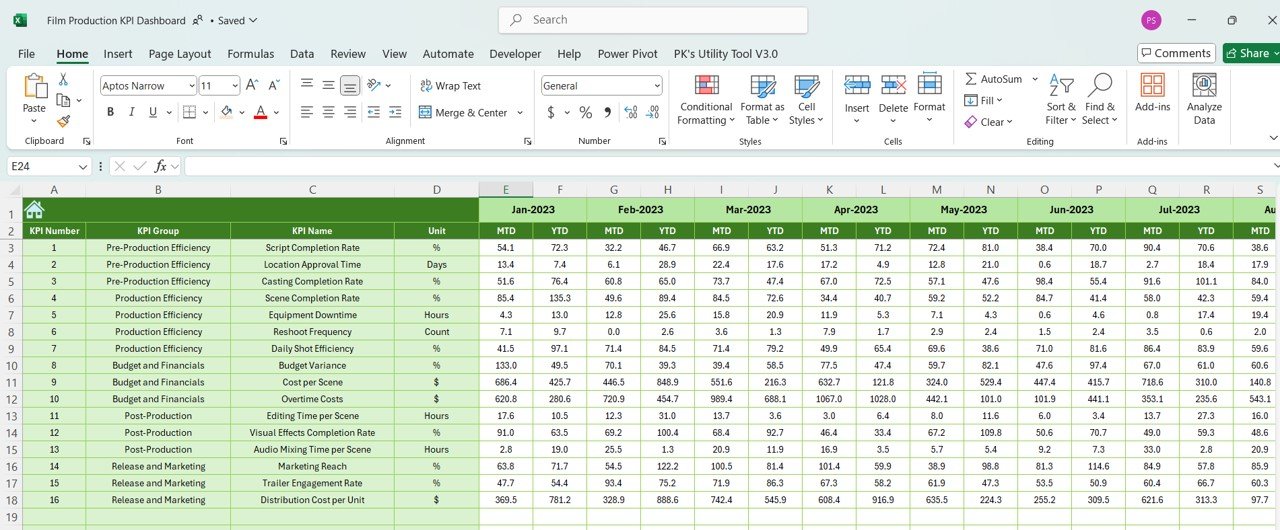
6. Previous Year Numbers Sheet – Historical Comparisons
Understanding past performance trends is crucial for future success.
📌 Key Features:
✔ Enter last year’s KPI data to compare with the current year.
✔ Identify growth, decline, and improvement areas.
✔ Measure progress over time for long-term decision-making.
📊 Use Data Insights to Optimize Future Film Projects!
7. KPI Definition Sheet – Understand Every KPI
To ensure accurate tracking, the KPI Definition Sheet provides a detailed breakdown of each metric.
📌 Includes:
✔ KPI Name & Category – Budget, Efficiency, Scheduling, etc.
✔ Unit of Measurement – Hours, Dollars, Percentages.
✔ Formula Used – Transparent calculation methods.
✔ Definition – Ensures clarity and standardization.
📊 Get a Clear Understanding of Every KPI!
Why Choose This Film Production KPI Dashboard?
✅ Simplifies Film Project Management: Track performance, set targets, and optimize efficiency.
✅ Data-Driven Decision Making: Real-time comparisons with targets and past performance.
✅ Interactive & Customizable: Adjust themes, highlight key KPIs, and personalize the dashboard.
✅ User-Friendly Interface: No advanced Excel knowledge required—just input your data and get insights!
✅ Boost Productivity: Helps production managers, directors, and studio executives stay organized and make strategic decisions.
📢 Perfect for:
✔ Film Production Teams & Studios
✔ Content Creators & Digital Media Agencies
✔ Post-Production & Editing Teams
✔ Budgeting & Financial Planning for Film Projects
✔ Producers, Directors & Project Managers
🔥 Take Control of Your Film Production KPIs & Maximize Efficiency!
Get Your Copy Now!
The Film Production KPI Dashboard in Excel is an essential tool for production houses looking to streamline workflow, track key performance metrics, and optimize operations.
Click hare to read the Detailed blog post
Visit our YouTube channel to learn step-by-step video tutorials






























Reviews
There are no reviews yet.