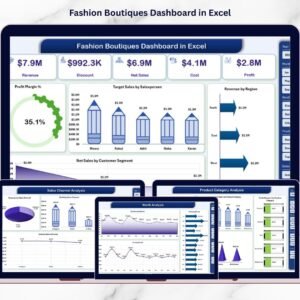

Fashion boutiques don’t fail because they lack style… they fail because they lack visibility. Trends change overnight, customers switch preferences fast, and competition is always one step ahead. If you’re still relying on manual reports, scattered spreadsheets, or basic accounting summaries, you’re not managing your boutique—you’re guessing.
That’s why we built the Fashion Boutiques Dashboard in Excel 👗📊
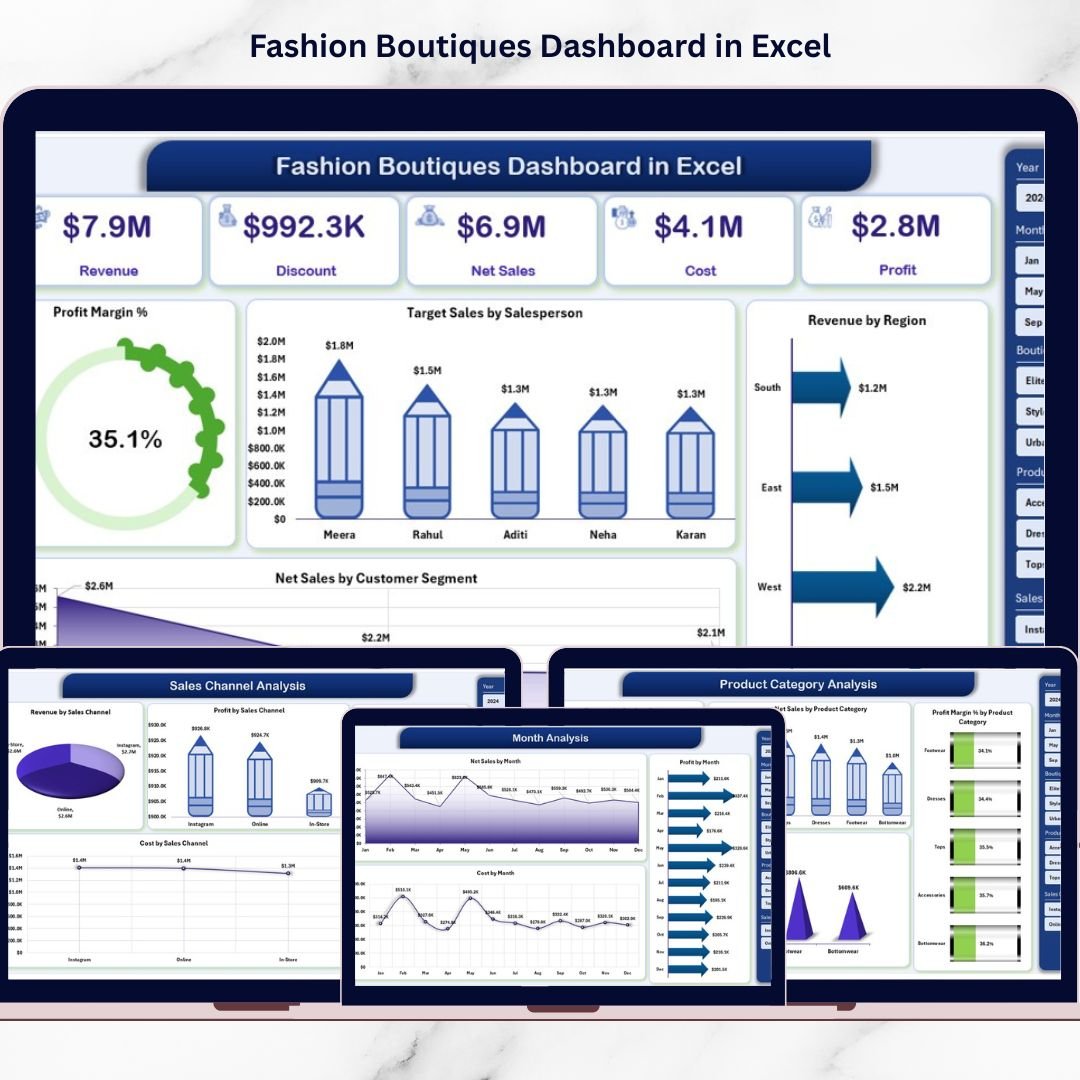
It’s a ready-to-use analytics template that transforms raw sales data into powerful business insights—so you can instantly track revenue, net sales, costs, and profit margin across boutiques, product categories, sales channels, and months.
This dashboard is designed for boutique owners and fashion retail managers who want a professional reporting system without expensive software. With slicers, KPI cards, and clean visuals, you’ll know exactly what’s working, what’s wasting money, and where to focus next.
Key Feature of Fashion Boutiques Dashboard in Excel
🚀 Ready-to-use Excel dashboard built for fashion boutique performance tracking
🧭 Page Navigator on the left to jump between analysis pages instantly
🎛️ Right-side slicers to filter insights by your business needs
📌 KPI Cards to highlight key performance at a glance
📈 5-page analytics structure covering stores, categories, channels, and trends
💰 Profit Margin % tracking to monitor profitability clearly
🎯 Target Sales by Salesperson to improve accountability and performance
🌍 Revenue by Region for location-wise insights
👥 Customer Segment analysis for smarter marketing decisions
🧾 Support + Data sheets for smooth automation and easy data updates
What’s Inside the Fashion Boutiques Dashboard in Excel
This template includes 5 powerful analytical pages, plus supporting sheets that run everything smoothly:
📌 1) Overview Page (Snapshot View)
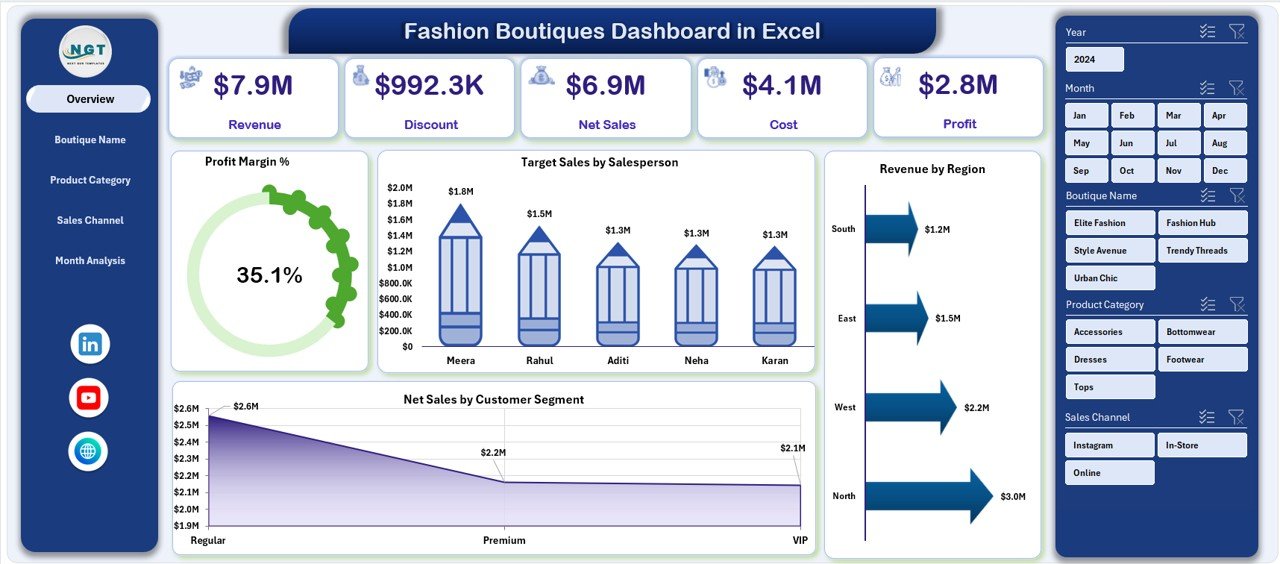
Your business performance command center with slicers, KPI cards, and key visuals:
Profit Margin %
Target Sales by Salesperson
Revenue by Region
Net Sales by Customer Segment
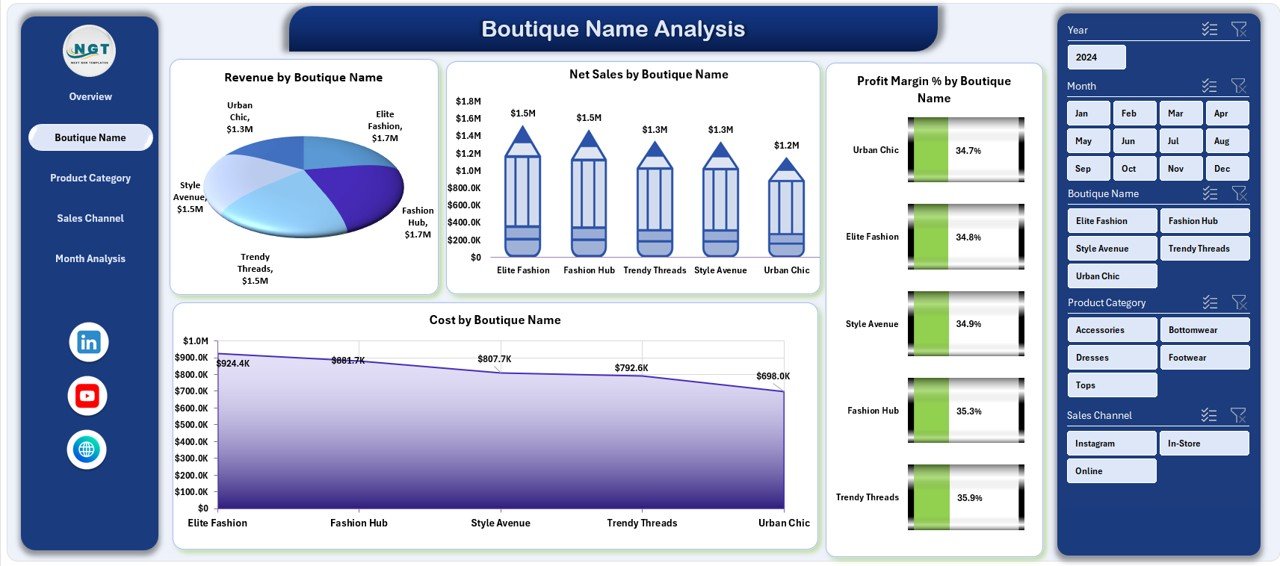
🏬 2) Boutique Name Analysis (Store Performance)
Compare boutiques and instantly spot winners and underperformers using:
Revenue by Boutique Name
Net Sales by Boutique Name
Profit Margin % by Boutique Name
Cost by Boutique Name
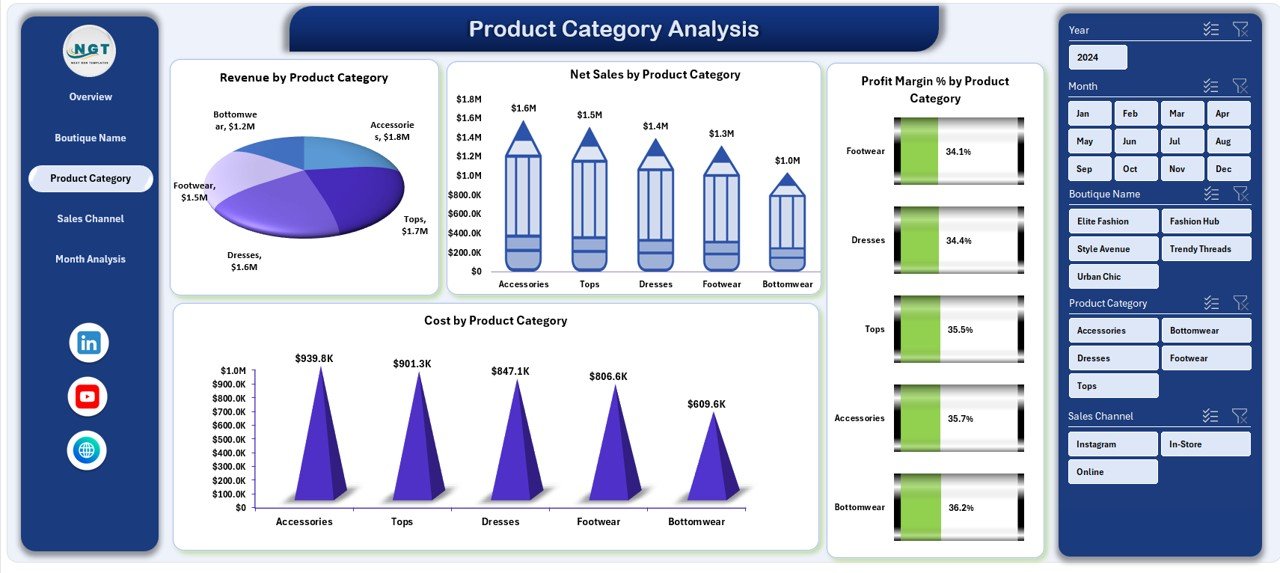
👗 3) Product Category Analysis (Trend + Inventory Insights)
Understand which categories drive sales and profit:
Revenue by Product Category
Net Sales by Product Category
Profit Margin % by Product Category
Cost by Product Category
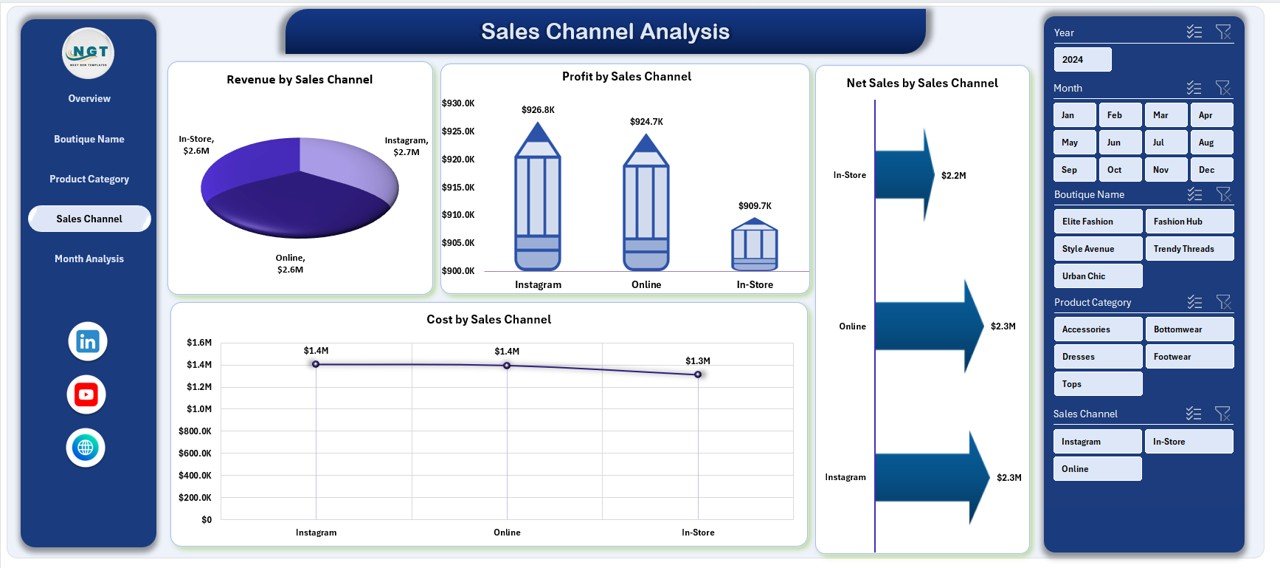
🛍️ 4) Sales Channel Analysis (Online vs Offline Profits)
See where your money really comes from:
Revenue by Sales Channel
Net Sales by Sales Channel
Profit by Sales Channel
Cost by Sales Channel
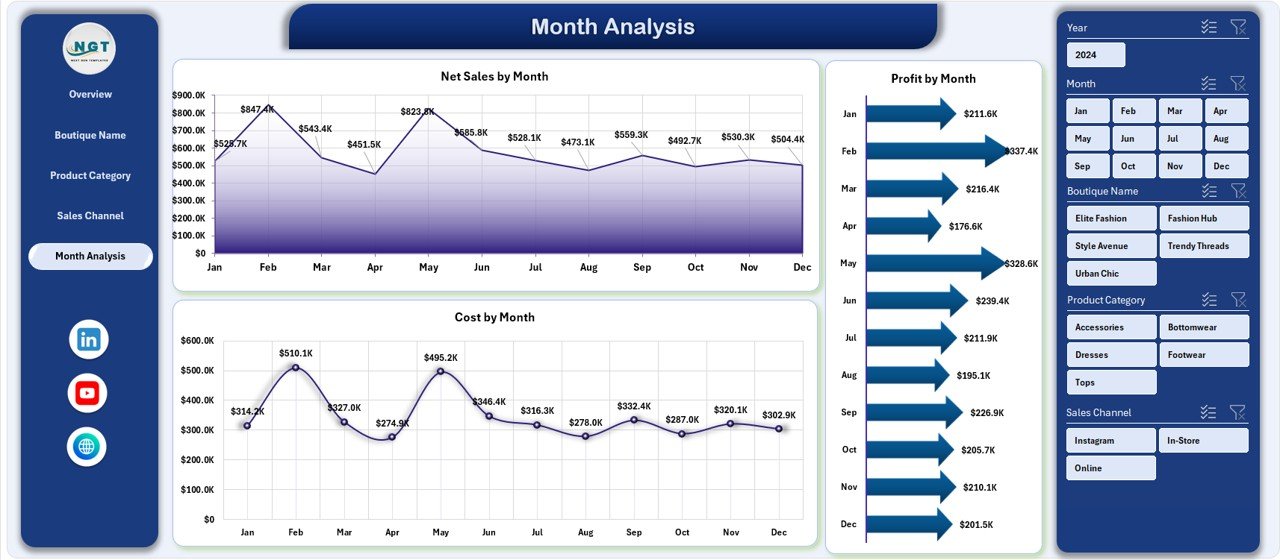
📅 5) Month Analysis (Seasonal & Time Trends)
Track performance over time to forecast better:
Net Sales by Month
Profit Margin by Month
Cost by Month
🧩 Support Sheet
Handles background calculations and structured references (no heavy manual work).
📂 Data Sheet
Your main input area to add sales transactions, boutique details, products, and channels.
How to Use the Fashion Boutiques Dashboard in Excel
You don’t need advanced Excel skills—just follow this simple workflow:
1️⃣ Enter/Update Data
Paste your latest transaction and master data into the Data Sheet.
2️⃣ Refresh the Dashboard
The visuals update automatically based on structured calculations.
3️⃣ Use Slicers for Quick Insights
Filter by region, month, category, boutique, channel, or segment to answer questions instantly.
4️⃣ Review the Overview First
Check Profit Margin %, salesperson targets, and overall sales distribution.
5️⃣ Deep-Dive into the Analysis Pages
Use Boutique, Category, Channel, and Month analysis pages to detect gaps, opportunities, and trends.
6️⃣ Take Action Faster
Shift inventory to high-performing boutiques, optimize underperforming channels, and control costs where needed.
Who Can Benefit from This Fashion Boutiques Dashboard in Excel
This dashboard is perfect for:
👗 Boutique Owners (single store or multi-store)
🏬 Fashion Retail Managers
🎯 Sales Managers & Team Leaders
💼 Finance & Profitability Analysts
📊 Retail Consultants
🛒 E-commerce & Omnichannel Managers
📦 Inventory & Category Planners
Whether you manage one boutique or a growing chain, this dashboard helps you run your business like a data-driven brand.
Click hare to read the Detailed blog post
Visit our YouTube channel to learn step-by-step video tutorials
Youtube.com/@PKAnExcelExpert
Watch the step-by-step video tutorial:
Compatibility and Requirements
- Works in Microsoft Excel desktop (Excel 2016 or later, or Microsoft 365).
- The dashboard uses slicers on the right side of each page to filter the charts and KPI cards. Microsoft explains them in Use slicers to filter data.
Frequently Asked Questions
Which pages does the dashboard include?
Five analysis pages: Overview, Boutique Name Analysis, Product Category Analysis, Sales Channel Analysis and Month Analysis. A Support sheet and a Data sheet sit behind them.
Where do I enter my sales data?
On the Data sheet. Paste your sales transactions, boutique details, products and channels there, and the visuals update from it.
Can I filter the dashboard by region or month?
Yes. Slicers on the right side let you filter by region, month, product category, boutique, sales channel or customer segment.
Does it show profit margin?
Yes. The Overview page shows Profit Margin %, and you can also see it by boutique, by product category and by month. The Sales Channel page shows profit by channel.
Is there a Power BI version?
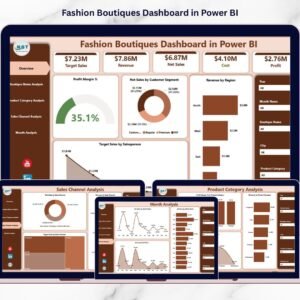
Yes. See the Fashion Boutiques Dashboard in Power BI. There is also a Fashion Boutiques KPI Dashboard in Excel.
Related Fashion Templates
- Fashion Boutiques KPI Dashboard in Excel: a KPI view for the same type of business
- Fashion Boutiques Dashboard in Power BI: the Power BI edition
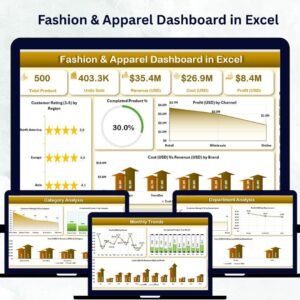
- Fashion & Apparel Dashboard in Excel: a dashboard for apparel sales
- Fashion E-commerce Dashboard in Excel: for online fashion sales
- Fashion Retail KPI Dashboard in Excel: KPIs for fashion retail
Browse all Excel dashboards.