

Managing equipment requests across departments can quickly become complicated — especially when multiple teams are borrowing and returning shared assets. The Equipment Borrowing Request Tracker in Google Sheets provides a simple, automated way to log, monitor, and analyze equipment usage in real time. 🧰📊
This ready-to-use Google Sheets template eliminates the chaos of manual tracking. It allows you to record every borrowing request, view approval statuses instantly, and analyze trends by department or asset type — all in one organized, cloud-based dashboard. Whether your organization lends laptops, cameras, tools, or lab devices, this tracker ensures complete visibility and accountability.

🔑 Key Features of the Equipment Borrowing Request Tracker in Google Sheets
📋 Tracker Sheet Tab (Main Dashboard)
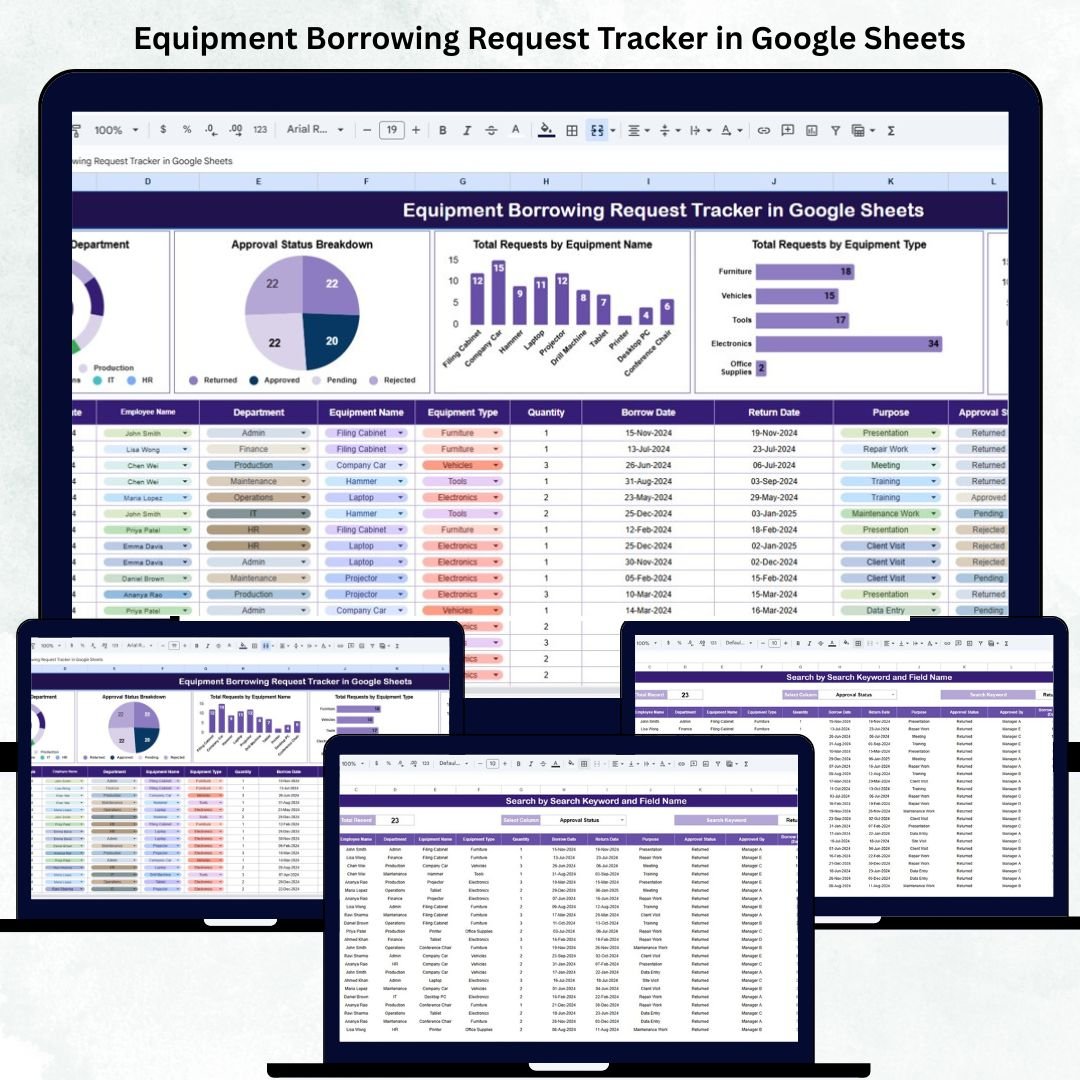
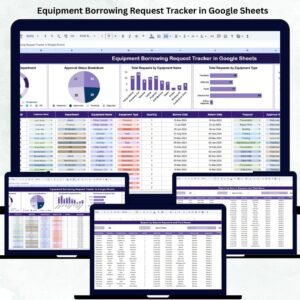
The Tracker Sheet is your control center — displaying all borrowing activities and analytics at a glance.
Charts Included:
🏢 Total Requests by Department: Identify which teams borrow the most equipment.
✅ Approval Status Breakdown: Visualize approved, pending, and rejected requests for better decision-making.
🔧 Total Requests by Equipment Name: Discover which specific assets (e.g., Laptop, Camera, Drone) are most frequently borrowed.
🧩 Total Requests by Equipment Type: Analyze borrowing patterns by category such as Electronics, Tools, or Lab Equipment.
🎯 Total Requests by Purpose: Understand why items are borrowed — for training, events, client demos, or maintenance.
All charts update automatically as you add new data, giving you real-time insights into utilization and demand trends.
🔍 Search Sheet Tab (Smart Filtering System)
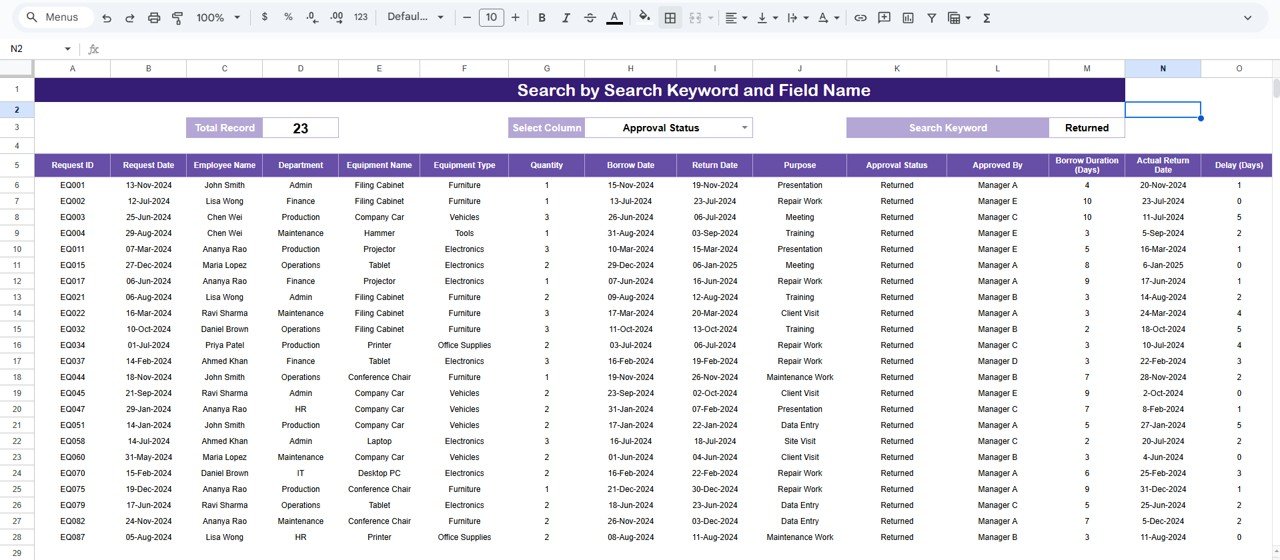
Finding records manually is a thing of the past. The Search Sheet makes it easy to locate specific requests using keyword-based searches.
Examples:
“Status = Approved” → Displays all completed requests.
“Department = IT” → Lists all IT department borrowings.
“Equipment Type = Audio” → Filters all sound-related gear.
“Requested By = John Doe” → Shows all requests made by a specific employee.
This feature helps managers quickly find, audit, or review borrowing activity without scrolling through hundreds of entries.
📘 Data Sheet Tab (Core Database)
This is where all equipment borrowing records are stored. Each new entry automatically updates the dashboard’s charts and KPIs.
Columns Include:
Request ID
Department
Requested By
Equipment Name
Equipment Type
Purpose
Request Date
Return Date
Status (Approved/Pending/Rejected)
Approver Name
This structure ensures data accuracy and reporting efficiency across teams.
💡 Support Sheet Tab (Dropdown & Reference Data)
This tab maintains lookup lists for dropdown menus such as departments, equipment types, statuses, and purposes — ensuring consistent data entry and minimizing human errors.
📦 What’s Inside the Tracker
✅ Pre-built automated dashboard
✅ Dynamic charts and KPIs
✅ Search and filter functionality
✅ Data validation with dropdowns
✅ Department and equipment analytics
✅ Google Sheets sharing for multi-user access
✅ Fully editable and scalable layout
🧑💼 Who Can Benefit from This Tracker
🏢 IT & Facilities Teams: Track laptops, projectors, or office tools.
🎥 Media Departments: Manage camera and production equipment efficiently.
⚙️ Engineering Units: Oversee borrowing of testing or lab instruments.
🏫 Educational Institutions: Monitor student or faculty use of classroom resources.
🚀 Corporate Offices: Maintain accountability for borrowed devices and gadgets.
It’s perfect for organizations that share assets frequently and value real-time visibility in equipment usage.
⚙️ Opportunities for Improvement
Enhance your tracker further by adding:
📩 Google Forms Integration: Let employees submit borrowing requests directly.
⚡ Automated Email Alerts: Notify approvers of new or overdue requests.
🧾 Condition & Maintenance Tracking: Record asset condition upon return.
💲 Cost Fields: Track depreciation or asset value.
⏰ Overdue Highlighting: Use conditional formatting for late returns.
🧠 Best Practices
✅ Update request status as soon as items are approved or returned.
✅ Use consistent department and asset names for clean analytics.
✅ Lock formulas and chart cells to prevent editing errors.
✅ Review charts weekly to identify usage spikes.
✅ Backup your file monthly to retain historical data.
🌟 Why Choose the Equipment Borrowing Request Tracker
📊 Complete visibility over equipment borrowing
☁️ 100% cloud-based, accessible anywhere
🔄 Auto-updating charts and metrics
🧰 Customizable fields for any type of equipment
🤝 Ideal for IT, media, or operations teams
🚀 Saves hours of manual tracking and follow-ups
The Equipment Borrowing Request Tracker in Google Sheets gives your organization an efficient, transparent, and automated system for managing asset requests — ensuring accountability and smarter resource utilization.
🔗 Click here to read the Detailed blog post
Watch the step-by-step video Demo:
🔗 Visit our YouTube channel for step-by-step tutorials
Compatibility and Requirements
- Works in Google Sheets. You need a free Google account and a web browser.
- Departments, equipment types, statuses and purposes come from dropdown lists on the Support sheet. Google explains dropdowns in Create an in-cell dropdown list.
Frequently Asked Questions
Which sheets are included?
Four sheets: Tracker, Search, Data and Support. The Tracker sheet holds the charts, the Search sheet filters records, the Data sheet stores every request and the Support sheet holds the dropdown lists.
What does the Data sheet record for each request?
Request ID, Department, Requested By, Equipment Name, Equipment Type, Purpose, Request Date, Return Date, Status (Approved, Pending or Rejected) and Approver Name.
Which charts does the Tracker sheet show?
Total Requests by Department, Approval Status Breakdown, Total Requests by Equipment Name, Total Requests by Equipment Type and Total Requests by Purpose. They update as you add new rows to the Data sheet.
How do I find a specific request?
Use the Search sheet. Filter by keywords such as Status = Approved, Department = IT, Equipment Type = Audio or Requested By = a person’s name.
Is there an Excel version?
Yes. See the Equipment Borrowing Request Tracker in Excel.
Related Equipment and Request Templates
- Equipment Borrowing Request Tracker in Excel: the same tracker for Excel
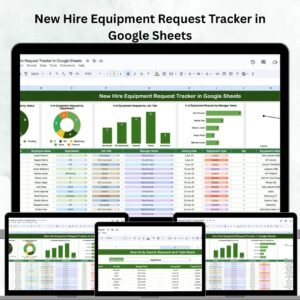
- New Hire Equipment Request Tracker in Google Sheets: equipment requests for new employees
- Employee Equipment Purchase Request Tracker in Google Sheets: purchase requests for equipment
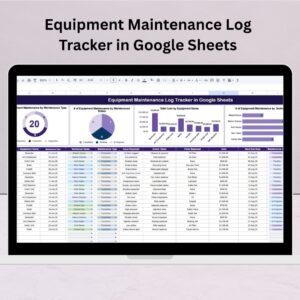
- Equipment Maintenance Log Tracker in Google Sheets: a log for equipment upkeep
- IT Support Request Tracker in Google Sheets: track IT support requests
Browse all Google Sheets trackers.














Reviews
There are no reviews yet.