



Ensuring employee wellness is a key factor in maintaining productivity and fostering a positive work environment. The Employee Wellness KPI Dashboard in Google Sheets is a comprehensive tool designed to help organizations monitor key wellness metrics such as physical activity levels, mental health, employee satisfaction, and work-life balance. This customizable dashboard empowers HR teams and managers to track wellness KPIs, enabling data-driven decisions that improve overall employee well-being.
Key Features:
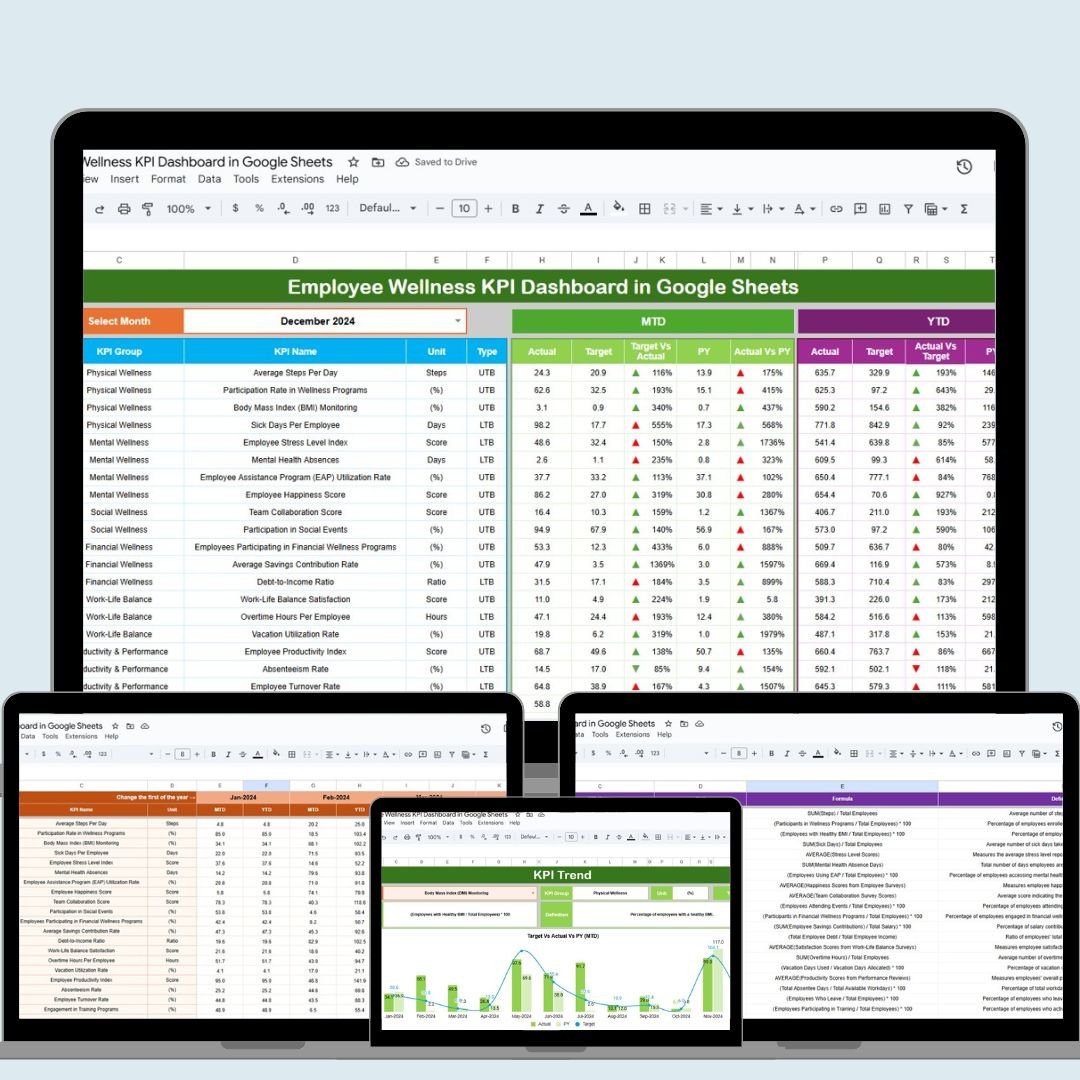
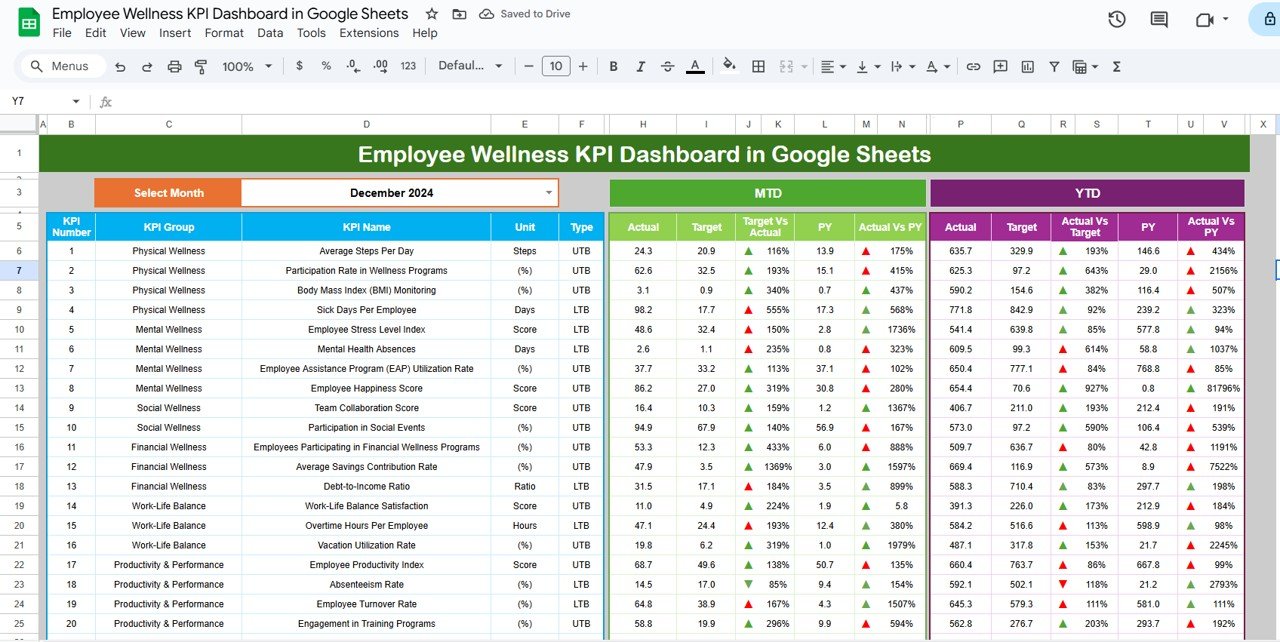
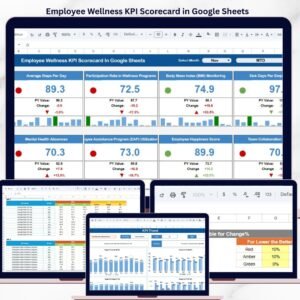
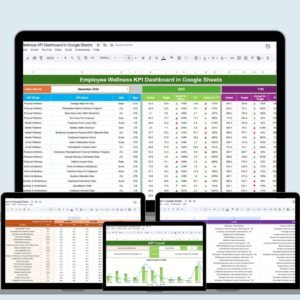
Dashboard Sheet Tab: The central hub of the dashboard provides an overview of all critical employee wellness KPIs. It includes:
Month Selector: A dropdown menu to select the desired month, allowing you to track month-to-month wellness data.
MTD & YTD Metrics: Displays Month-to-Date and Year-to-Date data with actual numbers, targets, and comparisons to the previous year.
Performance Comparisons: Shows Target vs Actual and Previous Year vs Actual comparisons, with conditional formatting to highlight trends.
KPI Trend Sheet Tab: Allows you to track the performance trend of each wellness KPI over time. Key features include:
KPI Selection: Dropdown menus to select specific KPIs and analyze their trends.
KPI Details: Displays each KPI’s name, unit of measurement, formula, and whether it’s a “Lower the Better” or “Upper the Better” metric.
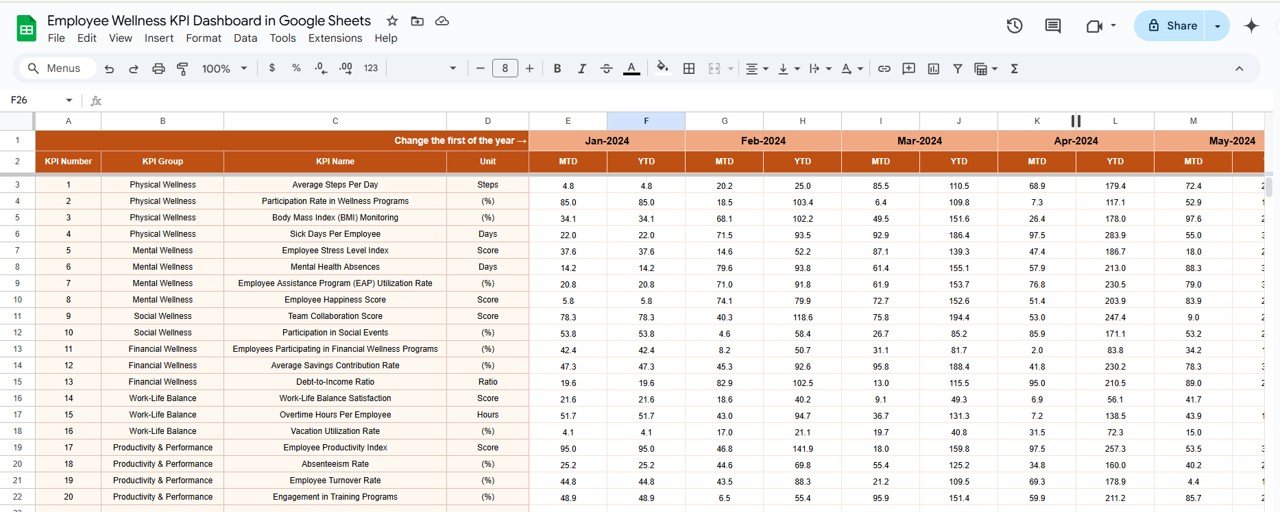
Actual Numbers Sheet Tab: This sheet is where actual wellness data is entered for MTD and YTD. It allows you to:
Track Data Inputs: Input actual performance numbers for KPIs like employee engagement scores, health-related activities, and overall wellness assessments.
Compare with Targets: Monitor actual data against the set targets for a more accurate performance evaluation.
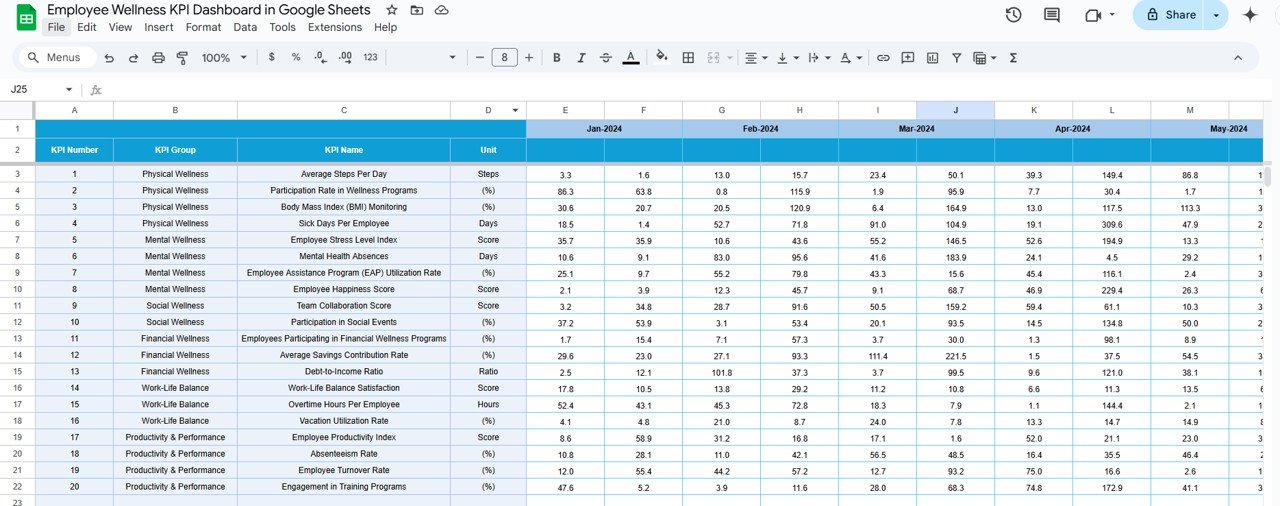
Target Sheet Tab: This sheet lets you set specific target values for each KPI. You can enter target values for both MTD and YTD, making it easier to:
Set Benchmarks: Define clear wellness goals for your organization.
Measure Progress: Compare actual results against the set targets to assess performance.
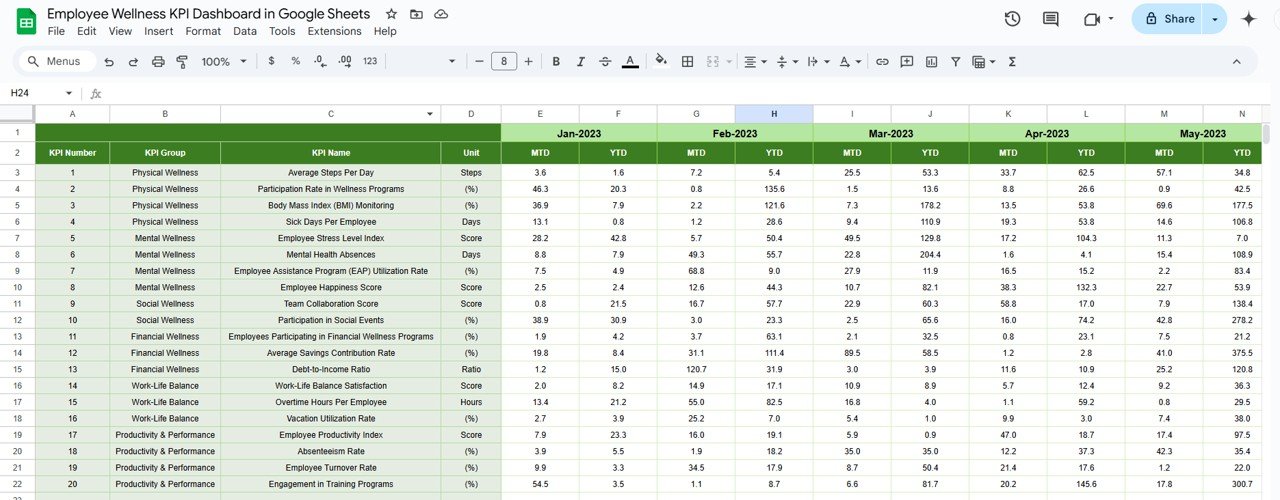
Previous Year Numbers Sheet Tab: Facilitates year-over-year comparisons by:
Data Entry: Input previous year’s data for each KPI, allowing you to compare performance and track improvements or declines.
Trend Analysis: Assess the growth or decline of wellness metrics over time.
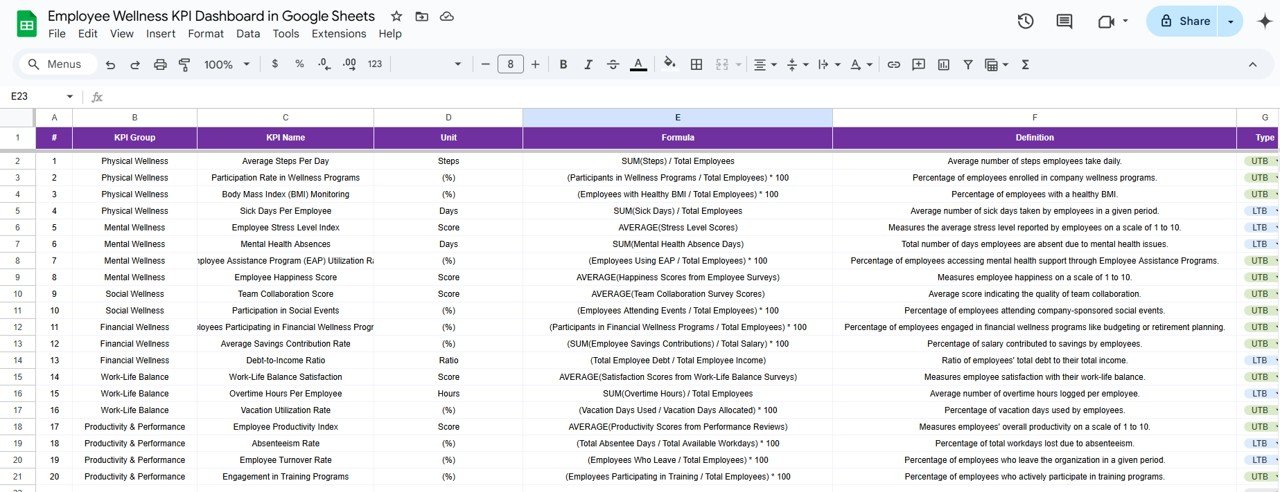
KPI Definition Sheet Tab: Provides clear definitions for each KPI, ensuring consistency in understanding and measurement. It includes:
KPI List: A comprehensive list of all KPIs tracked in the dashboard.
Definitions and Formulas: Detailed descriptions and formulas for each KPI, providing clarity for accurate tracking and reporting.
Benefits:
Comprehensive Wellness Monitoring: Tracks various wellness metrics such as employee satisfaction, physical and mental health, and engagement in wellness programs, providing a holistic view of employee well-being.
Data-Driven Decisions: Makes it easy to monitor key wellness indicators and take proactive steps based on data insights, improving overall employee satisfaction and retention.
Customizable Template: Tailor the dashboard to suit your organization’s specific wellness programs, making it adaptable to different departments or industries.
User-Friendly Interface: The dashboard is designed to be intuitive and easy to navigate, making it accessible to HR professionals, managers, and employees alike.
How to Use:
Access the Template: Open the provided Google Sheets link to access the dashboard template.
Customize the Dashboard: Modify the template to fit your organization’s wellness goals and KPIs. You can add, remove, or adjust metrics as needed.
Input Data: Enter actual wellness data into the “Actual Numbers” sheet and set corresponding targets in the “Target” sheet.
Analyze Performance: Use the “KPI Trend” sheet to analyze trends and make adjustments to wellness programs based on the data.
Regular Updates: Keep the dashboard updated with new data to ensure it reflects the most current state of employee wellness.
Conclusion:
The Employee Wellness KPI Dashboard in Google Sheets is an essential tool for organizations looking to prioritize employee well-being. By providing an organized and customizable way to track wellness metrics, this dashboard empowers businesses to make informed decisions that foster a healthy, engaged, and productive workforce. Whether you’re tracking physical health, mental wellness, or overall employee satisfaction, this dashboard ensures you have the tools you need to improve employee wellness across the board.
🔗 Click here to read the Detailed blog post
Visit our YouTube channel to learn step-by-step video tutorials
Youtube.com/@PKAnExcelExpert
h3>Watch the step-by-step video Demo:
Compatibility and Requirements
- Works in Google Sheets. You need a free Google account and a web browser.
- The month and KPI selectors are in-cell dropdowns. Google explains them in Create an in-cell dropdown list.
Who Can Use This Dashboard
It suits HR teams, wellness program coordinators and managers who look after employee well-being.
Frequently Asked Questions
Which sheets are included?
It has a Dashboard, KPI Trend, Actual Numbers, Target, Previous Year Numbers and KPI Definition sheet.
Which wellness KPIs can I track?
You can track KPIs such as employee engagement scores, health-related activities and overall wellness assessments.
Can I compare results with targets and last year?
Yes. The dashboard shows MTD and YTD actuals against targets and the previous year, with conditional formatting to highlight trends.
Does it show which direction is good for each KPI?
Yes. The KPI Trend sheet marks each KPI as Lower the Better or Upper the Better, with its unit and formula.
Is there an Excel version?
Yes. The Employee Wellness KPI Dashboard in Excel covers the same topic in Excel.
Related Employee Wellness Templates
- Employee Wellness KPI Dashboard in Excel: the same topic in Excel
- Employee Wellness KPI Dashboard in Power BI: the same topic in Power BI
- Employee Wellness KPI Scorecard in Google Sheets: score wellness KPIs
- Employee Wellness Program Enrollment Tracker in Google Sheets: track program sign-ups
- HR Google Sheets Pack: 10 HR templates for Google Sheets in one download
Browse all Google Sheets KPI dashboards or the Google Sheets HR and payroll templates.


























Reviews
There are no reviews yet.