

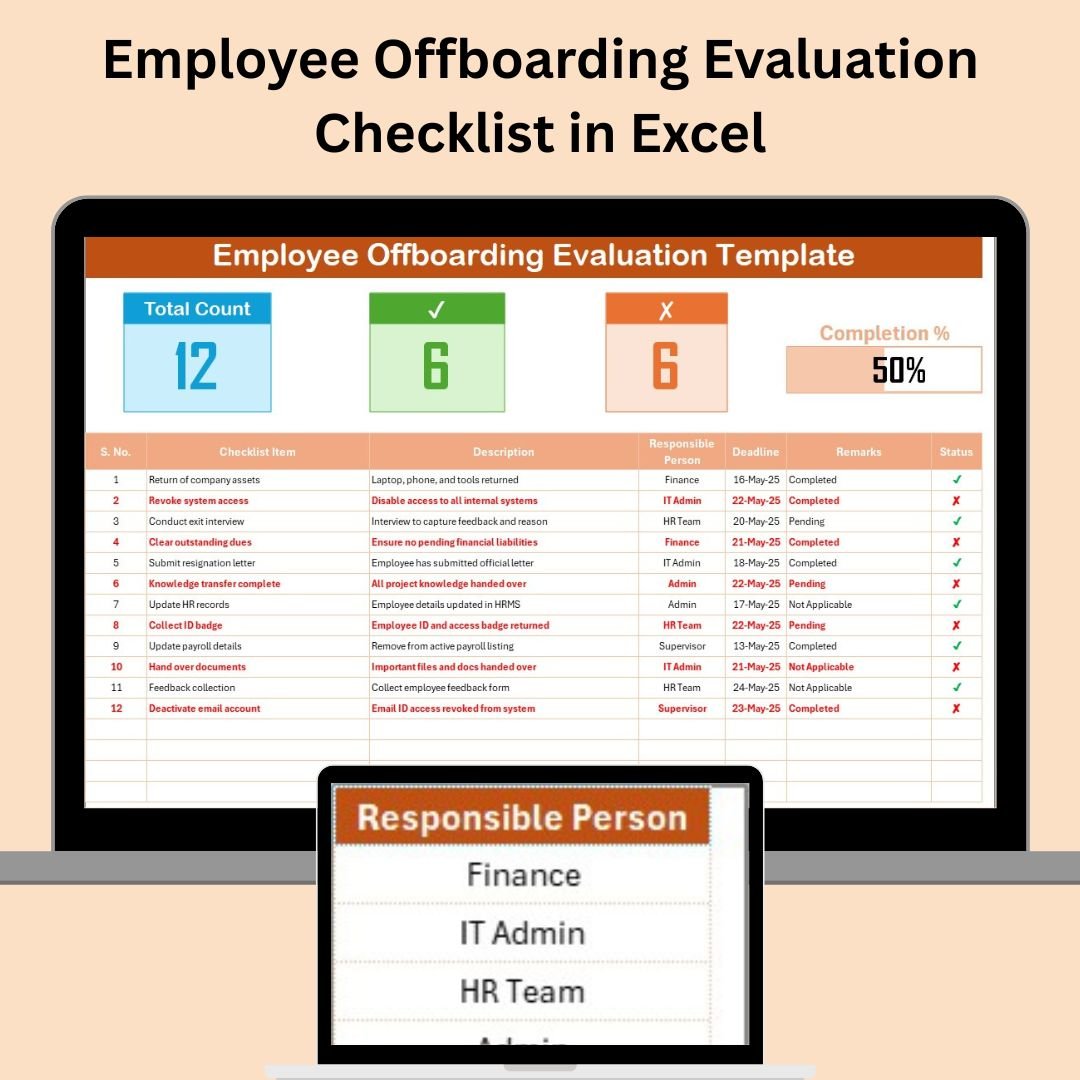

The Employee Offboarding Evaluation Checklist in Excel is an indispensable tool for HR departments to manage the critical tasks associated with employee exits. This ready-to-use template ensures that all steps in the offboarding process, from collecting company property to conducting exit interviews, are completed on time. With its intuitive design and real-time tracking features, this checklist simplifies the offboarding process and ensures a smooth transition for both employees and the organization.
🔑 Key Features of the Employee Offboarding Evaluation Checklist:
Comprehensive Task Management: Track every step of the offboarding process, ensuring no tasks are overlooked.
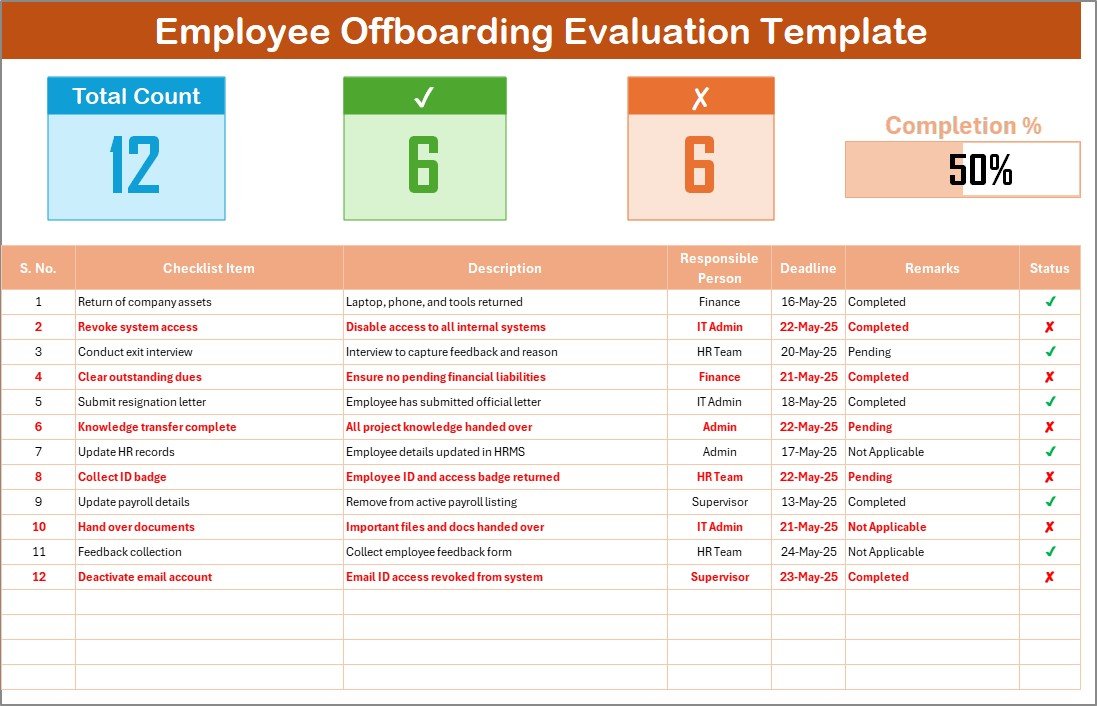
Progress Bar: A dynamic progress bar visually tracks the completion percentage of the offboarding tasks.
Task Assignment: Assign specific tasks to individuals, ensuring each part of the offboarding process is handled efficiently.
Customizable: Tailor the checklist to your organization’s offboarding procedures by adding or removing tasks.
Real-Time Tracking: The Total Count, Completed Count, and Pending Count features provide real-time visibility into task progress.
Clear Accountability: With defined roles and tasks, accountability is maintained throughout the process.
What’s Inside the Employee Offboarding Evaluation Checklist Template 🧑💼📊
The Employee Offboarding Evaluation Checklist consists of two main worksheets designed to help HR departments manage employee exits efficiently:
Employee Offboarding Preparation Guide Checklist Sheet: This is where you capture all offboarding tasks and track their progress. It includes:
Total Count, Completed Count, and Pending Count: Automatically updated as tasks are completed, giving you a clear picture of the offboarding process.
Checklist Table: A detailed list of tasks with columns for task description, responsible person, deadline, remarks, and status (✔ or ✘).
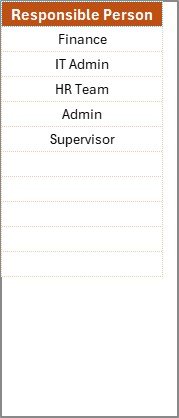
List Sheet: This sheet contains a list of responsible persons, making it easy to assign tasks to the appropriate individuals and ensuring consistency in task assignments.
How to Use the Employee Offboarding Evaluation Checklist 📅💼
To make the most of the Employee Offboarding Evaluation Checklist, follow these simple steps:
Download and Open the Template: Open the Excel file and begin filling out the tasks for offboarding.
Assign Tasks: Use the drop-down menu to assign tasks to specific individuals or departments (e.g., IT staff for revoking system access).
Set Deadlines: Define realistic deadlines for each task to ensure everything is completed before the employee’s last day.
Track Progress: Mark tasks as completed (✔) or pending (✘), and the progress bar will update accordingly.
Collaborate with Your Team: Share the checklist with your team to ensure everyone is on the same page and responsibilities are clear.
Who Can Benefit from This Employee Offboarding Evaluation Checklist? 🏢📋
This checklist is ideal for HR departments, managers, and team leaders who need a structured approach to handling employee offboarding. Whether you’re managing the offboarding of a single employee or multiple exits, this tool ensures that everything is tracked and completed in an organized manner.
HR Managers: Streamline the offboarding process and ensure all necessary tasks are completed on time.
Team Leaders: Assign tasks to the appropriate individuals and track their progress during the offboarding process.
Small Businesses: Even small teams can use this checklist to ensure a structured offboarding process, regardless of the size of the business.
Large Enterprises: This checklist is scalable for large teams, helping to manage offboarding tasks efficiently across departments.
Advantages of Using the Employee Offboarding Evaluation Checklist 📊💡
Improved Task Management: Keep track of all offboarding tasks in one place, ensuring nothing is missed.
Clear Accountability: Assign tasks to specific individuals, ensuring that every step is completed efficiently.
Real-Time Tracking: Monitor the progress of offboarding tasks with automatic updates on the status of each task.
Customizable to Fit Your Needs: Modify the template to meet your organization’s specific offboarding procedures.
Seamless Collaboration: Share the checklist with your team to improve communication and collaboration during the offboarding process.
Click here to read the Detailed Blog Post 📖
Visit our YouTube Channel to Learn Step-by-Step Video Tutorials 🎥
YouTube.com/@NeotechNavigators
Compatibility and Requirements
- Works in Microsoft Excel desktop (Excel 2016 or later, or Microsoft 365).
- New to Excel? Microsoft’s Excel for Windows training covers the basics.
Frequently Asked Questions
Which sheets are in the file?
Two sheets: the checklist sheet, where you list and track every offboarding task, and the List sheet, which holds the names of responsible persons.
Which columns does each task have?
Task description, responsible person, deadline, remarks and status, marked with ✔ or ✘.
How do I see progress?
Total, completed and pending counts update as you mark tasks, and a progress bar shows the completion percentage.
How do I assign a task?
Pick a person from the drop-down menu in the responsible person column, for example IT staff for revoking system access.
Can I add my own offboarding steps?
Yes. You can add or remove tasks to match your organization’s offboarding procedure.
Related Offboarding Templates
- Employee Offboarding Tracker in Excel: track several employee exits at once
- Employee Offboarding Planner Checklist in Excel: plan the exit steps ahead
- Employee Offboarding Checklist in Google Sheets: an offboarding checklist in Google Sheets
- Employee Offboarding Tracker in Google Sheets: an exit tracker in Google Sheets
- Checklist & SOP Pack: 12 checklist templates in one download
Browse all Excel checklists or the HR and Payroll templates.

































Reviews
There are no reviews yet.