

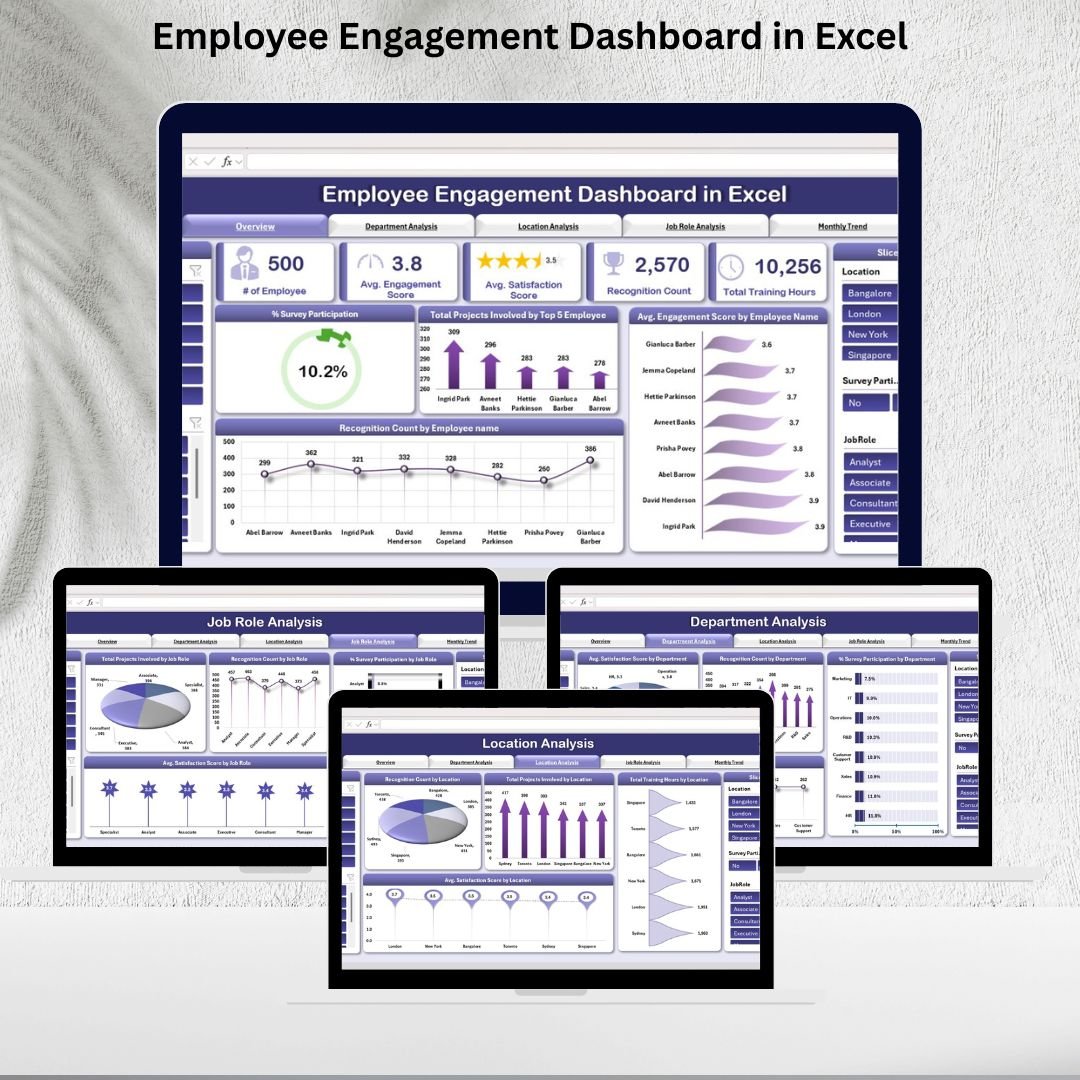


Employee engagement is more than just a buzzword—it’s the foundation of a productive, motivated, and satisfied workforce. With the Employee Engagement Dashboard in Excel, HR teams and managers get a ready-to-use, plug-and-play solution that simplifies engagement tracking, highlights trends, and uncovers areas needing improvement. 📊💡
This interactive Excel-based dashboard consolidates data from surveys, training, recognition programs, and projects into a single, visual platform, enabling organizations to make data-driven decisions that enhance workplace culture. Whether you manage a small team or a large organization, this dashboard is built to provide clarity, transparency, and actionable insights.

🔑 Key Features of the Employee Engagement Dashboard
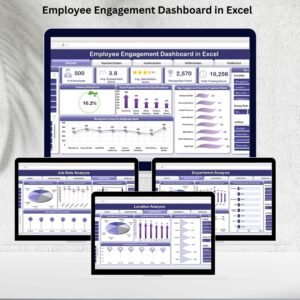
📋 Overview Sheet Tab
Snapshot of employee engagement with metrics like:
Total # of Employees
Average Engagement Score
Average Satisfaction Score
Recognition Count
Total Training Hours
Visual charts for Survey Participation %, Engagement by Employee, and Recognition by Employee
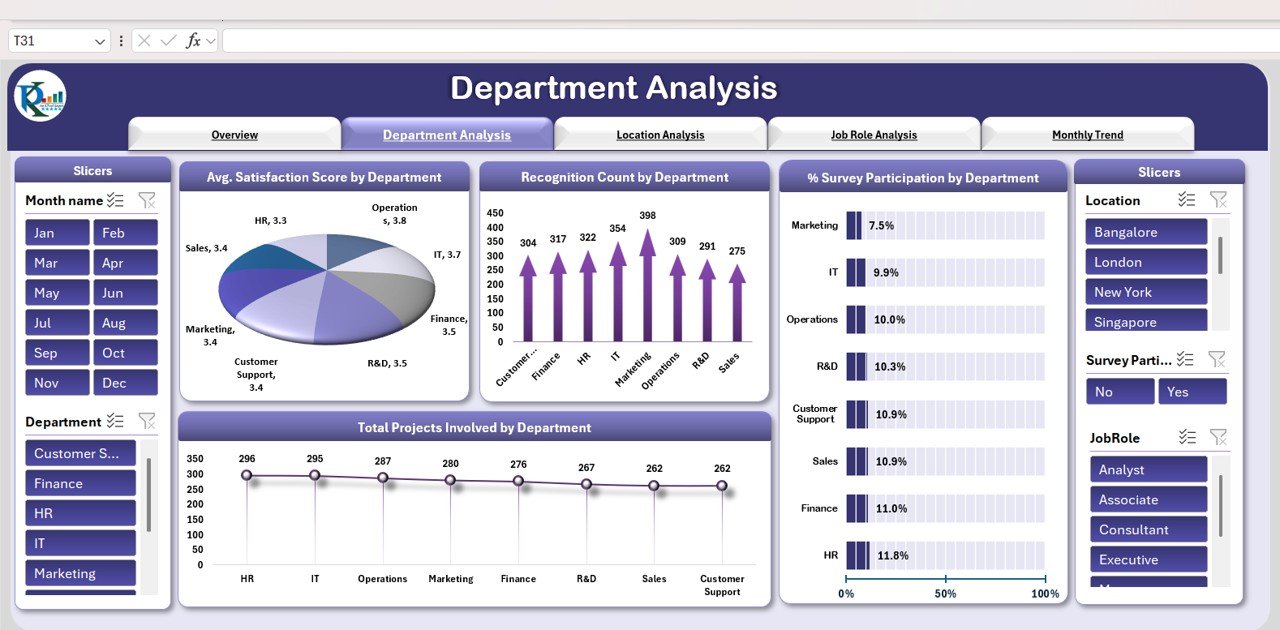
📊 Department Analysis
Charts that track satisfaction, recognition, survey participation, and projects by department
Identify which teams need more recognition, support, or training
🌍 Location Analysis
Compare engagement levels across offices and sites
Includes Recognition Count, Training Hours, Projects, and Satisfaction by location
👔 Job Role Analysis
Drill down into engagement by job role
Track project involvement, recognition, survey participation, and satisfaction scores for each role
📆 Monthly Trend Analysis
Monitor engagement over time
Charts for Monthly Engagement Score, Satisfaction Score, and Survey Participation %
📑 Data Sheet Tab
Input employee-level data on surveys, recognition, training, and projects
Auto-updates all dashboards and charts for real-time insights
📦 What’s Inside the Employee Engagement Dashboard?
When you download this template, you’ll get:
✅ Overview Dashboard – A complete snapshot of engagement metrics
✅ Department Analysis Tab – Engagement breakdown at the team level
✅ Location Analysis Tab – Insights for office/site-specific performance
✅ Job Role Analysis Tab – Compare engagement by job responsibilities
✅ Monthly Trend Tab – Track improvement or decline over time
✅ Data Sheet – Pre-formatted for easy entry and real-time reporting
Everything is designed to be easy-to-use, customizable, and scalable for organizations of any size. 🚀
🧑💼 Who Can Benefit from This Dashboard?
🎯 HR Teams – Track engagement initiatives and identify improvement areas
🎯 Business Leaders – Gain visibility into workforce morale and satisfaction
🎯 Department Managers – Monitor engagement at the team level
🎯 Executives – Access high-level performance insights for decision-making
🎯 SMEs & Enterprises – Scalable to fit both small businesses and large organizations
This dashboard makes it simple to measure what matters most—your people.
🧪 How to Use the Employee Engagement Dashboard
Enter Data – Input survey, recognition, training, and project data into the Data Sheet
Review Metrics – Check the Overview Dashboard for a quick snapshot
Analyze Segments – Drill into Department, Location, or Job Role tabs
Monitor Trends – Use the Monthly Trend tab to track engagement over time
Take Action – Implement HR initiatives where satisfaction or engagement is low
With no coding or technical expertise required, this Excel dashboard is plug-and-play and ready to drive results immediately. ✅
🌟 Why Choose This Dashboard?
Centralized employee engagement tracking
Real-time updates and visual reporting
Department, location, and job role segmentation
Trend analysis for proactive HR planning
Fully customizable to your KPIs and initiatives
With the Employee Engagement Dashboard in Excel, you’ll gain the insights needed to foster a motivated, engaged, and high-performing workforce. 🌟
🔗 Click here to read the Detailed blog post
Watch the step-by-step video Demo:


























Reviews
There are no reviews yet.