

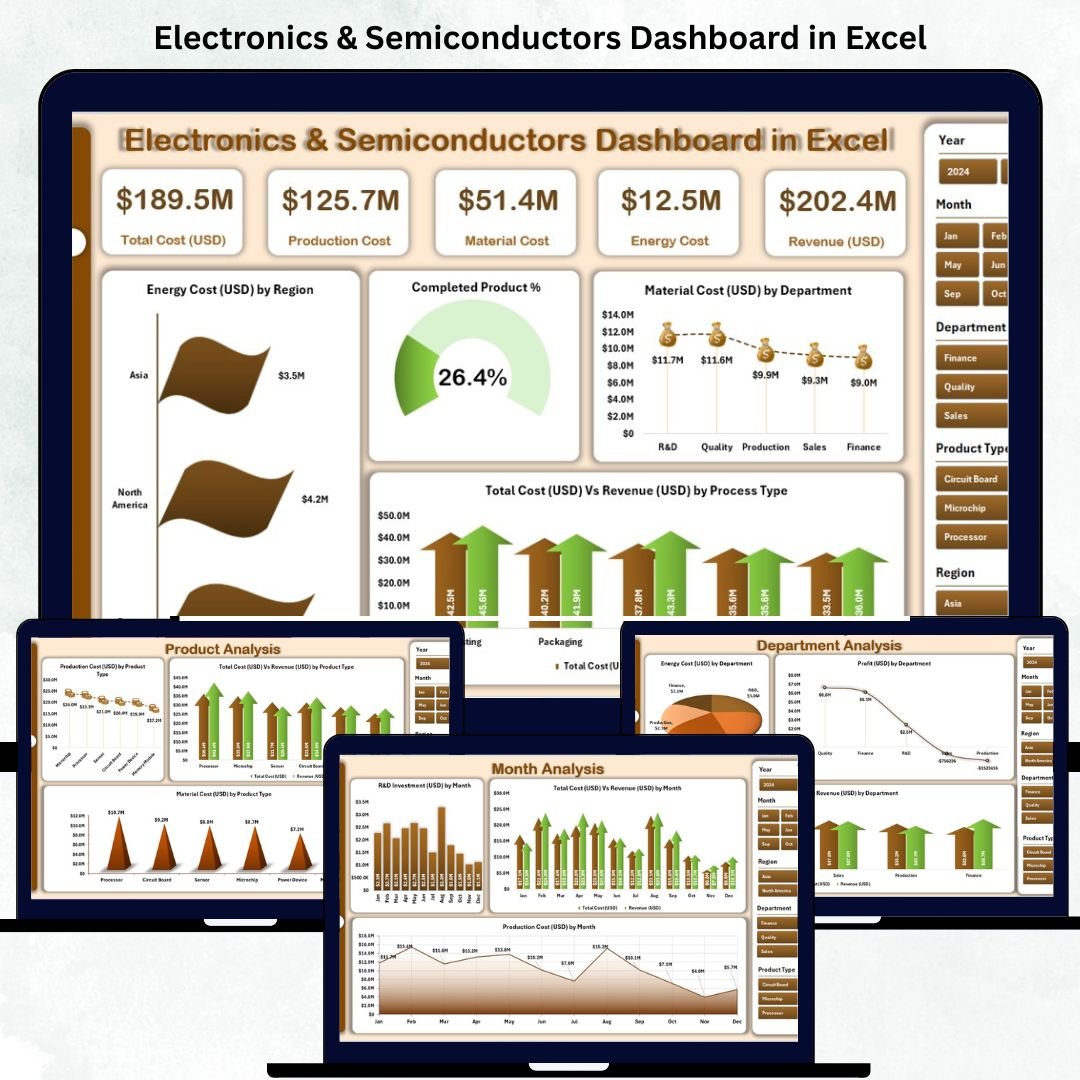

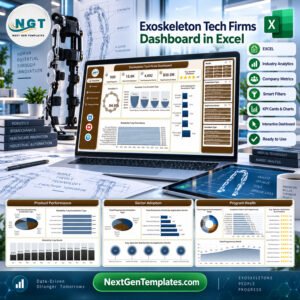
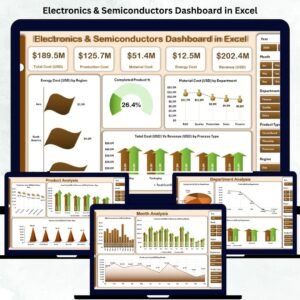
The Electronics & Semiconductors Dashboard in Excel is a ready-to-use business intelligence tool that empowers manufacturers, analysts, and managers to visualize performance, monitor costs, and drive efficiency — all within Microsoft Excel.
In an industry where precision, speed, and innovation define success, managing data effectively is non-negotiable. This interactive Excel dashboard transforms complex production and financial data into actionable insights, helping you optimize every step — from fabrication to final product delivery.
Whether you’re tracking production efficiency, analyzing material costs, or reviewing monthly performance, this dashboard delivers clear, automated, and real-time insights to support smarter decisions.
✨ Key Features of the Electronics & Semiconductors Dashboard in Excel
✅ 📊 Overview Page – Instant Business Snapshot

Get a high-level summary of company performance with five key KPI cards:
Completed Product %
Energy Cost (USD)
Material Cost (USD)
Total Cost (USD) vs Revenue (USD)
Profit (USD) by Process Type
📈 Quickly assess production efficiency, profitability, and cost structure in one place.
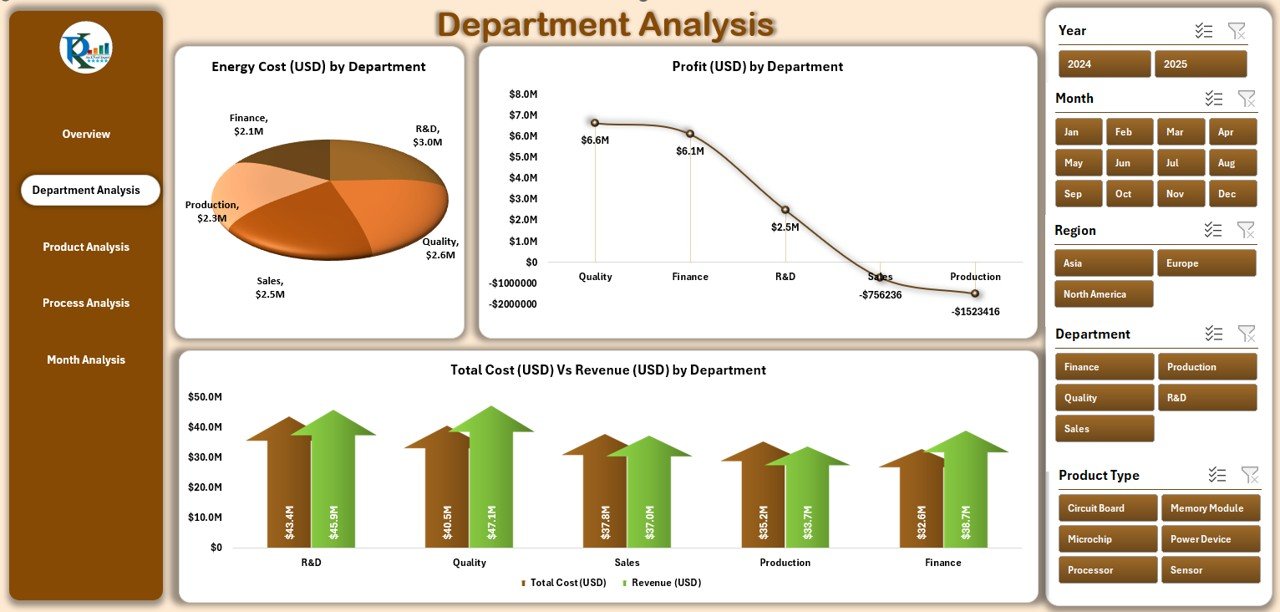
✅ 🏭 Department Analysis Page – Evaluate Team Performance
Understand how each department contributes to success.
Energy Cost (USD) by Department
Profit (USD) by Department
Total Cost vs Revenue (USD) by Department
⚙️ Spot high-performing teams and identify areas needing optimization.
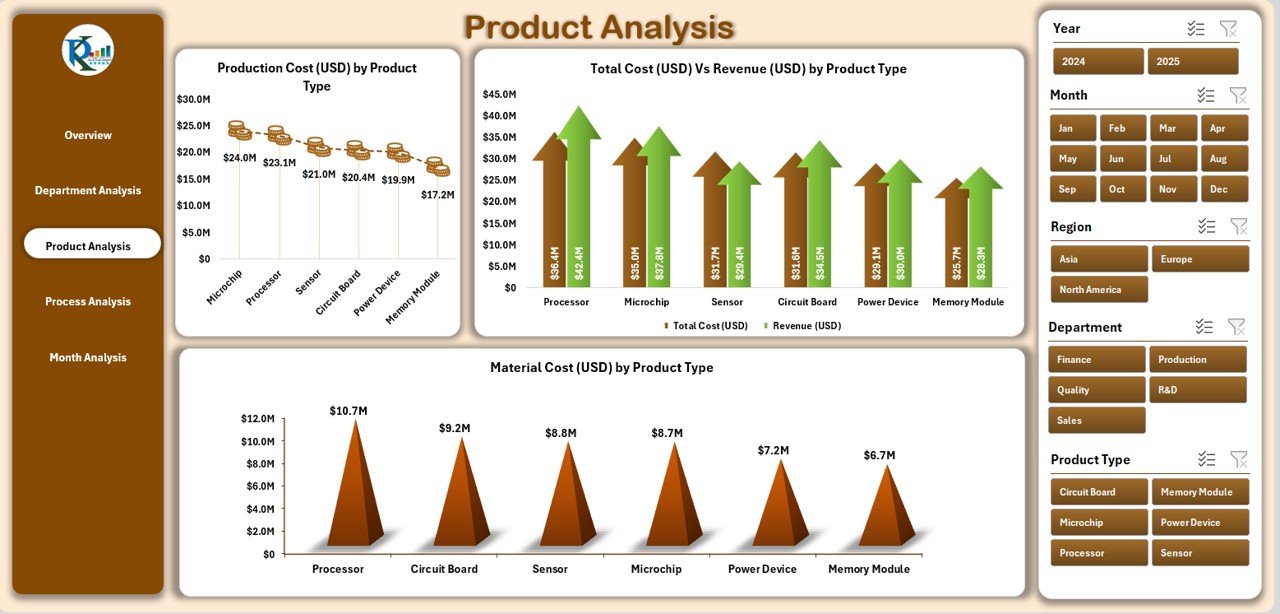
✅ 📦 Product Analysis Page – Measure Product Profitability
Evaluate cost and performance for every product line.
Total Cost vs Revenue by Product Type
Production Cost by Product Type
Material Cost by Product Type
💡 Perfect for decision-makers tracking product-wise profitability and waste reduction.
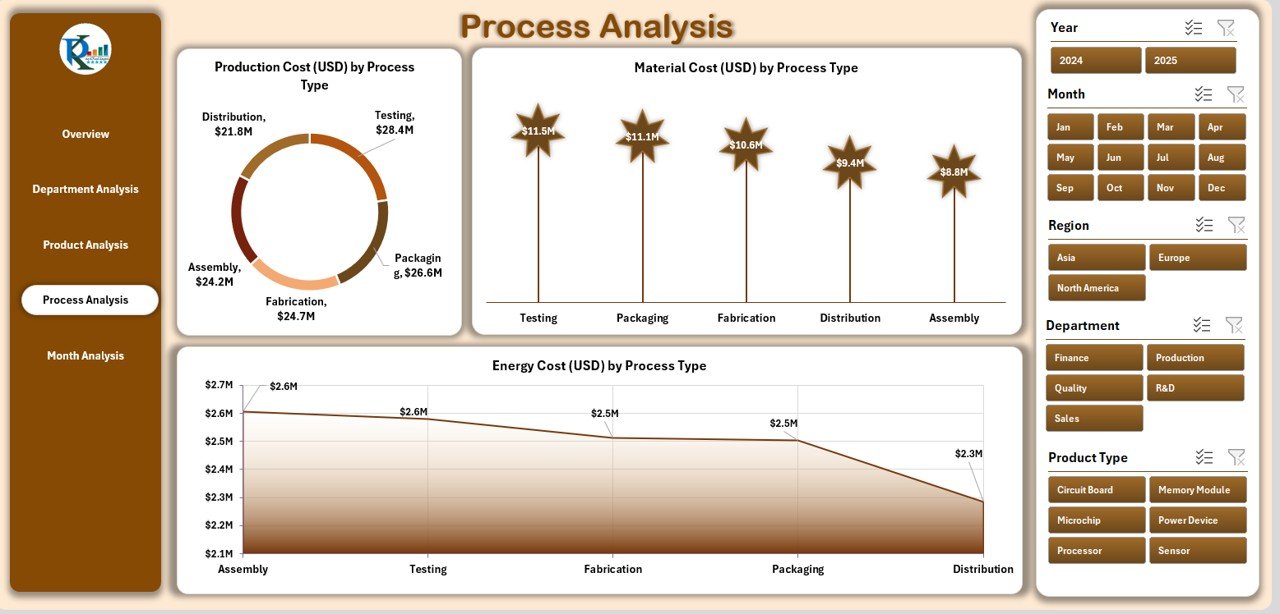
✅ ⚙️ Process Analysis Page – Optimize Production Workflow
Drill down into process-level data to improve manufacturing cycles.
Production Cost by Process Type
Material Cost by Process Type
Energy Cost by Process Type
🔍 Identify resource-heavy processes and balance output vs. cost efficiently.
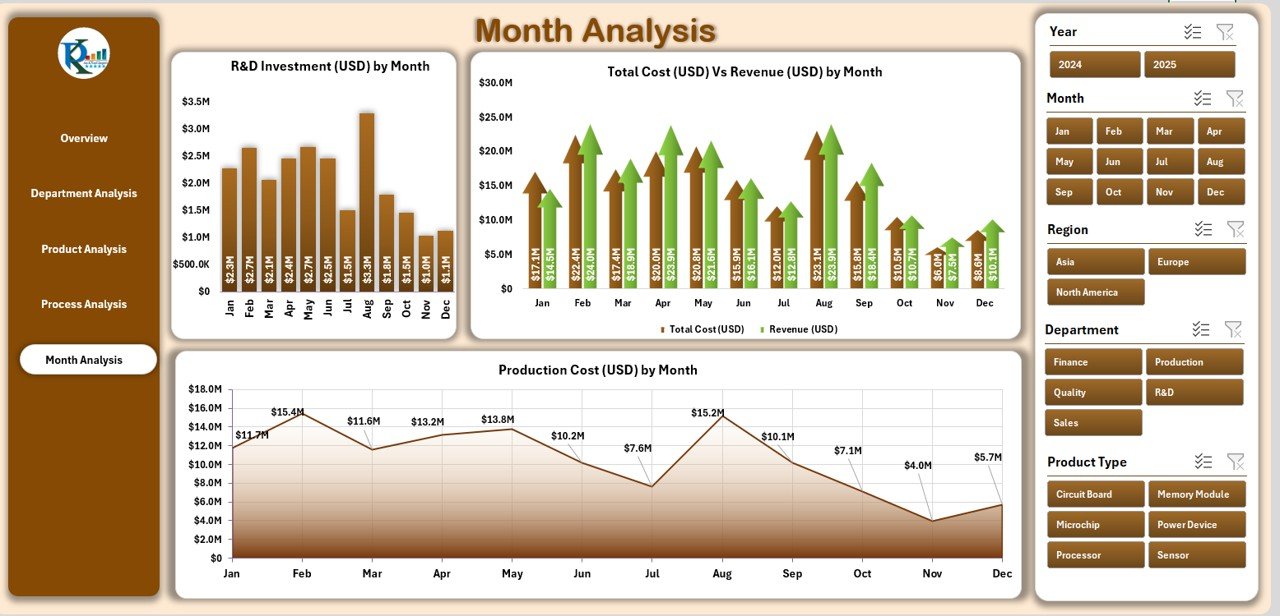
✅ 📅 Month Analysis Page – Analyze Seasonal Trends
Gain a time-based perspective on cost, revenue, and production.
Production Cost (USD) by Month
R&D Investment (USD) by Month
Production Output (USD) by Month
📆 Discover patterns, plan budgets, and forecast future performance confidently.
📦 What’s Inside the Dashboard
📁 Sheets Included:
Overview Page – Top-level KPIs and visuals
Department Analysis – Cost and revenue by department
Product Analysis – Product-level performance
Process Analysis – Manufacturing cost efficiency
Month Analysis – Monthly operational insights
Data Sheet – Central input area for all metrics
Support Sheet – Formula and pivot logic backend
💻 All visuals update automatically once you modify the Data Sheet — no coding required.
⚙️ How to Use the Electronics & Semiconductors Dashboard in Excel
1️⃣ Input Data: Enter monthly or weekly metrics such as cost, production, and revenue in the Data Sheet.
2️⃣ Automated Refresh: Pivot tables and charts update automatically.
3️⃣ Filter Views: Use slicers to explore data by region, department, or month.
4️⃣ Analyze KPIs: View trends, performance comparisons, and profitability ratios.
5️⃣ Export Reports: Generate management reports or presentations instantly.
🚀 Within minutes, you’ll turn static data into dynamic performance intelligence.
👥 Who Can Benefit from This Dashboard
🏭 Manufacturing Managers – Track production costs and efficiency.
💰 Finance Controllers – Compare revenue vs. cost across departments.
🧠 Data Analysts – Visualize key metrics without needing BI tools.
⚡ Process Engineers – Identify performance gaps in production lines.
💼 Executives – Gain a clear overview of company performance instantly.
💡 Advantages of the Electronics & Semiconductors Dashboard in Excel
✅ Centralized Data Management – Integrate all performance KPIs in one file.
✅ Real-Time Decision Support – Monitor cost, profit, and output simultaneously.
✅ Reduced Reporting Time – Save up to 70% of manual reporting effort.
✅ Error-Free Analysis – Automated formulas ensure data consistency.
✅ Scalable & Customizable – Add KPIs, formulas, or visuals easily.
✅ Affordable BI Alternative – Get powerful analytics without Power BI or ERP systems.
💻 This Excel-based tool delivers the power of data analytics at a fraction of the cost.
🎯 Best Practices for Effective Use
🔹 Keep your input data clean and validated.
🔹 Use consistent units and date formats.
🔹 Refresh charts monthly for the latest results.
🔹 Apply conditional formatting to highlight trends.
🔹 Back up your dashboard regularly.
With these steps, your team will maintain an accurate, insightful, and reliable performance tracking system.
🔗 Click here to read the Detailed Blog Post
🎥 Visit our YouTube channel to learn step-by-step video tutorials
Watch the step-by-step video tutorial:
Compatibility and Requirements
- Works in Microsoft Excel desktop (Excel 2016 or later, or Microsoft 365).
- Pivot tables and charts update from the Data Sheet, and slicers filter by region, department or month. Microsoft explains slicers in Use slicers to filter data.
Frequently Asked Questions
Which sheets are included?
Overview, Department Analysis, Product Analysis, Process Analysis, Month Analysis, a Data Sheet for your inputs and a Support Sheet with the formula and pivot logic.
Which costs does it track?
Energy cost, material cost, production cost and total cost against revenue, all in USD, plus profit by process type and R&D investment by month.
Where do I enter data?
Enter monthly or weekly cost, production and revenue figures in the Data Sheet. The pivot tables and charts update from there.
Can I add more KPIs?
Yes. You can add KPIs, formulas or visuals to fit your plant.
Is there a Power BI or Google Sheets version?
Yes. See the Electronics & Semiconductors Dashboard in Power BI and the Electronics & Semiconductors Dashboard in Google Sheets.
Related Electronics Templates
- Electronics & Semiconductors Dashboard in Power BI: the same dashboard in Power BI
- Electronics & Semiconductors Dashboard in Google Sheets: the Google Sheets edition
- Electronics & Semiconductors KPI Dashboard in Excel: monthly electronics KPIs against targets in Excel
- Electronics & Semiconductors KPI Dashboard in Power BI: the KPI edition in Power BI
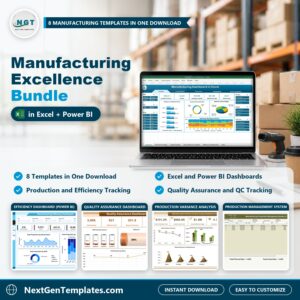
- Manufacturing Excellence Bundle: 8 manufacturing templates for Excel and Power BI
Browse all Excel dashboards.










Reviews
There are no reviews yet.