

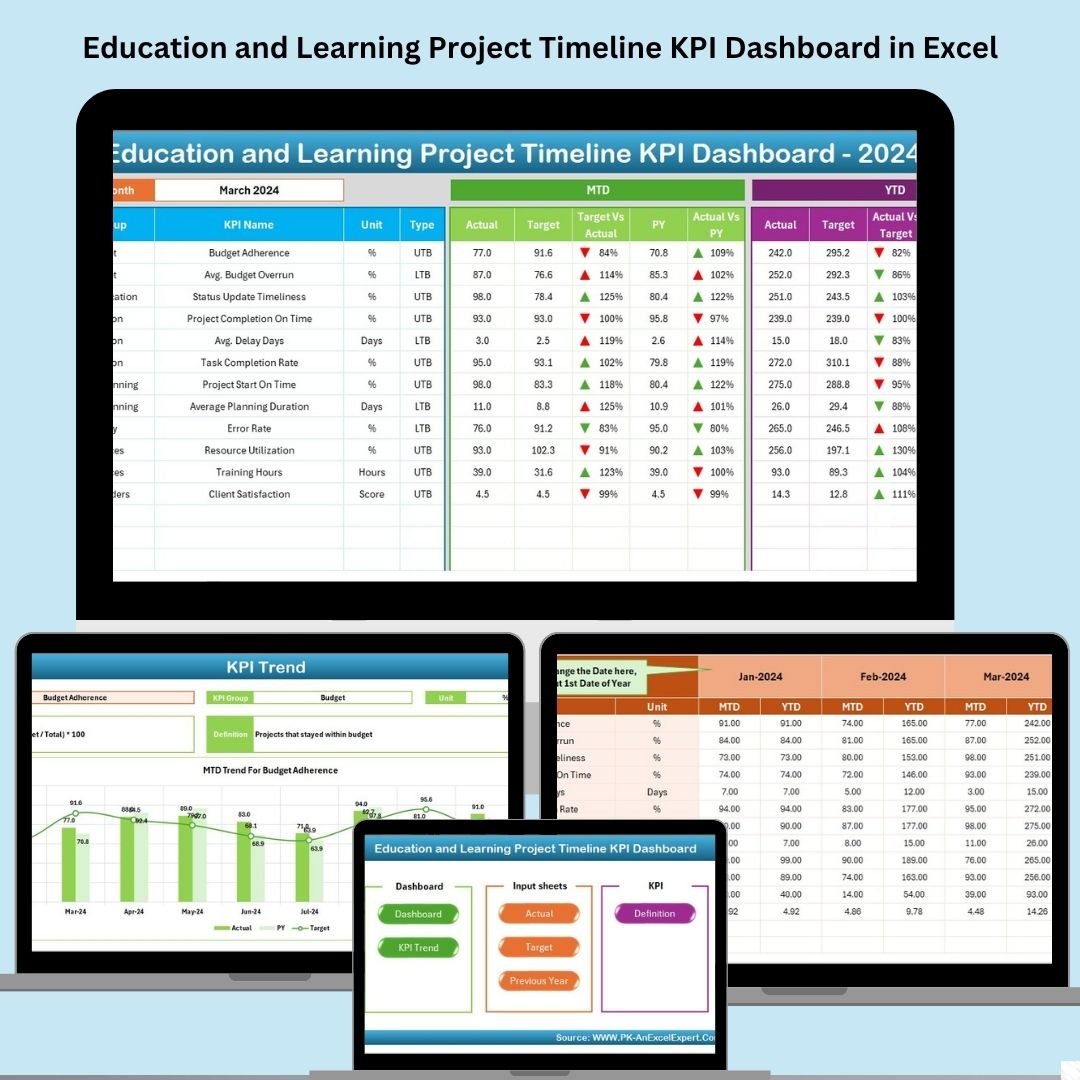

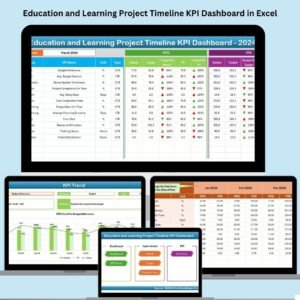
Managing multiple education-related projects? 📅 Stay ahead with the Education and Learning Project Timeline KPI Dashboard in Excel—a powerful, easy-to-use tool that helps you track project progress, monitor KPIs, and ensure everything is running on time. Whether you’re overseeing curriculum development, faculty training, or digital learning initiatives, this dashboard gives you a full view of milestones, monthly performance, and long-term trends—all in one file.
Designed for school administrators, educators, coordinators, and consultants, this Excel-based solution simplifies complex data into clear visuals and strategic insights.
✨ Key Features of Project Timeline KPI Dashboard
🏠 Home Sheet – Your Navigation Hub
One-click buttons to jump to different dashboard sections
Easy access to KPI visualizations, trend analysis, and data input sheets
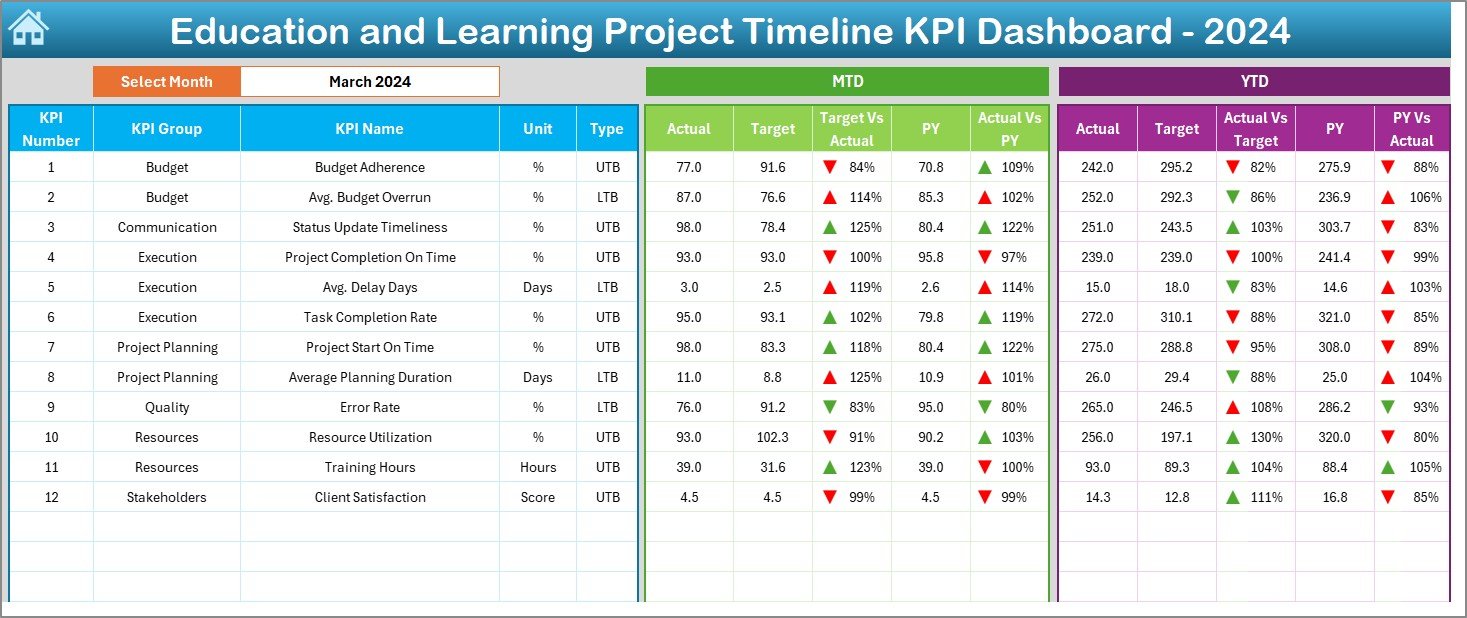
📊 Dashboard Sheet – Monthly KPI Snapshot
Select any month via dropdown to view data
MTD (Month-To-Date), YTD (Year-To-Date), and PY (Previous Year) metrics
Up/down arrows for quick performance status checks
Target vs Actual vs PY comparisons in a single view
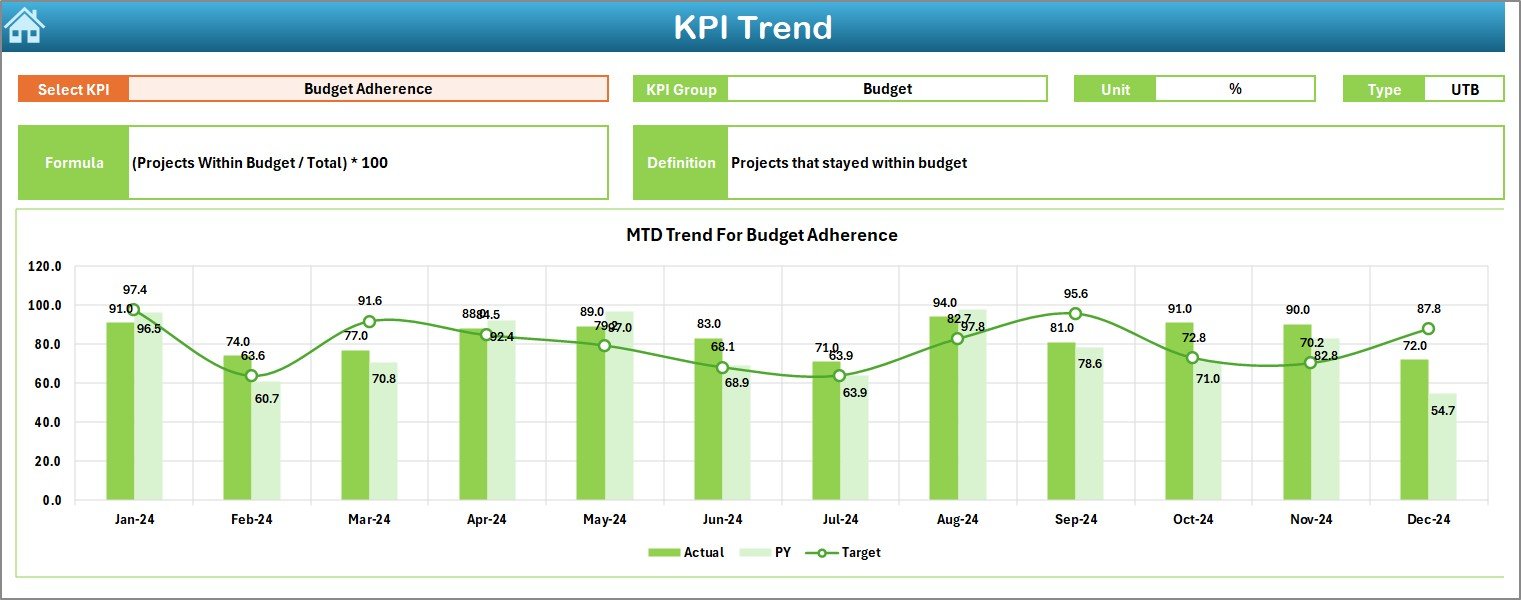
📈 KPI Trend Sheet – Track Long-Term Progress
Select KPI from a dropdown menu
Review month-over-month performance
View detailed metadata including:
✔ KPI Group
✔ Unit
✔ Type (UTB or LTB)
✔ Formula & Definition
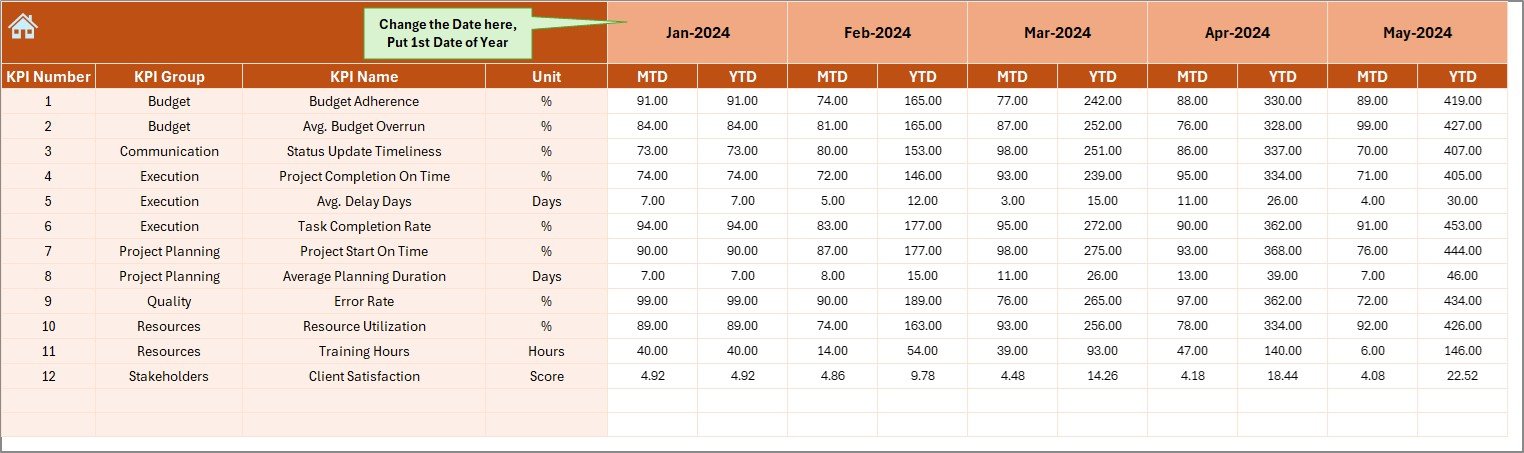
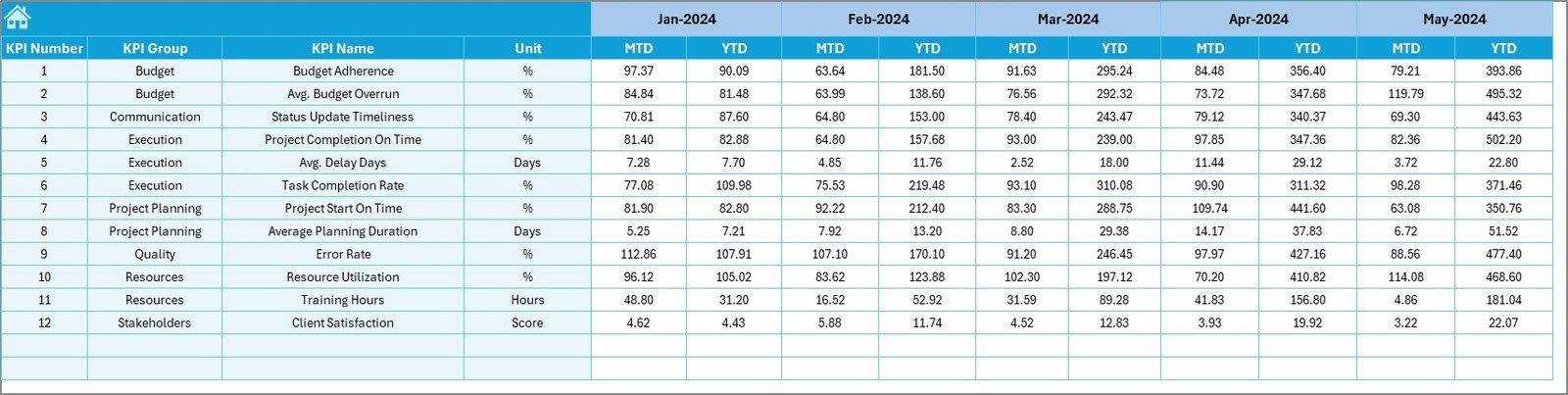
🧾 Actual Numbers Input Sheet – Easy Data Entry
Set the first month in cell E1
Add MTD/YTD values monthly
The dashboard auto-updates with every change
🎯 Target Sheet – Define Your Goals
Set monthly and annual targets for each KPI
Helps teams stay aligned and accountable
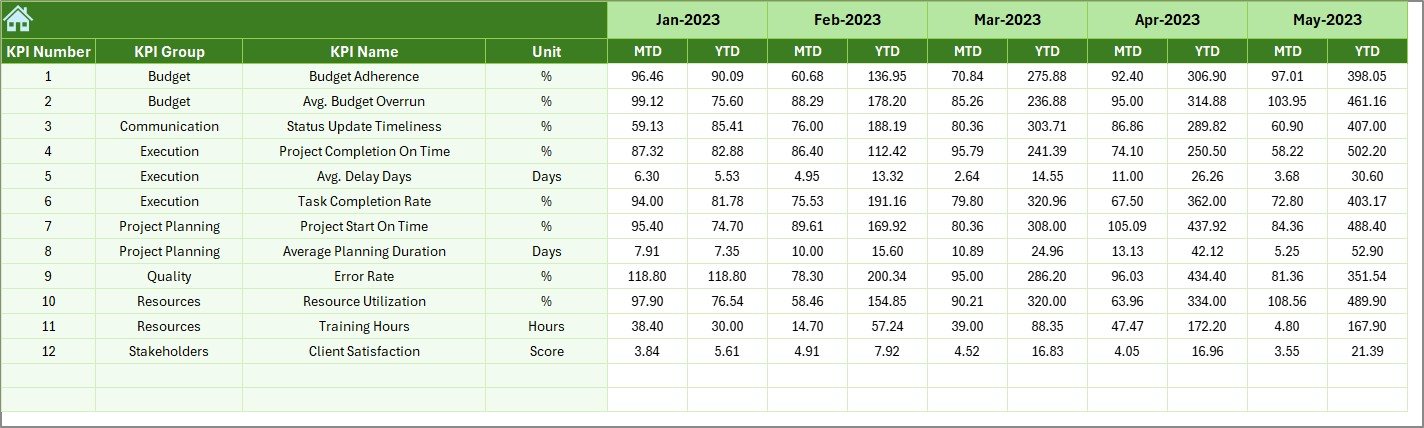
🔁 Previous Year Sheet – Benchmark Your Success
Add historical values to compare performance YoY
Instantly view progress and gaps
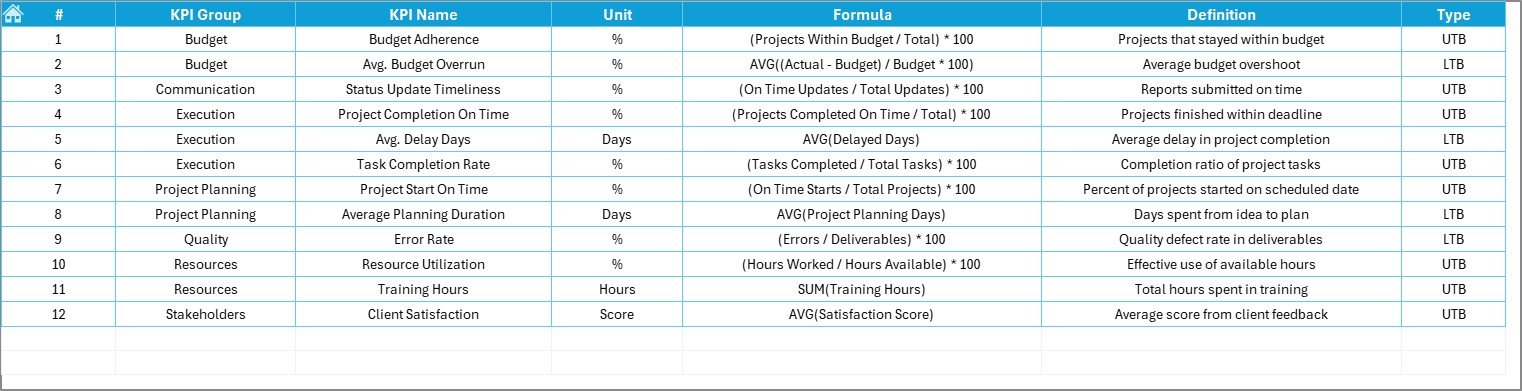
📘 KPI Definition Sheet – Full KPI Documentation
Keep everyone aligned on metric meaning and formulas
Clearly defined KPIs grouped by category for easy reference
📂 What’s Inside the Dashboard Template
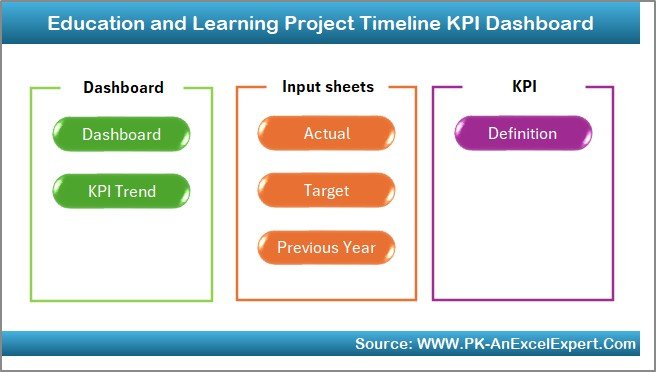
✅ 7 Well-Organized Sheets
Home Sheet
Dashboard (Visual Summary)
KPI Trend Sheet
Actual Numbers Input Sheet
Target Sheet
Previous Year Sheet
KPI Definition Sheet
All sheets are linked dynamically to automate tracking and visualization.
🛠️ How to Use the Dashboard
👉 Step 1: Set Your Timeline Start
In the Actual Numbers Input Sheet, choose the start month (cell E1).
👉 Step 2: Input Actuals and Targets
Add monthly values to the input and target sheets.
👉 Step 3: Benchmark with Previous Year
Paste in last year’s performance to the comparison sheet.
👉 Step 4: Select Month on Dashboard
Choose a month to review MTD/YTD stats and KPI visuals.
👉 Step 5: Analyze Trends and Take Action
Use the KPI Trend Sheet to identify strengths, bottlenecks, and opportunities.
👥 Who Can Benefit from This Dashboard?
🏫 School Administrators – Track institutional goals and key projects
📚 Educators – Monitor progress of academic programs
📈 Education Project Managers – Stay on top of milestones and delays
💻 E-learning Coordinators – Evaluate digital rollouts and adoption rates
🧑🏫 Academic Consultants – Report on impact metrics and timelines
This dashboard works perfectly for education institutions, training organizations, NGOs, and private learning centers.
🔧 Customization Tips to Match Your Needs
🎨 Add your logo and brand colors to the Home Sheet
📌 Adjust KPI groups to match your curriculum structure or initiatives
📈 Add new charts for focus areas like delays or high performers
⚠️ Use conditional formatting to highlight underperforming KPIs
📊 Insert pivot tables for more department-specific reporting
✅ Click here to read the Detailed blog post
🔗 Visit our YouTube channel to learn step-by-step video tutorials
Watch the step-by-step video tutorial:
Compatibility and Requirements
- Works in Microsoft Excel desktop (Excel 2016 or later, or Microsoft 365).
- You pick the month and the KPI from dropdown lists. Microsoft explains them in Create a drop-down list.
Frequently Asked Questions
How many sheets does the dashboard have?
Seven sheets: Home, Dashboard, KPI Trend, Actual Numbers Input, Target, Previous Year and KPI Definition.
How do I enter my data?
Set the first month in cell E1 of the Actual Numbers Input sheet, then add your MTD and YTD values each month. Put your goals in the Target sheet. The dashboard updates when the numbers change.
Can I compare this year with last year?
Yes. Paste last year’s figures into the Previous Year sheet. The Dashboard then shows Target, Actual and previous year values together, with up and down arrows for status.
How do I follow one KPI over time?
Open the KPI Trend sheet and choose the KPI from the dropdown. It shows month-over-month performance plus the KPI group, unit, type (UTB or LTB), formula and definition.
Is there a similar dashboard for other education topics?
Yes. For example, see the Education and Learning Performance KPI Dashboard in Excel and the Education and Learning Quality Assurance KPI Dashboard in Excel.
Related Education and Project Timeline Templates
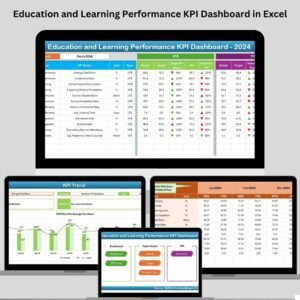
- Education and Learning Performance KPI Dashboard in Excel: performance KPIs for education teams
- Education and Learning Quality Assurance KPI Dashboard in Excel: quality KPIs for learning programs
- Education and Learning Risk Management KPI Dashboard in Excel: risk KPIs for education projects
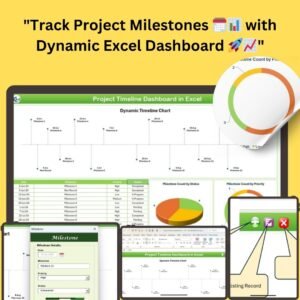
- Project Timeline Dashboard in Excel: a general project timeline view
- Education & School Management Bundle: 8 Excel and Google Sheets templates for schools in one download
Browse all Excel education templates and Excel KPI dashboards.






















Reviews
There are no reviews yet.