

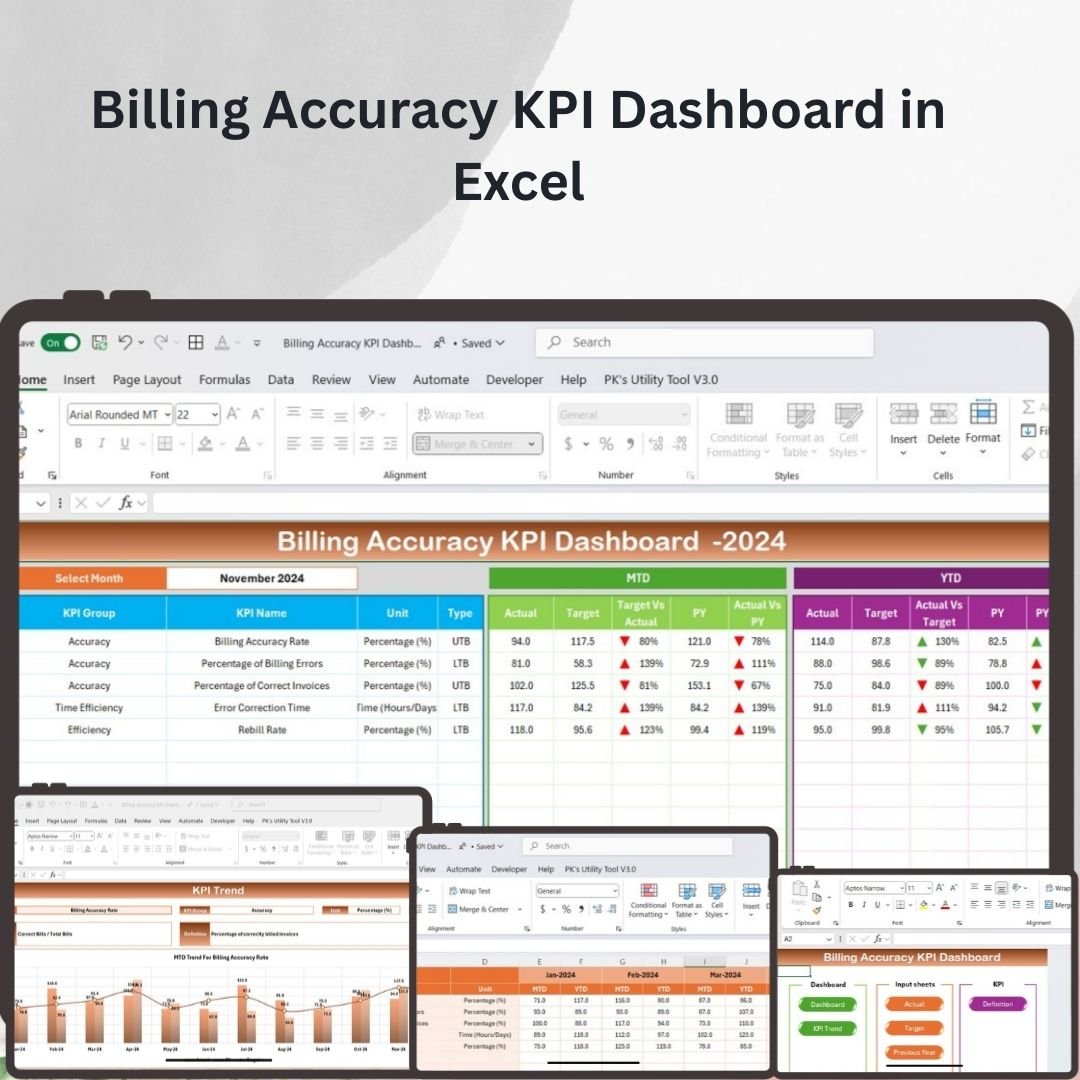
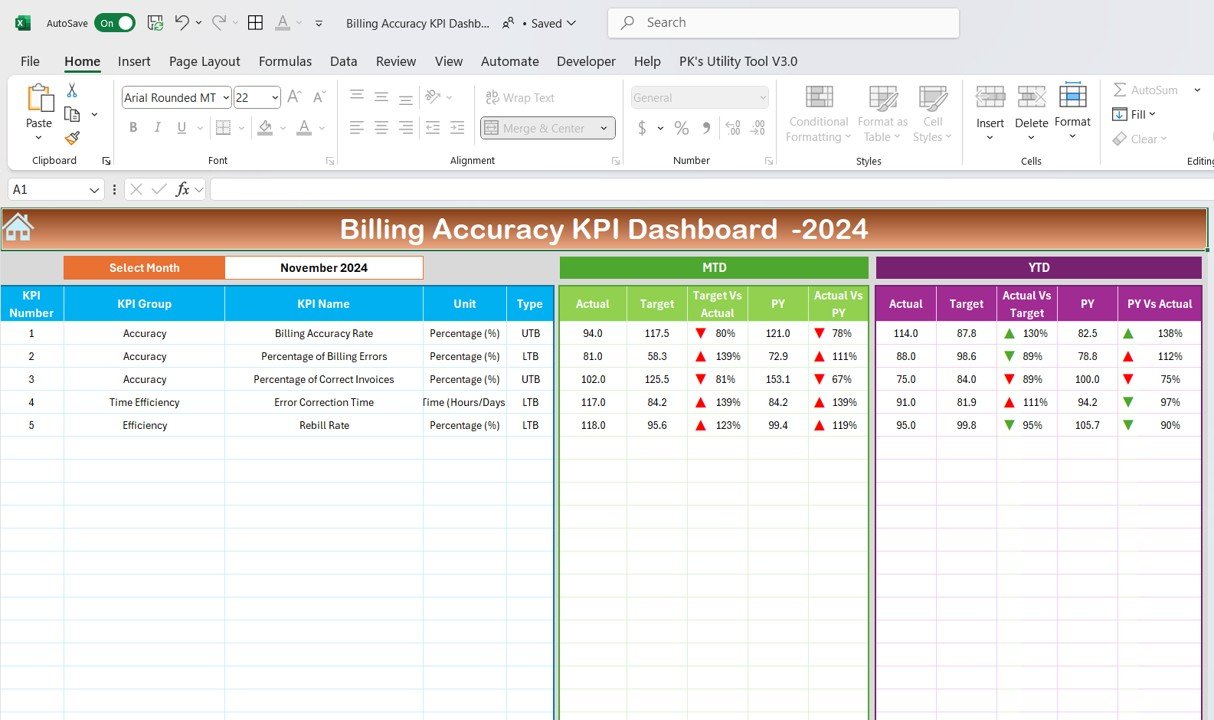

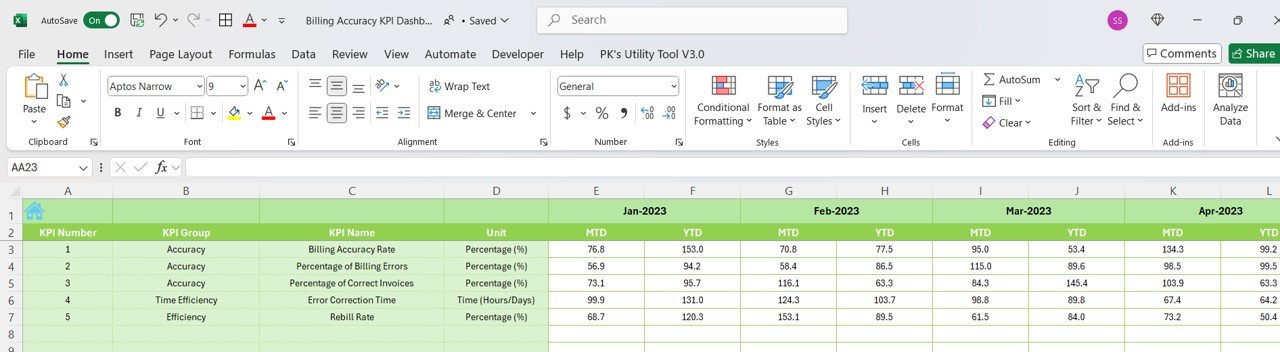
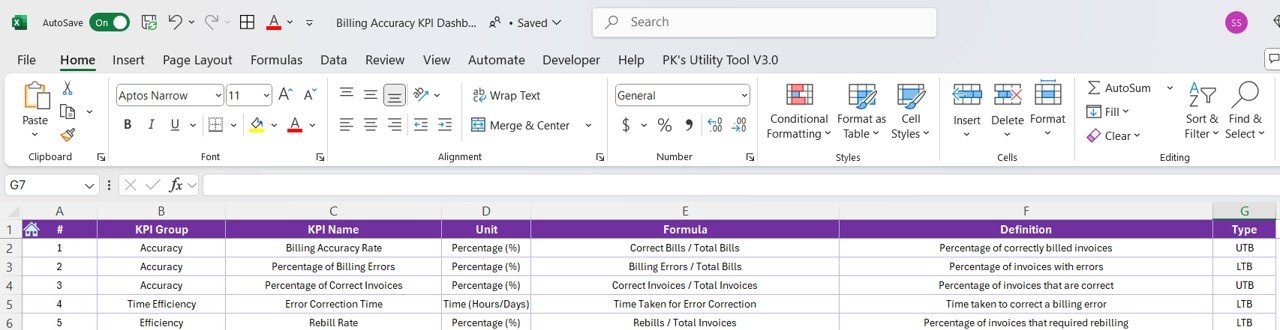

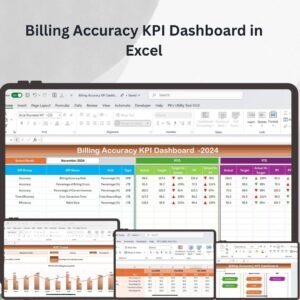
The Billing Accuracy KPI Dashboard in Excel is an essential tool for organizations to monitor and track billing performance in real time. Designed to provide clear insights into billing processes, this dashboard helps businesses ensure that they maintain accurate and timely billing, reduce errors, and improve their overall billing efficiency. By tracking key performance indicators (KPIs), this tool enables businesses to identify areas that need improvement and make data-driven decisions to enhance their billing operations.
This KPI Dashboard is fully customizable, allowing you to add your own KPIs, track different billing metrics, and monitor performance trends over time. With its visually engaging charts, graphs, and real-time updates, the Billing Accuracy KPI Dashboard provides a comprehensive overview of your billing accuracy and efficiency.

Key Features of the Billing Accuracy KPI Dashboard in Excel
📌 Comprehensive Billing KPIs
Track essential billing KPIs such as billing error rates, on-time billing, and invoice accuracy. This dashboard ensures that you have all the key metrics at your fingertips to evaluate billing performance comprehensively.
🛠 Customizable KPIs and Data
You can easily customize the dashboard by adding your own billing metrics and adjusting the layout to fit your business needs. Whether you’re tracking error rates by department, customer, or billing cycle, the flexibility of the dashboard allows you to tailor it accordingly.
💡 Real-Time Performance Tracking
As your billing data changes, the dashboard updates automatically in real time, ensuring that you always have the most current data at hand. This real-time tracking is essential for identifying problems quickly and making timely adjustments to improve billing accuracy.
🔢 Visual and Intuitive Charts
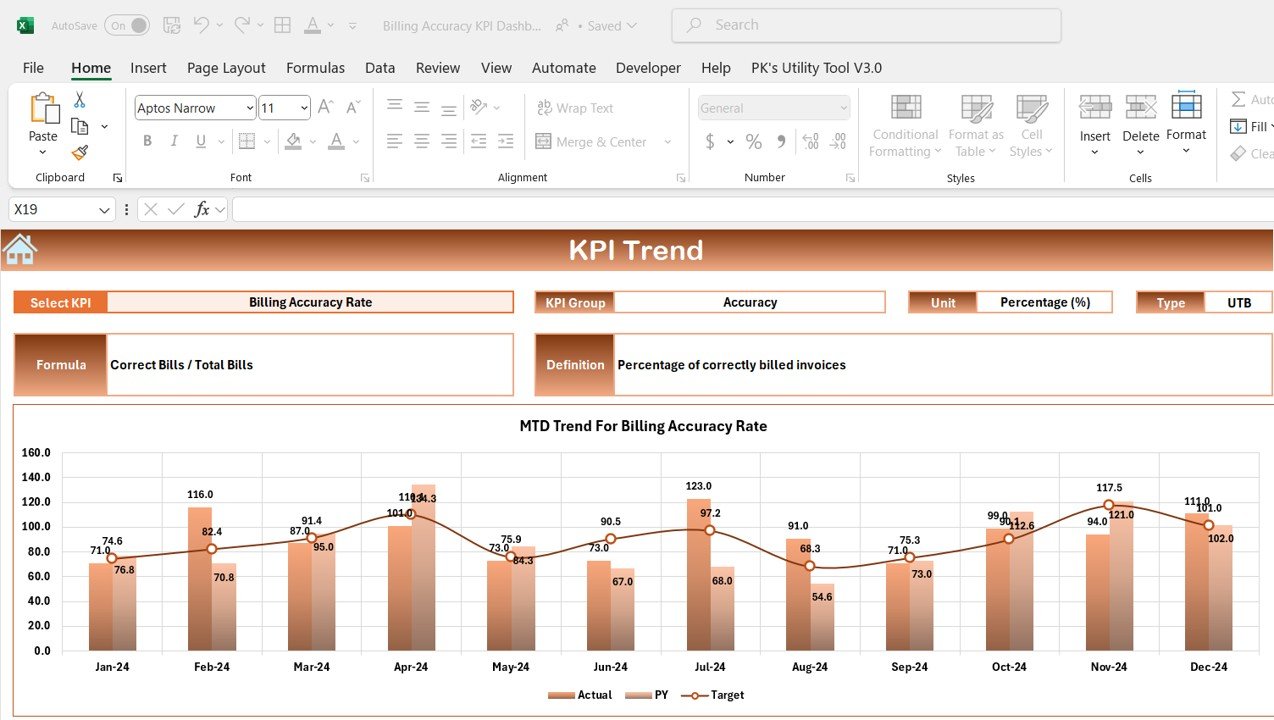
The dashboard uses a combination of bar charts, line graphs, and pie charts to present your billing data in an easy-to-understand, visually appealing format. These charts make it simple to track performance trends, monitor KPIs, and identify areas for improvement.
🚀 Automated Data Input and Updates
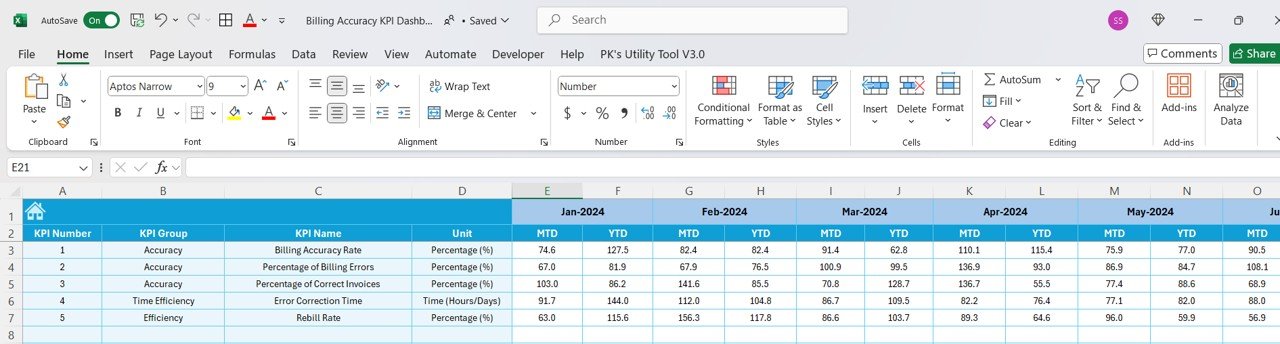
Once the initial data is set up, the Billing Accuracy KPI Dashboard automatically updates as new data is added, saving you time and reducing the risk of human error. This automation ensures that your team spends less time manually updating the dashboard and more time analyzing the data.
📊 Detailed Performance Insights
The dashboard offers a detailed breakdown of your billing performance, including the number of accurate invoices, late payments, discrepancies, and error rates. With these insights, you can make informed decisions to optimize your billing processes.
⚙ User-Friendly and Simple Setup
The Billing Accuracy KPI Dashboard is easy to set up and use. The template comes with clear instructions, and you don’t need advanced Excel skills to get started. The intuitive layout ensures that users of all levels can use the dashboard effectively.
🚀 Why You’ll Love the Billing Accuracy KPI Dashboard in Excel
✅ Comprehensive KPI Tracking – Track all the key metrics you need to assess billing accuracy. ✅ Real-Time Data Updates – Automatically update the dashboard with the latest data. ✅ Customizable Design – Tailor the dashboard to fit your business’s specific billing requirements. ✅ Clear and Engaging Charts – Visualize billing data trends with intuitive, professional charts. ✅ User-Friendly Interface – Simple setup and easy-to-navigate dashboard layout.
📂 What’s Inside the Billing Accuracy KPI Dashboard in Excel?
- Billing KPI Tracking: Track error rates, on-time billing, and invoice accuracy.
- Customizable Design: Add or adjust KPIs based on your business needs.
- Real-Time Updates: The dashboard automatically reflects changes in your data.
- Clear Setup Instructions: Easy-to-follow guide to help you get started quickly.
- Visual Data Representation: Charts and graphs to make data insights clearer and more accessible.
🔍 How to Use the Billing Accuracy KPI Dashboard in Excel
1️⃣ Download the Template – Instant access to the Excel file upon purchase. 2️⃣ Input Your Billing Data – Enter your data into the provided fields for automatic tracking. 3️⃣ Customize KPIs – Adjust the KPIs or add new metrics to track your business’s billing performance. 4️⃣ Analyze Your Performance – Use the charts and graphs to gain insights into your billing accuracy. 5️⃣ Track and Present – Share the dashboard in meetings or reports to present key billing metrics.
🎯 Who Can Benefit from the Billing Accuracy KPI Dashboard in Excel? 🔹 Billing Managers
🔹 Finance Teams
🔹 Business Analysts
🔹 Project Managers
🔹 Operations Managers
🔹 Anyone looking to improve billing accuracy and streamline billing processes
Monitor, track, and improve your billing accuracy with the Billing Accuracy KPI Dashboard in Excel. This dynamic and customizable tool ensures you can stay on top of billing errors, discrepancies, and performance trends.
Click here to read the Detailed blog post
https://www.pk-anexcelexpert.com/billing-accuracy-kpi-dashboard-in-excel/
Visit our YouTube channel to learn step-by-step video tutorials
Compatibility and Requirements
- Works in Microsoft Excel desktop (Excel 2016 or later, or Microsoft 365).
- Results appear in Excel charts. Microsoft covers editing them in Create a chart from start to finish.
Frequently Asked Questions
What does the Billing Accuracy KPI Dashboard track?
It tracks billing error rates, on-time billing and invoice accuracy.
Can I change the KPIs?
Yes. You can adjust the KPIs or add new metrics to track your billing performance.
How do I add my data?
Enter your billing data into the provided fields and the dashboard tracks it automatically.
How are the results shown?
Charts and graphs show your billing accuracy so problems are easier to spot.
Is there a Google Sheets version?
Yes. See the Billing Accuracy KPI Dashboard in Google Sheets.
Related Billing Templates
- Billing Accuracy KPI Dashboard in Google Sheets: the same KPIs in Google Sheets
- Client Billing Dashboard in Excel: a full client billing dashboard
- Invoice Payment Checklist in Excel: check off invoice payments
- Vendor Invoice Submission Tracker in Excel: track vendor invoice submissions
- Finance & Accounting Command Center: 8 finance and accounting templates in one download
Browse all Excel KPI dashboards or the Excel financial tools.















Reviews
There are no reviews yet.