


Contracts are critical business assets. They define responsibilities, ensure compliance, and protect revenue. However, when contract performance is tracked through emails, folders, or disconnected spreadsheets, organizations face missed deadlines, compliance gaps, revenue leakage, and operational risk.
That is exactly why the Contract Management KPI Dashboard in Excel is a must-have performance management solution for modern organizations.
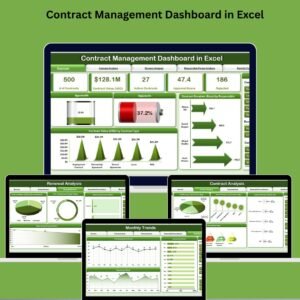
This ready-to-use Excel dashboard helps legal, procurement, finance, and contract teams track, monitor, and analyze contract KPIs in one centralized view. Instead of reacting late, you gain real-time visibility, structured insights, and proactive control over your entire contract lifecycle.
🔑 Key Features of Contract Management KPI Dashboard in Excel
📊 Centralized Contract KPI Monitoring
Track all contract-related KPIs in one structured Excel dashboard instead of scattered files.
📅 Dynamic Month Selection
Select any month from a dropdown and automatically update the entire dashboard.
🎯 MTD & YTD Performance Tracking
Monitor both Month-to-Date and Year-to-Date contract performance.
🔁 Previous Year Benchmarking
Compare current KPIs against previous year data to measure improvement or decline.
📈 KPI Trend Analysis
Analyze MTD and YTD trends to understand performance movement over time.
🎨 Visual Performance Indicators
Conditional formatting with arrows instantly highlights performance direction.
📦 What’s Inside the Contract Management KPI Dashboard in Excel
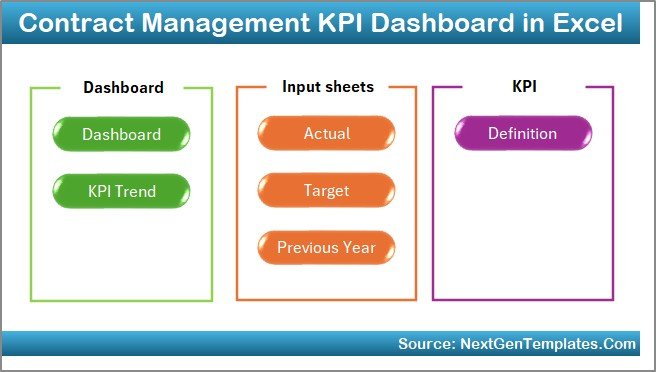
This professionally designed Excel template includes seven structured worksheets; each built for clarity and efficiency:
🏠 Home Sheet
Central navigation hub
Six buttons for quick access
Clean and user-friendly layout
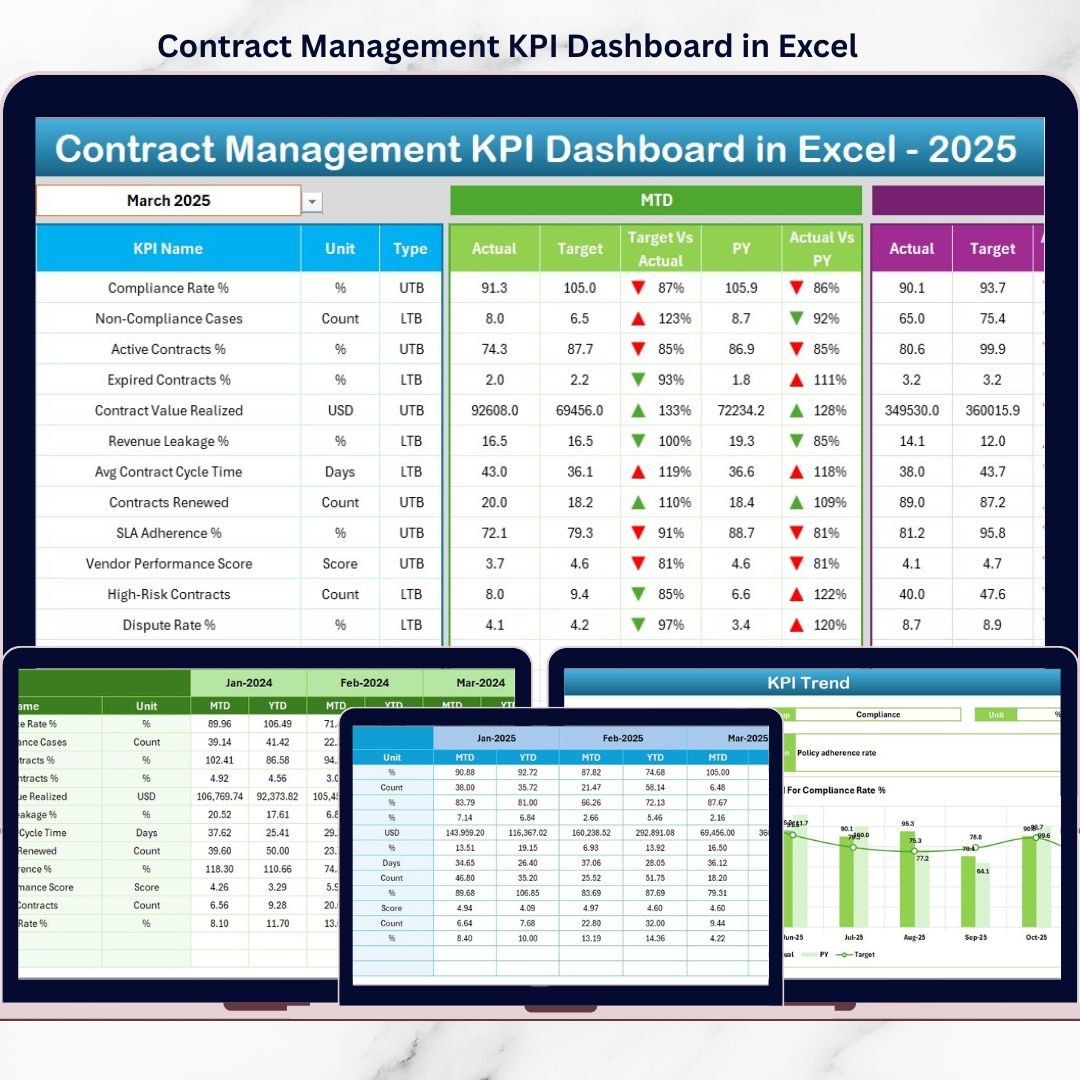
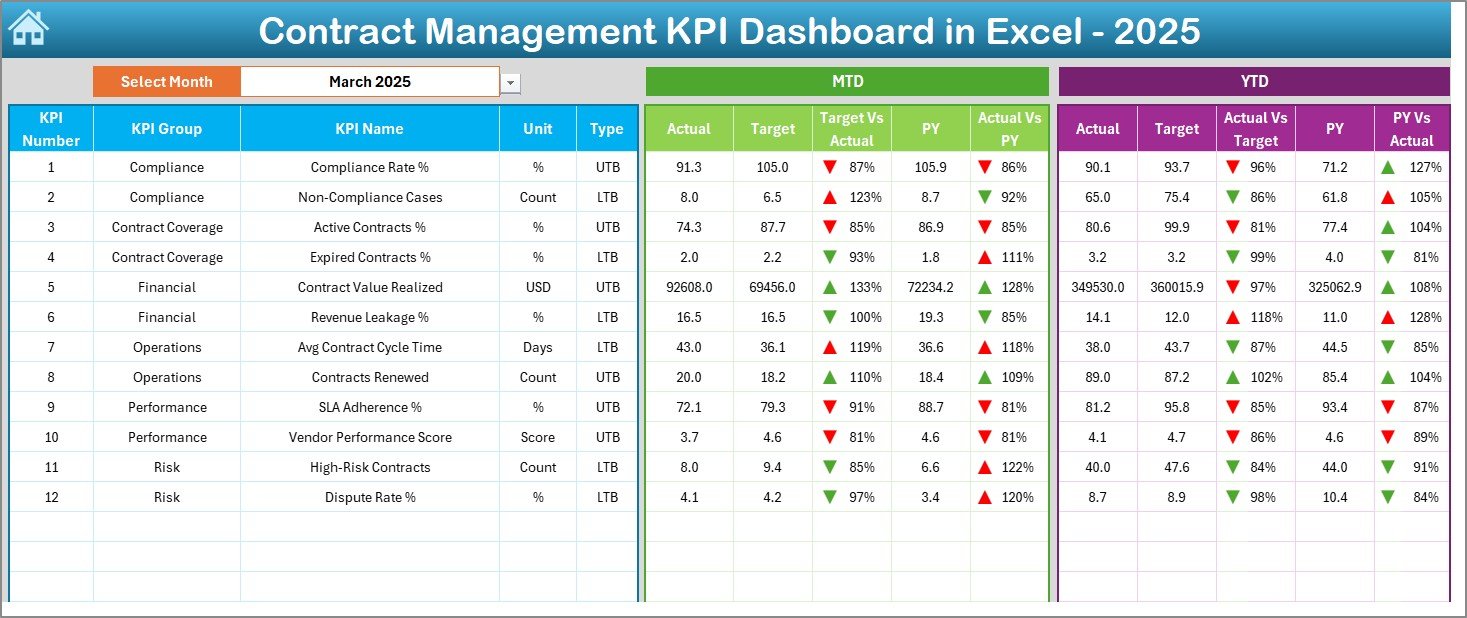
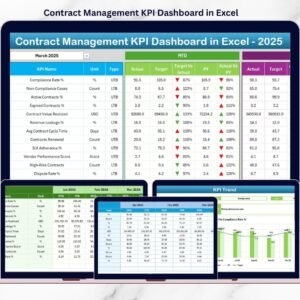
📊 Dashboard Sheet
Month selection dropdown
MTD Actual, Target & Previous Year
YTD Actual, Target & Previous Year
Target vs Actual and PY vs Actual
Visual arrows for performance direction
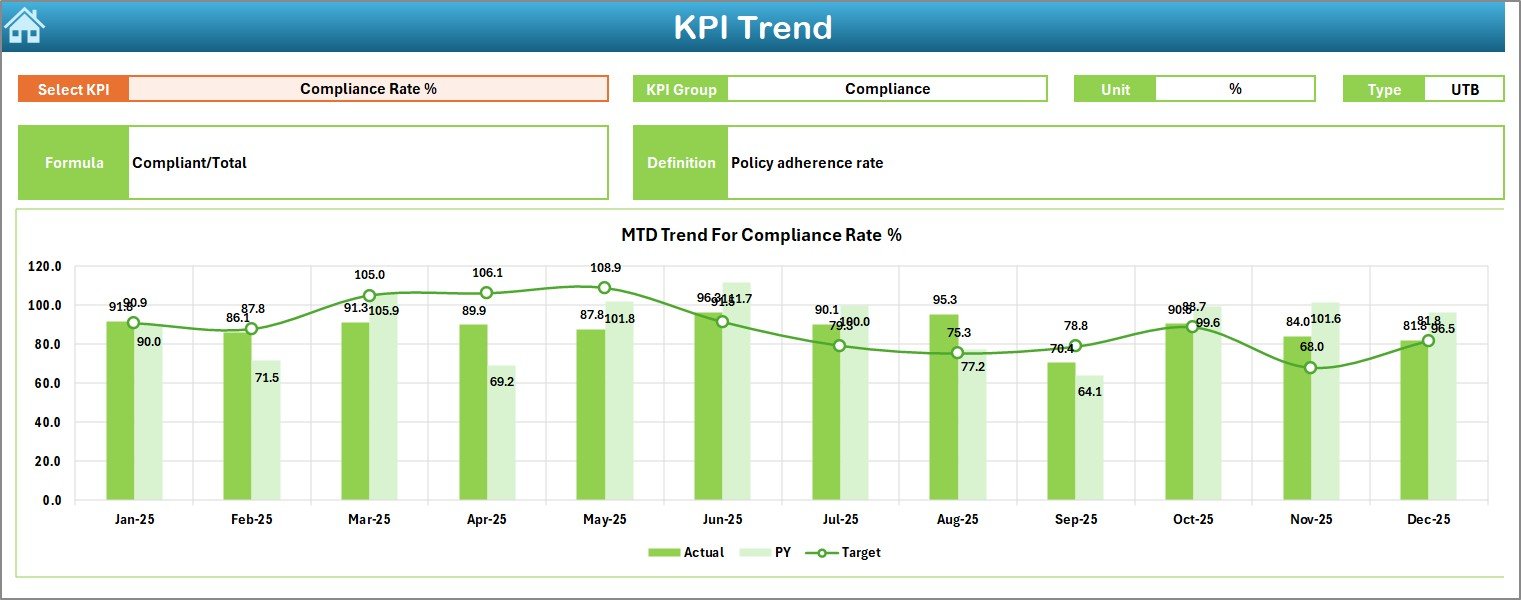
📈 KPI Trend Sheet
KPI selection dropdown
KPI group, unit, type, formula & definition
MTD & YTD trend charts
Actual, Target & PY comparison
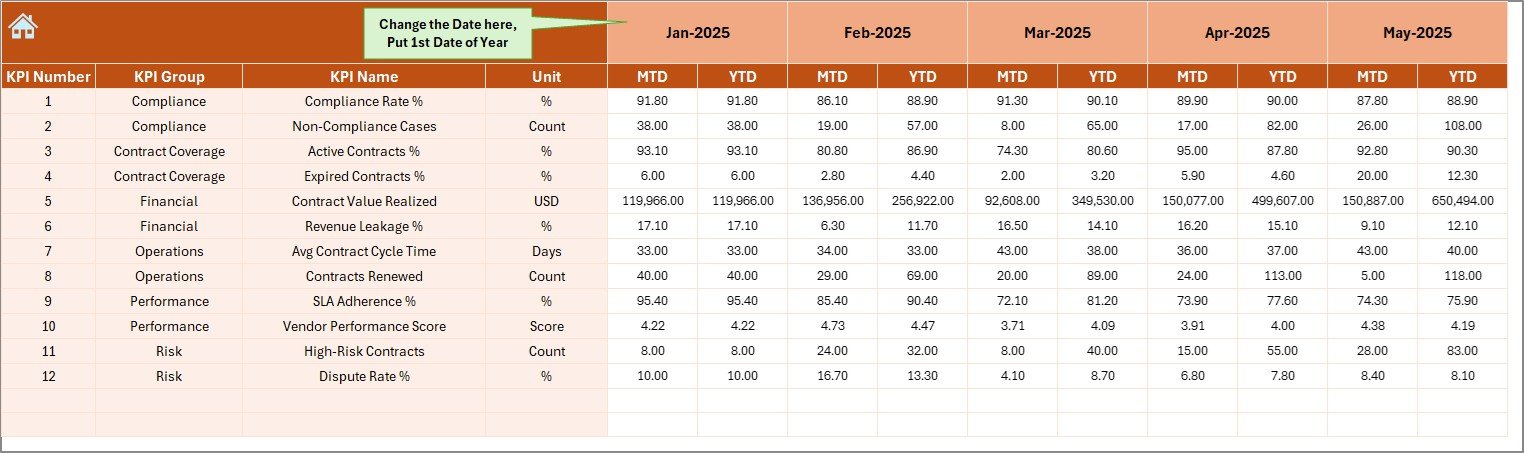
🧾 Actual Numbers Input Sheet
Enter MTD and YTD actual values
Change month easily
Automatic dashboard refresh
🎯 Target Sheet
Define monthly MTD targets
Define cumulative YTD targets
Maintain consistent benchmarks
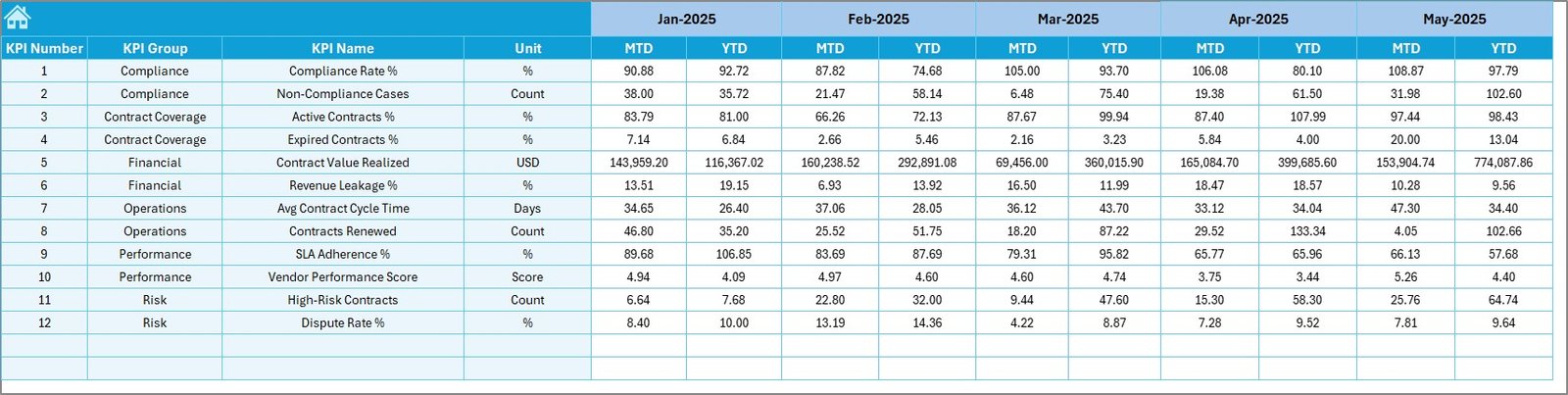
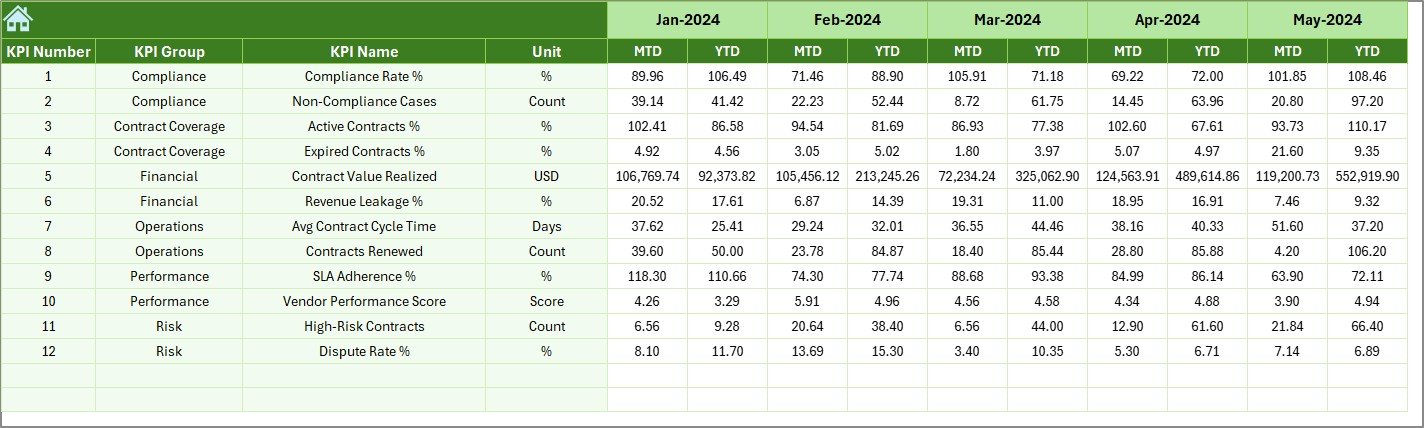
📊 Previous Year Number Sheet
Store historical KPI data
Enable year-over-year analysis
Support long-term trend evaluation
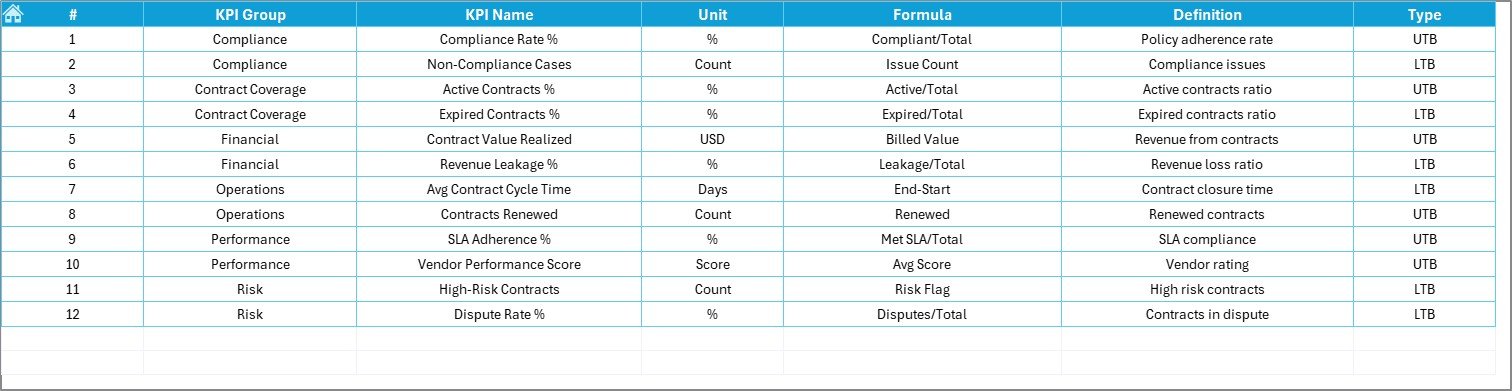
📋 KPI Definition Sheet
KPI name and group
Unit of measurement
Formula and definition
Single source of truth for KPIs
⚙️ How to Use the Contract Management KPI Dashboard in Excel
Using this dashboard is simple and intuitive:
1️⃣ Enter actual performance values in the Actual Numbers sheet
2️⃣ Define targets in the Target sheet
3️⃣ Maintain previous year data for benchmarking
4️⃣ Select the month from the dropdown
5️⃣ Review MTD, YTD, and trend insights instantly
No macros, no coding, and no advanced Excel skills required.
👥 Who Can Benefit from This Contract Management KPI Dashboard
This dashboard is ideal for:
📑 Contract managers
⚖️ Legal teams
🛒 Procurement professionals
💰 Finance & compliance teams
🏢 Senior management and leadership
Anyone with basic Excel knowledge can use this dashboard effectively.
🚀 Why Choose This Contract Management KPI Dashboard?
✅ Complete contract performance visibility
✅ Stronger compliance and risk control
✅ Faster reporting and analysis
✅ Improved accountability across teams
✅ 100% Excel-based flexibility
Move from reactive contract management to data-driven contract control.
📘 Click here to read the Detailed blog post
🎥 Visit our YouTube channel to learn step-by-step video tutorials
Watch the step-by-step video tutorial:
Compatibility and Requirements
- Works in Microsoft Excel desktop (Excel 2016 or later, or Microsoft 365).
- You pick the month and the KPI from dropdown lists. Microsoft explains them in Create a drop-down list.
Frequently Asked Questions
Which sheets are included?
Seven sheets: Home, Dashboard, KPI Trend, Actual Numbers, Target, Previous Year Number and KPI Definition.
How do I update the dashboard?
Enter your MTD and YTD actual values in the Actual Numbers sheet and your targets in the Target sheet. Then select a month on the Dashboard sheet and it refreshes.
Can I compare this year with last year?
Yes. Add last year’s figures to the Previous Year Number sheet. The Dashboard shows Target vs Actual and Previous Year vs Actual, with arrows that show the direction of performance.
How do I see the trend for one KPI?
Open the KPI Trend sheet and pick a KPI from the dropdown. It shows the KPI group, unit, type, formula and definition, plus MTD and YTD trend charts.
Is there a Power BI or Google Sheets version for contract management?
Yes. See the Contract Management Dashboard in Power BI and the Contract Management Dashboard in Google Sheets.
Related Contract Management Templates
- Contract Management Dashboard in Excel: another dashboard view for your contracts
- Contract Management Tracker in Excel: a tracker for individual contracts
- Contract Management Dashboard in Power BI: the same topic in Power BI
- Vendor Contract Renewal Calendar in Excel: keep renewal dates in view
- KPI Dashboard Library (Excel): 15 KPI dashboards in one download
Browse all Excel KPI dashboards.
























Reviews
There are no reviews yet.